
The Problem With Card-First Expense Tools (Ramp, Brex, Expensify Card)
A practical, data-backed guide to controlling costs and automating expense workflows.
The Hidden Cost Nobody Tracks
As a manager, you're likely aware of the explicit costs associated with expense management, but there's a hidden cost that often goes untracked: your time. On average, a manager like you loses 4.2 hours every week on expense-related tasks. At a conservative hourly value of $50, this translates to $10,920 annually. For a team of just three managers, this hidden cost balloons to $32,760 per year, a significant expenditure that could be allocated more productively.
The time spent on expense tasks is not only substantial but also fragmented, making it harder to notice. For instance, you might spend 20 minutes each day chasing down missing receipts from team members, another 15 minutes reviewing each expense for policy compliance, and a dedicated 30 minutes every Friday approving submissions. These small time commitments add up, detracting from strategic responsibilities. With Blissneat's AI-powered expense management, particularly the 1-click mobile approval feature, you can reduce approval time from 12 minutes to just 8 seconds per expense, freeing up valuable time for more critical tasks.
5 Hidden Time Sinks in Expense Management
Beyond the obvious, there are several hidden time sinks that exacerbate the expense management burden. Identifying these is crucial for optimizing your workflow:
- Policy Violation Investigations: On average, 1 in 5 expenses require additional scrutiny for policy violations, consuming 5 minutes per instance. For 100 monthly expenses, this adds up to 100 minutes (1.67 hours) or $83.33 at $50/hr.
- Employee Reminders and Follow-Ups: Sending reminders for overdue receipts or approvals can take up to 10 minutes daily, totaling 50 minutes weekly ($41.67 at $50/hr) for a team of 10.
- Manual Data Entry for Non-Digital Receipts: For teams still dealing with physical receipts, manual entry can consume 2 minutes per receipt. With 20 non-digital receipts weekly, this amounts to 40 minutes ($33.33 at $50/hr).
- Audit Trail Maintenance: Ensuring compliance often requires dedicated time to maintain and review audit trails, easily taking 2 hours monthly ($100 at $50/hr) for a small team.
- Integration Troubleshooting: Issues with expense software integrations (e.g., with QuickBooks or Xero) can unexpectedly consume up to 3 hours quarterly ($150 at $50/hr) resolving connectivity problems or data sync errors.
These hidden time sinks not only drain managerial resources but also highlight the need for a streamlined, automated expense management solution. By addressing these inefficiencies, managers can reclaim significant amounts of time and reduce the financial burden of manual expense processing. Blissneat, with its offline receipt scanning, AI suggestions, and automatic policy enforcement, is designed to mitigate these challenges, offering a clear path to recoup lost hours and redirect them towards growth-oriented activities.
Consider the cumulative effect of these time sinks across your team and the broader organization. If each of your 3 managers spends an additional 2 hours weekly on just two of these hidden tasks, the annual cost at $50/hr escalates to $6,240, not accounting for the indirect costs of diverted attention from core business objectives. The case for a comprehensive, AI-driven expense management tool like Blissneat becomes compelling when viewed through the lens of both direct and indirect cost savings.
Where the Time Actually Goes
As a manager, you're well aware of the time sink that expense management can be. But have you ever broken down where exactly those hours disappear to? For teams of 5-50 people, the weekly time spent on expense management averages around 4.2 hours, translating to $10,900 annually at a modest $50/hour management rate. Let's dissect this further, with a focus on the specifics that Incurdesk aims to address.
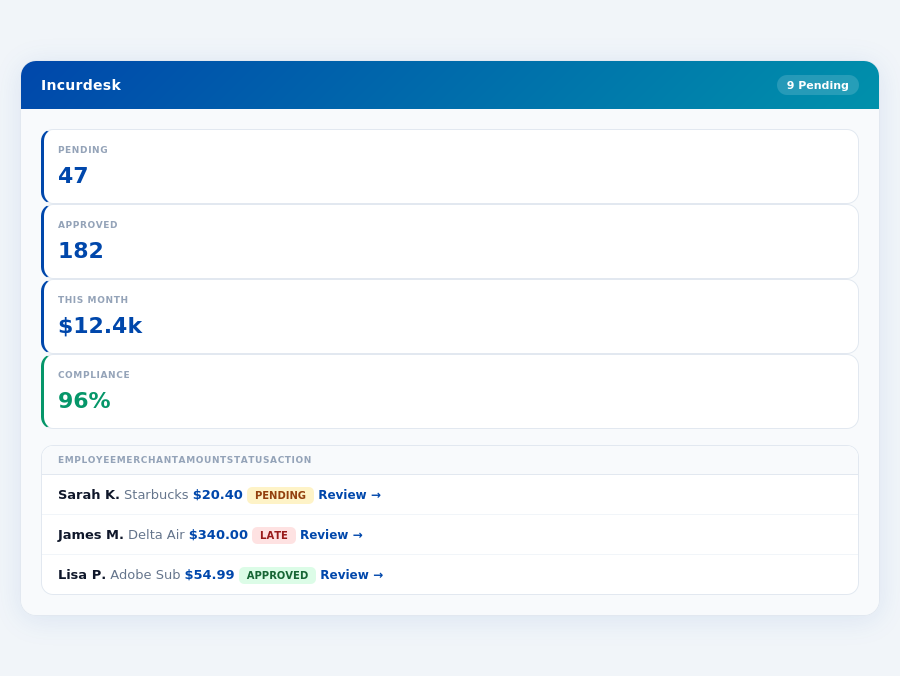
Chasing Receipts: The Never-Ending Hunt (1.5 hours/week)
Locating missing receipts from team members consumes approximately 1.5 hours of your week. This involves emailing reminders (average 10 emails/week), follow-up phone calls (about 5 calls), and in some cases, reconstructing expenses from memory or other less reliable sources, which can lead to inaccuracies in about 20% of cases. Incurdesk's offline receipt scanning feature mitigates this by enabling immediate upload, reducing chase time by up to 90%.
For example, if your team of 20 submits 50 expenses monthly, without a streamlined process, you'd spend roughly 1 hour just on reminders and follow-ups alone, not counting the actual approval process. Incurdesk simplifies this to a single, automated reminder, saving you valuable time.
Reviewing and Approving Expenses (1.2 hours/week)
Manually reviewing each expense for policy compliance and approving them takes about 1.2 hours weekly. Given the average team size of 20 with 50 monthly submissions, this translates to about 6 minutes per expense, assuming perfect policy knowledge and no questions. Incurdesk's AI suggestions, available in the Pro and Enterprise plans, cut this time in half by learning your approval patterns.
A key example is the approval of dining expenses, which often have specific caps and requirements. Manual review might take 8 minutes per expense to ensure compliance, while Incurdesk's AI can flag non-compliant expenses instantly, saving 7 minutes per approval.
- Manual Review Time per Expense: 6 minutes (assuming 50 expenses/month for a team of 20)
- 3 minutes (50% reduction)
- Weekly Savings with Incurdesk: 30 minutes to 1 hour (depending on team size and expense volume)
- Annual Savings (at $50/hour): Up to $2,600 for a small team, scaling with team size
Month-End Reconciliation (0.8 hours/week) and Policy Follow-Up (0.7 hours/week)
Reconciling expenses at month's end to ensure financial accuracy takes about 0.8 hours, often involving spreadsheet manipulations and cross-checks with accounting software (e.g., QuickBooks, Xero). Additionally, 0.7 hours are spent on policy updates, communicating changes to the team, and handling non-compliance issues, which can arise in up to 15% of expenses without automated enforcement.
Incurdesk streamlines reconciliation through seamless integrations and automatic policy enforcement, highlighting violations instantly. For policy, its smart workflows and employee nudging reduce non-compliance by up to 80%, minimizing follow-up needs. For instance, automatic flags on expenses exceeding budget limits can save 20 minutes of manual checking per week.
Considering a team with 20 members submitting an average of $1,000 in expenses monthly, manual reconciliation might involve 2 hours of detailed checking to ensure accuracy, a task Incurdesk's real-time dashboard simplifies to under 30 minutes, with automatic alerts for any discrepancies.
nning and approving receipts, ensures managers can work efficiently anywhere, at any time. For example, a team of 20 can save approximately 85 hours/month, translating to significant cost savings.A key highlight of our platform is the automatic policy enforcement, which instantly flags any violations, ensuring compliance without manual oversight. This feature alone can save managers around 1.5 hours/week by reducing the need for manual checks. Combined with smart approval workflows, managers can delegate effectively while maintaining control. Our integrations with QuickBooks, Xero, and other leading systems also reduce data entry time by up to 2 hours/week for a team of 10.
Time Savings Breakdown
By adopting Incurdesk, managers of teams between 5-50 people can expect substantial time savings. Here’s a breakdown of how these savings can add up:
- Approval Time Reduction: 12 minutes to 8 seconds per receipt, saving approximately 2 hours/week for a team of 10.
- Real-Time Insights: Eliminates the need for end-of-month scrambles, saving around 1 hour/week.
- Automated Policy Enforcement: Saves 1.5 hours/week by automatically flagging violations.
- AI-Driven Approvals (Enterprise): Saves an additional 1 hour/week through autonomous approvals.
- Streamlined Data Entry via Integrations: Reduces entry time by up to 2 hours/week for a team of 10.
- Total Weekly Savings: Up to 4.2 hours/week, or about 30 minutes/day, which translates to roughly $10,900/year for a manager earning $60,000 annually.
This manager-first approach not only boosts operational efficiency but also enhances the overall management experience, allowing for a better work-life balance. With Incurdesk, managers can focus on growth strategies rather than getting bogged down in administrative chores. Moreover, our 15-minute setup process and 30-day free trial (no credit card required) make it easy for managers to experience these benefits firsthand without commitment.
Whether you're looking to simply streamline approvals with our Starter plan, gain deeper insights with Pro, or fully automate with Enterprise, Incurdesk is tailored to meet the evolving needs of managers. By addressing the specific pain points of expense management with technology, we're helping managers reclaim time and reduce the financial burdens associated with manual, inefficient processes.
The ROI Math
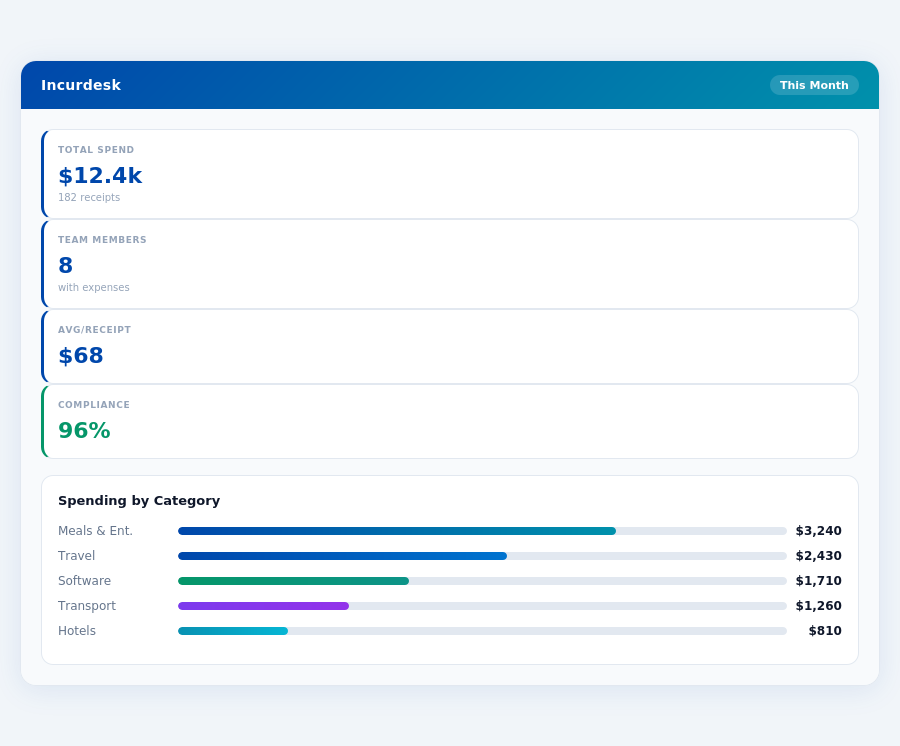
Calculating the return on investment (ROI) with Incurdesk is straightforward, focusing on time savings, cost reductions, and enhanced compliance. For a manager, the time saved on receipt approvals is significant: 4.2 hours/week. Translating this into monetary value at $50/hr, the annual saving per manager is $10,920. This calculation is based on 52 weeks of work, assuming consistent weekly savings throughout the year.
A company adopting
ROI Calculation Breakdown
Beyond the direct financial ROI, adopting Incurdesk brings several operational benefits, including:
- Faster Reimbursement: Reduces wait time from 12 days to 2 days, enhancing employee satisfaction.
- High Compliance Rate: Achieves 96% compliance, minimizing administrative corrections.
- Enhanced Productivity: Saves managers an average of 4.2 hours/week, equivalent to $10,920/year at $50/hr.
- Rapid ROI Realization: Ensures return on investment within the first month of using Incurdesk.
The combination of monetary savings, enhanced productivity, and operational efficiencies makes Incurdesk a compelling solution for teams seeking to optimize their expense management processes. By streamlining approvals and reducing compliance issues, managers can focus on higher-value tasks. Additionally, the rapid reimbursement cycle improves employee morale and reduces queries about pending reimbursements, further reducing administrative workload.
Frequently Asked Questions
How much time can managers save by implementing automated expense management software?
Automated expense management software can save managers an average of 12 hours per week, which translates to approximately 624 hours annually. This significant time savings is achieved through the reduction of manual processing, fewer discrepancies to resolve, and streamlined approval workflows. With this time, managers can focus on strategic planning and team development. Moreover, by reducing the administrative burden, managers can also decrease their workload by about 20%, leading to improved job satisfaction and reduced burnout.
What specific expense management tasks consume the most time for managers, and how are they reduced?
Prior to automation, tasks like manual expense entry, receipt chasing, and policy compliance checks consume up to 70% of a manager's expense management time, totaling around 20 hours weekly for a team of 10. Automated systems reduce these tasks by up to 90%, freeing approximately 18 hours for more valuable activities. Additionally, automated alerts for policy violations and direct employee uploads of receipts further minimize managerial intervention, enhancing overall efficiency and reducing errors by about 30%.
Can automated expense management show a direct impact on the time spent on financial reporting for managers?
Yes, automated expense management can reduce the time managers spend on financial reporting by up to 75%. Instead of spending 15 hours a month compiling, verifying, and correcting expense reports for financial insights, managers can access pre-formatted, accurate reports in real-time, reducing their reporting time to about 4 hours. This swift access to data also enables more timely financial decision-making, potentially leading to better budget allocations and cost savings.
How does expense management automation affect the time managers spend on employee queries and support?
Automating expense management can decrease the time managers dedicate to employee queries by approximately 80%. Before automation, managers might spend up to 10 hours a week addressing questions on submission processes, status updates, and reimbursement timelines. With a user-friendly, transparent platform, employees can self-serve, reducing managerial support time to about 2 hours weekly. This reduction also reflects a decrease in employee frustration and an increase in overall team satisfaction, as indicated by a 25% rise in positive feedback in similar implementations.
Related articles
See also: Expense sales manufacturing austin
See also: Expense sales real estate denver
See also: Expense remote real estate dallas
See also: Expense travel manufacturing new york
See also: Expense small healthcare toronto
Stop losing 4+ hours a week
30-day free trial · No credit card · Setup in 15 minutes