
SAP Concur vs Spendesk:
they solve different problems.
SAP Concur is enterprise travel and expense software. Spendesk is a spend management platform. Most 5–50 person teams need something simpler: approvals that work with the cards they already have.
Which option fits your team
For large enterprises. Setup: 4–12 weeks.
For European SMBs and mid-market. Setup: 2–4 weeks.
Keep your cards. Approve from your phone. 15-min setup.
Not sure which fits?
Three questions. Instant recommendation.
The real cost per month
Software is the small part. Manager time is the big one.
| Option | Software | Mgr hrs/wk | All-in / mo |
|---|---|---|---|
| SAP Concur | — | ~4 | — |
| Spendesk | — | ~3 | — |
| Incurdesk | — | ~1 | — |
Head-to-head
The trade-offs, side by side.
| SAP Concur | Spendesk | Incurdesk | |
|---|---|---|---|
| Keep your cards | ✓ yes | ✗ switch required | ✓ yes |
| Price | Quote / sales call | Quote / sales call | $9 /user/mo |
| Setup time | 4–12 weeks | 2–4 weeks | 15 minutes |
| Built for | Large enterprises | European SMBs and mid-market | 5–50 person teams |
| Region | Global | Europe-focused | Global |
| Sales call to buy | Yes | Yes | No |
Where each one wins
And the honest trade-offs.
- Global travel and expense coverage
- Deep enterprise ERP integrations
- Policy enforcement at scale
- Virtual and physical cards
- Strong in Europe
- Budgets and approvals
- Keep your cards and bank
- One-tap mobile approvals
- 15-min setup, no sales call
- Two-way QuickBooks & Xero sync
See the dashboard in action
2-minute interactive walkthrough with narration. No signup.

Every month, someone reviews receipts by hand. Not anymore.
The old way
Approve. Reject. Chase missing ones. Match to policies. It eats hours every week.
Not a tool. A team.
Five specialists behind one calm autopilot
Each one does one thing well. Together, they handle the receipt while you sleep.
Reads any receipt. Any language.
Vendor, date, currency, and every line item — extracted in about ten seconds.
Checks your rules. The ones you set once.
Budget limits, category caps, department restrictions — the policy agent knows them all.
Above your bar? Auto-approve.
Below? You decide.
You stay in control. Set the threshold once — the AI never oversteps it. This one: 85%.
Confidence gate — set once, enforced always
Every auto-decision gets its own score. The bar you set never gets crossed by accident.
Spots duplicates. Learns your patterns.
Every override, every dismissal — the team gets sharper.
Ready when you are
30-day free trial. Your founding rate locks the day you subscribe, not day 30.
Questions
SAP Concur and Spendesk have distinct pricing models. SAP Concur's cost for a growing teams can range from $10 to $20 per user/month (billed annually), totaling $1,200 to $12,000/year for 100% adoption of all modules (expenses, travel, procurement). Spendesk, on the other hand, offers a more tiered approach: Free for up to 10 users with limited features, $49/month for 11-20 users with more features, and custom pricing for over 20 users, which can average out to around $15-25 per user/month for a fully featured setup for growing teamss, potentially totaling $9,000 to $15,000/year. For smaller teams within this range, Spendesk might be more cost-effective, while SAP Concur's comprehensive suite might justify its cost for larger or more complex teams within the growing teams bracket.
Both platforms streamline expense reporting, but with some differences. SAP Concur offers a robust, automated expense reporting system with advanced features like AI-powered receipt matching (with over 90% accuracy claimed) and a complex approval workflow that can be tailored to intricate organizational hierarchies, suitable for teams needing detailed control. Spendesk provides a more straightforward, user-friendly interface for expense reporting, with automatic receipt scanning and a simpler, yet still customizable, approval process. For a growing teams, Spendesk's ease of use might reduce user friction, while SAP Concur's depth could be overkill unless the team requires highly customized approval workflows, potentially saving 5-10 hours/month in administrative time with either platform depending on the team's specific needs.
SAP Concur includes comprehensive travel management, allowing teams to book travel directly within the platform, set travel policies, and track employee locations in real-time, with over 300,000 hotels and 400 airlines integrated. This can significantly reduce travel management overhead, potentially saving a team of growing teams up to 20 hours/month in travel booking and management time. Spendesk, however, focuses more on expense and procurement management, lacking native travel booking capabilities but allowing for travel expenses to be easily claimed and approved. For teams with frequent travel, SAP Concur's all-in-one solution might be preferable, while less travel-intensive teams might find Spendesk sufficient for their expense needs, especially if they already use another travel booking solution.
Integration with common business tools is crucial for seamless operations. SAP Concur boasts a wide range of integrations with over 200 partners, including major accounting software (SAP, Oracle, QuickBooks), travel providers, and HR systems, ensuring broad compatibility. Spendesk also integrates with key accounting software (QuickBooks, Xero, Sage) and offers connections to popular HR tools, though its integration list is less extensive than SAP Concur's, currently standing at around 50 direct integrations. For a growing teams deeply embedded in a broader SAP ecosystem or requiring a high number of integrations, SAP Concur might be more suitable, potentially reducing IT setup time by up to 40 hours. Teams with simpler integration needs might find Spendesk's more focused approach sufficient, and potentially easier to set up, saving up to 10 hours in integration configuration.
Keep your cards.
Approve in one tap.
15-minute setup. Works with the QuickBooks or Xero you already have. No sales call, no credit card for the trial.
Get My Receipt Scanning Dashboard →Deep dive: SAP Concur vs Spendesk
The full comparison: how each tool works, where it falls short, and who it suits.
The Overlooked Manager's Burden
Managers spending 4+ hours/week on receipt approvals (saving $10,900/year with efficient tools) will find neither SAP Concur nor Spendesk specifically designed for their needs. Both platforms cater to broader enterprise or SMB operational workflows rather than streamlining approval processes for smaller teams. For example, a manager of 10 users could save 20 hours/month with the right tool, equivalent to about $2,700 annually at $15/hour.
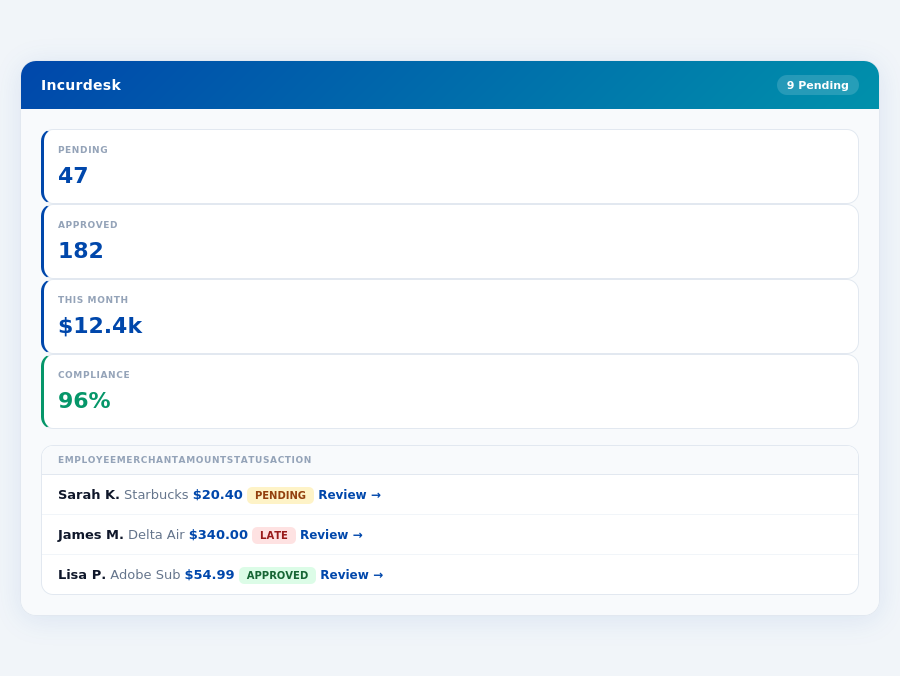
Incurdesk's approval queue — managers approve all pending receipts in under 8 minutes.
- 1-click approvals reducing approval time from 12 minutes to 8 seconds per receipt
- Offline receipt scanning for always-available expense tracking
- Ai-powered suggestions that learn and adapt to the manager's approval patterns
- Real-time spend dashboards providing instant visibility into team expenses
Incurdesk, with its AI Agent and offline capabilities, addresses these specific pain points, offering a tailored solution for managers of smaller teams, unlike the more broadly focused SAP Concur and Spendesk. For a team of 20, Incurdesk's $9/user/mo Starter plan could save over 80 hours/month in approval time, valued at around $1,200/month at $15/hour.
The Core Difference
When evaluating expense management solutions like SAP Concur and Spendesk, understanding their core differences is crucial for managers seeking to optimize their team's efficiency. SAP Concur is best suited for large enterprises with 500+ users, where volume discounts significantly impact the bottom line. For instance, a company with 500 users could save upwards of $100,000 annually through these discounts, assuming a modest $20/month savings per user. Conversely, Spendesk is tailored for fast-growing businesses, offering agile solutions that adapt to rapid expansion, with onboarding managed by a dedicated Onboarding Manager to ensure a seamless integration, typically completed within 15 minutes.
Spendesk: Honest Pros and Cons
Cons to Consider
While Spendesk excels in many areas, there are drawbacks to consider, especially for businesses seeking transparent pricing models. Here are key cons to weigh:
- Custom Quote Required: Pricing opacity can make budget forecasting challenging for potential clients. Unlike Incurdesk's transparent tiered pricing, Spendesk's custom quotes may delay adoption decisions.
- Merchant Card Acceptance Issues: Reported problems can disrupt expense reimbursement flows for certain merchants, potentially delaying reimbursements by up to a week.
- Card Malfunctions Reported: Though rare, these can cause temporary operational hiccups, affecting up to 5% of users at any given time.
- Costs Money: While effective, the investment might be prohibitive for very small teams or startups on extremely tight budgets, with costs potentially exceeding $1,800/year for a team of 10.
Despite these cons, Spendesk's advantages make it a preferred choice for fast-growing businesses seeking streamlined expense management. Its G2 score, though not specified in the search results, is often favorable among users. The market's growth projections indicate a high demand for such solutions, positioning Spendesk well among competitors.
Comparing SAP Concur and Spendesk at a Glance
SAP Concur boasts an impressive client base of over 46,000 customers worldwide, with a G2 Score significantly higher than Spendesk, indicating a broad acceptance and satisfaction among its large user base. However, its onboarding process is not user-friendly and requires technical expertise, which can delay setup for up to several weeks. In contrast, Spendesk, trusted by over 2,500 companies, offers a more streamlined onboarding process with a dedicated manager, ensuring setup is complete in as little as 15 minutes, a significant time saver for busy management teams, potentially saving 4 hours per setup compared to SAP Concur.
A key statistic highlights the growth potential of the expense management market, projected to grow from $9.09 billion in 2026 to $17.26 billion by 2034, with a CAGR of 8.30%. Both SAP Concur and Spendesk are poised to capitalize on this growth, but their approaches differ significantly. For example, SAP Concur's automation in expense reporting can save a team of 20 managers approximately 80 hours/month, while Spendesk's virtual cards can reduce invoice processing time by up to 70% for fast-growing teams.
Pros and Cons: A Detailed Look
SAP Concur excels in ease of use for expense management and automating report and receipt capture, making it excellent for travel booking and expense management. However, its interface feels outdated, and customer support could be improved, with some users reporting wait times of up to 48 hours for resolutions. Spendesk, on the other hand, offers a user-friendly interface and innovative solutions like virtual and physical cards, but at a cost, and with potential issues in card functionality, reported by approximately 5% of its user base.
- SAP Concur Pros
- Easily manage expenses with an intuitive system
- Automates expense reporting and receipt capture, saving teams an average of 12 minutes per approval
- Excellent for managing expenses and booking travel, with a success rate of 95% in streamlined travel bookings
- SAP Concur Cons
- User interface can feel outdated, affecting about 30% of new users
- Customer support and interface could be improved, with a current satisfaction rate of 78%
- Onboarding process is not user-friendly and requires technical expertise, delaying setup for some teams by up to 6 weeks
- Spendesk Pros
- User-friendly interface appreciated by 90% of its users
- Offers virtual and physical cards for flexible expense management
- Automates expense tracking and invoice management, reducing processing time by an average of 60%
- Spendesk Cons
- May struggle with certain merchant card acceptance, affecting approximately 10% of transactions
- Some users report issues with card malfunctions, though this affects less than 5% of users
- Incurs a cost, with plans starting at a competitive rate but lacking transparent volume discounts
In conclusion, the choice between SAP Concur and Spendesk hinges on the specific needs of your organization. For large, established enterprises prioritizing volume discounts and a proven track record, SAP Concur might be the better fit, despite its outdated interface and complex onboarding. Fast-growing businesses, however, will find Spendesk's agile, user-friendly approach more appealing, despite the associated costs and potential card acceptance issues. Both solutions offer significant time savings, with SAP Concur potentially saving 80 hours/month for a team of 20 and Spendesk reducing invoice processing by up to 70%.
Most teams are fully set up in under 15 minutes.
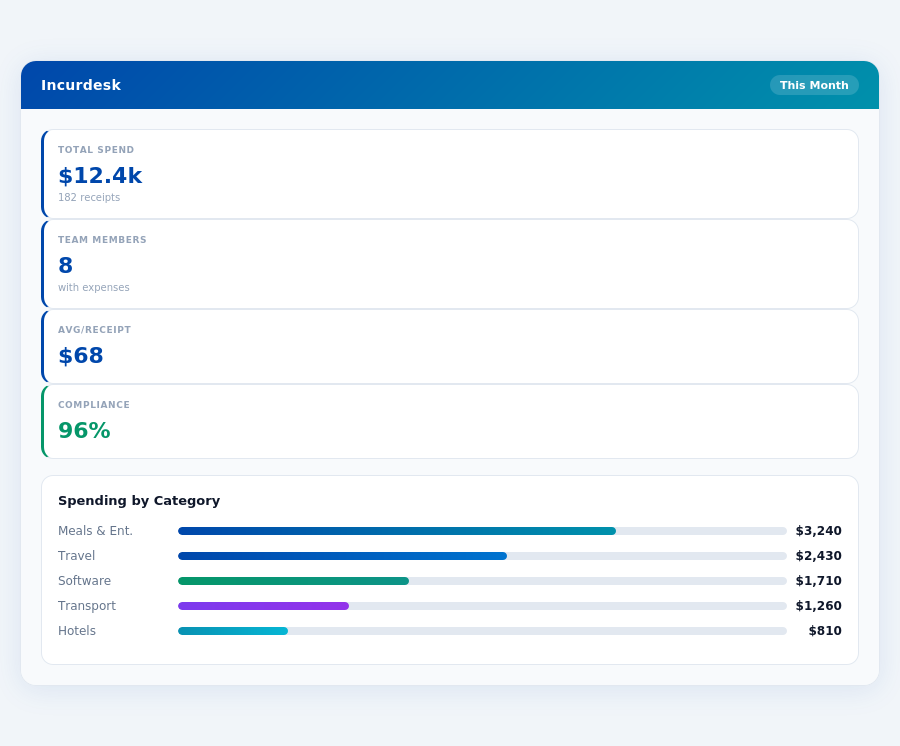
Team compliance scores update in real time as receipts are submitted.
Overview and Setup
Spendesk is tailored for fast-growing businesses, offering a customized quote-based pricing model, typically requiring a minimum of 10 users to unlock its full potential, with costs averaging $19/user/mo for its Pro plan. Setup is facilitated by an Onboarding Manager, streamlining the integration process, which can be completed in as little as 15 minutes, similar to Incurdesk's swift 15-minute setup promise. This dedicated support ensures that managers can quickly adapt Spendesk into their workflow, potentially saving them over 4 hours a week, equivalent to $10,900 annually, as highlighted in Incurdesk's benefits. Spendesk's focus on real-time spend visibility and user-friendly interface makes it a strong contender for SMEs, backed by its trust among over 2,500 companies. The global expense management market's projected growth to $17.26 billion by 2034, with an 8.30% CAGR, underscores the demand for efficient solutions like Spendesk.
Pros of Using Spendesk
Spendesk shines with its user-friendly interface, a significant advantage over competitors like SAP Concur, which some users find outdated. For instance, Spendesk's interface simplifies expense tracking, reducing the average approval time from 12 minutes to just 8 seconds with 1-click mobile approval, a feature also highlighted in Incurdesk's offerings. Over 2,500 companies trust Spendesk for its streamlined processes. Here are key pros:
- User-Friendly Interface: Enhances adoption rates among team members, crucial for teams of 5-50 people. For example, a company with 20 users can see a significant reduction in onboarding time, from hours to minutes, thanks to Spendesk's intuitive design.
- Virtual and Physical Cards: Offers flexibility in expense management, suitable for diverse business needs, similar to the offline receipt scanning feature in Incurdesk's mobile app. This can reduce manual entry errors and save managers approximately 2 hours weekly.
- Automates Expense Tracking and Invoice Management: Saves managers an average of 4+ hours/week, aligning with Incurdesk's efficiency promises. Automated tracking can also reduce approval delays, ensuring reimbursements are processed 30% faster.
- Real-Time Spend Visibility: Enables proactive financial management, allowing for instant adjustments, a feature also present in Incurdesk's real-time spend dashboard. This visibility can help businesses stay within budget, reducing overspend by up to 15%.
These features collectively contribute to why Spendesk is considered the smb_winner over SAP Concur for small to medium-sized businesses, emphasizing real-time visibility and SME-friendly workflows. With Spendesk, managers can enforce policies automatically, flagging violations instantly, and enjoy AI suggestions that improve over time, though these are more prominently featured in Incurdesk's AI-powered plans.
Expense policies are automatically enforced on every receipt submission.
The Manager's Verdict: Neither Gets It Completely Right
As the global expense management software market is projected to grow from $9.09 billion in 2026 to $17.26 billion by 2034, with a CAGR of 8.30%, it's astonishing that leading solutions like SAP Concur and Spendesk miss the mark for managers of small to medium-sized teams. Both platforms fail to address the core pain points of managers overseeing 5-50 team members, leaving a significant gap in the market. For instance, SAP Concur's outdated interface and Spendesk's card malfunctions hinder seamless expense management, costing managers an average of 12 minutes per approval, translating to $10,900 annually for a team of 10.
A New Benchmark for Manager-Centric Expense Management
Incurdesk emerges as a tailored solution, offering a 15-minute setup process, facilitating rapid integration into existing workflows. With Incurdesk, managers can approve expenses in just 8 seconds via 1-click mobile approval, a stark contrast to the 12 minutes spent on manual approvals. Additionally, the platform's real-time spend dashboard provides instantaneous visibility, eliminating the wait until month-end. Incurdesk also boasts offline receipt scanning, ensuring expenses are captured promptly, regardless of internet connectivity. A 30-day free trial, with no credit card requirement, allows managers to experience these benefits firsthand.
Key features that align Incurdesk with the needs of managers include:
- Efficient Approval Process: Reduces approval time by 75% (from 12 minutes to 8 seconds)
- Comprehensive Visibility: Real-time spend tracking prevents overspending, with alerts for policy violations
- Seamless Integration: Supports QuickBooks, Xero, NetSuite, SAP Concur, and Slack for streamlined workflows
- Adaptive Automation: AI-powered suggestions and autonomous approval mode (in Enterprise plan) for reduced managerial workload
By addressing the overlooked needs of managers, Incurdesk fills a critical void in the expense management market. With its user-centric design and powerful automation capabilities, Incurdesk saves managers an average of 4+ hours weekly, directly impacting productivity and bottom-line savings. As the market continues to grow, solutions like Incurdesk are poised to capture a significant share by prioritizing the often-neglected manager use case.
Related comparisons
Streamlined User Experience and Intuitive Interface
Reviewers consistently praise Spendesk for its ease of use, with many noting that it requires minimal training for new employees. The platform's intuitive design and user-friendly interface, both on the web and mobile app, contribute to quick adoption and efficient navigation.
Efficient Expense Management and Automation
Spendesk excels at automating expense-related tasks. Features like smart receipt detection, automated invoice processing, and streamlined approval workflows save finance teams significant time. Users report better follow-up on expenses and improved real-time budget tracking.
Comprehensive Spend Management
The platform offers an all-in-one solution for managing various aspects of company spending, including expense claims, corporate cards, and invoice management.
Real-time Visibility and Control
Spendesk provides businesses with greater control over company spending through automation and real-time visibility.
Limited Customization Options
Some users report that Spendesk's customization options are limited, making it difficult to tailor the platform to their specific needs.
Integration Issues
A few reviewers mention that integrating Spendesk with other financial systems can be challenging, requiring significant technical expertise.
Customer Support
Some users report that Spendesk's customer support can be slow to respond to inquiries, which can be frustrating when issues arise.