
Dental Practice Expense Policy Template: Associates, Hygienists, Front Desk
A practical, data-backed guide to controlling costs and automating expense workflows.
As a small dental practice owner or office manager in the US, you're likely searching for a reliable template to manage expenses, including compensation, benefits, and leave policies for your 5-50 staff members. Effective expense management for dental practice requires staying up-to-date on federal and state regulations, including minimum wage, overtime, tax rates, and leave laws like FMLA and the ACA employer mandate.
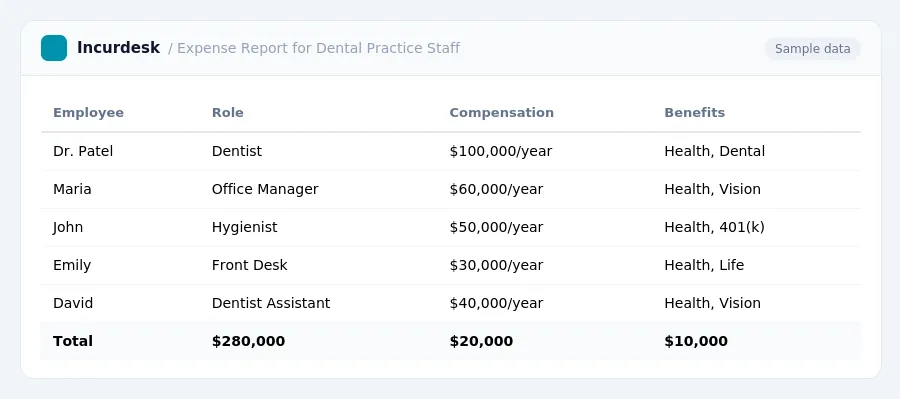
Tracking and Reimbursing Employee Expenses
Establish a clear process for tracking and reimbursing employee expenses to ensure compliance with expense policy and avoid potential disputes. Create a system for employees to submit expense reports, which should include detailed descriptions of each expense, the date incurred, and the purpose of the expense.
Designate a specific person or team to review and approve expense reports. This person should verify that each expense is legitimate and within the scope of company policy. They should also ensure that all necessary receipts and supporting documentation are attached to the expense report.
Establish a deadline for submitting expense reports, such as at the end of each month. Consider implementing a digital system for submitting and tracking expense reports to streamline the process and reduce paperwork.
When reimbursing employees for expenses, use a consistent method, such as direct deposit or check. Be sure to include the date and amount of the reimbursement, as well as the purpose of the reimbursement, on the payment documentation.
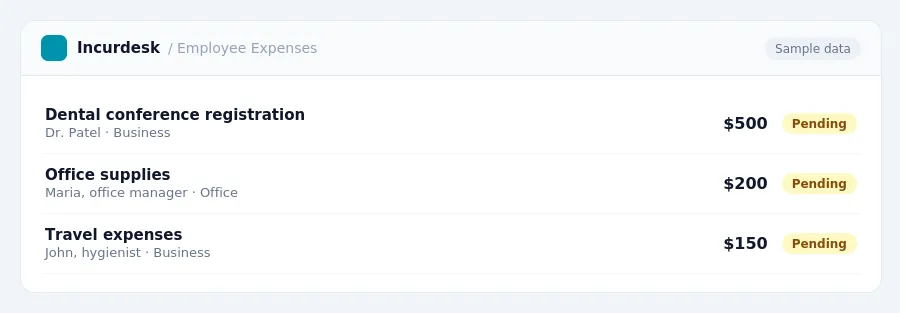
Keeping this simple: Incurdesk lets your team snap a photo of a receipt and fills in the details for you. It is built for small dental practice teams. Try it free.
Leave and Benefits Regulations for Dental Practices
Many states are implementing or expanding paid family and medical leave programs, which have their own eligibility requirements and contribution rules that can change. Varies by State or Country / Changes Yearly
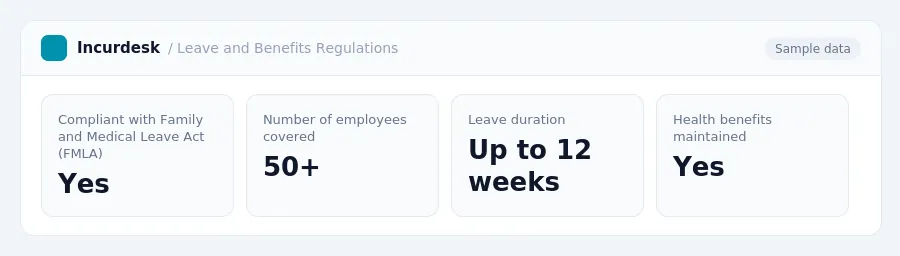
The Family and Medical Leave Act (FMLA) requires employers with 50 or more employees to provide up to 12 weeks of unpaid leave for certain family and medical reasons. Employers must also maintain health benefits during this time.
The employer mandate applies to employers with 50 or more full-time employees, including part-time employees who work an average of at least 30 hours per week.
It's essential to consult with a qualified HR professional or attorney to ensure compliance with all applicable leave and benefits regulations.
Compliance with Federal and State Employee Compensation Regulations
The federal minimum wage remains $7.25 per hour for 2026, unchanged since July 24, 2009.
To ensure compliance, dental practices should:
- Pay employees at least $7.25 per hour for all hours worked.
- Keep accurate records of employee hours worked and earnings.
- File tax returns and pay any required taxes by the deadline.
Dental practices should consult the U.S. Department of Labor's website for information on federal labor laws and regulations, and consult with a tax professional or attorney for guidance on state-specific regulations.
Dental Practice Expense Policy Template: Essential Components
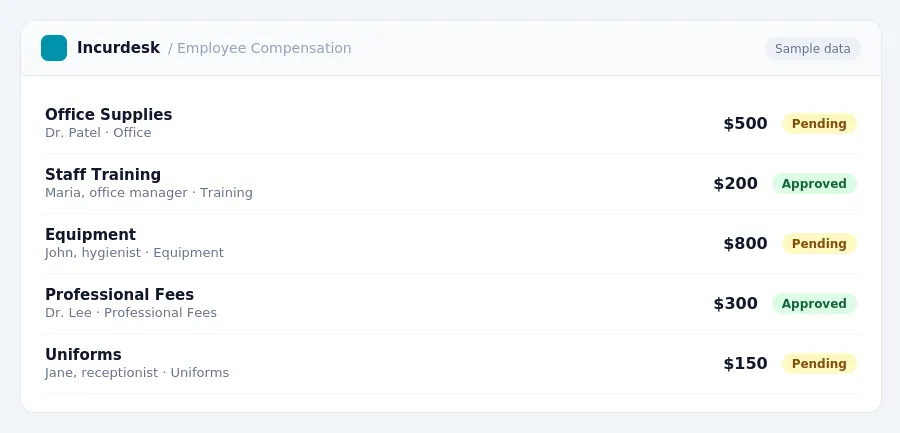
The Dental Practice Expense Policy Template should include the following essential components:
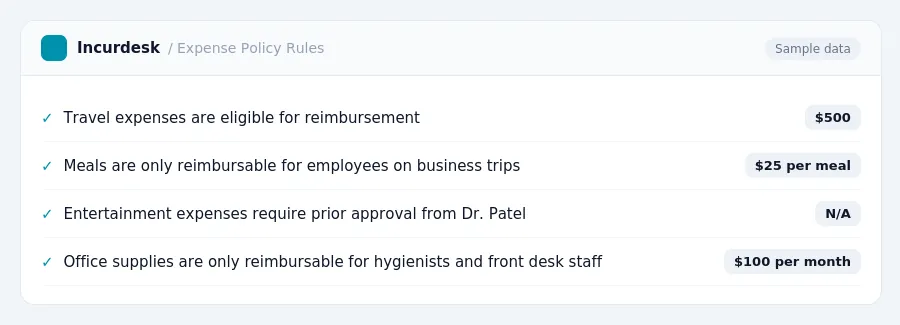
- Expense Eligibility and Approval Process: Define which expenses are eligible for reimbursement and outline the approval process for employee-initiated expenses.
- Expense Categories and Dollar Limits: Establish clear categories for expenses, such as travel, meals, and entertainment, and set dollar limits for each category, e.g., [dollar limit] for meals.
- Reimbursement Procedure: Specify how employees will submit expense reports and how quickly reimbursement will be processed.
- Documentation Requirements: Require employees to provide receipts and other documentation to support their expenses.
- Compliance with Federal and State Regulations: Ensure compliance with federal and state regulations, including the Affordable Care Act (ACA) and the Fair Labor Standards Act (FLSA), e.g., ALEs must offer minimum essential coverage that is affordable and provides minimum value under the ACA.
Audit and Review: Ensuring Compliance with Expense Policy
Regularly reviewing and updating your dental practice's expense policy is crucial to ensure compliance with federal and state regulations. Set a schedule to review your policy annually, or more frequently if necessary. This will help identify and address any potential compliance issues before they become major problems.
When auditing your expense policy, check for the following:
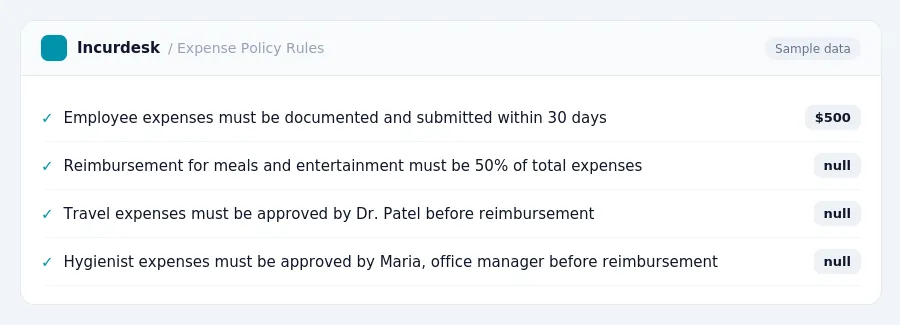
- Are all employee expenses properly documented and submitted in a timely manner?
- Are all expenses reimbursed in accordance with company policy and relevant laws?
- Are employees aware of and adhering to company travel and expense reimbursement policies?
It's also essential to ensure that your expense policy aligns with changing regulations.
Consider designating a specific person or team to oversee the expense policy and ensure compliance. This can include tasks such as:
- Reviewing and updating the expense policy
- Monitoring employee expense submissions
- Providing training and education to employees on expense policy and procedures
By regularly auditing and reviewing your expense policy, you can help prevent compliance issues and ensure that your dental practice is operating in accordance with relevant laws and regulations.
Stop losing 4+ hours a week
30-day free trial · No credit card · Setup in 15 minutes