
Does Procore or Buildertrend Handle Job Expenses
A practical, data-backed guide to controlling costs and automating expense workflows.
Both solutions provide features and integrations to help with these needs, but the best choice ultimately depends on your specific business requirements and target audience. For the bigger picture, see our guide to construction expense management for under $10/user (2026).
Target Audience and Industry Fit for Procore and Buildertrend
Special consideration should be given to transportation industry projects, which have specific M&IE per diem rates.
When evaluating which platform to use, ask yourself: Does your business primarily handle residential construction projects? Do you need a platform that can handle custom home builds or remodel projects?
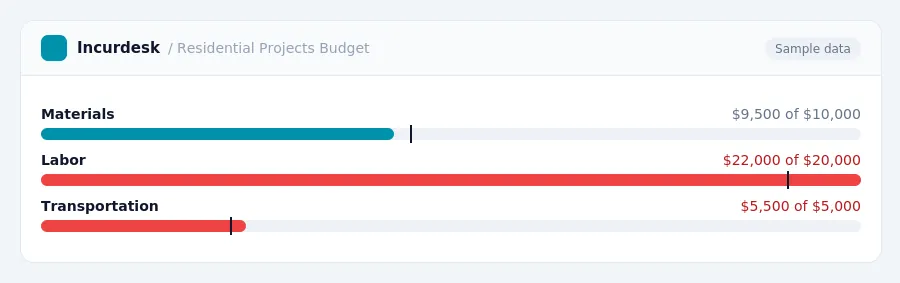
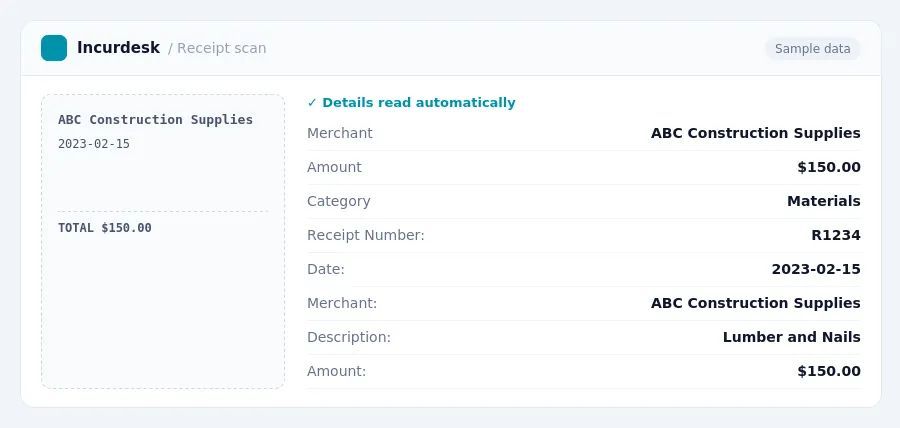
Keeping this simple: Incurdesk turns submitted expenses into clean expense reports. It is built for small construction teams. Try it free.
Staying Updated on IRS Regulations for Job Expenses
It's essential to stay up-to-date on IRS regulations for job expenses, as they can impact your construction business's tax compliance and bottom line. Here are some key rates and rules to keep in mind:
To stay informed, check the IRS website regularly for updates on these rates and rules. You can also consult with a tax professional to ensure your construction business is in compliance with all IRS regulations.
Remember to keep accurate records of your job expenses, including receipts, invoices, and mileage logs. This will help you take advantage of legitimate tax deductions and avoid any potential penalties.
Procore and Buildertrend Job Expense Management Features
Here are the key features of each:
- Robust financial management features, including a Budget tool that tracks original budgets, pending changes, modifications, and actual costs.
- Ability to filter views by project, sub-job, or cost code.
- Export data to Excel.
- Captures project expenses from multiple cost sources and manages commitments for subcontracts and purchase orders.
- Provides real-time tracking of project expenses, labor costs, and production data.
- Budgeting and cost tracking tools, allowing users to create job budgets, manage purchase orders and change orders, and compare actual costs against estimates.
- Bill Pay feature, which combines AI-assisted bill capture with approval flows and payment tracking.
- Job Costing Budget allows users to understand job performance financially at the cost code level in real-time.
- Supports converting approved estimates directly into budgets with no data re-entry.
- Integrates primarily with QuickBooks and Xero.
Comparison Table:
| Feature | ||
|---|---|---|
| Financial Management | Robust financial management features | Budgeting and cost tracking tools |
| Expense Tracking | Captures project expenses from multiple cost sources | Manages purchase orders and change orders |
| Integration | Varies | Primarily QuickBooks and Xero |
Procore vs Buildertrend: Integration Ecosystem and Accounting
This includes popular accounting systems like QuickBooks, Sage, and Xero.
The New Cost Accounting Standards (CAS) rules, effective October 1, 2026, will significantly impact construction businesses. To comply with these rules, it's essential to have a robust accounting system that can accurately track and report costs.
Choosing the Right Software for Your Small Construction Business
When choosing the right software for your small construction business, consider your specific needs and goals.
Consider the following steps when making your decision:
- Determine your specific job expense management needs and goals.
- Research software options that can accommodate your needs, such as the Completed Contract Method and the Section 179D Deduction.
- Evaluate the software's integration with accounting systems and its ability to stay up-to-date on IRS regulations.
- Request demos or trials to test the software's features and user interface.
- Consult with a tax professional to ensure the software meets your tax compliance needs.
By carefully considering your needs and evaluating software options, you can choose the right tool to help your small construction business manage job expenses effectively and stay compliant with tax regulations.
Tax rules, limits and rates change. Confirm current figures with the IRS or your accountant before you file.
Stop losing 4+ hours a week
30-day free trial · No credit card · Setup in 15 minutes