
Expense Management Software Under $10 Per User: What You Actually Get
A practical, data-backed guide to controlling costs and automating expense workflows.
For small businesses with 5-50 employees, finding the right expense management software for under $10/user (2026) is crucial to streamline employee reimbursements, spending tracking, and reporting. Fortunately, there are cost-effective solutions available that can meet your budget and provide the necessary features.
Compliance and Integration Capabilities for Expense Management Software
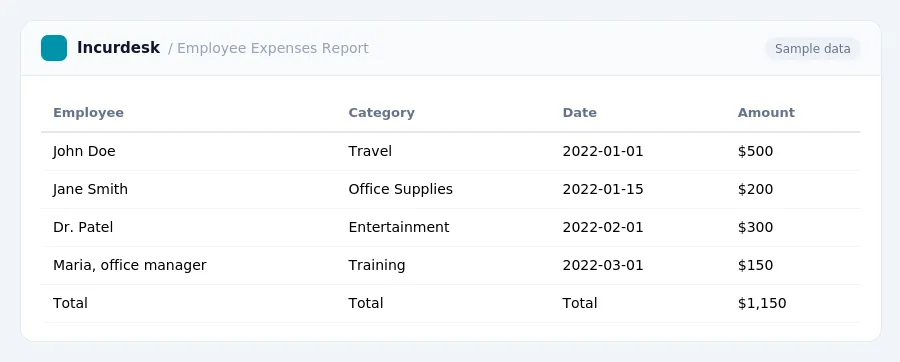
Compliance and integration capabilities are crucial for expense management software, especially for small businesses. When selecting a solution, look for features that ensure accurate and timely compliance with regulations, such as IRS guidelines and state tax laws. A good expense management software should also provide clear documentation and audit trails to maintain transparency and accountability.
To ensure seamless integration with your existing systems, consider the following:
- API connectivity: Check if the software offers API connectivity to integrate with your accounting software, payroll system, or other business applications.
- Single sign-on (SSO): Ensure the software supports SSO to simplify user authentication and reduce the risk of password management.
- Customizable workflows: Look for software that allows you to create custom workflows to automate business processes and reduce manual errors.
When evaluating integration capabilities, consider the following questions:
- Does the software integrate with my existing accounting software?
- Can I customize the integration to fit my business needs?
- Are there any additional fees for integration services?
By considering compliance and integration capabilities, you can ensure that your expense management software meets your business needs and helps you stay compliant with regulations.
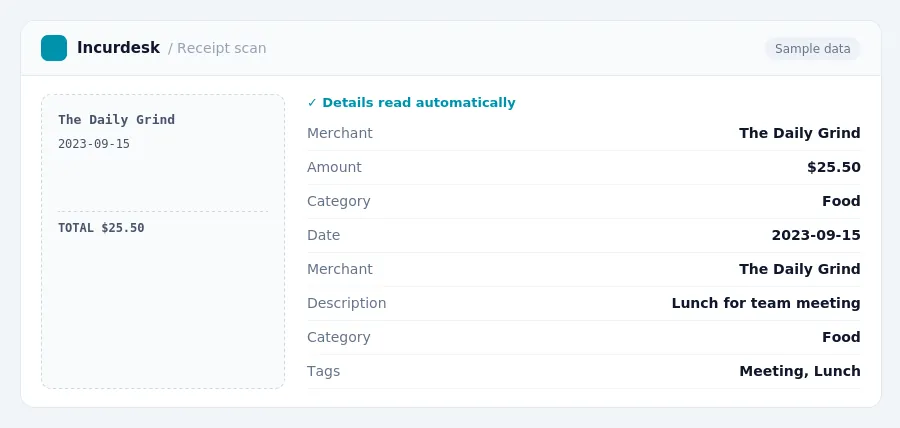
Keeping this simple: Incurdesk lets your team snap a photo of a receipt and fills in the details for you. It is built for small small teams. Try it free.
Cost Savings and Budgeting for Small Businesses with Expense Management Software
Implementing expense management software can help small businesses save money by streamlining reimbursement processes and reducing administrative costs.
By using these rates, employees can minimize their out-of-pocket expenses and reduce the administrative burden on the company.
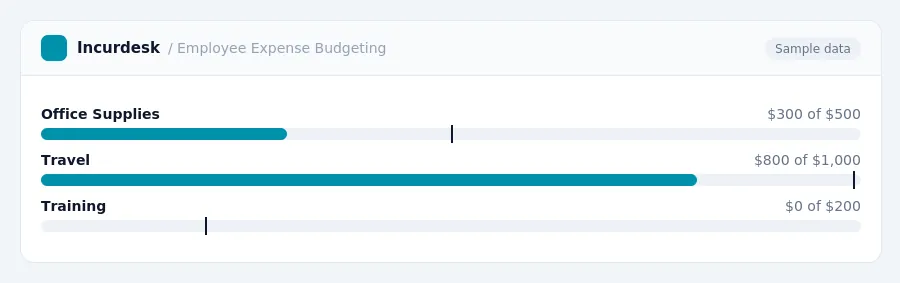
Expense management software can also help small businesses budget for employee expenses more effectively. By tracking and categorizing expenses, companies can identify areas where they can cut costs and make more informed decisions about their budget.
To take advantage of these cost-saving features, small businesses can start by:
- Researching and selecting a cost-effective expense management software solution under $10 per user
- Setting up a system for tracking and categorizing employee expenses
- Automating reimbursement processes to reduce administrative costs
Expense Management Software Features to Expect Under $10 Per User
When selecting expense management software under $10 per user, there are several essential features to expect. These include:
- Employee reimbursement and expense tracking capabilities, allowing employees to submit and track expenses online or through a mobile app.
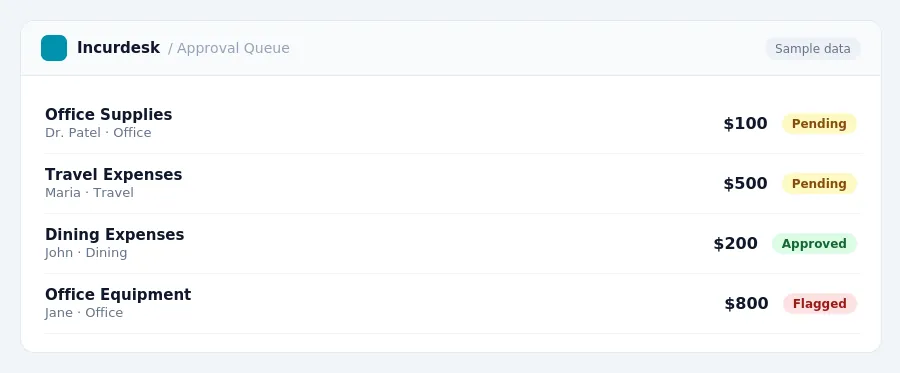
- A user-friendly interface for managers to review, approve, and reject expenses, with automated workflows and customizable approval processes.
- Integration with existing accounting software, such as QuickBooks or Xero, to streamline expense data into financial reports.
- Reporting and analytics tools, providing insights into employee spending habits and company expenses.
- Security and data protection measures, including encryption and access controls, to safeguard sensitive financial information.
- Customizable expense policies and guidelines, allowing businesses to establish clear rules and expectations for employee expenses.
- Mobile accessibility, enabling employees to submit and track expenses on-the-go.
User-Friendly Reimbursement and Expense Tracking for Small Businesses
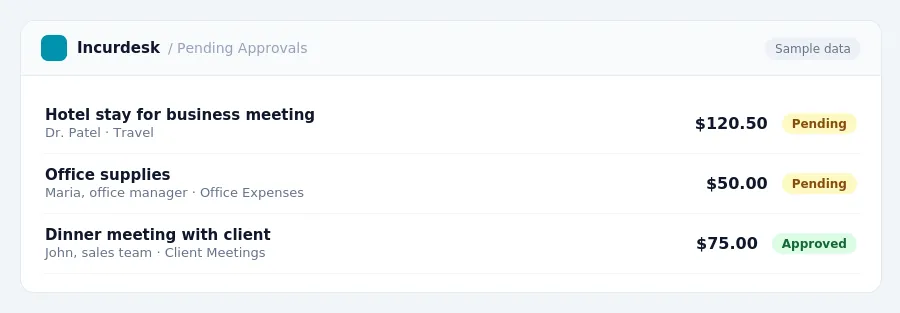
When it comes to expense management software, user-friendliness is crucial for small businesses. Employees should be able to easily submit and track expenses, and managers should be able to review and approve them efficiently. Here are some key features to expect from user-friendly reimbursement and expense tracking software:
- Easy Expense Submission: Employees should be able to submit expenses with just a few clicks, either through a mobile app or a web portal.
- Automated Expense Categorization: The software should automatically categorize expenses, such as meals, transportation, and office supplies, to simplify the approval process.
- Receipt Upload and Storage: Employees should be able to upload receipts and store them securely within the software, making it easy to reference them later.
- Real-Time Expense Tracking: Managers should be able to track expenses in real-time, allowing them to make informed decisions about reimbursement and budgeting.
- Alerts and Reminders: The software should send alerts and reminders to employees and managers when expenses are due for submission or approval.
Real-World Examples of Expense Management Software Under $10 Per User
When shopping for expense management software under $10 per user, it's essential to consider real-world examples of solutions that meet your business needs. To get started, look for software with a user-friendly interface and a robust set of features, including:
- Mobile apps for easy expense tracking on-the-go
- Automated expense categorization and approval workflows
- Integration with popular accounting software, such as QuickBooks or Xero
When evaluating software, consider the following scenarios:
- Can you easily create and manage expense policies and guidelines?
- Can you set up automated approval workflows for different expense types?
- Can you track and manage employee spending in real-time?
Look for software providers that offer:
- Free trials or demos to test the software
- 24/7 customer support and online resources
- Regular software updates and security patches
By considering these factors and evaluating real-world examples, you can find an expense management software solution that meets your business needs and stays within your budget.
Stop losing 4+ hours a week
30-day free trial · No credit card · Setup in 15 minutes