Handling Lost Receipts from Field Technicians
A practical, data-backed guide to controlling costs and automating expense workflows.
This process can help prevent disputes and ensure accurate expense management for field service businesses. For a complete overview, see our expense management guide.
Courts may consider factors such as the expense's reality, the number of technicians involved, and the amount of time spent on the task.
The receipt must be accurate and complete, and the amount of the expense must be clearly stated.
However, the threshold for deductibility varies depending on the type of expense.
The rules in this guide
| Amount | Required | In Incurdesk |
|---|---|---|
| Above $75 | Itemised receipt | Checked on every expense |
| Above $250 | Written business purpose | Checked on every expense |
| Above $500 | Names of attendees | Checked on every expense |
| Above $2,500 | Senior sign-off; never auto-approved | Checked on every expense |
Each rule is checked on every expense by Incurdesk’s approval agent.
Best Practices for Preventing Future Losses
To minimize the risk of losing receipts from field technicians, it's essential to establish a system for maintaining accurate and complete records. This includes designating a specific person or team to handle receipt documentation and establishing guidelines for inputting and maintaining records.
When a technician submits a receipt, it's crucial to verify its authenticity and completeness before processing it. This can be done by cross-checking the receipt with the technician's report or other supporting documentation.
To prevent misplaced or lost receipts, it's recommended to use a centralized system for tracking and storing receipts. This can be a physical notebook, a digital note-taking app, or a cloud-based document management system.
Before sending a receipt to the office, it's a good idea to confirm with the technician that the receipt is complete and accurate. This can be done by requesting a copy of the receipt and reviewing it with the technician.
It's also essential to keep a record of the receipt's submission, including the date and time it was submitted, and any notifications sent to the technician. This will help ensure that the receipt is processed in a timely manner and that any necessary follow-up actions are taken.
By following these best practices, small field service businesses can significantly reduce the risk of losing receipts from their technicians and minimize the administrative burden associated with tracking and processing business expenses.

When receipts are lost, there are alternative documentation options that can help small field service businesses like yours. These include:
- Bank statements
- Credit card statements
- Duplicate invoices from vendors
- Email confirmations
- Calendar entries
- Written declarations or affidavits
These alternatives can be used to document business expenses, even if receipts are lost.
You can use bank statements to document business expenses such as fuel, maintenance, and supplies. Credit card statements can be used to document business expenses like travel and entertainment.
Digital Receipts and Proving the Business Purpose
As a small field service business, you need to be proactive in managing your receipts to ensure you can claim the business expenses you're entitled to on your tax return. One common challenge is handling lost receipts from field technicians. To prevent this, it's essential to understand what types of receipts are acceptable and how to prove the business purpose.
This applies to meals with clients, travel meals, and meals during business meetings.
When it comes to digital receipts, it's not just about saving them on your computer. You must also be able to prove the business purpose. This means taking photos or screenshots of your receipts, including any relevant documentation, such as invoices or receipts from the client.
This applies to gifts you give to clients, colleagues, or customers.
This includes flights, hotels, and rental cars.
To ensure you're meeting the requirements, keep a record of all receipts, including:
- Dates and times of meals
- Names of clients and the purpose of the meal
- Invoices and receipts from the client
- Photos or screenshots of digital receipts
- A log of business trips, including flight itineraries, hotel reservations, and rental car information
By following these guidelines, you can ensure you're taking advantage of the deductions you're entitled to and maintaining accurate records of your business expenses.
When to File an Estimated Deduction
For 2026, the simplified home office deduction is capped at $1,500. This means that if you have expenses that exceed this amount, you may need to file an estimated deduction. To do this, you will need to estimate the total expenses for the year and then file Form 1040-ES with the IRS.
You can estimate your expenses by tracking your business expenses throughout the year. This can include things like mileage, gas, lodging, meals, and other business-related expenses. You can also use the 50% benchmark percentage to estimate your expenses.
When estimating your expenses, be sure to keep accurate records and receipts. You can use a spreadsheet or a accounting software to help you track your expenses. Alternatively, you can use an online tool specifically designed for estimating business expenses.
Once you have estimated your expenses, you can file Form 1040-ES with the IRS. You will need to make estimated tax payments each quarter to cover the amount you owe.
Tax rules, limits and rates change. Confirm current figures with the IRS or your accountant before you file.
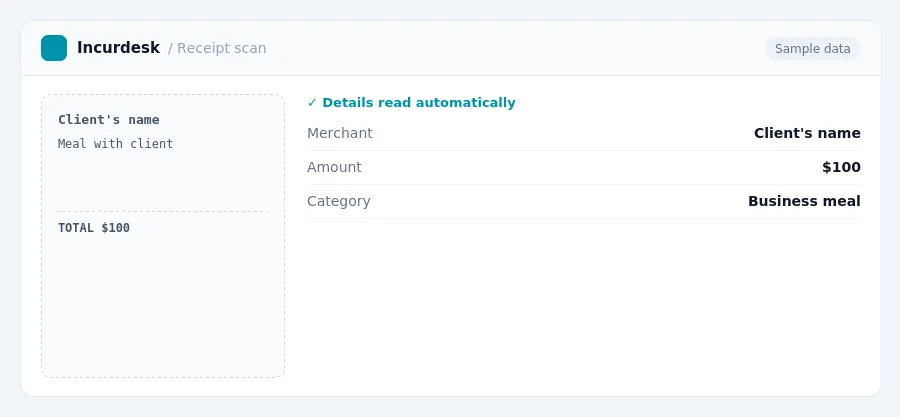
Keeping this simple: Incurdesk lets your team snap a photo of a receipt and fills in the details for you. It is built for small field service teams. Try it free.
AI expense management for finance teams and whoever keeps the books. It checks every expense against your rules, approves the routine ones and chases missing receipts for you.
Try it free for 30 days →Stop losing 4+ hours a week
30-day free trial · No credit card · Setup in 15 minutes