
Hospital Expense Approval Chains: Who Signs Off
A practical, data-backed guide to controlling costs and automating expense workflows.
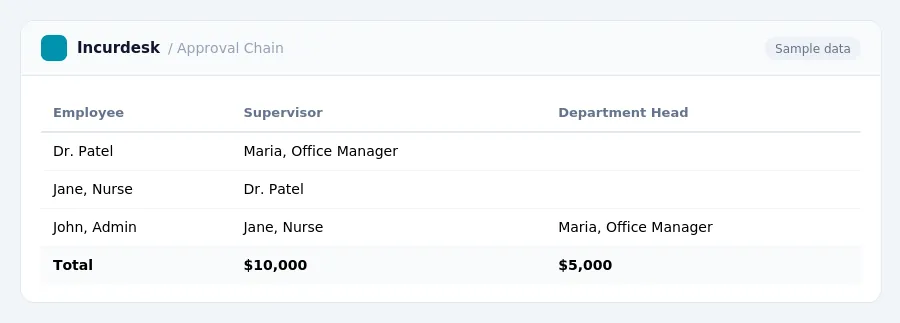
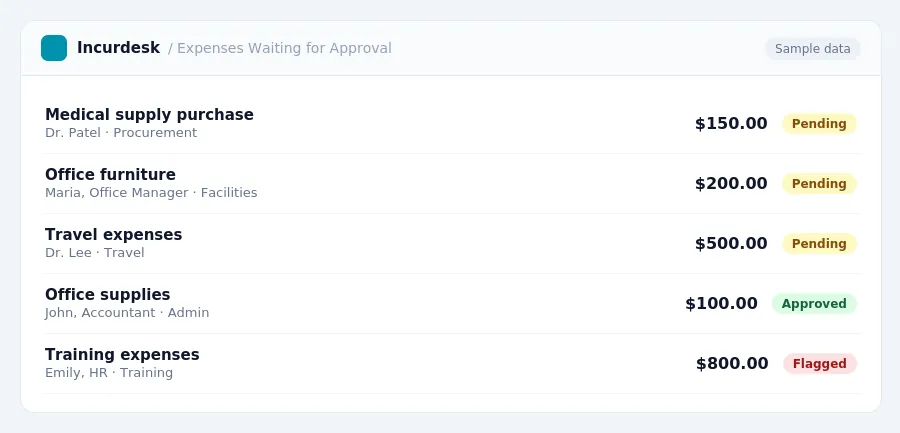
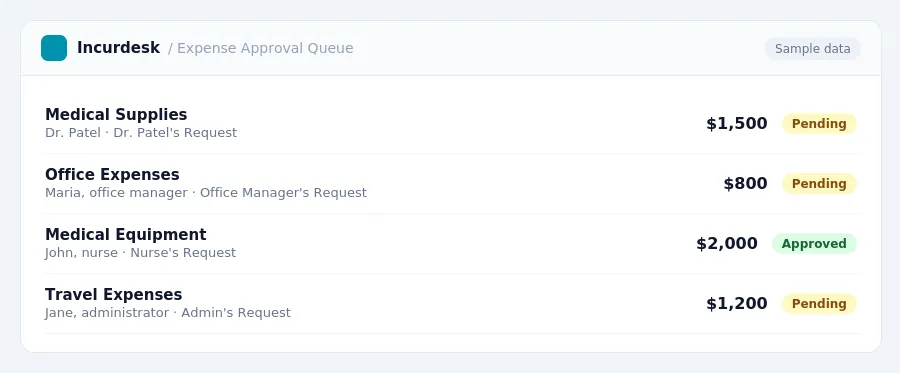
When it comes to expense management for hospitals, ensuring that the right people sign off on expenses is crucial to maintaining compliance and efficiency. For small hospital businesses with 5-50 staff, this typically involves a chain of approval from the employee, their supervisor, and possibly a department head or accountant. By following a clear approval process, hospital administrators can avoid common pitfalls and ensure that expenses are properly documented and accounted for. For a complete overview, see our expense management guide.
for the 2026-2027 period. This rate can be used to calculate the daily meal allowance for employees.
For incidental expenses only, the rate is $5 per day for any locality of travel within or outside the continental U.S. for the 2023-2027 periods.
- Use the $5 per day rate for incidental expenses only.
Navigating Family and Medical Leave Policies
As a small hospital business owner or administrator, it's essential to understand your obligations under the Family and Medical Leave Act (FMLA).
Under FMLA, eligible employees are entitled to up to 12 weeks of unpaid leave in a 12-month period for:
- Qualifying family and medical reasons
Additionally, employees may be entitled to up to 26 weeks of unpaid leave in a single 12-month period to care for a covered servicemember with a serious injury or illness.
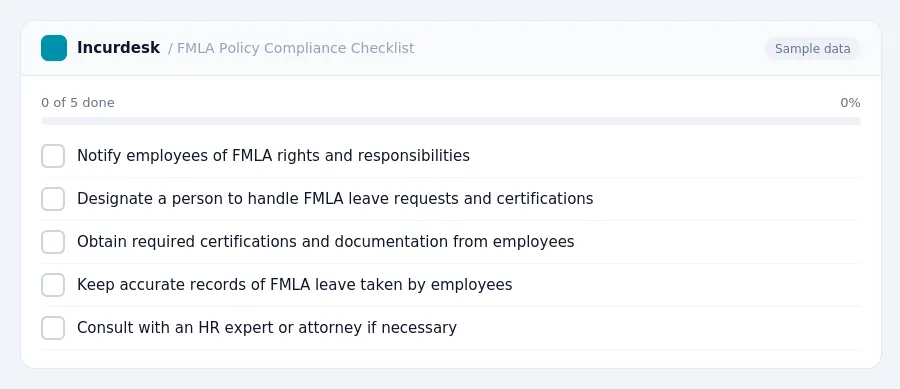
To ensure compliance, review your FMLA policy and procedures to ensure you're meeting the following requirements:
- Notify employees of their FMLA rights and responsibilities
- Designate a person to handle FMLA leave requests and certifications
- Obtain required certifications and documentation from employees
- Keep accurate records of FMLA leave taken by employees
Remember to consult with an HR expert or attorney if you have any questions or concerns about implementing or administering FMLA leave policies in your small hospital business.
Expense Management Best Practices for Small Hospitals
Expense management is a critical component of running a small hospital efficiently. To ensure compliance with regulations and minimize financial risks, follow these best practices:
- Establish clear expense policies and procedures that outline what expenses are reimbursable, who is eligible, and the approval process.
- Use expense reports or reimbursement forms that require employees to provide detailed descriptions of their expenses, including dates, amounts, and purposes.
- Designate approved expense categories and ensure employees understand what expenses fall within these categories.
- Set up regular expense reviews to ensure compliance with policies and regulations, and to identify areas for improvement.
- Consider implementing expense tracking software to streamline the expense reporting and reimbursement process.
Additionally, consider the following:
- Ensure that all employees understand the importance of accurate expense reporting and the consequences of inaccurate or incomplete reports.
- Regularly review and update expense policies and procedures to ensure they remain compliant with changing regulations and industry standards.
- Provide training and support to employees on expense management best practices and policies.
Maintaining Accurate Financial Records for Audit Purposes
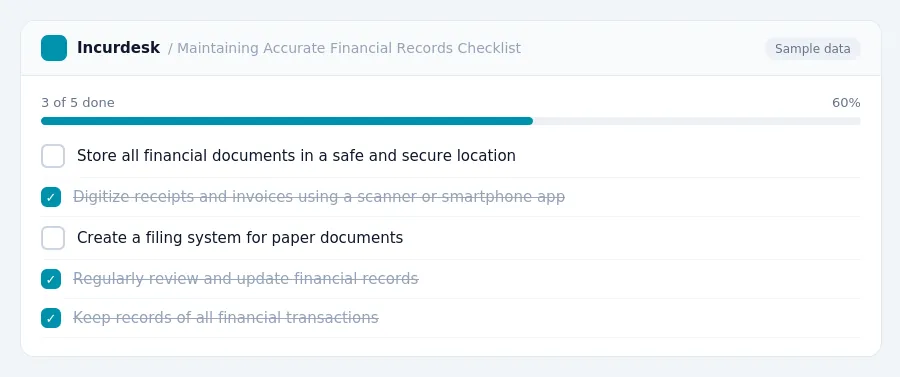
To ensure compliance, set up a system for storing and tracking financial documents. This can include:
- Digitizing receipts and invoices using a scanner or smartphone app
- Creating a filing system for paper documents, such as a labeled folder or binder
- Storing digital documents in a secure, cloud-based storage service
Make sure to store all financial documents in a safe and secure location, such as a locked cabinet or a password-protected digital storage service.
It's also essential to keep records of all financial transactions, including:
- Bank statements
- Payroll records
- Expense reports
- Accounts payable and accounts receivable records
Regularly review and update your financial records to ensure accuracy and completeness.
Keeping this simple: Incurdesk routes each expense to the right person for approval and keeps a record of who approved what. It is built for small hospital teams. Try it free.
Stop losing 4+ hours a week
30-day free trial · No credit card · Setup in 15 minutes