
How Long an Expense Software Migration Actually Takes
A practical, data-backed guide to controlling costs and automating expense workflows.
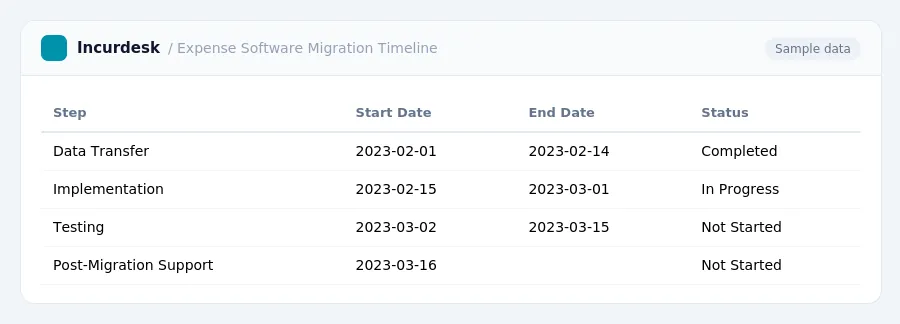
Migrating to new expense management software for under $10/user (2026) can take anywhere from a few weeks to several months, depending on the complexity of the process and the size of your business. For a small business with 5-50 people, a realistic timeline is typically 6-12 weeks. This allows for data transfer, implementation, testing, and post-migration support, with a phased approach to minimize disruption to your operations.
Key Factors for a Successful Transition: Data Quality and Integration
Data quality is a critical factor in a successful expense software migration. Ensure that your existing expense data is accurate, complete, and in a format that can be easily transferred to the new system. This includes checking for duplicate entries, incorrect categorization, and missing information. Take the time to review and clean your data before migrating to avoid errors and discrepancies down the line.
Integration with existing systems is also essential. Consider how the new expense software will interact with other business applications, such as accounting software, payroll systems, and project management tools. Ensure that the new system can seamlessly integrate with these systems to minimize disruptions to your workflow.
Steps to Ensure Data Quality and Integration:
- Review and clean existing expense data before migration.
- Verify that the new system can integrate with existing business applications.
- Test the integration process to ensure smooth data transfer.
- Establish clear communication channels with the software provider and IT team.
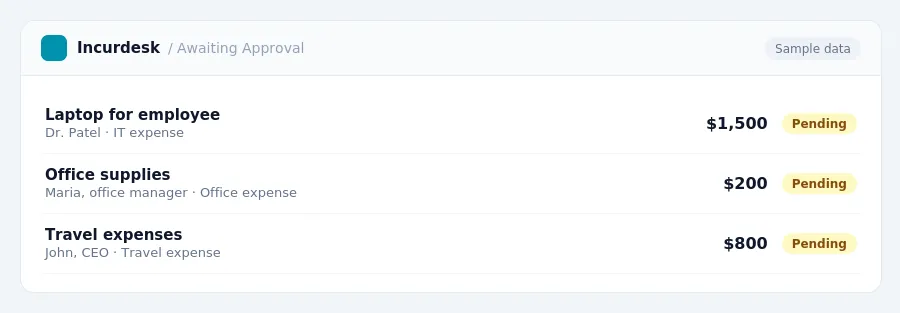
Keeping this simple: Incurdesk lets your team snap a photo of a receipt and fills in the details for you. It is built for small small teams. Try it free.
Common Pitfalls to Avoid: Underestimating Scope and Poor Communication
When migrating to new expense software, it's easy to get caught up in the excitement of a fresh start. However, rushing into the process can lead to costly mistakes. To avoid common pitfalls, it's essential to take a step back and assess your scope carefully.
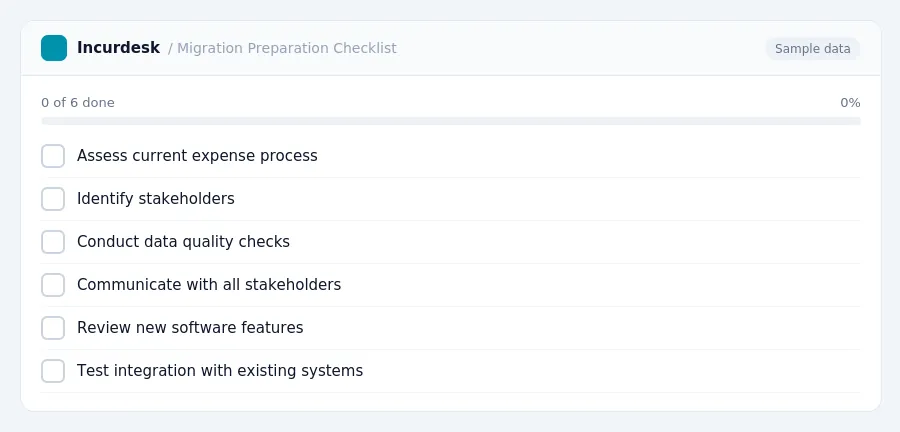
- Don't underestimate the scope of the project. Take the time to thoroughly review your current process, including all the stakeholders involved, to ensure that the new software will meet your needs.
- Conduct a thorough assessment to identify any potential roadblocks or areas where the new software may not integrate seamlessly with your existing systems.
- Communicate clearly and regularly with all stakeholders, including employees, management, and vendors, to ensure everyone is on the same page.
- Don't skip data quality checks. Poor data quality can lead to errors, inaccuracies, and frustration down the line.
By taking a thoughtful and methodical approach, you can avoid common pitfalls and ensure a successful transition to your new expense software.
Setting Realistic Expectations for Expense Software Migration
Migrating to new expense software can be a complex process, but understanding realistic timelines can help you prepare. For most small to medium-sized businesses, the implementation of expense management software typically takes between a few days to a few weeks, depending on the complexity of the migration.
Cloud-based expense management solutions generally require minimal IT involvement for implementation, which can speed up the process. If you're planning a cloud migration that includes expense software, you can expect it to take around two to four weeks, assuming a relatively simple infrastructure.
It's essential to set realistic expectations and avoid underestimating the time required for the migration process. By understanding the typical timeframe, you can better plan and allocate resources to ensure a smooth transition.
Keep in mind that the market for expense report software has been growing annually, but the exact growth rate and timeframe can vary depending on the source and year. To get a more accurate estimate, check the latest market research reports.
Understanding the Migration Process: Data Transfer and Implementation
The migration process involves two critical phases: data transfer and implementation. To ensure a smooth transition, it's essential to understand what to expect during these phases.
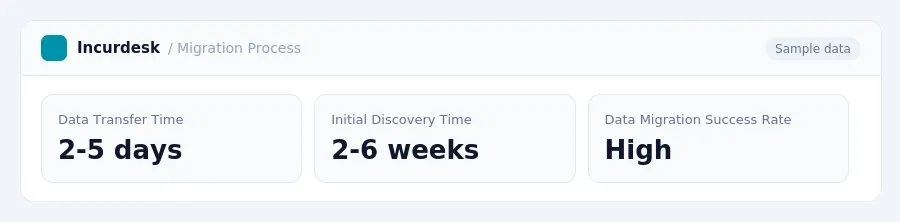
Data transfer is often the most time-consuming part of the process. It involves gathering and cleaning up your existing expense data, which can be a daunting task. In some cases, data cleaning and correction can take 2-5 days. However, this timeframe can vary depending on the complexity of your data and the tools you use.
Before starting the data transfer process, it's recommended to begin with a pilot phase. This involves migrating a small, low-risk part of your business first to test the process thoroughly. This step can help identify any potential issues and ensure that your data is accurate and complete.
The initial discovery and scoping phase for data migration can take two to six weeks. During this phase, you'll need to understand what data exists, where it resides, and who is responsible for it. This information will help you create a plan for data migration and implementation.
Once you have a clear plan in place, you can start the implementation phase. Basic implementations can be completed in 2-5 days for businesses with clean data. However, if your data is not clean, the implementation phase may take longer.
It's essential to remember that data preparation and cleanup often being the most intensive part of the process. Be sure to allocate sufficient time and resources for these tasks to ensure a successful migration.
Post-Migration Support: Ensuring a Smooth Transition
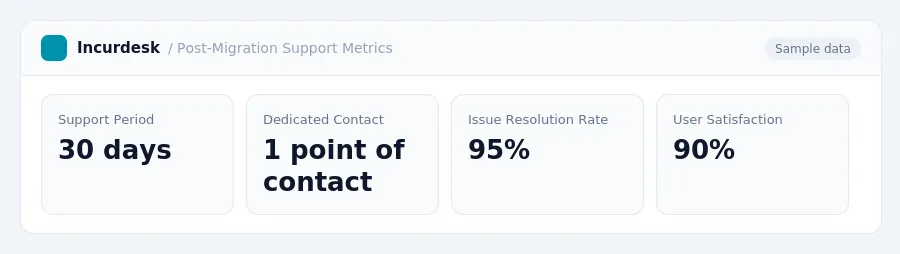
Post-migration support is a crucial component of a successful expense software migration. Some providers offer post-migration support for a period of 30 days to address questions, fix issues, and ensure confidence in the new system.
During this time, it's essential to have a dedicated contact person or team available to provide assistance. This can be a single point of contact for all migration-related inquiries, ensuring that issues are resolved promptly and efficiently.
Consider the following steps to ensure a smooth transition:
- Identify the provider's post-migration support period and scope of services.
- Designate a point of contact within your organization to handle migration-related inquiries.
- Establish a clear communication channel for reporting issues and requesting assistance.
- Regularly review and test the new system to ensure it meets your organization's needs.
By having a solid post-migration support plan in place, you can minimize disruptions and ensure a seamless transition to your new expense software system.
Stop losing 4+ hours a week
30-day free trial · No credit card · Setup in 15 minutes