
4.2h
Lost to approvals/wk
$10,900
Annual savings
96%
Compliance rate
How to Audit Dental Office Expenses Before Year-End
A practical, data-backed guide to controlling costs and automating expense workflows.
Start scanning receipts now
and easily manage employee travel and expenses
To ensure expense management for dental practice
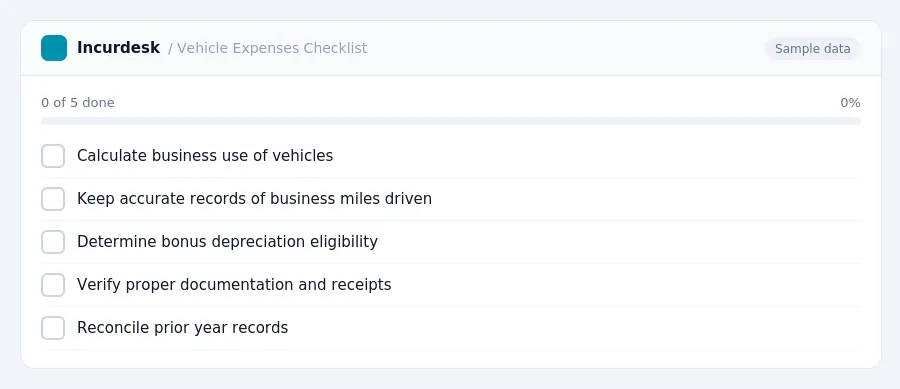
Reviewing Business Use of Vehicles and Transportation Expenses
- Calculate the business use of vehicles and transportation expenses. This includes miles driven, fuel costs, maintenance, and parking fees.
- Keep accurate records of business miles driven, including dates, destinations, and business purposes.
- Determine if any vehicle expenses are subject to bonus depreciation.
- Consider deducting expenses related to the operation and maintenance of vehicles, such as fuel, oil, and repairs.
- Verify that all vehicle expenses are properly documented and supported with receipts and records.
- Review and reconcile any prior year vehicle expense records to ensure accuracy and compliance.
Reviewing Transportation Expenses
FREE CALCULATOR
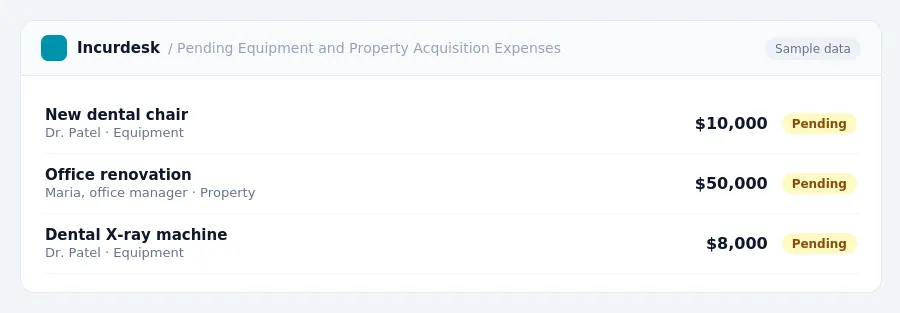
Analyzing Equipment and Property Acquisition Costs
- Analyze your equipment and property acquisition costs to ensure you're taking advantage of the available tax benefits.
- If it exceeds $4,090,000, the limit will phase out dollar-for-dollar.
- Review your records to ensure you have documentation for all equipment and property purchases, including receipts, invoices, and serial numbers.
- Consider consulting with a tax professional to ensure you're meeting the necessary requirements and taking advantage of all available tax benefits.
Review your financial records to ensure you're accurately tracking and documenting your equipment and property purchases. This will help you identify potential areas for improvement and ensure you're taking advantage of all available tax benefits.
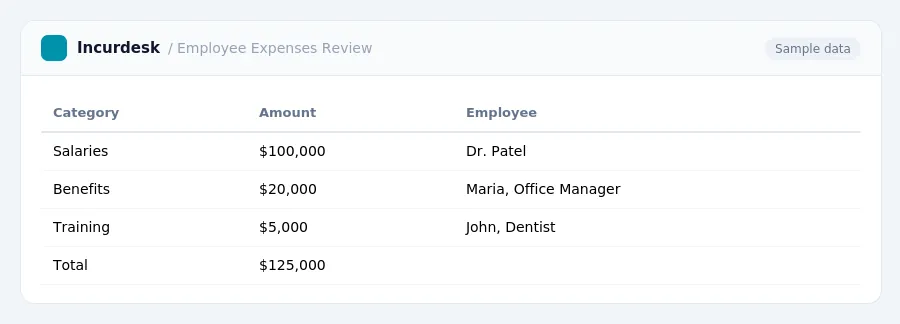
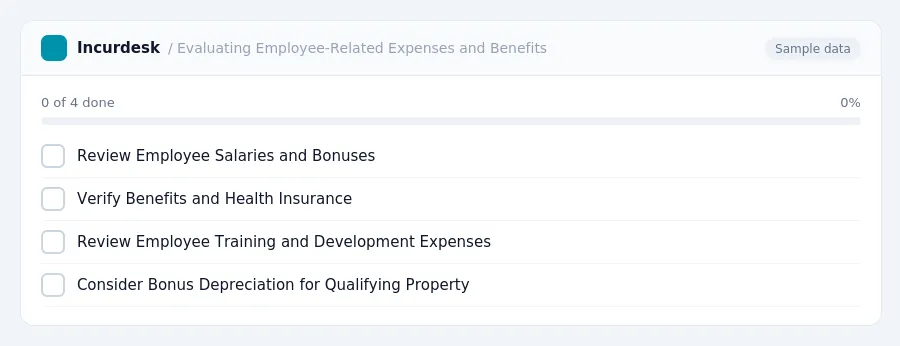
Evaluating Employee-Related Expenses and Benefits
- Review Employee Salaries and Bonuses
- Verify that employee salaries and bonuses align with industry standards and company budgets.
- Check for any errors or discrepancies in payroll records.
- Verify Benefits and Health Insurance
- Confirm that all employees are eligible for benefits and health insurance.
- Verify that benefits and health insurance premiums are accurately reported as business expenses.
- Review Employee Training and Development Expenses
- Verify that employee training and development expenses are reasonable and align with company goals.
- Check for any receipts or documentation for employee training and development expenses.
- Consider Bonus Depreciation for Qualifying Property
- Review your office supplies and expenses, including paper, ink, toners, and other consumables.
- Check your office furniture and equipment, including chairs, desks, and computers. Ensure you have records of the original purchase price, date of acquisition, and any depreciation or amortization.
- Verify your utility expenses, including electricity, water, and gas. Ensure you have records of your usage and payment history.
- Review your insurance premiums, including liability, property, and workers' compensation insurance. Ensure you have records of your payments and policy details.
- Check your bank fees and interest charges. Ensure you have records of your transactions and account statements.
- For travel expenses, use the meal and incidental expenses (M&IE) rate of $86 for high-cost localities and $74 for other localities. Ensure you have records of your receipts and expenses, including dates, times, and locations.
- Ensure you have records of your mileage, including dates, times, and routes.
- Ensure you have records of your purchase and placement in service.
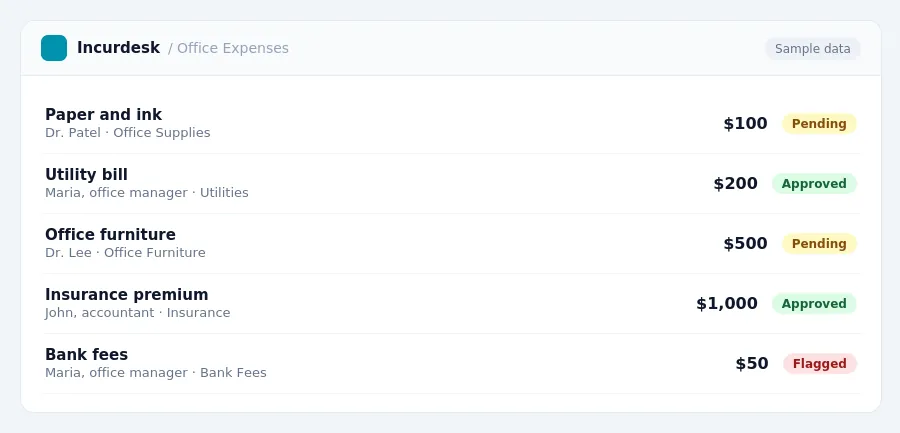
Keeping this simple: Incurdesk turns submitted expenses into clean expense reports. It is built for small dental practice teams. Try it free.
Frequently Asked Questions
You can use this rate to calculate your business mileage expenses.
You can also consult with a tax professional for guidance on FICA taxes.
To document business expenses, keep receipts, invoices, and bank statements for all business-related transactions. Categorize and track expenses by date, type, and purpose. Use a consistent system to record and store your documents, such as a spreadsheet or accounting software. This will help you accurately track and report your business expenses on your tax return.
Stop losing 4+ hours a week
30-day free trial · No credit card · Setup in 15 minutes