
How to Categorize Construction Expenses in QuickBooks
A practical, data-backed guide to controlling costs and automating expense workflows.
As a small construction business owner or office manager, it's essential to understand how to categorize construction expenses in QuickBooks to ensure accurate financial reporting, tax compliance, and profitability analysis. With the right construction expense management for under $10/user (2026), you can streamline your accounting process and make informed business decisions. For a complete overview, see our expense management guide.
Track Business Use Mileage Correctly
-
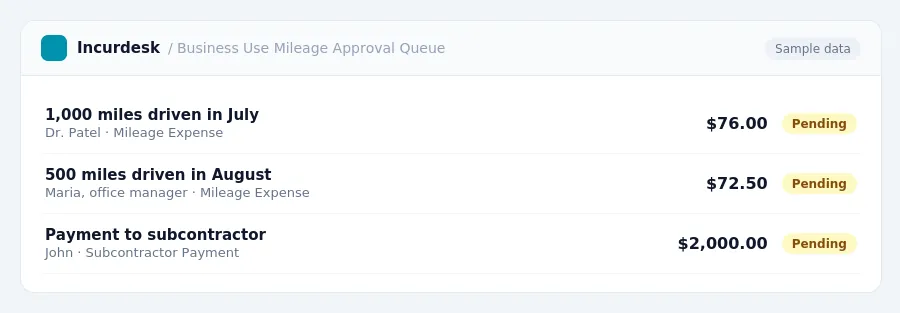
To track business use mileage correctly in QuickBooks, you'll need to use the standard mileage rate set by the IRS. As of 2026, the rate is 76 cents per mile from July 1 to December 31, and 72.5 cents per mile from January 1 to June 30. You can use this rate to calculate the business use percentage of your total miles driven each month.
For example, let's say you drove 1,000 miles in July 2026, and 500 of those miles were for business.
- Keep a log of your business miles driven each month.
- Use the standard mileage rate to calculate your business use mileage expense.
-
Make sure to track all business-related expenses, including payments to subcontractors. If a subcontractor is paid $2,000 or more in a calendar year, a Form 1099-NEC must be issued by January 31 of the following year.
- Keep accurate records of all payments to subcontractors.
- Check the IRS rules for issuing Form 1099-NEC.
-
Business licenses and permits are also deductible expenses.
- Keep receipts for all business licenses and permits.
- Enter these expenses into QuickBooks as a separate category.
Categorize Travel Expenses Accurately
- Categorize travel expenses accurately to ensure compliance with tax regulations and accurate financial reporting. For travel within the continental U.S. (CONUS), use the following rates: For incidental expenses only, use $5 per day for travel in and outside CONUS.
- When tracking travel expenses, include the date, location, and purpose of the trip. This will help you accurately categorize expenses and ensure compliance with tax regulations.
- When recording travel expenses in QuickBooks, categorize them as "Travel" or "Business Travel" and include a brief description of the expense. This will help you accurately track and categorize your travel expenses.
Deduct Home Office Expenses Properly
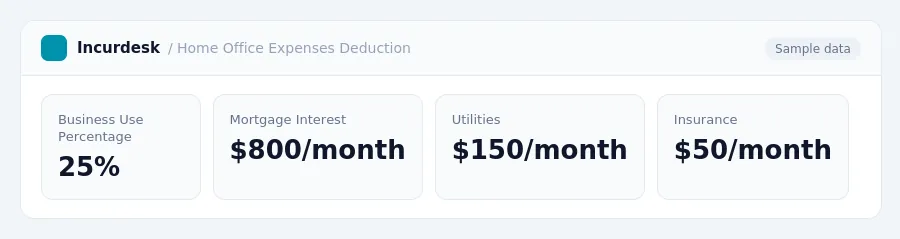
- To deduct home office expenses properly, you need to use the actual expense method. This involves calculating the business portion of your actual home expenses, including depreciation. The business use percentage of your home can be determined by measuring the square footage of your home office and dividing it by the total square footage of your home.
- Calculate the business portion of your home expenses, such as mortgage interest, property taxes, insurance, utilities, and maintenance. You can also deduct the business use percentage of your home insurance, utilities, and maintenance costs.
- Keep accurate records of your home expenses, including receipts and cancelled checks. You can use a separate bank account or credit card for your business expenses to make it easier to track your expenses.
- The home office deduction is subject to a gross income limitation. If your business income is above this threshold, you may be limited to deducting a portion of your home office expenses.
- Keep accurate records of your home office expenses, including the business use percentage of your home, and the business portion of your home expenses. This will help you to accurately calculate your home office deduction and avoid any potential audit issues.
Classify Equipment Purchases for Depreciation
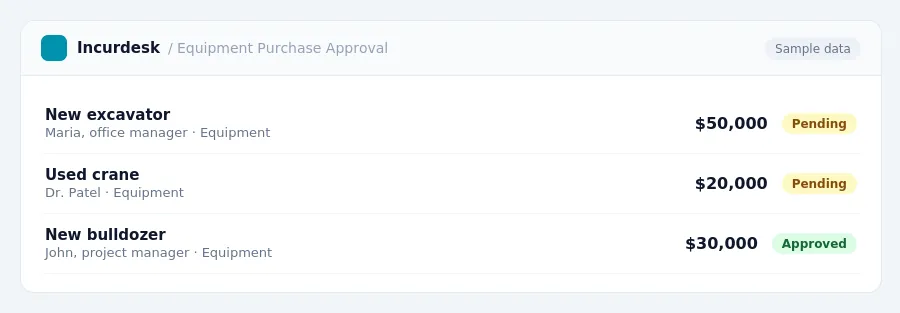
- When classifying equipment purchases for depreciation, it's essential to understand the Section 179 deduction limits.
- You can also claim 100% bonus depreciation for qualifying equipment placed in service in 2026. This applies to both new and used equipment, provided it's new to the business. To claim this, make sure to record the purchase date and the asset's cost in your accounting records.
When depreciating equipment, you'll need to determine the asset's useful life and calculate its depreciation expense over time. Consult your accounting records and tax advisor to ensure you're meeting the necessary requirements.
Record Other Construction Expenses Correctly
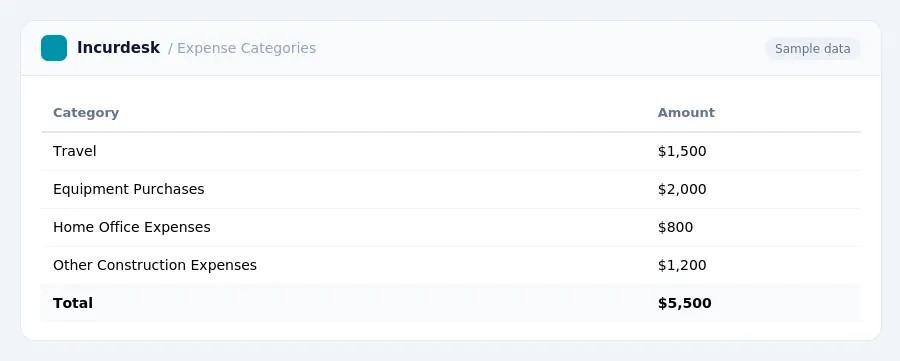
- Record the cost of construction materials purchased for jobs as a cost of goods sold in the year they are used. This includes materials such as lumber, concrete, and drywall. You can track these expenses by creating a separate inventory account in QuickBooks to account for the cost of goods sold.
- Make sure to categorize expenses related to surety bonds as business expenses. These bonds are often required in construction and can be a significant expense. You can create a separate account in QuickBooks to track these expenses.
- Keep accurate records of all construction expenses, including materials, labor, and equipment. This will help you accurately track your costs and ensure that you are taking advantage of all available tax deductions.
- Consider tracking your construction expenses by project to ensure that you are accurately assigning costs to specific jobs. This can be done by creating separate projects in QuickBooks and assigning expenses to each project.
- Regularly review your construction expense accounts to ensure that they are accurate and up-to-date. This will help you identify any errors or discrepancies and ensure that your financial reports are accurate.
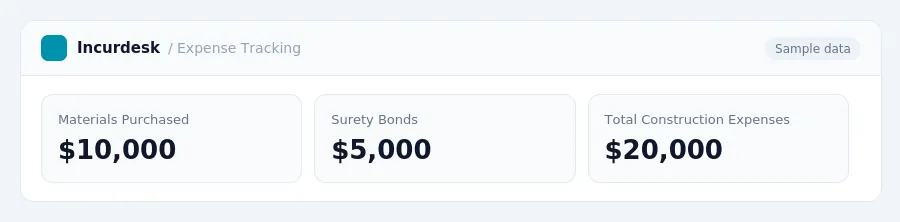
Keeping this simple: Incurdesk exports your expenses as a CSV your accountant can import into QuickBooks. It is built for small construction teams. Try it free.
Stop losing 4+ hours a week
30-day free trial · No credit card · Setup in 15 minutes