
4.2h
Lost to approvals/wk
$10,900
Annual savings
96%
Compliance rate
How to Categorize HVAC Business Expenses in QuickBooks
A practical, data-backed guide to controlling costs and automating expense workflows.
Start scanning receipts now
and easily manage employee travel and expenses
By mastering these rules, you can streamline your hvac contractor expense management software and ensure that your expenses are properly accounted for. For a complete overview, see our expense management guide.
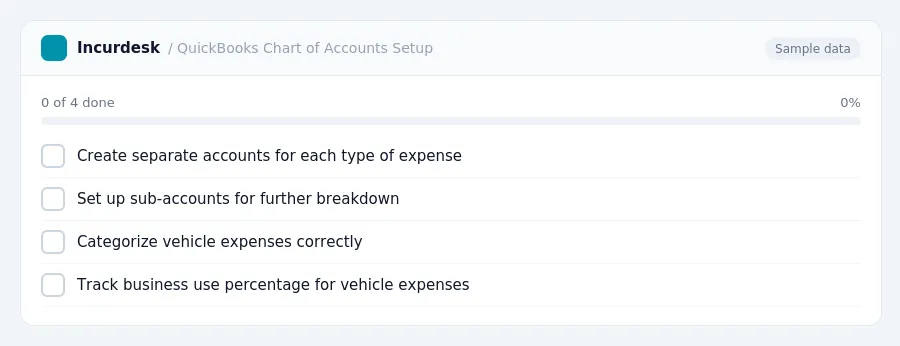
Set Up Your QuickBooks Chart of Accounts
- To set up your QuickBooks chart of accounts, start by creating a new account for each type of expense your HVAC business incurs. You'll want to have separate accounts for vehicle expenses, travel expenses, equipment purchases, and any other regular business expenses. Consider creating sub-accounts within each main category to further break down expenses. For example, you might have a main account for vehicle expenses, and then sub-accounts for gas, maintenance, and mileage. Make sure to set up these accounts in the correct asset or expense category, depending on the type of expense.
- Be sure to categorize your vehicle expenses correctly, as this will affect how you track and report mileage. If you use your vehicle for both business and personal purposes, you'll need to keep a log to track the business use percentage.
- This involves depreciating certain types of equipment or property over a shorter period of time, rather than over several years.
For example, let's say you purchase a new HVAC truck for $50,000.
HVAC Business Expense Allocation
FREE CALCULATOR
Categorize Vehicle Expenses Accurately
- You can track your business miles and calculate your total mileage expense using this rate.
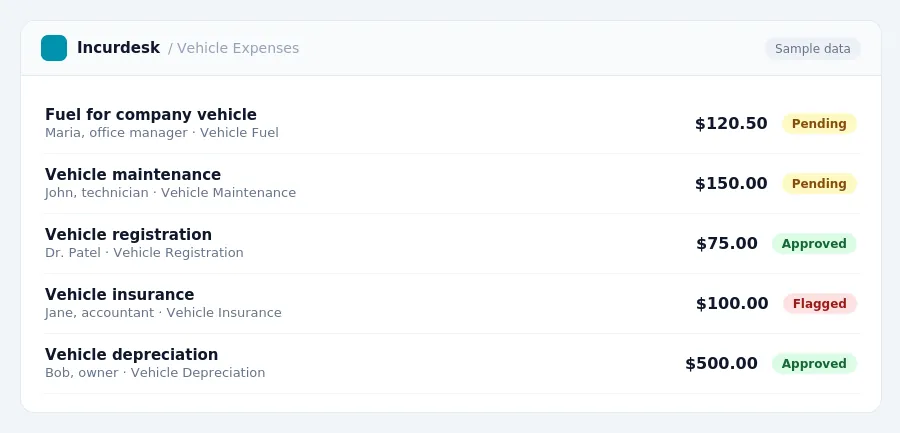
- When using actual expenses, you can categorize vehicle expenses into different accounts, such as fuel, maintenance, insurance, and registration. Make sure to keep accurate records of your vehicle expenses, including receipts and invoices. You can also use the first-year depreciation limit with bonus depreciation to calculate the depreciation expense for your vehicle.
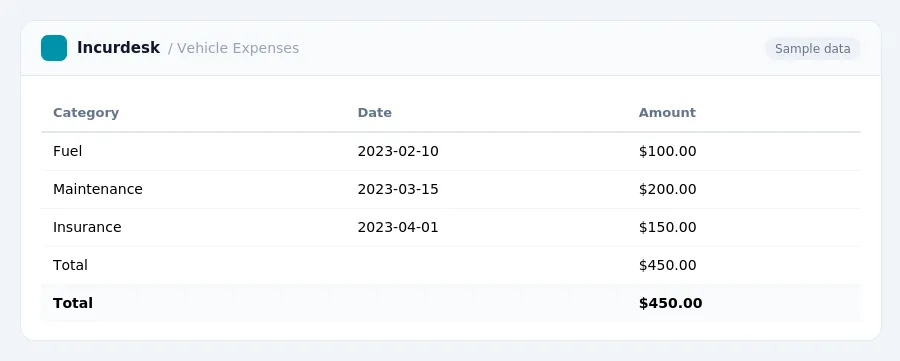
For example, you can create a vehicle expense account in QuickBooks with the following categories:
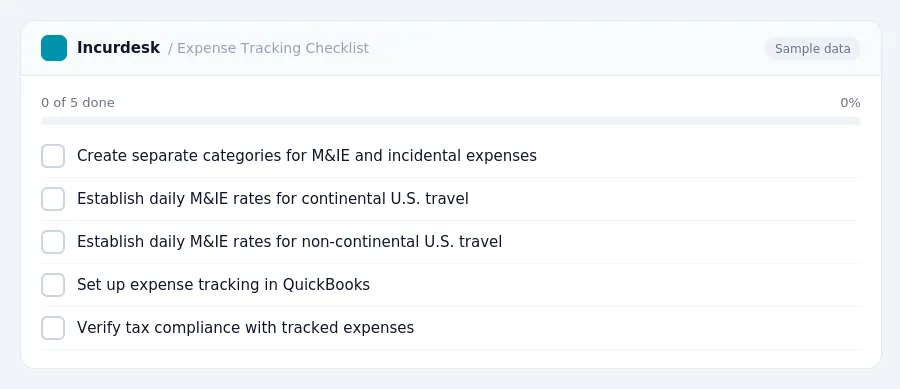
- These rates apply to lodging, meals, and incidental expenses (M&IE). The rates vary based on the location of travel.
- For travel to localities outside the continental U.S., the special M&IE rates apply. These rates are $86 per day for any locality of travel outside the continental U.S. For travel within the continental U.S., the special M&IE rates are $80 per day for any locality of travel.
- When tracking travel expenses in QuickBooks, create separate categories for M&IE and incidental expenses. This will allow you to easily track and report these expenses on your tax return.
- You can then track and report these expenses in QuickBooks using the established categories.
Calculate Depreciation for HVAC Equipment
- To calculate depreciation for HVAC equipment, start by determining the cost basis of the asset. This includes the purchase price, sales tax, and shipping costs. This means you can claim the full cost basis of the asset in the first year.
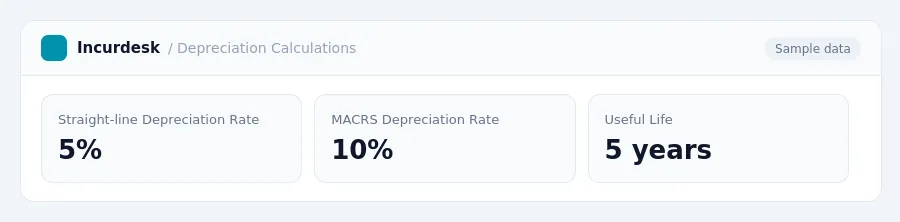
- Next, determine the asset's useful life.
- Calculate the annual depreciation using the straight-line method or the Modified Accelerated Cost Recovery System (MACRS) method. The straight-line method calculates depreciation as a percentage of the asset's cost basis, divided by its useful life.
- If you're depreciating a passenger vehicle, be aware of the first-year depreciation limit with bonus depreciation. For vehicles placed in service in 2025, the limit is $20,200.
- Keep in mind that annual depreciation limits for vehicles are adjusted for inflation and can change yearly.
- You must place the property in service by December 31 of the tax year to qualify for the deduction.
- When claiming Section 179 Expense Deductions, you can also take advantage of bonus depreciation. This means you can claim a bonus depreciation deduction in addition to the Section 179 deduction. However, you must follow the IRS rules for calculating and reporting these deductions.
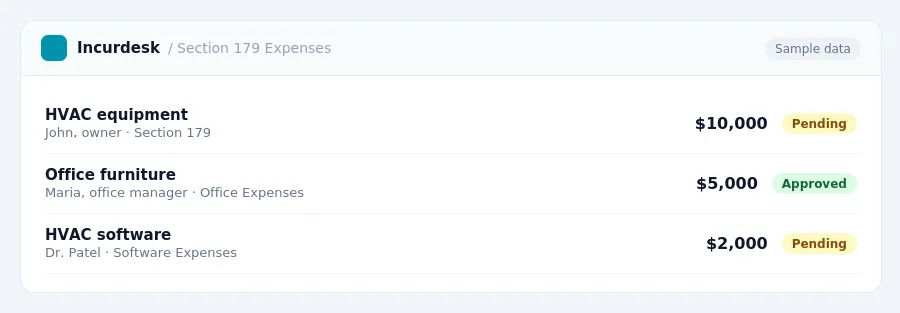
- To claim the Section 179 Expense Deduction in QuickBooks, you'll need to set up a new account or use an existing one to track your Section 179 expenses. You can then use the "Section 179" checkbox in the "Expense" section of your QuickBooks settings to ensure that your expenses are properly categorized. Be sure to consult the IRS guidelines and your tax professional to ensure you're meeting the requirements for this deduction.
Keeping this simple: Incurdesk exports your expenses as a CSV your accountant can import into QuickBooks. It is built for small hvac contractor teams. Try it free.
Frequently Asked Questions
How do I categorize fuel and maintenance costs for my service vans in QuickBooks?
Categorize fuel costs as a miscellaneous expense, such as 'Fuel' or 'Gas', and maintenance costs as a repair expense, like 'Vehicle Maintenance'. You can also use the 'Depreciation' category for vehicle purchases. Keep receipts and records for these expenses to ensure accurate reporting.
What's the difference between the standard mileage rate and the actual expense method for vehicle deductions?
The actual expense method requires tracking and deducting actual fuel, maintenance, and other expenses related to vehicle use. Use the method that provides the greatest deduction for your business.
Stop losing 4+ hours a week
30-day free trial · No credit card · Setup in 15 minutes