
How to Categorize Museum Expenses in QuickBooks
A practical, data-backed guide to controlling costs and automating expense workflows.
Categorizing expenses in QuickBooks can provide financial clarity and compliance for small museums or historical societies, helping to ensure accurate and transparent reporting to stakeholders. To manage expenses effectively, small museums or historical societies can utilize QuickBooks' features, such as customizable expense categories and tracking, to streamline their accounting processes. For the bigger picture, see our guide to small museums or historical societies expense management software. For a complete overview, see our expense management guide.
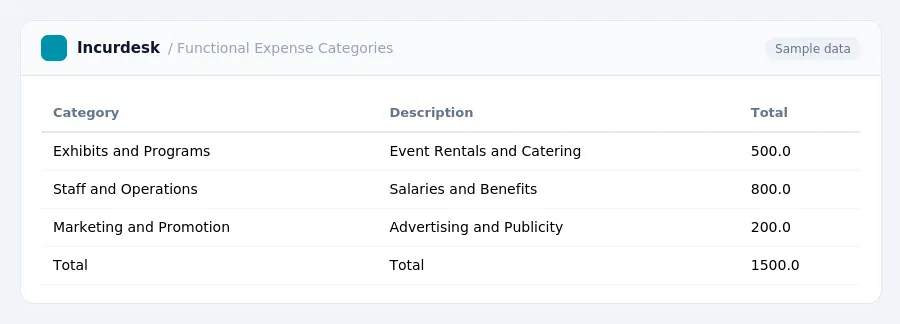
Categorize Expenses by Functional Type
-
Categorize your museum expenses into three primary functional categories: Program Services, Management and General, and Fundraising. Program Services include expenses directly related to providing goods or services that fulfill your museum's mission, such as exhibit costs, educational programs, and collections care. Examples of Program Services expenses include:
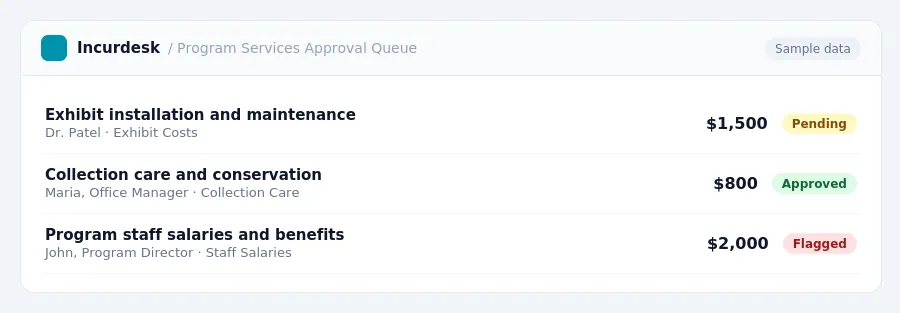
- Exhibit installation and maintenance
- Program staff salaries and benefits
- Collection care and conservation
-
Management and General Expenses are costs related to the overall operation and management of your nonprofit, such as general administrative salaries, accounting fees, and legal services. Examples of Management and General Expenses include:
- General administrative salaries and benefits
- Accounting and auditing fees
- Legal services and insurance
-
Fundraising Expenses include any costs associated with generating financial support or contributions for your organization, such as costs for special events aimed at raising funds or direct mail solicitations. Examples of Fundraising Expenses include:
- Event planning and coordination
- Direct mail and marketing materials
- Donor recognition and appreciation
Set Up Classes in QuickBooks
-
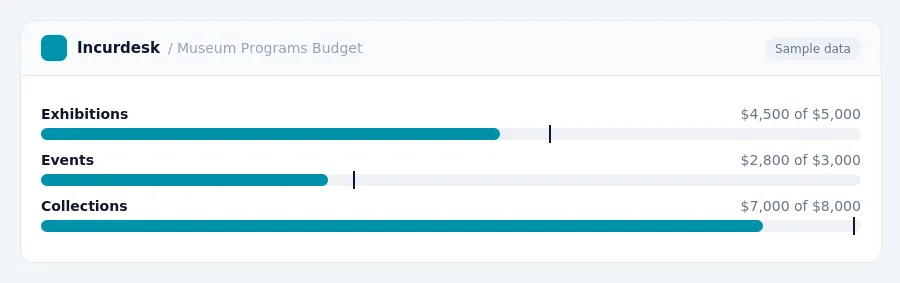
When setting up classes in QuickBooks, you can create separate classes to track expenses by function. This is particularly useful for museums with multiple income streams that may be subject to Unrelated Business Income Tax (UBIT). For instance, if your museum has a gift shop and rents out space, you can create separate classes for these activities. This will allow you to easily track and report on these expenses.
- Create a class for Program expenses, which includes activities directly related to your museum's tax-exempt purpose.
- Create a class for Management and General expenses, which includes administrative costs.
- Create a class for Fundraising expenses, which includes costs associated with fundraising events and campaigns.
- When setting up these classes, consider the following:
- Gift shop sales and space rentals may be subject to UBIT, so it's essential to track these expenses separately.
- Remember to assign these classes to the corresponding income accounts in your chart of accounts to ensure accurate tracking and reporting.
Establish a Well-Defined Chart of Accounts
- Develop a comprehensive Chart of Accounts that aligns with your museum's financial structure and includes functional expense categories. A well-defined Chart of Accounts will also facilitate stakeholder reporting and improve your museum's overall financial clarity.
- This includes setting up accounts for different types of membership levels and any corresponding benefits.
- Establish accounts for various types of donations, including cash and non-cash gifts, as well as collections received.
- Consider setting up separate accounts for specific museum programs, events, or exhibitions, as well as for different locations or departments. This will enable you to track expenses and revenue more effectively and make informed decisions about resource allocation.
- Regularly review and update your Chart of Accounts to ensure it remains relevant and accurate. This may involve revising accounts, adding new ones, or eliminating outdated ones.
Account for Non-Cash Donations and Collections
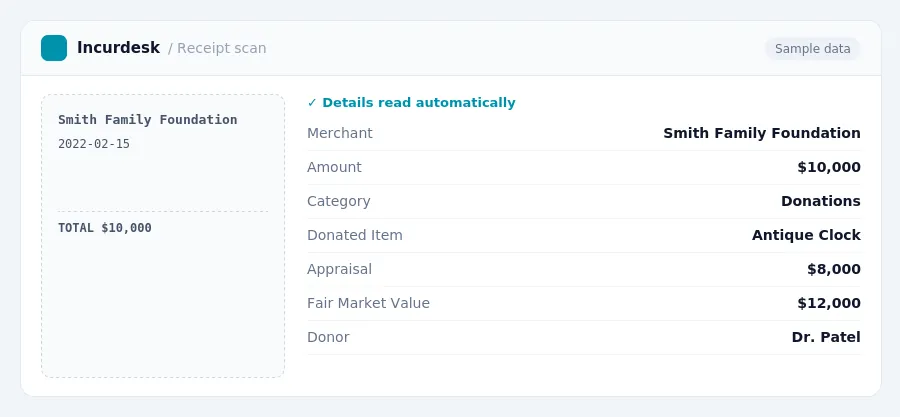
- This form requires the donor to describe the donated item, provide a detailed appraisal, and estimate the item's fair market value. The completed form should be attached to the donor's tax return and sent to the museum for its records.
- Under US Generally Accepted Accounting Principles (GAAP), museums have the option to capitalize collections on their balance sheet. However, this option is only available if the collections are held for public exhibition or education, protected and preserved, and proceeds from deaccessioned items are used for acquisitions or preservation. If this option is chosen, collections are recorded at acquisition cost or fair value at the date of donation.
- To capitalize collections, create a separate account in your chart of accounts specifically for collections. Record the acquisition cost or fair value of the donated item in this account, and ensure that any subsequent expenses related to the collection, such as conservation or maintenance, are also recorded in this account.
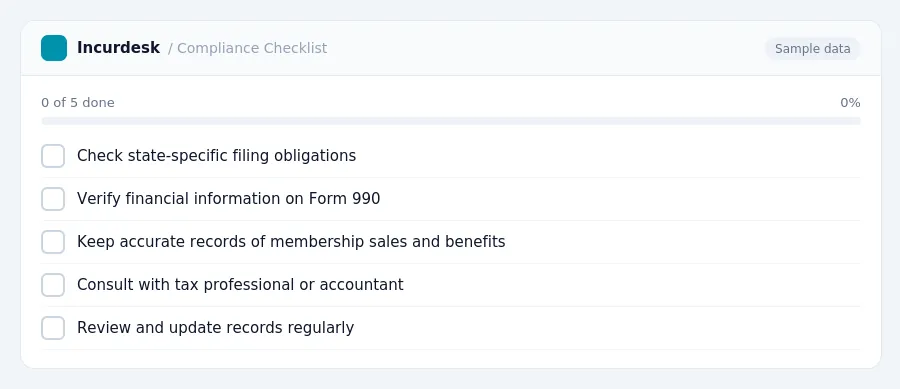
Nonprofits must comply with state-specific filing obligations, which can vary significantly. Check with your state's charity registration office for specific requirements.
This form requires detailed financial information, including income, expenses, and assets.
Keep accurate records of membership sales and benefits provided to ensure accurate reporting on Form 990.
Be aware that state-specific requirements may vary, and it's essential to consult with a tax professional or accountant to ensure compliance with all applicable laws and regulations.
Keeping this simple: Incurdesk exports your expenses as a CSV your accountant can import into QuickBooks. It is built for small small museum historical society teams. Try it free.
Stop losing 4+ hours a week
30-day free trial · No credit card · Setup in 15 minutes