
How to Categorize Property Management Expenses in QuickBooks
A practical, data-backed guide to controlling costs and automating expense workflows.
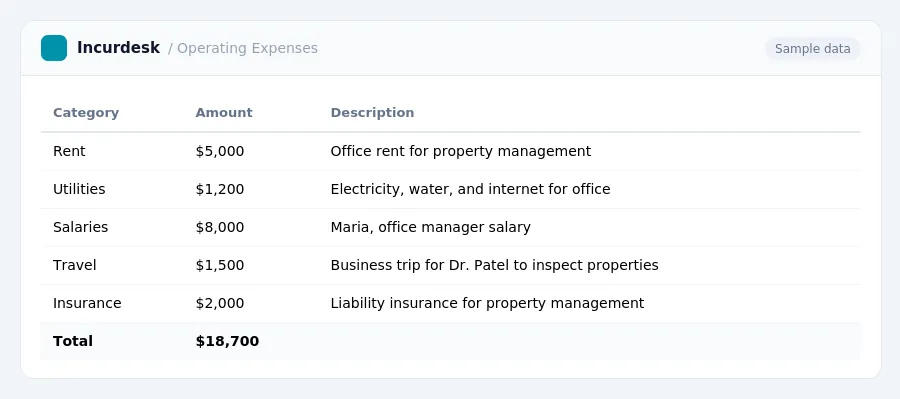
Categorizing property management expenses in QuickBooks is crucial for accurate financial reporting and tax purposes. To effectively manage your expense management for property management, you can use specific categories and subcategories in QuickBooks to track income and expenses for each property, including operating expenses, capital expenditures, and repairs and improvements. By setting up these categories correctly, you can ensure that you are taking advantage of all the deductions available to your property management business.
Identify Deductible Expenses
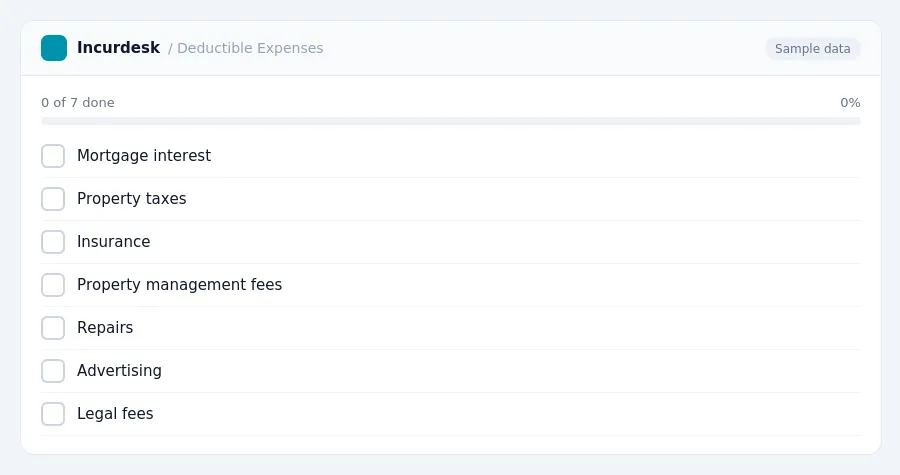
Identify deductible expenses by reviewing the list of ordinary and necessary rental expenses paid in the year they are incurred. These include mortgage interest, property taxes, insurance, property management fees, repairs, advertising, legal fees, and utilities paid on behalf of the tenant. To qualify as a deductible expense, the expense must be necessary to maintain the rental property and must be paid in the year it is incurred.
Understand the difference between repairs and improvements. Repairs are fully deductible in the year they are incurred, while capital improvements must be depreciated over 27.5 years using MACRS. Expenses to get a property rent-ready after purchase are typically capitalized and depreciated as acquisition costs, not immediately deducted.
Verify that fees paid to a property management company are deductible operating expenses. These fees typically range from 8-10% of gross rents, plus leasing fees. Attorney fees for drafting leases or resolving tenant disputes, as well as accountant or tax preparation fees related to rental income, are deductible on Schedule E. Acquisition legal fees are capitalized.
Review and categorize all expenses according to the above rules to ensure accurate financial reporting and tax purposes. It is essential to keep accurate records of all expenses to take advantage of the deductions available.
Distinguish Between Repairs and Improvements
- When categorizing property management expenses, it's essential to distinguish between repairs and improvements. The distinction is crucial for tax purposes, as repairs are generally deductible as operating expenses, while improvements may be depreciated over time.
Rental activities are generally classified as passive, and most investors can deduct up to $25,000 in rental losses against ordinary income if their Modified Adjusted Gross Income (MAGI) is under $100,000. This deduction phases out between $100,000 and $150,000 MAGI. Active participants may deduct up to $25,000 in passive losses against ordinary income, subject to MAGI phase-outs.
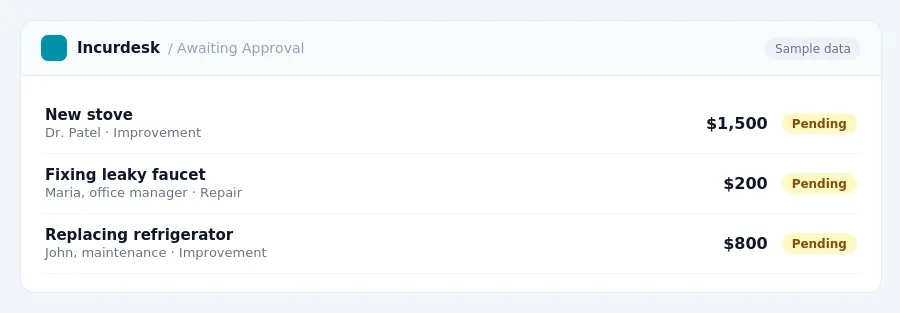
- For repairs, consider the following: are you fixing something that's broken, like a leaky faucet or a torn roof? If so, it's likely a repair. Are you replacing an item that's still in good condition, like a new stove or refrigerator? That's likely an improvement.
It's also worth noting that support for QuickBooks Desktop versions is ending between May 2026-2027, making it a legacy system.
- Keep receipts and records of all repairs and improvements, as they may be subject to different tax treatment. Be sure to consult with a tax professional to ensure you're accurately categorizing your expenses.
Set Up QuickBooks Categories for Property Management
- Set up a separate class or location for each property in QuickBooks to track expenses accurately. This will allow you to see the total expenses for each property and compare them across multiple properties.
For example, if you manage five properties, you can set up five separate classes in QuickBooks, each representing a different property. This way, you can track the expenses for each property, such as repairs, insurance, taxes, and utilities, under the cost of goods sold category.
- This will ensure that these expenses are properly accounted for and can be claimed as deductions on your tax return.
- Categorize general business expenses, such as office, software, and marketing, under the Operating Expenses category.
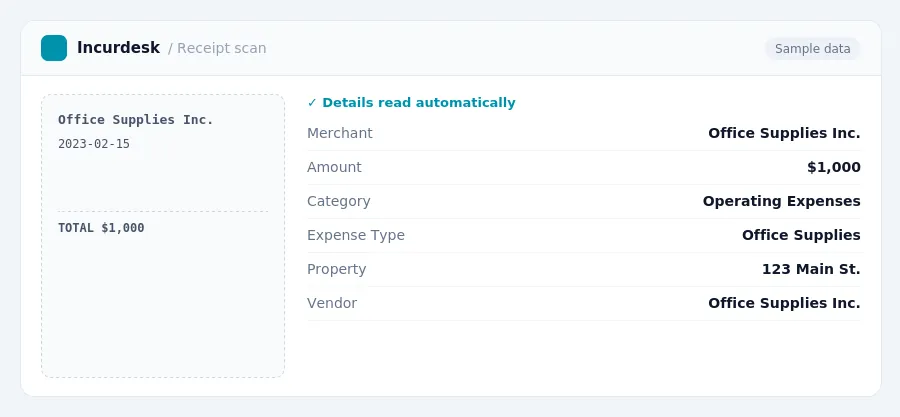
For example, if you pay $1,000 for office supplies, you would categorize this expense under the Operating Expenses category.
- Use QuickBooks to track fees paid to a property management company, which are typically deductible operating expenses.
Track Expenses for Multiple Properties
- Set up separate expense accounts in QuickBooks for each property, or create a general account for all properties. This will help you track expenses accurately and ensure that each property's financials are kept separate. Consider setting up sub-accounts for specific expense categories, such as maintenance, repairs, and capital improvements. This will allow you to drill down into the details of each property's expenses and make more informed financial decisions.
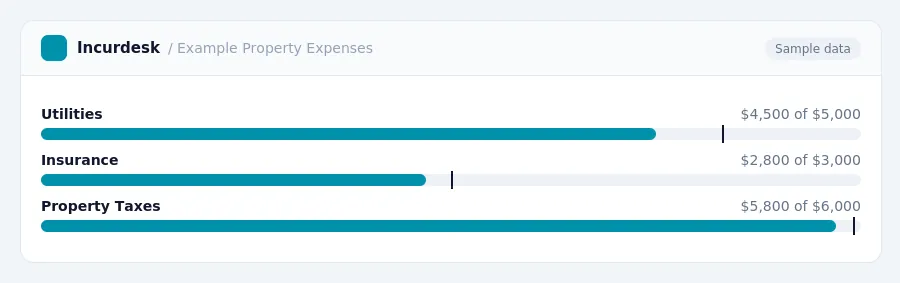
- Create a chart of accounts that includes expense categories for each property, such as utilities, insurance, and property taxes. Make sure to set up the accounts in a way that allows you to easily track and categorize expenses for each property. You can also set up a "Miscellaneous" account to catch any expenses that don't fit into a specific category.
- Use a unique identifier, such as a property address or ID number, to track expenses for each property. This will help you quickly identify which expenses belong to which property and ensure that you're accurately allocating costs.
- Consider setting up a system for tracking and reconciling expenses for each property. This could include creating a spreadsheet or using a template to ensure that all expenses are accounted for and accurately categorized.
By following these steps, you'll be able to effectively track expenses for multiple properties in QuickBooks and ensure that your financial reporting is accurate and reliable.
Verify and Adjust Categories as Needed
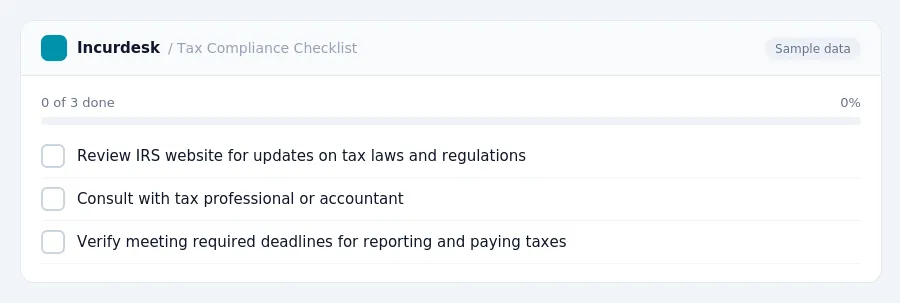
- Review the IRS website for updates on tax laws and regulations that affect your property management business. The IRS website is a reliable source for information on tax laws and changes, and it's essential to stay informed to ensure you're taking advantage of all eligible deductions.
- Consult with a tax professional or accountant to verify that your QuickBooks categories are in compliance with current tax laws. They can help you identify any changes to the tax code that may affect your business and provide guidance on how to adjust your categories accordingly.
- Verify that you're meeting the required deadlines for reporting and paying taxes. The deadline for filing and paying taxes typically falls on April 15th of each year, but this may vary depending on the state or country you're operating in.
- Keep accurate records of your expenses and income to ensure you're able to claim all eligible deductions.
- Regularly review your QuickBooks categories to ensure they're accurate and up-to-date.
Keeping this simple: Incurdesk exports your expenses as a CSV your accountant can import into QuickBooks. It is built for small property management teams. Try it free.
Stop losing 4+ hours a week
30-day free trial · No credit card · Setup in 15 minutes