
How to Categorize Rental Property Expenses in QuickBooks
A practical, data-backed guide to controlling costs and automating expense workflows.
Categorizing rental property expenses in QuickBooks is crucial for small real estate businesses to ensure accurate financial reporting and tax preparation. By understanding which expenses are deductible, differentiating between repairs and improvements, and utilizing QuickBooks features like classes and locations, businesses can maximize tax benefits and stay compliant with IRS regulations. With QuickBooks offering real estate expense management for under $10/user (2026), it's easier than ever to streamline expense tracking and stay on top of financials. For a complete overview, see our expense management guide.
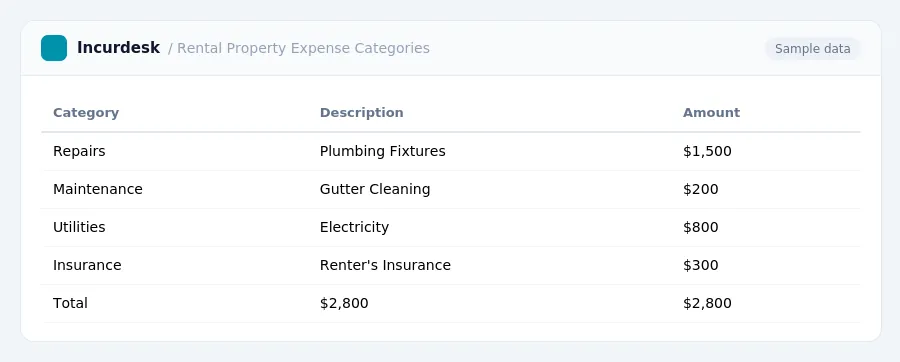
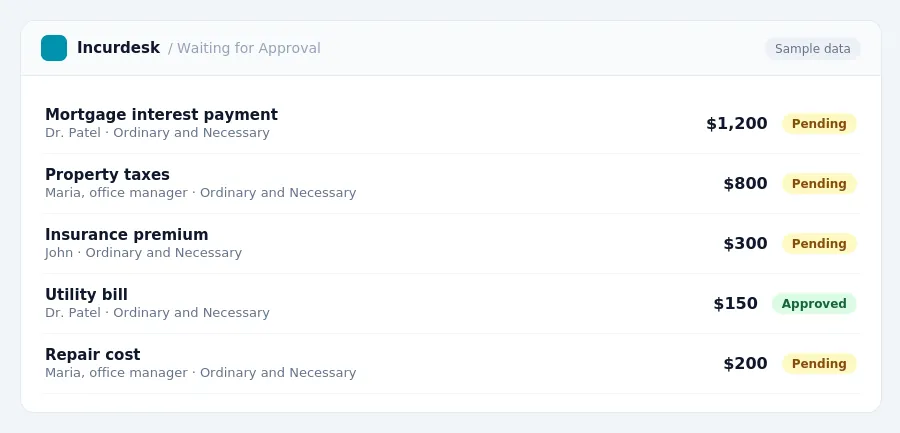
Categorize Ordinary and Necessary Expenses
- Categorize mortgage interest, property taxes, insurance, and utilities paid on behalf of the tenant as ordinary and necessary expenses. These include items such as mortgage interest paid on the rental property, property taxes, insurance premiums, and utilities like electricity, gas, and water.
- Classify fees paid to property managers as ordinary and necessary business expenses. These fees may include services such as tenant screening, rent collection, maintenance coordination, or leasing.
- Deduct expenses like repairs, advertising, and legal fees as ordinary and necessary expenses. This includes costs for fixing leaky faucets, paying for online advertising, or hiring a lawyer to review rental agreements.
- Remember that ordinary and necessary expenses paid or incurred in 2026 are deductible in the year they are paid. This allows you to claim deductions on your tax return for the current year.
- Understand that the tax law allows most investors to deduct up to $25,000 in rental losses against ordinary income if their Modified Adjusted Gross Income (MAGI) is under $100,000, with a phase-out between $100,000 and $150,000.
Distinguish Between Repairs and Improvements
- When it comes to rental property expenses, differentiating between repairs and improvements is crucial for accurate financial reporting and tax preparation. Repairs are deductible in the year they are paid, while capital improvements must be depreciated over time, specifically 27.5 years for residential rental property using the Modified Accelerated Cost Recovery System (MACRS).
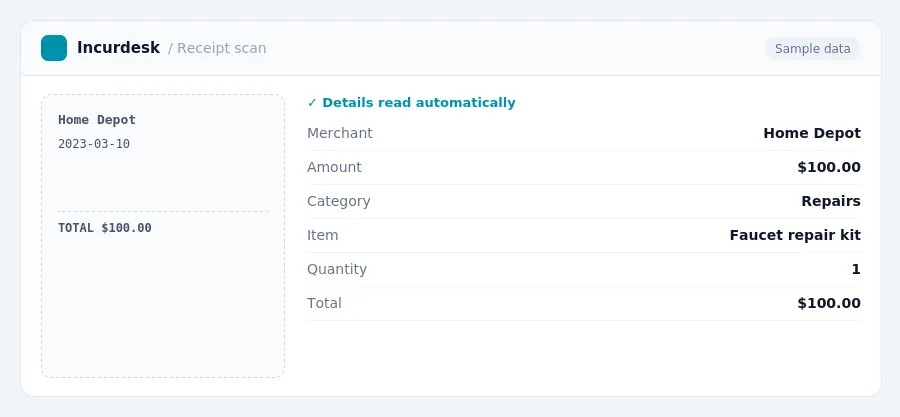
- To determine if an expense is a repair or an improvement, consider the purpose of the expense. Repairs maintain the property's existing condition, such as fixing a leaky faucet or patching a hole in the wall. Improvements, on the other hand, increase the value, prolong the useful life, or adapt the property to a new use, such as installing new flooring or adding a deck.
- For example, if you need to travel to a rental property for repairs, the standard mileage rate covers gas, oil, depreciation, insurance, and repairs. This rate can help you calculate the deductible expense for the trip.
- Keep accurate records of all expenses, including receipts and invoices, to support your classification of repairs versus improvements. This will help you ensure compliance with IRS regulations and maximize your tax benefits.
Assign Depreciation and Amortization
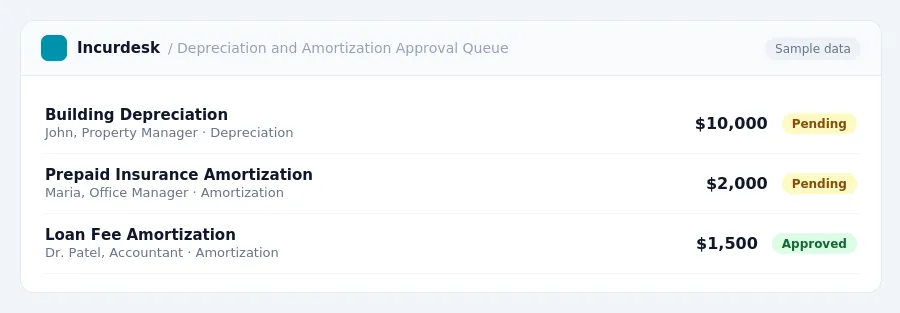
Depreciation and amortization are important categories of rental property expenses in QuickBooks. Depreciation refers to the decrease in value of tangible assets, such as buildings and equipment, over their useful life. Amortization, on the other hand, refers to the decrease in value of intangible assets, such as loan fees and prepaid insurance premiums, over their useful life.
For example, if you purchased a rental property for $500,000, you can depreciate the building over its useful life of 27.5 years.
Amortize prepaid insurance premiums, such as landlord insurance premiums, including hazard, liability, and umbrella policies allocable to the rental, over their useful life.
Assign depreciation and amortization to the correct asset account in QuickBooks, such as Depreciation Expense or Amortization Expense. This will help you track the decrease in value of your assets and accurately calculate your tax deductions.
Review your depreciation and amortization schedules annually to ensure accuracy and compliance with IRS regulations.
For more information on depreciation and amortization rules, consult IRS Publication 946, How to Depreciate Property.
Track Expenses by Property with Classes and Locations
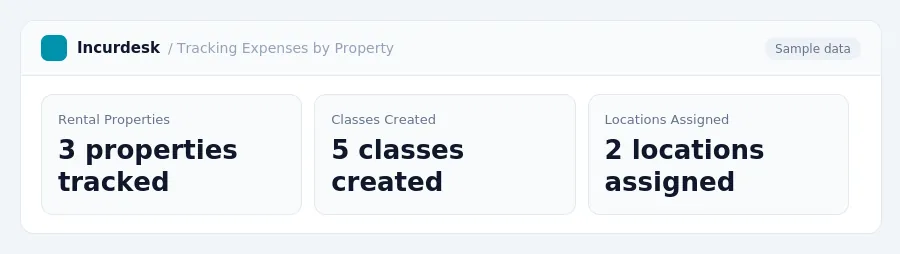
- To track expenses by property, you'll want to utilize QuickBooks' classes feature. This allows you to categorize income and expenses for each rental property separately. To set up classes, navigate to the Chart of Accounts and click on the Classes tab. Create a new class for each rental property, and then apply that class to the relevant income and expense transactions.
- In addition to classes, you can also use locations to track expenses by property. This feature allows you to assign a specific location to each rental property, which can then be used to track expenses. To set up locations, navigate to the Company Settings and click on the Locations tab.
-
When tracking expenses by property, be sure to include all relevant costs, such as:
- Interest paid on loans used to acquire, improve, or carry rental property.
- State and local real estate taxes levied on the rental property.
- Costs to find tenants, list the property, and screening costs.
- Utilities paid by the landlord for the rental property.
- To accurately depreciate your rental property, you'll need to determine the property's basis and its useful life. Be sure to track your depreciation expense accurately to ensure compliance with IRS regulations.
Verify Compliance with IRS Regulations
It's crucial to ensure that your rental property expenses are categorized correctly to avoid any potential audits or penalties. Here are some steps to verify compliance with IRS regulations:
- Keep accurate records of business miles driven, including the date, number of miles, and business purpose. You can use the standard mileage rate, which is expected to be around 70 cents per mile for 2026, or actual expenses. The IRS standard mileage rate is updated annually, so check the IRS website for the latest rate.
- Document all expenses, including receipts, invoices, and bank statements. Make sure to save these records for at least three years in case of an audit.
- Keep track of the total miles driven for the year and calculate the total business miles using the standard mileage rate or actual expenses.
- File Form 4562, Depreciation and Amortization, with your tax return to report depreciation and amortization expenses.
- Keep accurate records of property improvements, including the date, cost, and description of the improvement. This will help you differentiate between repairs and improvements and claim the correct deductions.
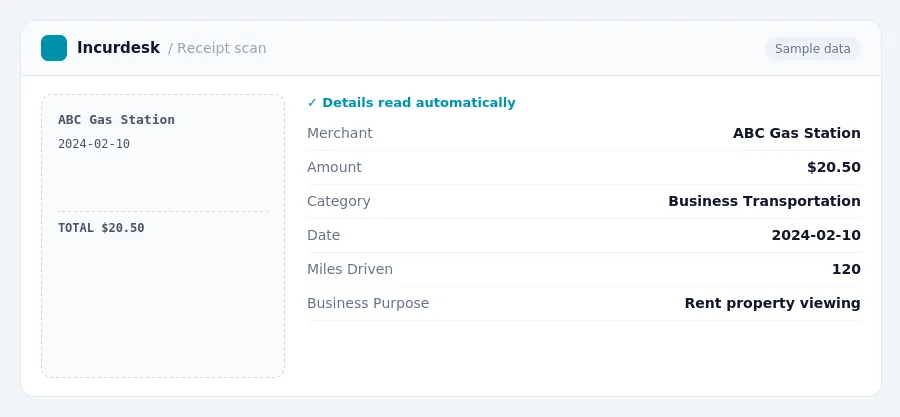
Keeping this simple: Incurdesk exports your expenses as a CSV your accountant can import into QuickBooks. It is built for small real estate teams. Try it free.
Stop losing 4+ hours a week
30-day free trial · No credit card · Setup in 15 minutes