
How to Choose Expense Software for a Construction Firm
A practical, data-backed guide to controlling costs and automating expense workflows.
Choosing the right expense software for your construction firm can be a daunting task, especially when it comes to handling unique financial tracking requirements like job costing, receipt management, mileage tracking, and per diem rates. Fortunately, you can find expense software that meets these needs while keeping costs under construction expense management for under $10/user (2026). To ensure compliance with tax regulations, look for software that automatically updates with the latest IRS rates and guidelines.
Understanding IRS Per Diem and Mileage Rates for 2026
For 2026, the IRS has set per diem rates for travel within the continental United States (CONUS) under the high-low substantiation method. This method allows for a per diem rate of $329 for high-cost localities and $230 for other localities, effective from October 1, 2026, to September 30, 2027. The Meals and Incidental Expenses (M&IE) portion of the per diem rate is $86 for high-cost localities and $74 for other CONUS localities during the same period.
The IRS standard mileage rate for business use in 2026 is 72.5 cents per mile from January 1 to June 30, and 76 cents per mile from July 1 to December 31. When tracking expenses, be sure to use the correct mileage rate for the time period.
Keep in mind that these rates are subject to change, and it's essential to verify the current rates for each year. You can find the most up-to-date information on the IRS website.
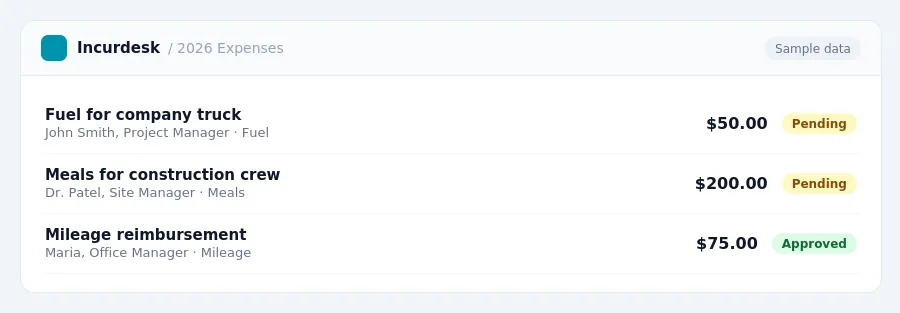
Keeping this simple: Incurdesk turns submitted expenses into clean expense reports. It is built for small construction teams. Try it free.
Specialized Construction Accounting Software: Is it Right for Your Business?
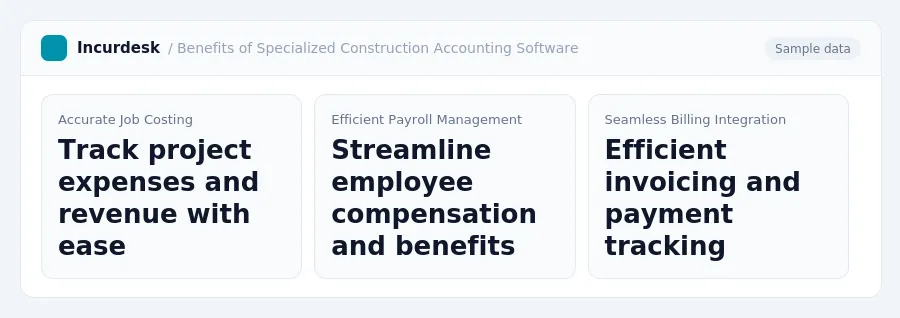
Specialized construction accounting software offers features tailored for project-based operations, including integrated job costing, payroll, and billing. These features can help streamline financial tracking and ensure tax compliance. Consider the following benefits of specialized construction accounting software:
- Integrated job costing allows for accurate tracking of project expenses and revenue.
- Payroll integration streamlines employee compensation and benefits.
- Billing integration enables efficient invoicing and payment tracking.
While general accounting software like QuickBooks and Xero can be used, they may not offer the same level of project-based functionality as specialized construction accounting software. Sage 300 CRE and Viewpoint Vista are examples of specialized software designed specifically for the construction industry.
When evaluating specialized construction accounting software, consider the following:
- Look for software with integrated job costing, payroll, and billing features.
- Evaluate the software's ability to track project expenses and revenue.
- Consider the software's integration with other business systems, such as project management software.
Choosing the Right Expense Software for Construction Firms
You'll want software that's user-friendly for both office and field staff, making it easy to track expenses on the go.
Start by making a list of your must-have features. Do you need software that can handle multiple job sites and projects? Do you need to track employee hours and mileage? Do you need to integrate with your accounting software?
Consider the following factors when evaluating expense software:
- Job costing and project tracking
- Receipt management and expense reporting
- Mileage tracking and per diem rates
- Integration with accounting software
- User-friendliness and mobile accessibility
Look for software that's specifically designed for construction firms, as these solutions often have features tailored to the industry's unique needs. Also, consider the level of customer support and training provided by the software vendor.
Key Considerations for Construction Accounting Software
When choosing expense software for your construction firm, there are several key considerations to keep in mind. First, consider the unique financial tracking requirements of your business, such as job costing, receipt management, and mileage tracking. You should also ensure that the software can handle per diem rates and provide adequate documentation to support tax compliance.
- Job costing: Ensure the software can track project-specific expenses and generate accurate job costing reports.
- Receipt management: Choose a software that allows for easy receipt scanning and storage, and can generate digital receipts for tax purposes.
- Mileage tracking: Select a software that can accurately track business miles and provide reports to support mileage reimbursement claims.
- Per diem rates: Verify that the software can apply current IRS per diem rates and provide documentation for tax purposes.
Additionally, consider the user-friendliness of the software for both office and field staff. The software should be easy to use and navigate, with clear instructions and minimal training required.
Regularly review and update your software to ensure ongoing compliance.
Avoiding Common Mistakes in Expense Tracking and Compliance
Don't let outdated rates and inadequate documentation put your construction firm at risk of non-compliance. Here are some common mistakes to watch out for:
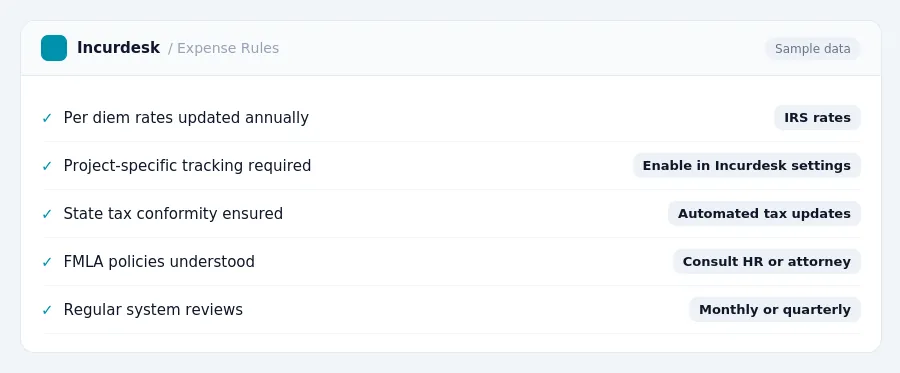
- Using outdated per diem and mileage rates
- Lacking project-specific tracking
- Ignoring state tax conformity
- Misunderstanding FMLA policies
For example, failing to update per diem rates can result in significant underpayment or overpayment of taxes. The IRS updates rates annually, so make sure to check the current rates for 2026.
Additionally, ensure that your expense tracking system is integrated with your accounting software to avoid discrepancies and errors. Regularly review and update your system to ensure compliance with changing tax laws and regulations.
Don't wait until it's too late. Stay on top of compliance and avoid costly mistakes by regularly reviewing and updating your expense tracking system.
For more information on current IRS per diem and mileage rates, check the IRS website. For guidance on state-specific tax conformity and FMLA policies, consult with a tax professional or accountant.
Stop losing 4+ hours a week
30-day free trial · No credit card · Setup in 15 minutes