
How to Code Hospital Department Expenses to Cost Centers
A practical, data-backed guide to controlling costs and automating expense workflows.
Accurate expense management for hospitals requires categorizing and allocating expenses to specific cost centers, which can be a complex task for small hospital businesses with 5-50 employees. To ensure compliance with Medicare cost reporting and effective financial management, it is essential to understand the nuances of hospital accounting. By properly tracking, analyzing, and reporting expenses to relevant authorities, such as CMS, hospital owners and office managers can make informed decisions to optimize their financial performance.
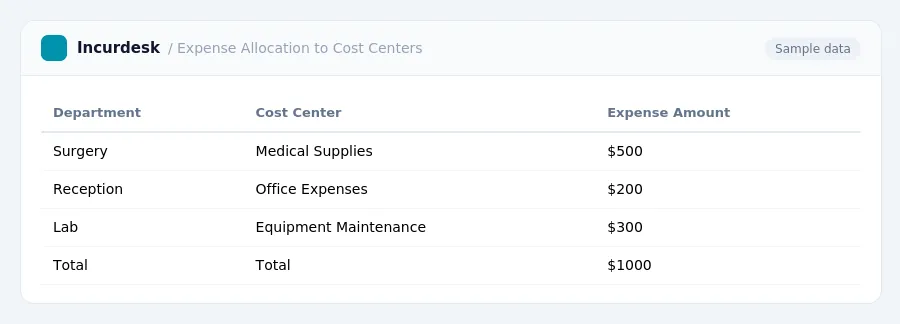
Categorize Department Expenses
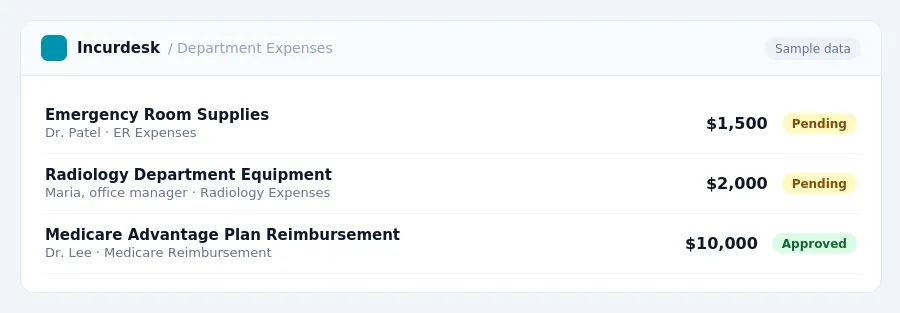
When categorizing department expenses, it's essential to understand the nuances of hospital accounting, particularly in relation to Medicare cost reporting. Start by identifying the different departments in your hospital, such as the emergency room, operating room, and radiology department.
Keep track of these expenses separately, as they will need to be reported on your tax return.
Medicare-certified acute care hospitals must also categorize expenses related to Medicare Advantage plans. For example, if you're reimbursed under the Inpatient Prospective Payment System (IPPS), you'll need to report median negotiated payment rates from Medicare Advantage plans by Medicare Severity Diagnosis-Related Group (MS-DRG) on your annual cost reports (Worksheet S-12).
Consider creating a table to organize your department expenses, with columns for department name, expense type, and expense amount. This will help you keep track of your expenses and ensure that you're accurately categorizing them.
Identify Cost Centers
-
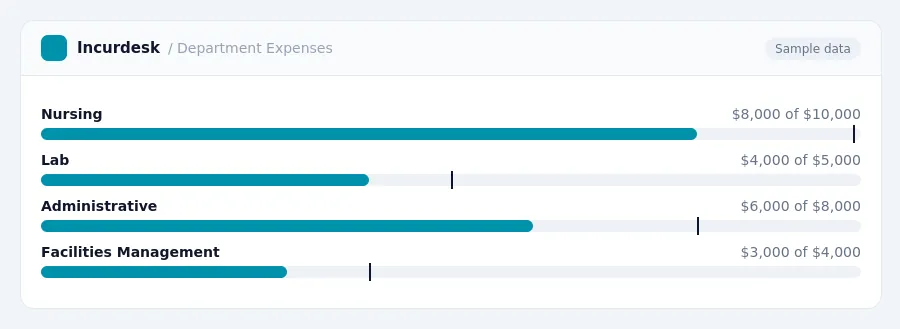
To identify cost centers for your hospital department expenses, you need to determine the specific departments or services that require separate accounting and reporting. These may include operating departments, such as nursing, lab, and radiology, as well as non-operating departments, such as administrative, marketing, and facilities management.
-
Review your Medicare cost report due dates to ensure you are aware of the specific deadlines for your hospital's fiscal year-end. The due dates vary depending on the fiscal year-end date. For example:
-
Once you have identified your cost centers, verify that they align with the Medicare cost reporting requirements. This will ensure that your cost centers are correctly categorized and that you are accurately allocating expenses to each cost center.
Assign Expenses to Cost Centers
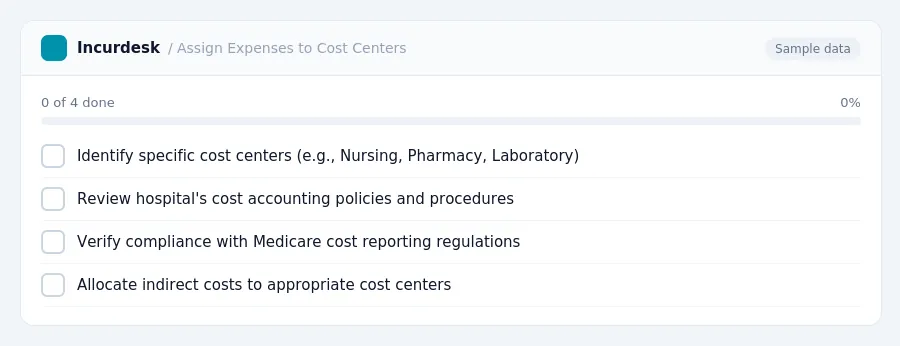
- Identify the specific cost centers that require expenses to be assigned to, such as Nursing, Pharmacy, or Laboratory. This information can typically be found in your hospital's organizational chart or cost accounting system.
- Review the hospital's cost accounting policies and procedures to ensure compliance with Medicare cost reporting regulations. For cost reporting periods ending on or after January 1, 2026, verify that the policies align with the most recent guidelines.
- For each expense, determine the primary function or service it supports. For example, if an expense is related to a piece of equipment used in the Operating Room, it should be assigned to the Operating Room cost center.
- Consider the allocation of indirect costs, such as utilities and administrative expenses, to the appropriate cost centers. These costs can be allocated based on square footage, number of employees, or other relevant factors.
Accurately Allocate Expenses
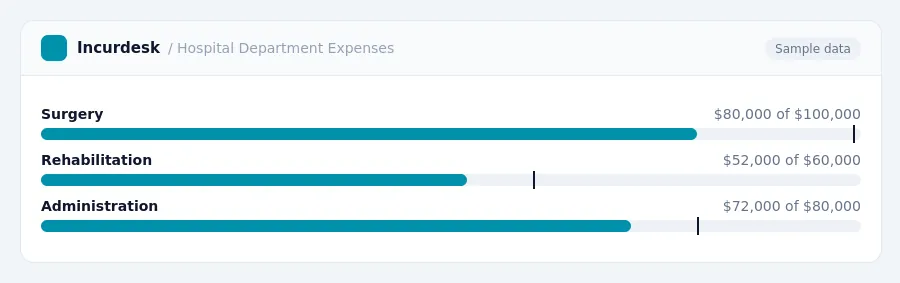
- When accurately allocating expenses, start by considering the hospital's overall budget and the specific needs of each cost center. Determine the percentage of total expenses that should be allocated to each department, based on its relative size and activity.
- Use a table or spreadsheet to track and allocate expenses across cost centers. Create separate columns for each cost center, and list all expenses under each department. Then, calculate the total expenses for each department, and determine the percentage of total expenses allocated to each one.
- Consider the CMS rule that intends to use the MA negotiated rate data to set future MS-DRG weights, starting in fiscal year 2029. For now, allocate expenses based on current cost-based weights.
- Verify the accuracy of expense allocations by comparing them to actual departmental budgets and financial reports. Make adjustments as needed to ensure that costs are properly tracked and reported.
- Regularly review and update expense allocations to reflect changes in hospital operations, patient volume, and financial performance. This will help ensure that costs are accurately tracked and reported, and that the hospital is in compliance with relevant regulations and standards.
Verify and Report Expenses
- Verify that all department expenses have been accurately assigned to cost centers. Review your financial records and ensure that expenses are correctly categorized and allocated.
- Check for any discrepancies or errors in the cost center assignments. Verify that the correct cost centers are being used and that the expense amounts are accurate.
- Review your cost center assignments for compliance with Medicare cost reporting requirements.
- Ensure that all expenses are properly accounted for and reported to CMS. Verify that your financial records accurately reflect the cost center assignments and expense amounts.
Once you have verified and reported your expenses, you can use this information to make informed financial decisions and improve the efficiency of your hospital's operations.
Be sure to keep accurate and detailed records of your cost center assignments and expense amounts, as these will be necessary for future cost reporting and financial analysis.
Keeping this simple: Incurdesk turns submitted expenses into clean expense reports. It is built for small hospital teams. Try it free.
Stop losing 4+ hours a week
30-day free trial · No credit card · Setup in 15 minutes