
How to Document Change Order Expenses
A practical, data-backed guide to controlling costs and automating expense workflows.
Documenting change order expenses is crucial for small construction businesses to ensure they are properly compensated and maintain accurate financial records for tax purposes. To do this effectively, you need to understand what constitutes a valid change order and what information must be included. By following these guidelines, you can streamline your construction expense management for under $10/user (2026) and avoid common pitfalls that can lead to disputes and delayed payments. For a complete overview, see our expense management guide.
Define What Constitutes a Valid Change Order
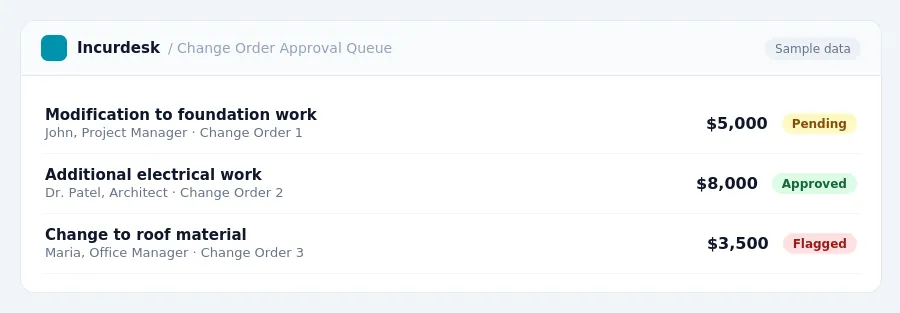
- A change order is a formal, written amendment to an existing construction contract that modifies the scope of work, the contract sum, and/or the contract time. It requires agreement and signatures from all parties involved (owner, contractor, architect). To determine if a change order is valid, ensure it meets these criteria. Check that it is a written document, signed by both parties before the work begins. This includes the owner, contractor, and any relevant architects.
- Work done without written approval risks non-payment. This emphasizes the importance of obtaining written agreement before starting any new work.
- If you're working in California, be aware of the statutory framework for resolving change order claims on private works of improvement.
- For residential work in California, California Business and Professions Code §7159 emphasizes the importance of readable, properly formatted, and complete documentation for home improvement contracts and related paperwork, including change orders. Ensure your change orders meet these standards.
- When evaluating the validity of a change order, consider the impact on your costs and profitability. Contractors typically add 15-25% for overhead and profit on change order work. Contracts that limit maximum overhead and profit percentages can hinder a company's ability to cover costs.
Prepare a Comprehensive Change Order Document
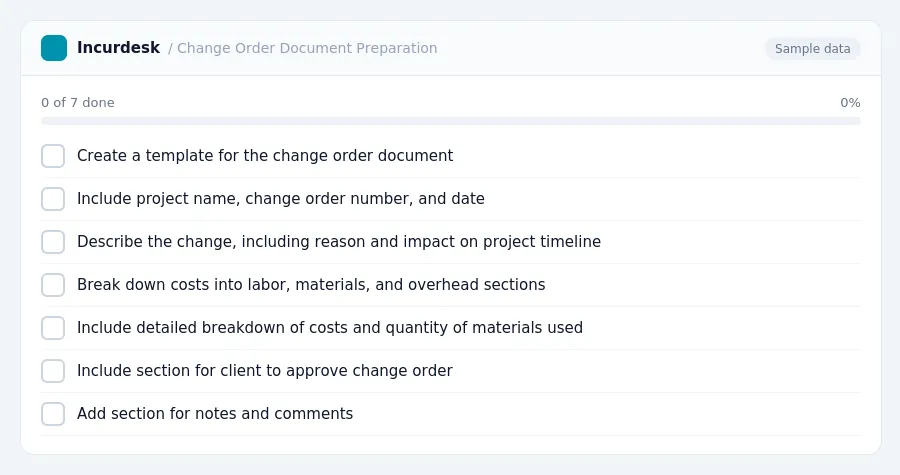
- Start by creating a template for your change order documents. This template should include all the necessary information, such as the project name, change order number, and date. You should also include a section for describing the change, including the reason for the change and the impact on the project timeline.
- Use a clear and concise format for the change order document. Break down the costs into separate sections for labor, materials, and overhead. Be sure to include a detailed breakdown of the costs, including the quantity of materials used and the number of hours worked by laborers.
- Make sure to include a section for the client to approve the change order. This should include a space for the client to sign and date the document, and a statement confirming that they have reviewed and accepted the change order.
- Consider including a section for notes and comments. This can be useful for tracking any discussions or agreements made during the change order process, and can help to prevent misunderstandings or disputes.
- Review and revise your change order template regularly to ensure it is accurate and up-to-date. This will help to ensure that you are properly documenting change order expenses and minimizing the risk of disputes or delays.
Itemize Labor and Material Costs in the Change Order
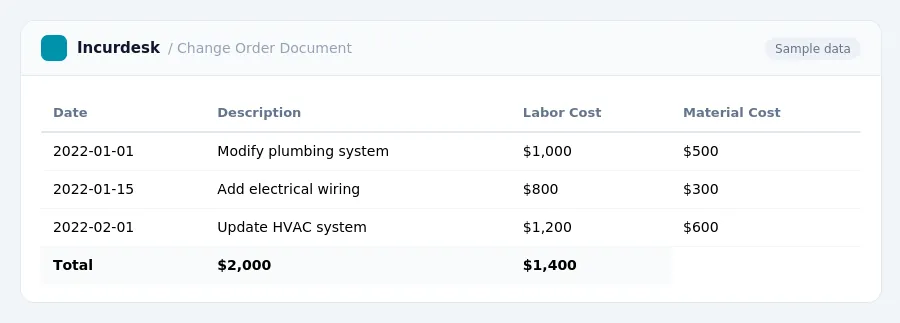
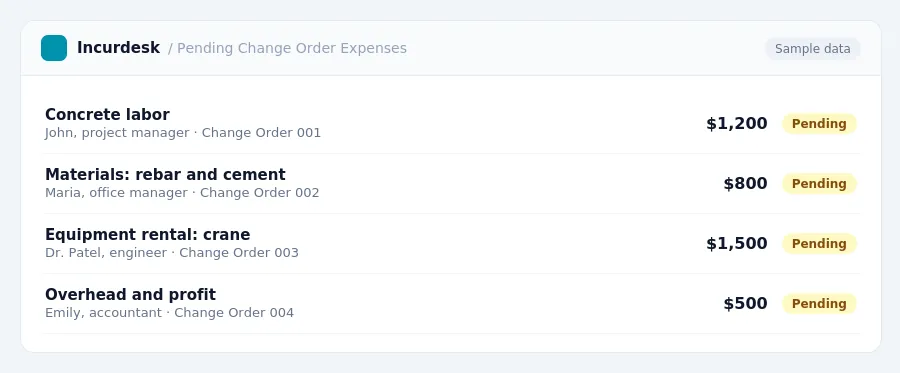
- A change order should include a detailed breakdown of the price adjustment, including labor, materials, equipment, overhead, profit, and any disruption or productivity impacts. This will help ensure that both parties understand the scope of the change and the associated costs.
- When calculating labor costs, include the total hours worked by each employee, their hourly rate, and any additional compensation, such as overtime pay or bonuses.
- For material costs, include the quantity and cost of each item, as well as any applicable taxes or fees.
- Be sure to include a calculation of the total overhead and profit percentage, which typically ranges between 15-25% of the total cost. This will help ensure that you are adequately compensated for your time and resources.
Document the Schedule Impact of the Change Order
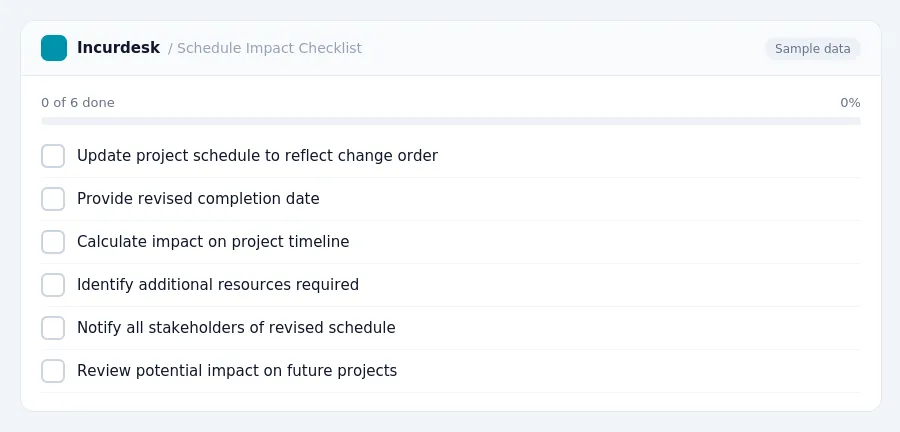
- Document the schedule impact of the change order by specifying how the changes will affect the project timeline. This includes updating the project schedule to reflect the changes and providing a revised completion date. The revised schedule should take into account any delays or accelerations caused by the change order.
- Calculate the impact on the project timeline, including any delays or accelerations.
- When documenting the schedule impact, be sure to include information about any additional resources that may be required to complete the change order work, such as overtime or additional personnel.
- Documenting the schedule impact of a change order is crucial, as missing this information is a common cause of disputes. Ensure that all stakeholders are aware of the revised schedule and any changes to the project timeline.
- Consider the potential impact of the change order on future project phases and document any necessary adjustments to the project plan.
Maintain Accurate Records and Comply with Regulatory Requirements
To ensure compliance with regulatory requirements, it's essential to maintain accurate records and documentation of change order expenses. Separate business and personal finances are crucial to avoid any confusion or misclassification.
Keep all receipts, invoices, and bank statements related to change order expenses organized and easily accessible. This will help you quickly locate the necessary information when preparing tax returns or responding to audits. It's also essential to regularly review and update your financial records to ensure accuracy and compliance with regulatory requirements.
Documentation Requirements:
- Separate business and personal finances
- Regularly review and update financial records
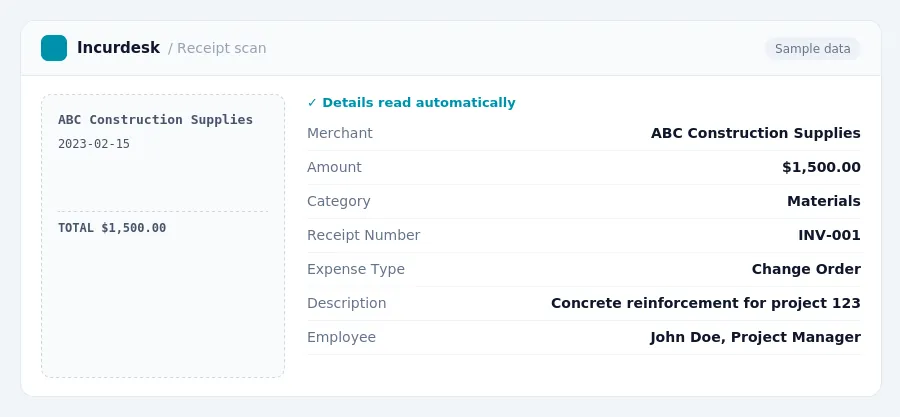
Keeping this simple: Incurdesk turns submitted expenses into clean expense reports. It is built for small construction teams. Try it free.
Stop losing 4+ hours a week
30-day free trial · No credit card · Setup in 15 minutes