
How to Keep Job Costing From Falling Apart on Receipts
A practical, data-backed guide to controlling costs and automating expense workflows.
Keeping job costing from falling apart on receipts is crucial for small construction businesses. To accurately track job costs, you need to understand the importance of detailed record-keeping and how to avoid common pitfalls. With the right tools, such as construction expense management for under $10/user (2026)
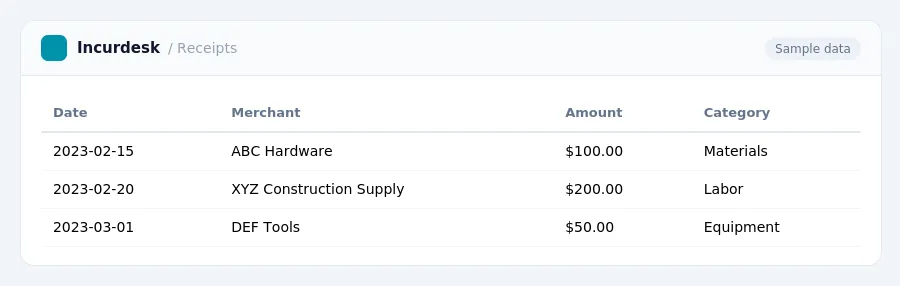
Common Pitfalls to Avoid When Tracking Job Costs
When tracking job costs, it's essential to avoid common pitfalls that can lead to inaccurate financial records and decreased profitability. Here are some areas to watch out for:
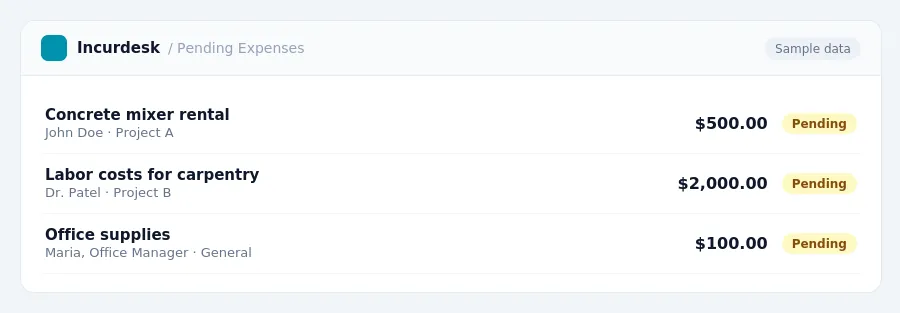
- Not tracking committed costs: In addition to paid costs, track committed costs such as signed subcontracts and purchase orders to get a more accurate picture of a project's financial status. This can help you identify potential cost overruns before they happen.
- Not categorizing receipts correctly: Ensure that receipts are properly categorized by project, expense type, and date to facilitate accurate tracking and reporting.
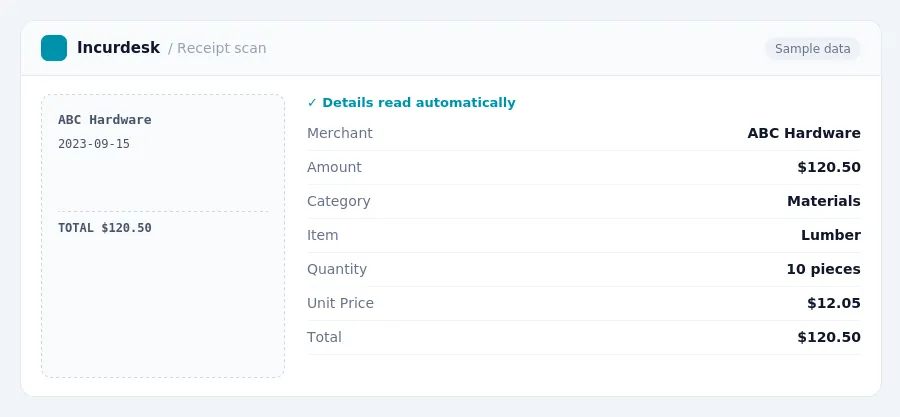
- Not verifying receipts for accuracy: Double-check receipts for accuracy, including quantities, prices, and payment amounts, to prevent errors and discrepancies.
- Not keeping receipts organized: Store receipts in a secure, easily accessible location to prevent loss or damage and to ensure that they can be easily located when needed.
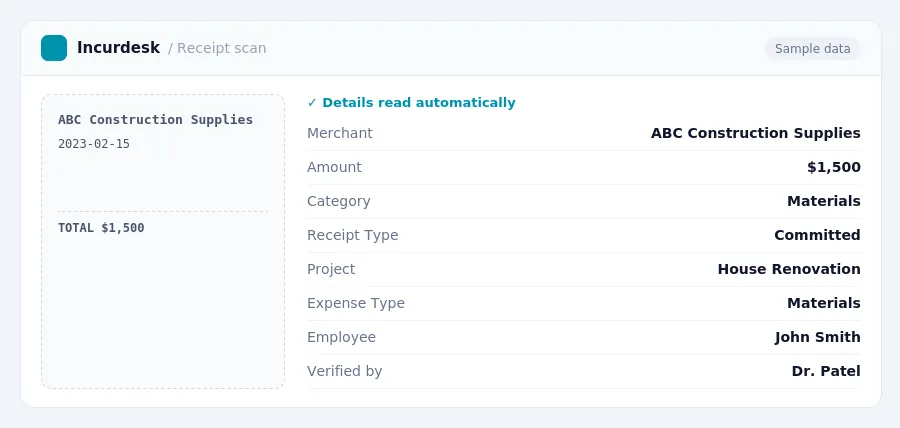
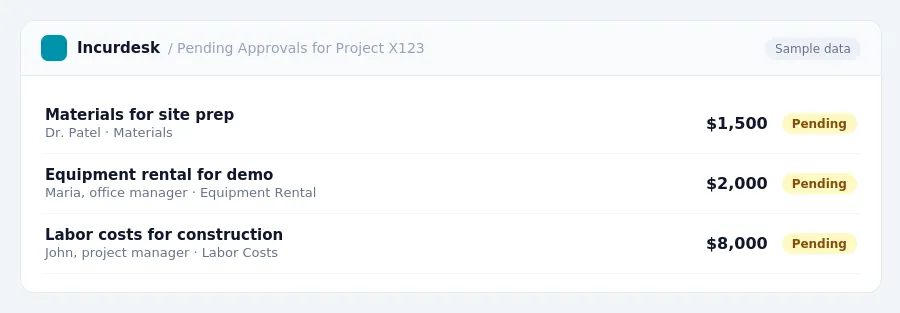
Keeping this simple: Incurdesk turns submitted expenses into clean expense reports. It is built for small construction teams. Try it free.
Best Practices for Assigning Costs to Specific Projects
When it comes to assigning costs to specific projects, consistency is key. To ensure accurate tracking and comparison of costs, use a consistent set of cost codes across all jobs. This will allow you to learn from past projects and make informed decisions for future ones.
Here are some best practices to follow:
- Establish a clear and comprehensive cost code system that includes categories for labor, materials, equipment, and other expenses.
- Use a unique cost code for each project, and make sure to track all related expenses under that code.
- Regularly review and update your cost codes to ensure they remain relevant and accurate.
- Consider implementing a cost code hierarchy, with broad categories and subcategories, to make it easier to track and analyze expenses.
By following these best practices, you can ensure that your job costing system is accurate, efficient, and effective in helping you maximize profitability.
Understanding Job Costing in Construction
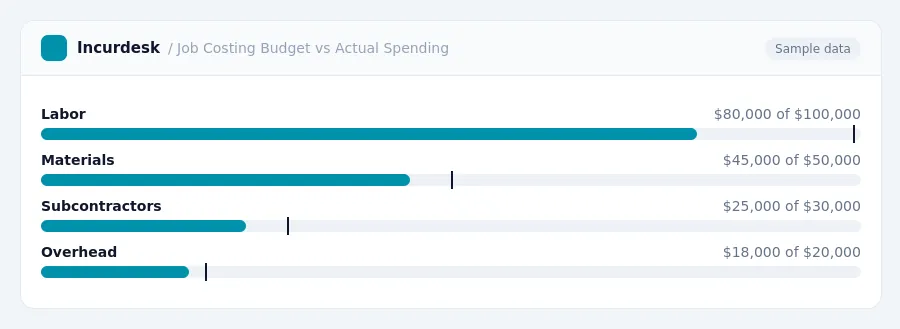
Job costing in construction is a critical process that involves tracking all costs associated with a specific project. This includes labor, materials, equipment, and subcontractors. The goal of job costing is to determine the true profitability of a project by assigning costs to specific projects. To start, you need to understand the key cost categories to track for each job. These include labor, which includes burden, materials, subcontractors, and allocated overhead.
When setting up your job costing system, make sure to include all relevant costs, no matter how small. This will ensure that you have an accurate picture of your project's profitability. For example, if you're using a piece of equipment on a project, make sure to track the cost of the equipment, as well as any maintenance or repair costs associated with it.
By accurately tracking job costs, you'll be able to make informed decisions about your projects and improve your bottom line. In the next section, we'll discuss the importance of accurate record-keeping for receipts.
Accurate Record-Keeping for Receipts
To accurately track job costs using receipts, you'll need to maintain detailed records. Here are some key steps:
- Keep all receipts for expenses related to specific projects, including invoices, contracts, and bank statements.
- Organize receipts by project, using a clear and consistent naming convention.
- Use a standardized system for categorizing and coding expenses, such as by type (e.g., materials, labor, equipment) or by project phase (e.g., planning, construction, completion).
This allows you to use the completed-contract method (CCM), deferring income until a project is substantially complete.
When using CCM, ensure that:
- You have a clear definition of "substantially complete" for your projects.
- You regularly review and update your records to reflect changes in project status.
Keep in mind that the completed-contract method is available for contracts starting after July 4, 2025, for contractors under $40 million in average annual gross receipts.
Maximizing Profitability with Effective Job Costing
To maximize profitability, it's essential to regularly review and analyze your job costing data. Set aside time each month to review your project expenses, compare them to your initial estimates, and make adjustments as needed. This will help you identify areas where costs are creeping up and make informed decisions about how to optimize your pricing.
Consider implementing a cost-plus pricing strategy, where you add a markup to your actual costs to determine your project price. This will ensure you're earning a fair profit on each job.
Finally, make sure to maintain accurate and detailed records of your job costing data. This will not only help you stay on top of your finances but also provide valuable insights into your business's performance and areas for improvement.
Stop losing 4+ hours a week
30-day free trial · No credit card · Setup in 15 minutes