
How to Know When Your Dental Practice Has Outgrown Spreadsheets
A practical, data-backed guide to controlling costs and automating expense workflows.
As your dental practice grows from 5-50 people, managing finances, patient data, and operations with spreadsheets becomes increasingly difficult. A common challenge is finding an effective solution for expense management for dental practice, which often involves juggling multiple software tools and manual processes. If your practice is experiencing issues with data accuracy, inefficient workflows, or regulatory compliance, it may be a sign that you've outgrown spreadsheets.
Technological Requirements for Efficient Practice Management
To ensure efficient practice management, consider the following technological requirements:
1. Scalability: As your dental practice grows, your practice management system should be able to handle increased data and user traffic. Ensure that the system can accommodate multiple users, locations, and patient records.
2. Data Integration: A seamless data integration between different systems, such as electronic health records (EHRs) and practice management software, is crucial for efficient practice management. This integration can help reduce manual data entry and minimize errors.
3. Cloud-Based Solution: A cloud-based solution can provide flexibility, scalability, and accessibility. Consider a system that offers cloud hosting, automatic software updates, and disaster recovery options.
4. Mobile Access: Ensure that your practice management system offers mobile access, allowing you to access patient records, schedule appointments, and manage finances remotely.
5. Security: Protect sensitive patient data with robust security measures, such as encryption, firewalls, and secure login procedures. Ensure that the system meets industry standards for security and compliance.
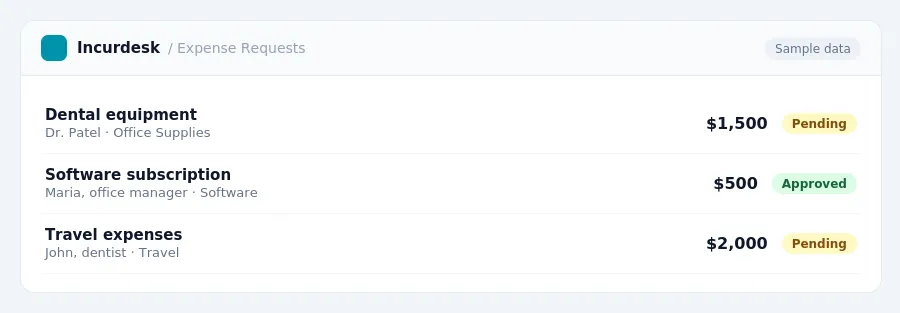
Keeping this simple: Incurdesk lets your team snap a photo of a receipt and fills in the details for you. It is built for small dental practice teams. Try it free.
To ensure compliance, you should:
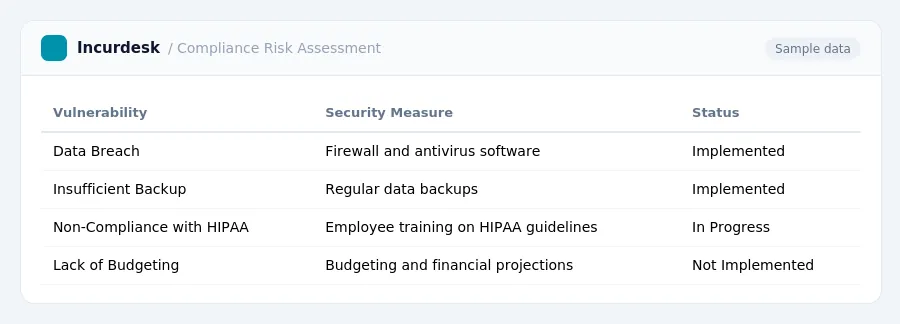
- Conduct a thorough risk assessment to identify potential vulnerabilities in your practice's systems and procedures.
- Implement security measures such as firewalls, antivirus software, and data backup systems.
Additionally, consider the impact of rising health insurance costs on your practice's overhead. Be prepared to adjust your budget and financial projections accordingly.
Signs Your Dental Practice Has Outgrown Spreadsheets
Here are some signs that indicate your practice has outgrown spreadsheets:
- You're struggling to keep track of patient information, appointment schedules, and treatment plans.
- Managing billing and insurance claims is becoming too time-consuming and error-prone.
- Financial reporting and analysis are taking too much time away from patient care and practice management.
- Staff training and onboarding are becoming more complex due to spreadsheet updates and changes.
- Industry projections suggest employer-sponsored health insurance costs for dental practices could rise by 9% or more in 2026, making it harder to manage expenses.
- Reimbursement rates from dental insurance have failed to keep pace with rising practice expenses and inflation, creating a "fiscal squeeze" for dental practices.
Financial Considerations for Transitioning to Robust Systems
When transitioning to a more robust system, dental practices must consider various financial implications. It's essential to understand the costs associated with practice management software, including any potential tax implications.
To calculate the costs of practice management software, consider the following expenses:
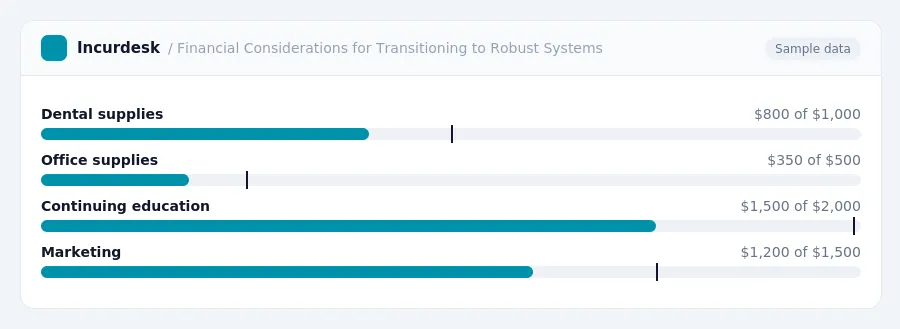
- Dental supplies
- Lab fees
- Office supplies
- Merchant processing fees
- Continuing education
- Professional conferences
- Dues
- Malpractice insurance
- Marketing
- Payroll
- Benefits
- Implementation costs
- Ongoing subscription fees
- Training and support expenses
- Any potential hardware or software upgrades
Consult with a tax professional to ensure you're taking advantage of all available tax savings.
Calculating the Costs and Benefits of Practice Management Software
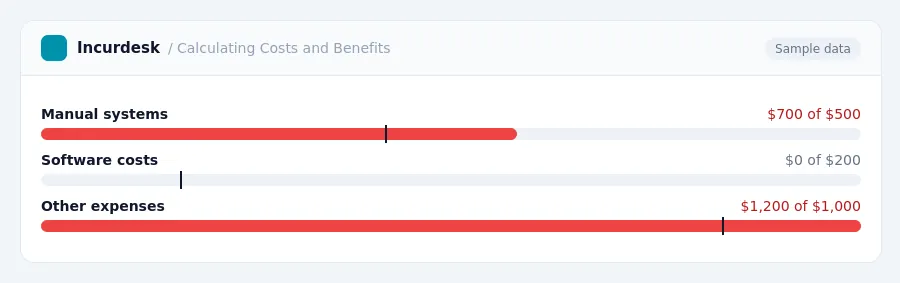
When calculating the costs and benefits of practice management software, consider both the upfront and ongoing expenses. Start by reviewing your current spending on manual systems, such as accounting software, spreadsheets, and any other tools you use to manage your practice. This will help you identify potential savings by automating tasks and streamlining processes.
Some practice management software options, such as Practice-Web, start at $179 a month for the first 12 months, then $129 a month. Be sure to check the pricing and any promotions offered by the software provider.
Consider the following costs and benefits:
- Cost savings: Automating tasks, reducing manual errors, and improving efficiency can lead to significant cost savings.
- Increased revenue: By streamlining operations and improving patient satisfaction, you may see an increase in revenue.
When evaluating the costs and benefits, consider the following steps:
- Calculate your current spending on manual systems.
- Estimate the potential cost savings and revenue increases from implementing practice management software.
- Consider the long-term benefits, such as improved patient satisfaction and increased revenue.
By carefully evaluating the costs and benefits, you can make an informed decision about whether practice management software is right for your dental practice.
Stop losing 4+ hours a week
30-day free trial · No credit card · Setup in 15 minutes