
How to Set Purchase Approval Limits for Dental Office Staff
A practical, data-backed guide to controlling costs and automating expense workflows.
Small dental practices with 5-50 staff need clear guidelines for employee spending limits to ensure efficient expense management for dental practice, financial control, and fraud prevention. To achieve this, it's essential to establish purchase approval limits for dental office staff, taking into account federal and state regulations. By setting these limits, you can prevent unauthorized purchases and ensure that all transactions are properly authorized and accounted for.
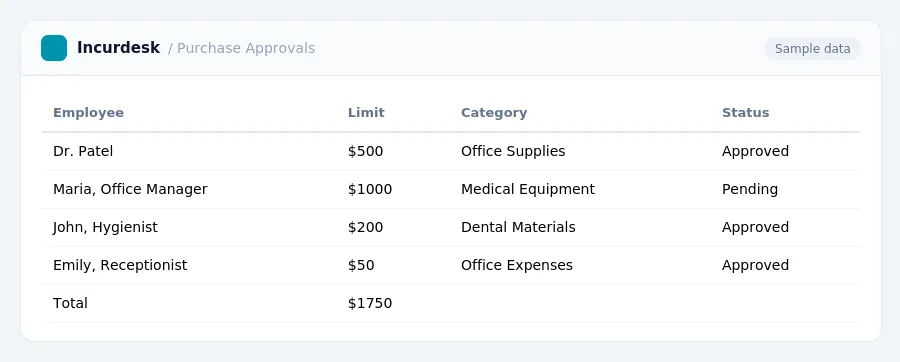
Determine Your Purchase Approval Limits
-
Determine your purchase approval limits based on the type of purchases made by your dental office staff. Consider the cost of the items, the frequency of purchases, and the potential risk of financial loss.
-
Consider the following factors when determining your purchase approval limits:
- Staff position and job responsibilities
- Item cost and potential financial risk
- Frequency of purchases
- Employee training and experience
-
Review and update your purchase approval limits annually to ensure they remain relevant and effective.
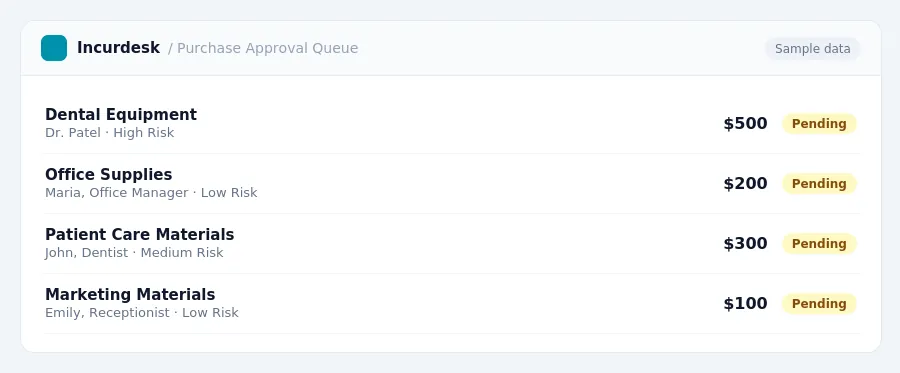
Set Up a System for Tracking Expenses
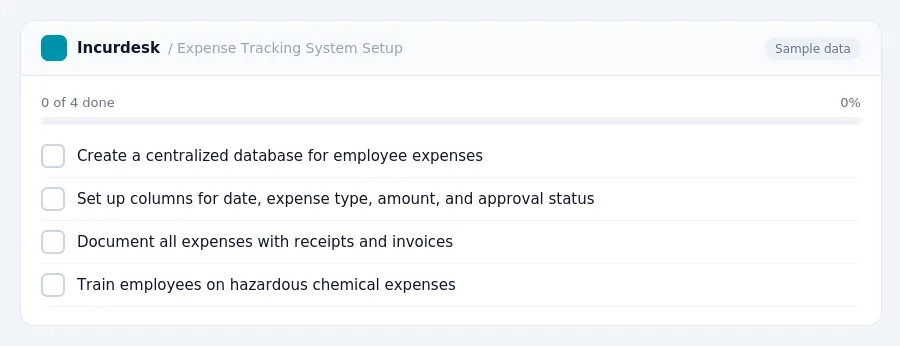
- To set up a system for tracking expenses, create a centralized database to record and categorize all employee expenses. This can be done using a spreadsheet or a digital tool, and should include columns for date, expense type, amount, and approval status. Ensure that all expenses are properly documented, including receipts and invoices, to support reimbursement claims.
- For the period October 1, 2026, to September 30, 2027, use the high-low substantiation method, which allows for $329 per day for travel to high-cost localities and $230 per day for travel to other localities within the continental United States (CONUS). Break down these rates into meals and incidental expenses (M&IE) at $86 for high-cost localities and $74 for other CONUS localities.
- When tracking hazardous chemical expenses, ensure that all employees have completed mandatory training on new labeling and Safety Data Sheets (SDS) by July 20, 2026, to align with the Global Harmonized System (GHS). Record completion of this training in the centralized database.
- Consider implementing a system for tracking and approving expenses in real-time, allowing for prompt reimbursement and minimizing the risk of lost or misplaced receipts. This can be done using digital tools or mobile apps.
- Regularly review and update the tracking system to ensure it remains accurate and effective.
Establish Clear Guidelines for Employee Spending
-
Establish clear guidelines for employee spending by outlining the specific rules and procedures for purchasing and expense reporting. This should include the following details:
- Types of expenses that require approval
- Maximum purchase approval limits for each staff member
- Process for requesting and approving purchases
- Requirements for expense reporting and documentation
- Consequences for exceeding purchase approval limits or failing to report expenses
Review and update these guidelines periodically to ensure they align with changing business needs and regulatory requirements.
For instance, Illinois requires 30 days' advance notice to the attorney general before closing certain healthcare deals involving provider organizations of 20 or more providers.
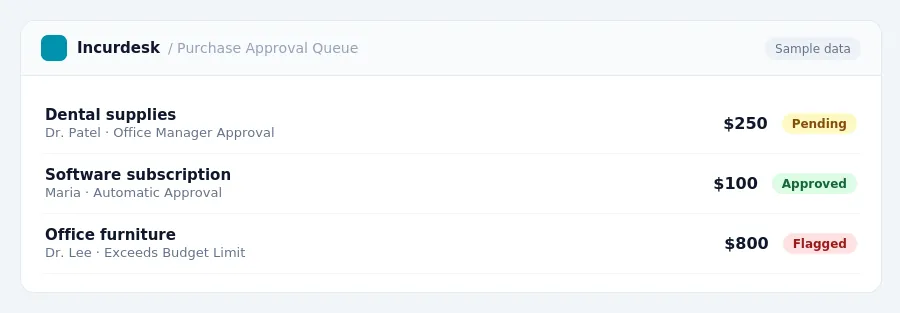
Assign Purchase Approval Limits to Staff Members
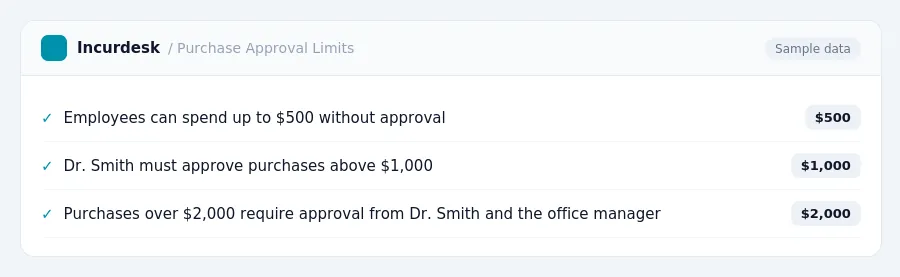
- Assign purchase approval limits to staff members by creating a detailed table or chart that outlines the specific limits for each employee. This table should include the employee's name, job title, and the maximum amount they are allowed to spend on their own without approval.
- For example, consider the following table: This table should be reviewed and updated regularly to ensure it accurately reflects the current staff and their roles.
- It's also a good idea to include a column for the approval process, specifying who needs to approve purchases above a certain amount.
- Be sure to communicate these limits clearly to each staff member, either through a verbal explanation or a written document, and ensure they understand the importance of adhering to these limits.
Monitor and Review Purchase Approvals
-
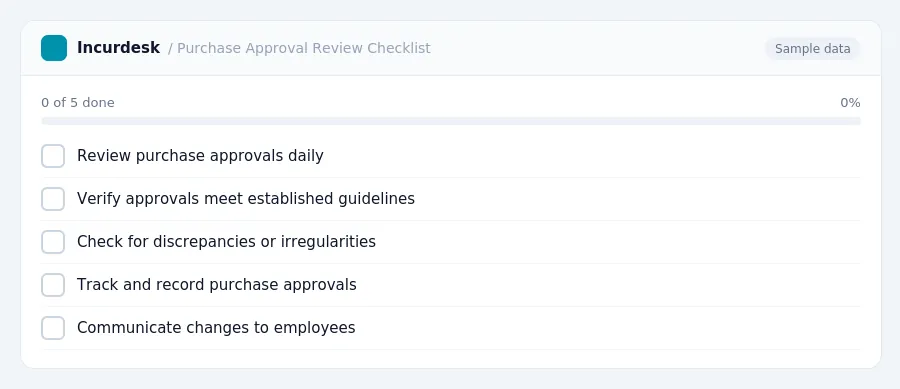
Review purchase approvals regularly to ensure they align with your practice's financial goals and policies.
Establish a routine to check purchase approvals on a daily, weekly, or monthly basis, depending on your practice's size and purchasing volume.
-
Verify that all purchase approvals meet the established guidelines and limits.
Check for any discrepancies or irregularities, and address them promptly.
-
Track and record purchase approvals for auditing and compliance purposes.
Keep accurate records of all purchase approvals, including the date, amount, and employee responsible.
-
Use this information to identify areas for improvement and adjust your purchase approval limits as needed.
Consider factors such as employee performance, purchasing trends, and changes in your practice's financial situation.
-
Communicate with employees about any changes to purchase approval limits or procedures.
Ensure that all employees understand the new policies and procedures, and provide training or support as needed.
Keeping this simple: Incurdesk routes each expense to the right person for approval and keeps a record of who approved what. It is built for small dental practice teams. Try it free.
Stop losing 4+ hours a week
30-day free trial · No credit card · Setup in 15 minutes