
Managing Software License Costs at Design Firms
A practical, data-backed guide to controlling costs and automating expense workflows.
Managing software expenses is a crucial aspect of architecture expense management for under $10/user (2026). By taking these steps, firms can reduce their software expenses and allocate resources more efficiently.
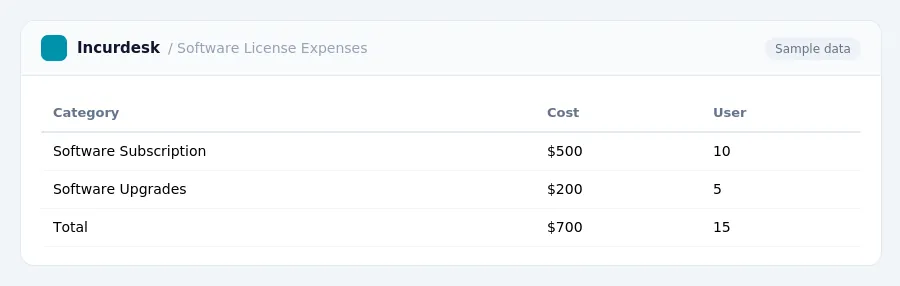
Determine the Tax-Deductibility of Your Software Costs
-
When it comes to managing software costs, it's essential to determine the tax-deductibility of your software expenses.
This can provide significant tax savings, but be sure to check the eligibility requirements and limitations.
Keep in mind that the taxability of SaaS (Software as a Service) differs significantly from state to state, so be sure to check your state's tax laws and regulations to ensure compliance.
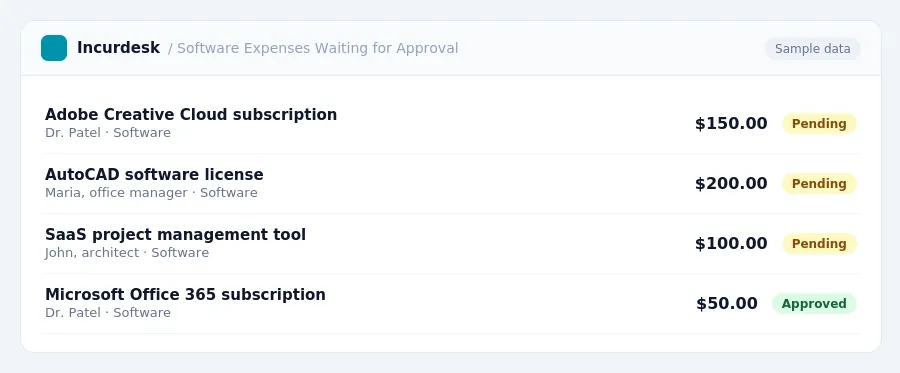
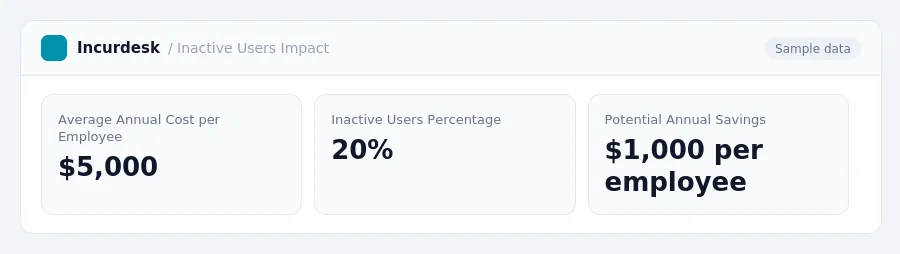
- This can include costly software licenses, such as those from Autodesk, which can cost an average of $5,000 per employee per year.
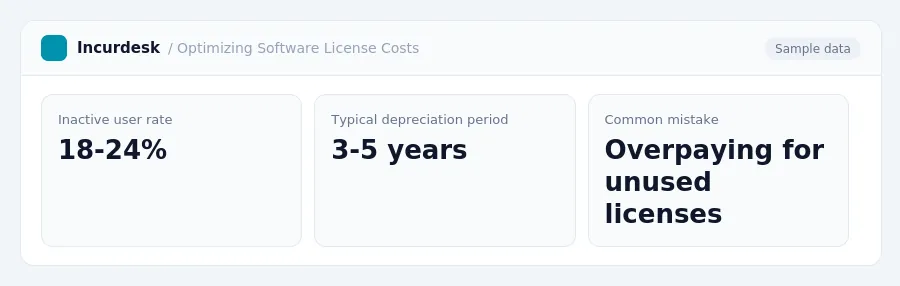
- Consider the impact of inactive users on your software costs. On average, 18-24% of users may not be active by year three, meaning you may be paying for licenses that are not being used.
This can help you save money on your tax bill and reduce your overall software costs.
Understand the Depreciation Options for Software
- To minimize the financial burden of software costs, you need to understand the depreciation options available. The standard method is to depreciate software over 5 years using the Modified Accelerated Cost Recovery System (MACRS). This can provide immediate tax savings, but it's essential to review your business's specific situation to determine the best approach. Keep in mind that software licenses can vary in cost, so it's crucial to accurately calculate the depreciation amount for each license.
Keep accurate records of your software purchases and depreciation amounts to ensure you're taking advantage of the correct depreciation method for your business.
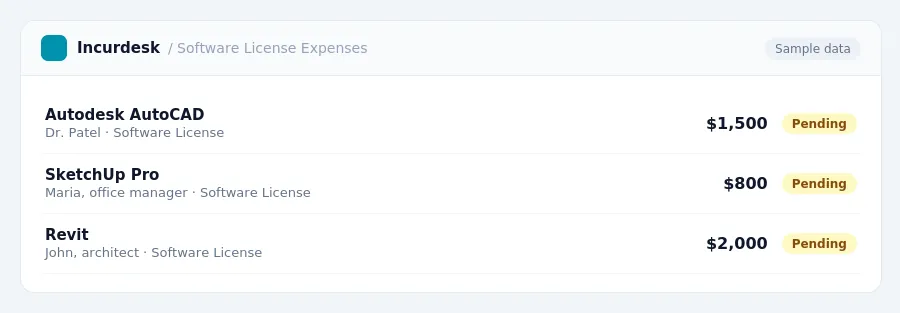
- Keep accurate records, including receipts and invoices, to ensure you have a clear picture of your software expenses.
- Next, consider the assets that are being depreciated. Software is typically depreciated over a period of 3-5 years, but this can vary depending on the type of software and the company's accounting method. Make sure to review your company's accounting policies and consult with your accountant if you're unsure.
- You may want to consider using a depreciation calculator or consulting with an accountant to ensure accuracy.
- Keep in mind that software licenses with high inactive user rates can be a significant expense. According to industry estimates, up to 18-24% of users may be inactive by year three, meaning firms may pay for licenses that are not being used. Regularly review your software usage to ensure you're not overpaying for unused licenses.
- Finally, review your company's financial statements to ensure you're accurately recording and reporting your software expenses.
Consider Sales Tax Implications on Software Purchases
As you manage software license costs, it's essential to understand the sales tax implications on software purchases. Currently, most states do not charge sales tax on digital software purchases, but this may change in the future.
This means that if your firm is based in California, you'll need to charge and pay sales tax on software purchases starting from this date.
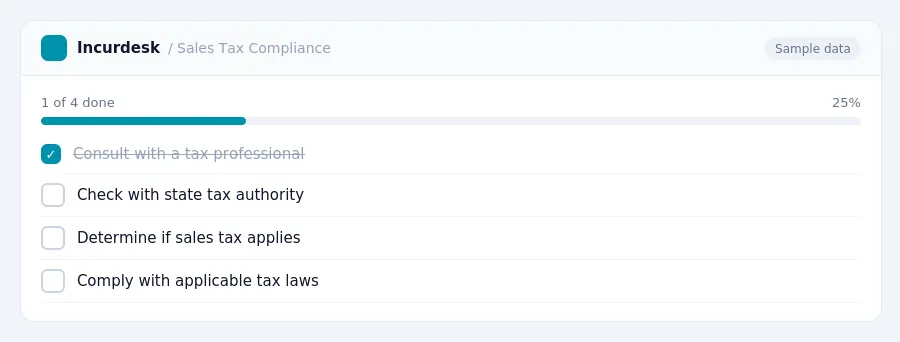
It's crucial to check with your state's tax authority to determine if sales tax applies to your software purchases. You can also consult with a tax professional to ensure you're complying with all applicable tax laws.
Keep in mind that software costs can be significant, and inactive licenses can be costly.
What to Do:
- Consult with a tax professional to ensure compliance with applicable tax laws.
Keeping this simple: Incurdesk collects every receipt and expense report in one place, so spending is easy to review. It is built for small architecture teams. Try it free.
Stop losing 4+ hours a week
30-day free trial · No credit card · Setup in 15 minutes