
Mileage Reimbursement for Dental Staff Traveling Between Offices
A practical, data-backed guide to controlling costs and automating expense workflows.
Proper expense management for dental practice involves keeping accurate records of mileage, including dates, destinations, and miles driven, to support reimbursement claims. For a complete overview, see our expense management guide.
Document Each Business Trip
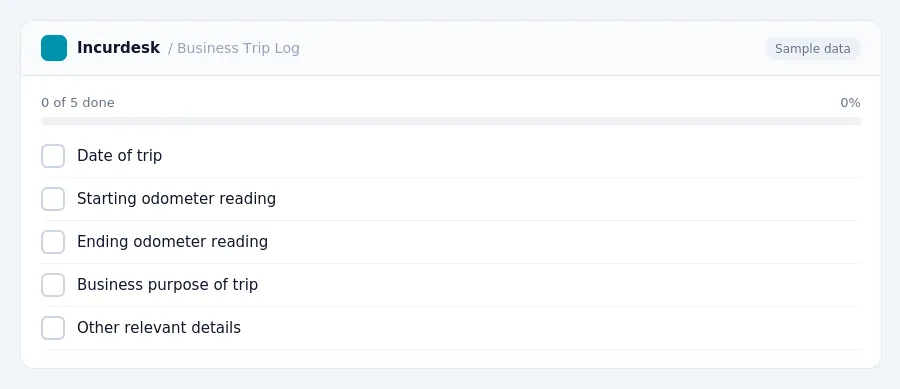
To document each business trip, maintain a log that includes:
- Dates of the trip
- Starting and ending odometer readings
- Business purpose of the trip
- Any other relevant details
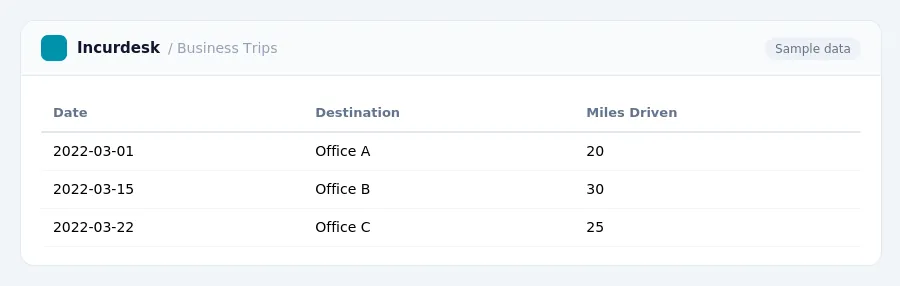
For example, you can use a table to keep track of business trips:
This rate applies to all business miles driven, including those between offices. Keep accurate records of all business trips to ensure timely and accurate reimbursement for your staff.
Apply the Accountable Plan
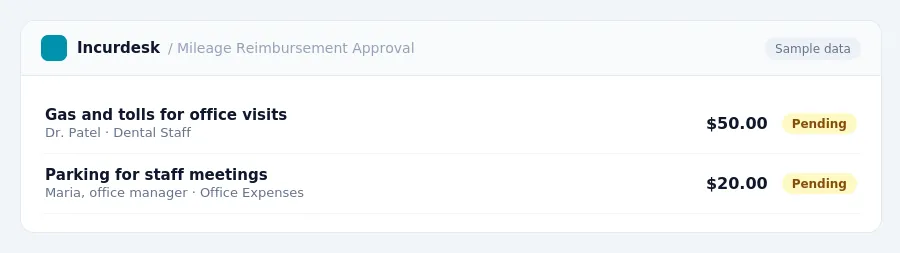
As a dental practice owner, you can apply an accountable plan to provide mileage reimbursement to your staff. This plan requires your employees to substantiate their business travel expenses, such as submitting receipts for gas, tolls, and parking.
To apply the accountable plan, follow these steps:
- Keep accurate records of each business trip, including the date, mileage, and purpose of the trip. This will help your employees track their expenses and provide the necessary documentation.
- Provide a timely substantiation request to your employees after each business trip. This can be done through email or a simple form, and should include a deadline for your employees to submit their receipts and mileage records.
- Verify the mileage and expenses submitted by your employees. Make sure they have provided all necessary documentation and that the mileage and expenses are accurate.
- Pay your employees the reimbursed amount
- Keep records of all reimbursements
Maintain Compliance and Accurate Records
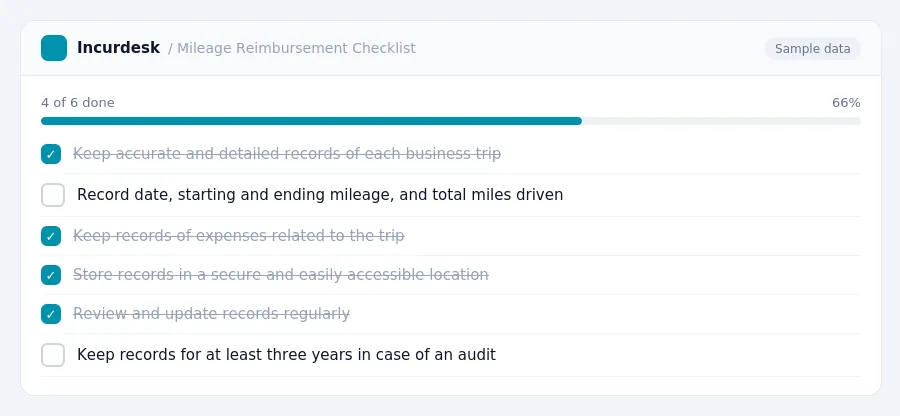
- Keep accurate and detailed records of each business trip, including the date, starting and ending mileage, and the total miles driven. Also, keep records of any expenses related to the trip, such as tolls or parking fees. You can use a logbook or a spreadsheet to track this information.
- As of July 1, 2026, the rate is 23.5 cents per mile.
- Store all records in a secure and easily accessible location, such as a file cabinet or a cloud storage service. This will help you to quickly locate and retrieve the information if needed for tax purposes or audits.
- Review and update your records regularly to ensure they are accurate and complete. This will help you to identify any discrepancies or errors and make necessary corrections.
- Keep records for at least three years in case of an audit.
- Consider implementing a system to track and monitor mileage reimbursement, such as setting up a spreadsheet or using a mileage tracking app.
- They can provide guidance on specific rules and regulations.
Keeping this simple: Incurdesk keeps receipts and approvals together, so you know exactly what to reimburse. It is built for small dental practice teams. Try it free.
Stop losing 4+ hours a week
30-day free trial · No credit card · Setup in 15 minutes