
Software Subscription Cost Tracking for Accounting Firms
A practical, data-backed guide to controlling costs and automating expense workflows.
Small accounting businesses can track and deduct the costs of their software subscriptions for tax purposes by recording these expenses in their accounting systems and reporting them on their tax returns. According to the IRS, software subscriptions are generally deductible as business expenses, and some options for accounting expense management for under $10/user (2026) can help streamline this process. By following the rules for deducting software expenses, businesses can ensure compliance with IRS regulations and maximize their tax savings.
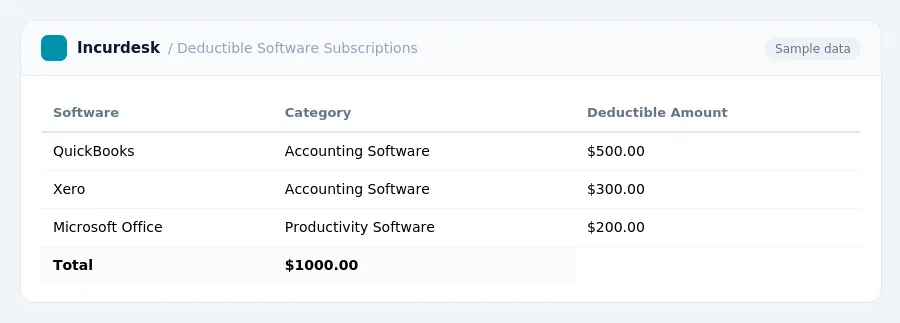
Identify Deductible Software Subscriptions
- Identify the types of software subscriptions your business uses. Consider cloud-based and SaaS subscriptions, as well as desktop software and industry-specific applications. Also, think about niche productivity tools that help your business operate efficiently or earn income.
- Check if your software subscriptions are commercially available and not substantially modified. If they are, they may qualify for Section 179 expensing. This includes software acquired by purchase and used more than 50% for business.
- Verify if your software subscriptions are necessary for your business to operate or earn income. Most business software subscriptions are tax-deductible if they meet these criteria.
- Be aware that purchased computer software that doesn't qualify for Section 179 is generally recovered using the straight-line method over 36 months.
- Research state and local tax laws, as they may vary. For example, California will begin taxing prewritten computer software, including downloads and SaaS, starting January 1, 2027, and software taxability can differ based on delivery methods and local city rules in Colorado.
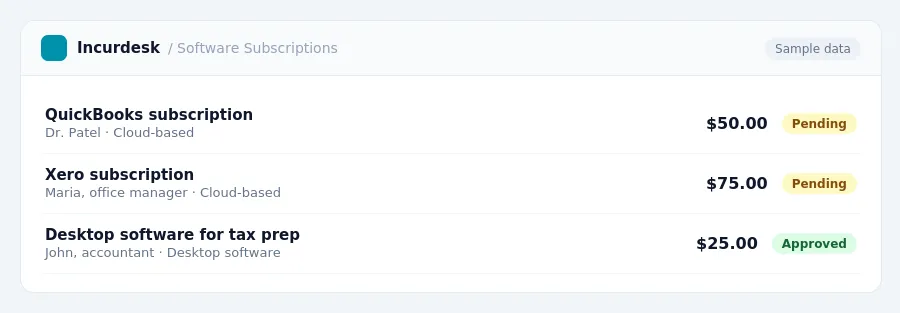
Report Software Subscription Expenses
When reporting software subscription expenses, you can typically categorize them under "Office expenses" (line 18) or "Other expenses" (line 27a) on Schedule C. This is where you'll report your SaaS and subscription fees, as they are generally treated as operating expenses.
It's essential to note that SaaS and subscription fees are typically not eligible for Section 179 expensing, although purchased software might be. However, if you've acquired off-the-shelf software and use it more than 50% for business, it may qualify for Section 179 expensing in the year it's placed in service.
To report your software subscription expenses, follow these steps:
- Identify the software subscription expenses you want to report.
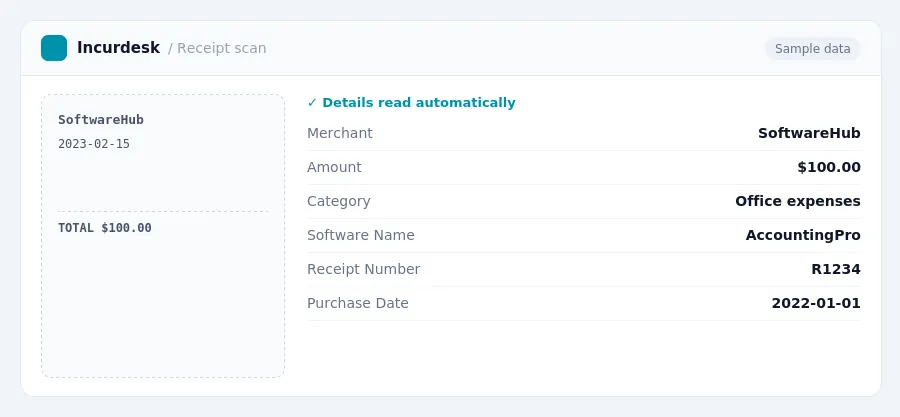
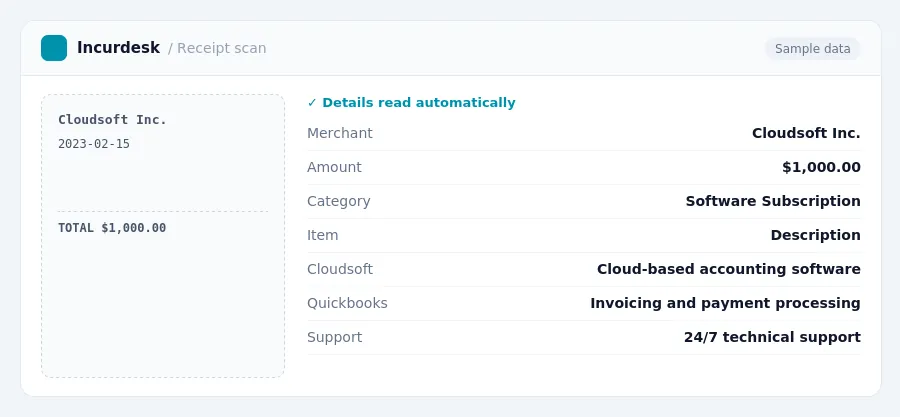
- Keep accurate records of your software subscription expenses, including receipts and invoices.
- Attach these records to your tax return in case of an audit.
Determine Business-Use Percentage for Mixed-Use Software
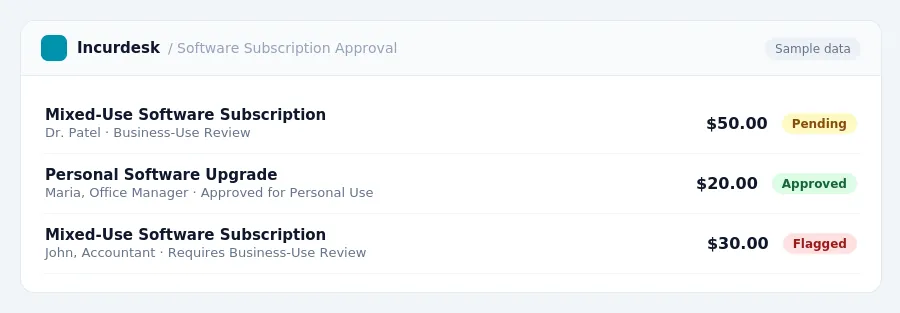
- For mixed-use software, you'll need to determine the business-use percentage of the subscription cost to ensure only that portion is deductible. This means tracking how much time you spend using the software for business versus personal purposes. Keep accurate records of your usage, as the IRS may request this information to verify your deduction.
- Keep receipts, bank statements, and usage logs for at least three years to support your business-use percentage calculation. This documentation will help you prove your software usage is legitimate and business-related.
- When calculating the business-use percentage, consider the total hours spent using the software and the number of hours dedicated to business activities.
- Apply the business-use percentage to the total subscription cost to determine the deductible amount.
- Remember that the IRS requires accurate and detailed records to support your business-use percentage calculation. Keep your records organized and easily accessible in case of an audit or tax review.
Document and Retain Software Subscription Records
To ensure accurate tracking and deduction of software subscription costs, it's essential to maintain detailed records. Start by setting up a spreadsheet or using accounting software to track your monthly software subscription expenses. For a 5-person firm with one tool in each category and 15 bookkeeping clients, the software stack can cost between $884 to $4,621 per month, excluding client ledger costs. This translates to $10,608 to $55,452 per year.
Create a table to break down your software subscription costs by category, including the following information:
Update this table regularly to reflect any changes in your software subscription costs. Keep accurate records of invoices, receipts, and payment confirmations to support your expense deductions. By maintaining thorough records, you'll be well-prepared to report software subscription expenses accurately and avoid common mistakes.
Consider Section 179 Expensing and Bonus Depreciation
When calculating the tax benefits of your software subscriptions, consider Section 179 expensing and bonus depreciation. This can significantly reduce your taxable income and lower your tax liability.
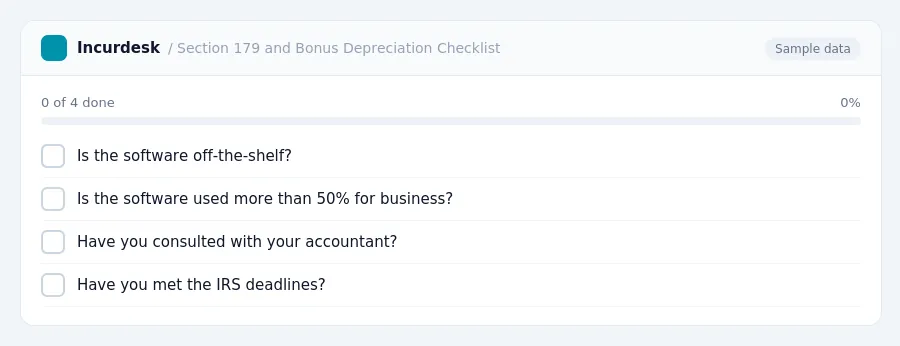
Section 179 expensing allows you to deduct the full cost of qualifying property, including software, in the year it's placed in service. To qualify, the software must be off-the-shelf and used more than 50% for business, as per IRS regulations.
Bonus depreciation, also known as bonus depreciation, allows you to claim an additional depreciation deduction in the year the software is placed in service. This can be up to 100% of the software's cost, although it varies depending on the specific software and its cost.
Keep in mind that the IRS has specific rules and deadlines for claiming Section 179 expensing and bonus depreciation. Consult with your accountant or tax professional to ensure you're taking advantage of these benefits correctly.
Keeping this simple: Incurdesk collects every receipt and expense report in one place, so spending is easy to review. It is built for small accounting teams. Try it free.
Stop losing 4+ hours a week
30-day free trial · No credit card · Setup in 15 minutes