
Tracking Photography and Rendering Vendor Costs
A practical, data-backed guide to controlling costs and automating expense workflows.
Small architecture businesses need to track photography and rendering vendor costs accurately to ensure compliance with tax laws. Additionally, businesses should be aware of the costs associated with classifying workers as employees versus independent contractors, and the potential sales tax obligations on these services, to optimize their architecture expense management for under $10/user (2026).
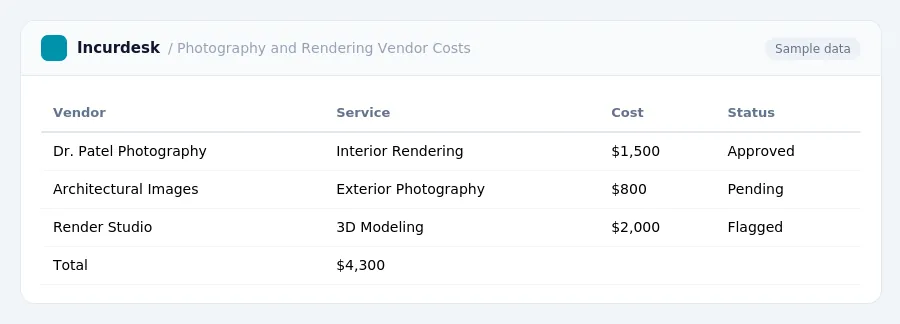
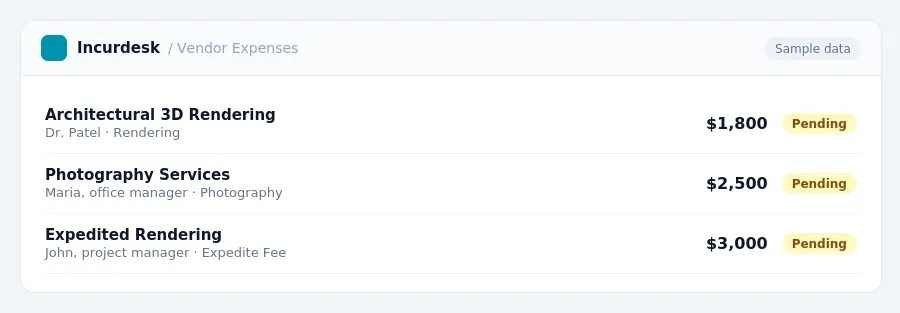
Calculate Your Photography and Rendering Vendor Costs
- Start by calculating the costs of your photography and rendering vendor services. The cost of a single architectural 3D rendering can range from $250 to $5,000 or more per still image, and animation costs can range from $2,000 to $18,000 per finished minute.
- Consider the costs of professional architectural photography, which can range from $1,500 to $4,000 per shoot day. You may also need to factor in additional costs for licensing and retouching.
- Keep in mind that costs can vary depending on the complexity of the project and the vendor's experience. Be sure to get quotes from multiple vendors to compare prices and services.
- When calculating costs, also consider the potential for overtime or expedited delivery, which can increase the total cost of the project.
- Make sure to keep accurate records of all vendor invoices and payments, as you will need to report these expenses on your tax returns.
Determine Your Business Travel Expenses
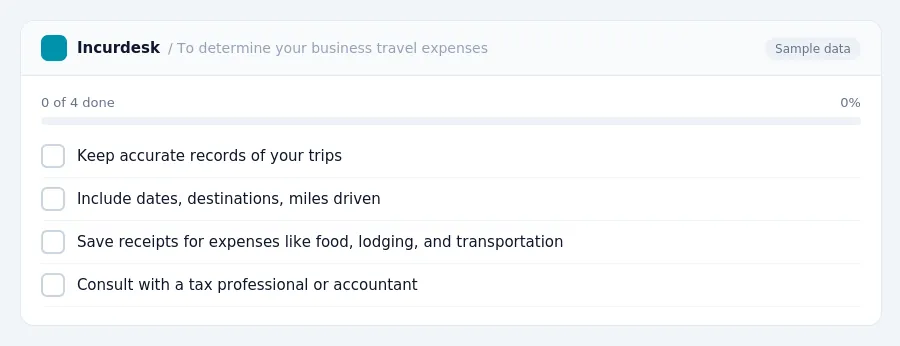
- To determine your business travel expenses, keep accurate records of your trips, including dates, destinations, miles driven, and any receipts for expenses such as food, lodging, and transportation.
- However, this can be complex and may require professional advice. Consult with a tax professional or accountant to determine the best approach for your business.
Classify Your Workers as Employees or Independent Contractors
- Behavioral control refers to the level of direction and supervision the worker receives, while financial control refers to the level of control over expenses and profits. The type of relationship refers to the worker's level of integration into the business and the level of dependence on the business for work.
- To classify workers, examine the level of control and direction you have over their work. Do you provide detailed instructions and training, or do you give them more autonomy to decide how to complete tasks? Do you have control over their expenses, or do they handle their own costs?
-
- Do you require the worker to work exclusively for your business?
- Do you provide the worker with training and equipment?
- Do you have the right to terminate the worker's contract at any time?
-
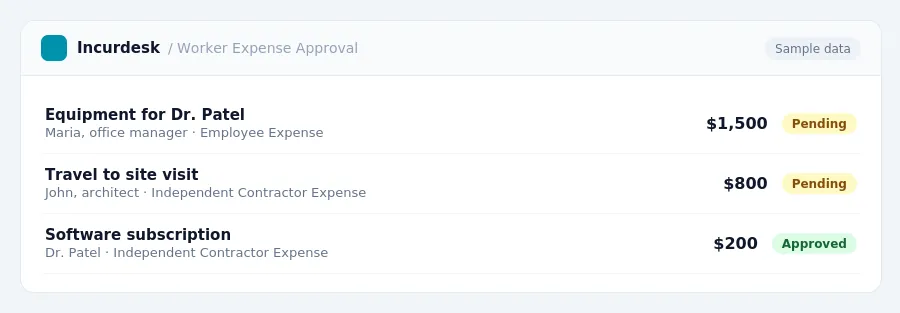
Review and approve worker expenses (sample data) Understand Your Sales Tax Obligations
When hiring photography and rendering vendors, it's essential to understand your sales tax obligations. To determine the sales tax rate in your area, check with your state's department of revenue or tax authority.
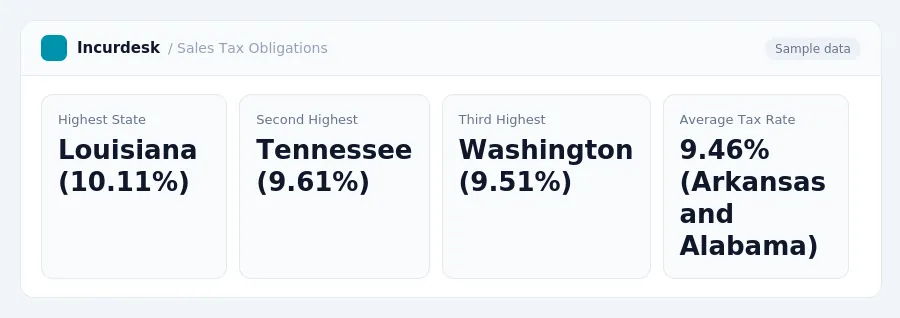
The five states with the highest average combined state and local sales tax rates are:
- Louisiana (10.11 percent)
- Tennessee (9.61 percent)
- Washington (9.51 percent)
- Arkansas (9.46 percent)
- Alabama (9.46 percent)
If you're unsure about your sales tax obligations, consult with a tax professional or contact your state's tax authority for guidance.
Sales Tax Rates for Architecture Businesses (sample data) Track Your Photography and Rendering Vendor Invoices
Tracking Your Photography and Rendering Vendor Invoices
To accurately track your photography and rendering vendor costs, you'll want to maintain a centralized system for storing and organizing your invoices. This can be done digitally or manually, whichever method works best for your business.
Here are some steps to follow:
- Create a designated folder for vendor invoices. This can be a physical folder or a digital one, such as a cloud storage account. Make sure it's easily accessible and organized.
- Scan and save digital invoices. If you receive invoices electronically, scan them and save them to your designated folder. This will help you keep track of all your vendor payments in one place.
- Set up a payment tracking system. Create a spreadsheet or use a budgeting tool to track your payments to vendors. This will help you stay on top of your expenses and ensure you're meeting your financial obligations.
- Keep records of payments and receipts. Make sure to keep records of all payments made to vendors, including receipts and bank statements. This will help you verify your expenses and ensure you're accurately reporting your costs on your tax return.
- Review and reconcile your invoices regularly. Regularly review your invoices to ensure they're accurate and up-to-date. Reconcile your payments with your vendor invoices to ensure you're not missing any payments or overpaying for services.
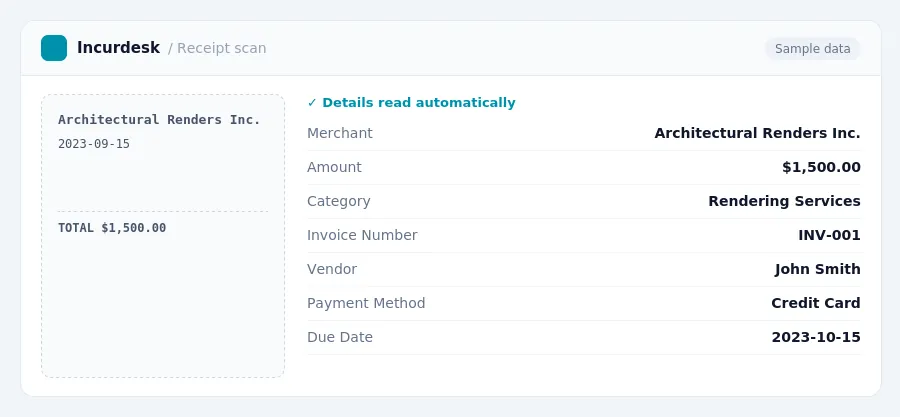
Example scanned invoice from a rendering vendor (sample data)
Keeping this simple: Incurdesk turns submitted expenses into clean expense reports. It is built for small architecture teams. Try it free.
Stop losing 4+ hours a week
30-day free trial · No credit card · Setup in 15 minutes