
4.2h
Lost to approvals/wk
$10,900
Annual savings
96%
Compliance rate
Tracking Staging, Photography and Listing Costs
A practical, data-backed guide to controlling costs and automating expense workflows.
Start scanning receipts now
and easily manage employee travel and expenses
By doing so, businesses can minimize their tax liability and maximize their profitability. For the bigger picture, see our guide to real estate expense management for under $10/user (2026).
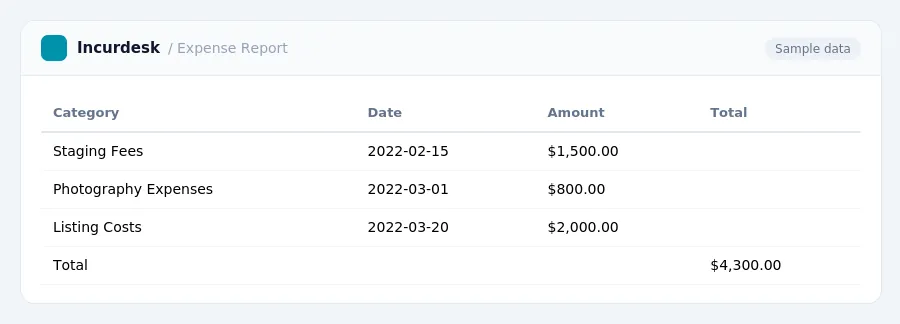
Track Staging Fees
- Keep records that connect each staging fee to a specific listing or general marketing efforts. This can include contracts, invoices, and proof of payment. A log noting which property each staging fee relates to can be helpful.
- For each staging fee, record the date, amount, and a description of the service provided. This information should be stored in a secure and easily accessible location, such as a filing cabinet or cloud storage.
- Make sure to store all receipts and invoices related to staging fees in a designated folder or digital storage system. This will help you quickly locate the information when it's needed for tax purposes.
- Consider using a spreadsheet or log to track staging fees over time. This can help you identify patterns and trends in your staging expenses, and make it easier to deduct business-related expenses on your tax return.
By following these steps, you can ensure that you have accurate records of your staging fees and are able to deduct the costs associated with them on your tax return.
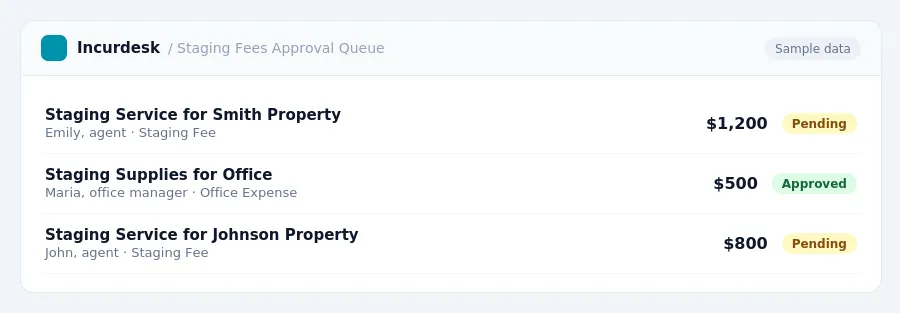
Listing Cost Share
FREE CALCULATOR
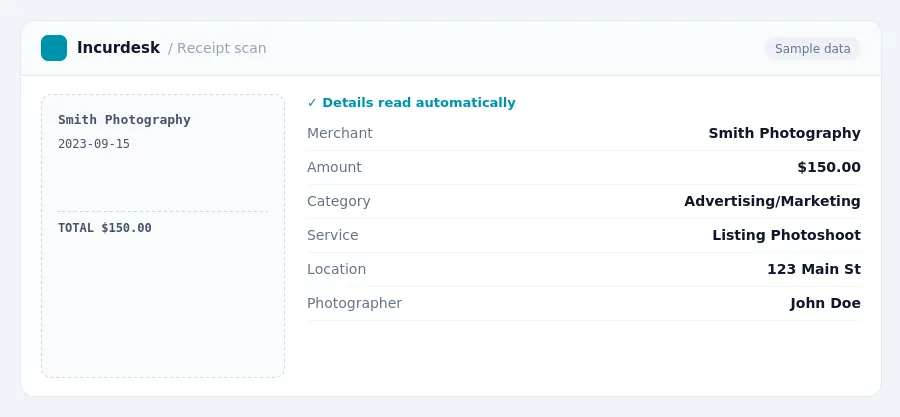
Document Photography Expenses
- Document all photography expenses, including receipts and invoices, as soon as possible after payment. This will help ensure accuracy and prevent loss of documentation. Consider using a centralized system, such as a digital folder or spreadsheet, to store and organize these records.
- You can also categorize these expenses under advertising or marketing expenses on Schedule C.
- This means you can deduct these expenses even if the property doesn't sell until next year.
- Consider keeping a log or journal of all photography-related activities, including the date, time, location, and type of service used. This can help you stay organized and ensure that you're deducting all eligible expenses.
- When categorizing photography expenses, consider grouping them with other marketing and advertising expenses, such as listing photography, signage, mailers, social media ads, and website expenses. This category is broad and covers almost anything spent to find a client or move a property.
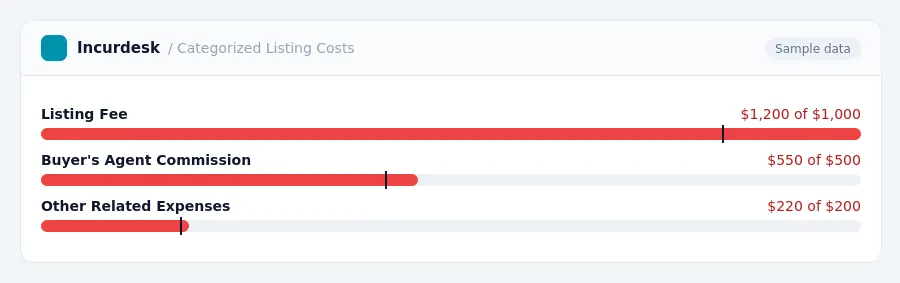
Categorize Listing Costs
-
Categorize listing costs into separate categories, such as the listing fee, buyer's agent commission, and other related expenses. The listing fee is typically paid by the seller to their real estate broker out of the sale proceeds, often in addition to the buyer's agent commission. Real estate agent commissions are customarily a seller expense, often around 5% to 6% of the sale price, split between the buyer's and listing broker.
- Listing fee: track the amount paid by the seller to the listing broker.
- Buyer's agent commission: track the amount paid to the buyer's agent, which is typically a percentage of the sale price.
- Other related expenses: track any additional expenses related to the listing, such as advertising, marketing materials, and open house costs.
- Use a spreadsheet or accounting software to track and categorize listing costs, ensuring accurate and organized records.
Deduct Business-Related Expenses
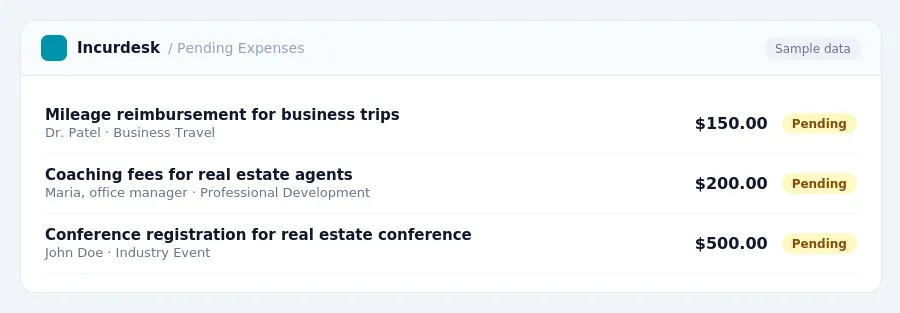
- When deducting business-related expenses, start by tracking mileage driven for business purposes.
- Ensure the space is used regularly and exclusively for business.
- Keep records of courses, coaching, and conference fees, as well as related travel expenses. There is no set cap on these expenses.
- This can be a significant expense, but it's typically the seller's responsibility.
Maintain Accurate Records
- Review and update your record-keeping systems regularly to ensure accuracy and compliance. Set aside time each month to review your records and make any necessary corrections or additions. This will help you identify and address any discrepancies or errors before they become major issues.
- Consider implementing a centralized system for storing and managing your records, such as a cloud-based storage solution or a secure online portal. This will make it easier to access and share your records with accountants, attorneys, or other stakeholders as needed.
- Keep your records organized and easily accessible by using clear and consistent labeling and categorization. This will help you quickly locate specific records and ensure that you have all the necessary information at your fingertips.
- Make sure to include all relevant documentation, such as receipts, invoices, and contracts, in your records.
- Consider consulting with a tax professional or accountant to review your records and provide guidance on maintaining accurate and compliant records. They can help you identify areas for improvement and ensure that you are meeting all necessary requirements.
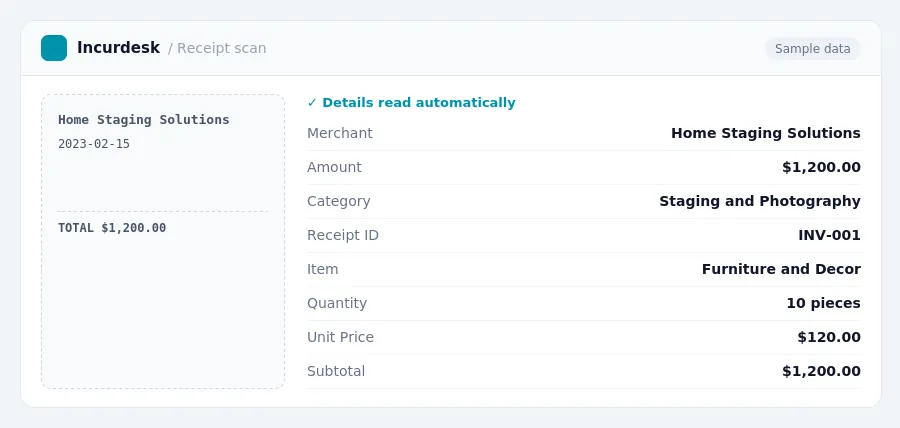
Keeping this simple: Incurdesk turns submitted expenses into clean expense reports. It is built for small real estate teams. Try it free.
Frequently Asked Questions
These expenses are considered business expenses and can be deducted on your tax return.
When can I deduct staging and photography expenses?
You can deduct staging and photography expenses in the year they were incurred.
Stop losing 4+ hours a week
30-day free trial · No credit card · Setup in 15 minutes