
What Small Museums Need from Finance Software
A practical, data-backed guide to controlling costs and automating expense workflows.
Small museums or historical societies require finance software that can handle non-profit specific accounting, including fund accounting, grant tracking, and donor restrictions. By choosing the right small museums or historical societies expense management software, you can streamline your financial operations and focus on preserving your community's history.
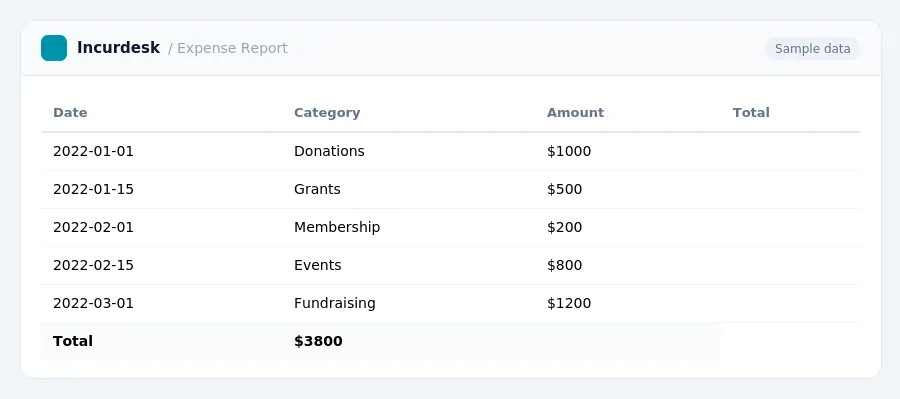
Finance Software Requirements for Small Museums
When selecting finance software, consider the following factors:
- State-specific requirements: Deadlines and specific requirements for state annual reports vary by state. Check with your state's government website for specific requirements and deadlines.
- Audit requirements: State-specific audit requirements and revenue thresholds for financial reviews or CPA audits differ. If your non-profit operates in multiple states, you may need to meet the most stringent state's requirements.
- Revenue tracking: Keep track of revenue from various sources, including donations, grants, and ticket sales.
- Budgeting and forecasting: Create budgets and forecasts to help manage your museum's finances and make informed decisions.
- Reporting and analytics: Generate reports and analyze data to track your museum's financial performance and make data-driven decisions.
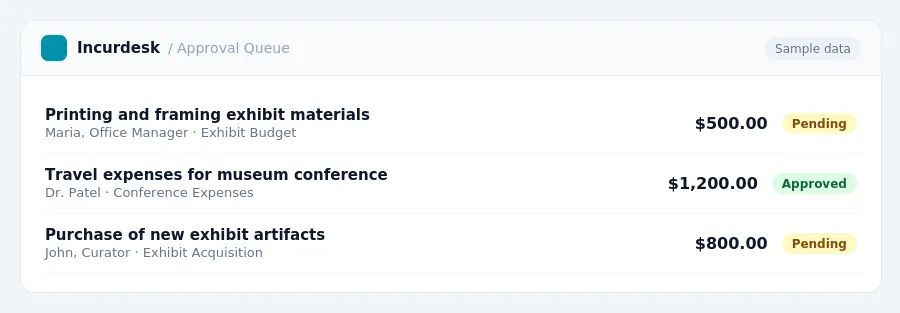
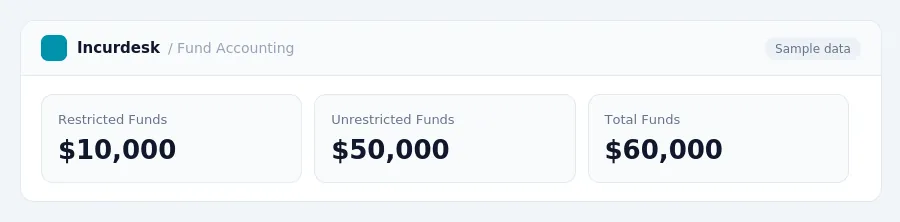
Non-Profit Accounting and Fund Accounting
- Non-profit accounting software should support fund accounting, which is crucial for tracking restricted funds separately from unrestricted funds and managing grant compliance.
- Non-profits must report expenses across program services, management and general, and fundraising categories.
- Donated goods and services must be recorded at fair market value. Donated services are recordable as revenue only if they create or enhance a non-financial asset or require specialized professional skills.
- The due date generally follows the Form 990 schedule.
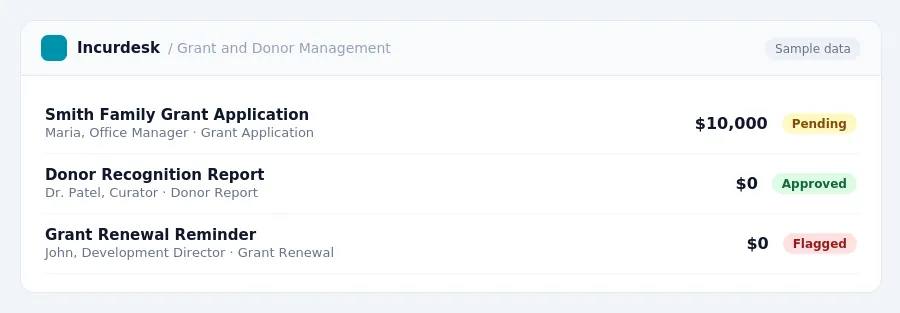
Grant Tracking and Donor Management
Effective grant tracking and donor management are crucial for small museums to ensure compliance with grant requirements and maintain strong relationships with donors. To achieve this, your finance software should have the following features:
- Automated grant tracking: Set up a system to track grants, including deadlines, milestones, and reporting requirements.
- Donor database integration: Connect your donor database to your finance software to easily track donations, pledges, and other interactions.
- Donor restriction tracking: Record and track donor restrictions, such as restricted funds or designated purposes, to ensure compliance.
- Customizable reports: Generate reports that provide detailed information on grant progress, donor engagement, and financial performance.
- Alerts and notifications: Set up alerts and notifications to remind staff of upcoming deadlines, grant renewals, and other important dates.
Consider the following best practices when implementing grant tracking and donor management in your finance software:
- Establish clear policies and procedures for grant tracking and donor management.
- Train staff on the use of the software and its features.
- Regularly review and update grant tracking and donor management processes to ensure compliance and effectiveness.
This includes:
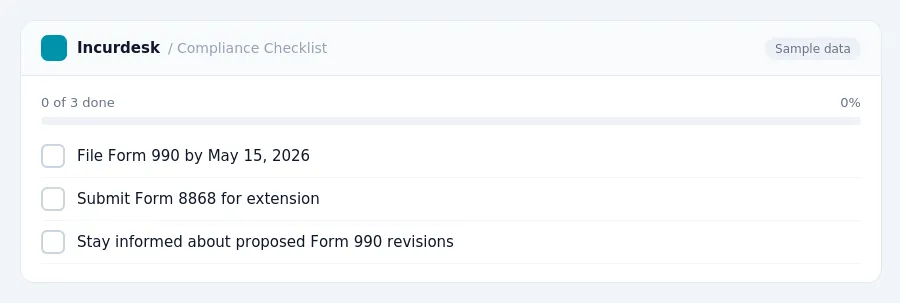
- Filing Form 990 by the deadline of May 15, 2026, or November 15, 2026, with an automatic six-month extension if Form 8868 is filed.
- Staying informed about proposed revisions to Form 990 for certain 501(c)(3) activities, which could affect reporting requirements in the future.
Software Integration and User-Friendly Interfaces
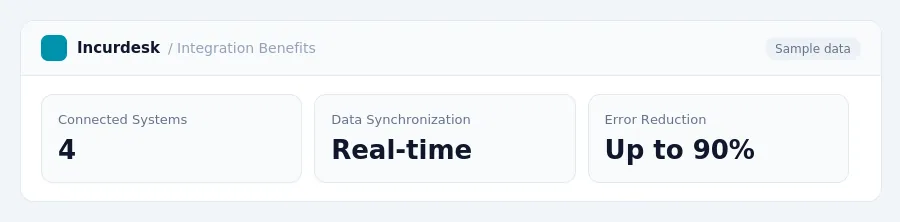
- When selecting finance software, consider the integration capabilities with other museum systems. Ensure the software can seamlessly connect with existing tools, such as collections management systems, membership databases, and online ticketing platforms.
- Look for software that allows for real-time data synchronization across all connected systems, reducing manual data entry and minimizing errors.
- Choose software with a user-friendly interface that is easy to navigate, even for staff members without extensive accounting experience.
- Consider software that offers customizable dashboards and reporting tools, allowing you to tailor the view to your specific needs and priorities.
- Ensure the software is accessible and secure, with features such as multi-factor authentication and data backup and recovery processes in place.
- Test the software's mobile compatibility to ensure that staff can access and manage finances on-the-go.
Tax rules, limits and rates change. Confirm current figures with the IRS or your accountant before you file.
Keeping this simple: Incurdesk lets your team snap a photo of a receipt and fills in the details for you. It is built for small small museum historical society teams. Try it free.
Stop losing 4+ hours a week
30-day free trial · No credit card · Setup in 15 minutes