
When a Contractor Outgrows Shoebox Receipt Management
A practical, data-backed guide to controlling costs and automating expense workflows.
As a small construction business owner or office manager, you're likely aware that as your company grows, so does its financial complexity. By implementing a reliable construction expense management system, such as construction expense management for under $10/user (2026), you can streamline your financial management and focus on running your business.
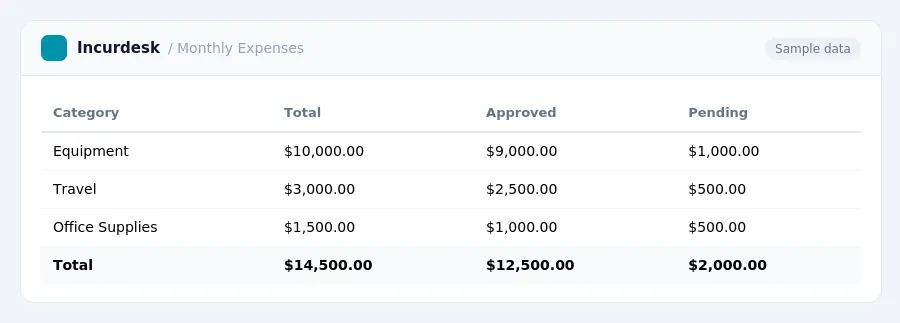
Navigating Unemployment Taxes and Other Business Expenses
Unemployment taxes are a crucial expense for small construction businesses. As a contractor, you're responsible for paying unemployment taxes on your employees' wages. The tax rate varies depending on your state and the number of employees you have. To determine your unemployment tax rate, you'll need to contact your state's unemployment office for specific information.
Under the Federal Insurance Contributions Act (FICA), you'll also need to pay Social Security and Medicare taxes on your employees' wages.
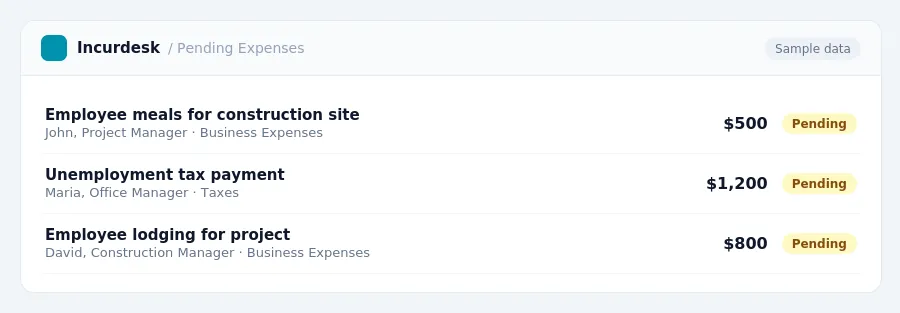
When it comes to business expenses, you may be able to deduct the cost of meals and lodging for employees working on a construction site. for October 1, 2026 - September 30, 2027.
Be sure to review your business expenses regularly to ensure you're meeting all tax requirements. Consult with a tax professional if you have any questions or concerns about unemployment taxes or other business expenses.
Keeping this simple: Incurdesk turns submitted expenses into clean expense reports. It is built for small construction teams. Try it free.
Optimizing Your Equipment and Property Expenses
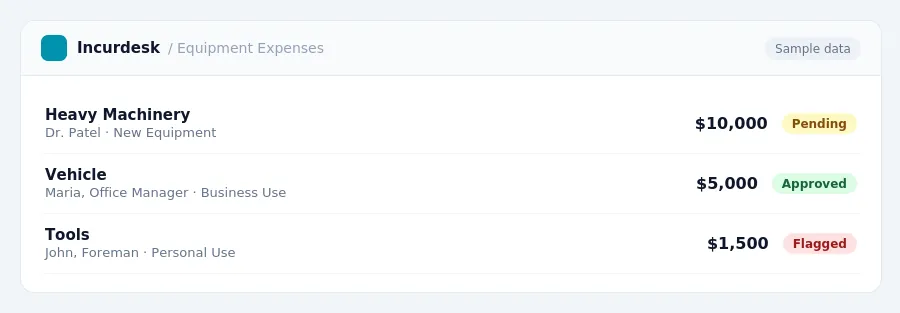
As your construction business grows, it's essential to optimize your equipment and property expenses to minimize your tax liability and maximize your cash flow. Here are some key strategies to keep in mind:
- Take advantage of bonus depreciation, which allows for a full first-year write-off of eligible equipment. This can result in significant tax savings, especially for expensive equipment purchases.
- Keep accurate records of your equipment purchases, including receipts, invoices, and serial numbers.
- Consider purchasing equipment with a long useful life, such as heavy machinery or vehicles, as these are often eligible for bonus depreciation.
It's also essential to keep track of your equipment's depreciation, as this can impact your tax liability in future years. You can use the Modified Accelerated Cost Recovery System (MACRS) to calculate the depreciation of your equipment.
Streamlining Your Business Record-Keeping and Accounting
Start by setting up a centralized system for storing and organizing receipts, invoices, and financial documents. Designate a specific folder or digital storage location for each project, and establish a routine for regularly updating and reconciling financial records.
Consider implementing a cloud-based accounting system that allows you to access and manage your financial data from anywhere. This can help you stay on top of expenses, track income, and generate financial reports in real-time.
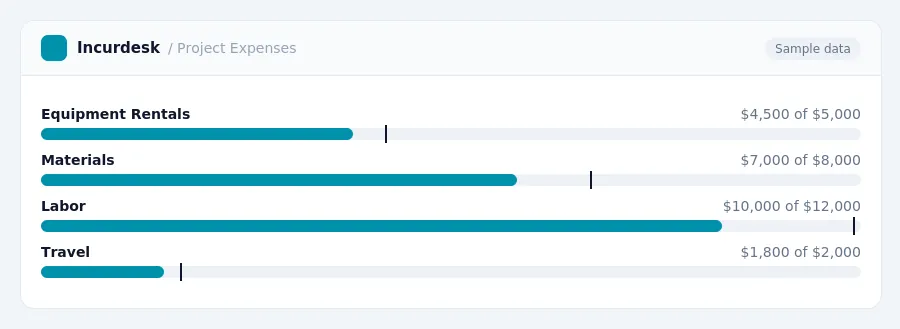
Develop a system for categorizing and tracking business expenses, including equipment and property expenses. Use separate accounts or categories for each type of expense, and ensure that all expenses are properly documented and supported.
Regularly review and reconcile your financial records to ensure accuracy and identify areas for improvement. This can help you catch errors, prevent oversights, and make more informed business decisions.
Consider hiring a bookkeeper or accountant to help you manage your financial records and provide guidance on best practices for compliance and profitability.
Keep accurate and detailed records of business-related expenses, including receipts, invoices, and bank statements.
Establish a routine for regularly reviewing and updating your financial records, including at least once a month, and at the end of each quarter and year.
Use a standardized system for recording and tracking financial transactions, including income, expenses, and payments.
Consider using a spreadsheet or template to help you organize and track financial data, such as income statements, balance sheets, and cash flow statements.
Keep accurate and detailed records of business-related income, including contracts, invoices, and payments.
Use a centralized system for storing and managing financial documents, including receipts, invoices, and bank statements.
Consider using a digital tool or app to help you manage and track financial data, such as expense tracking or invoicing software.
Stop losing 4+ hours a week
30-day free trial · No credit card · Setup in 15 minutes