
Best Expense Software for a Medical Clinic
A practical, data-backed guide to controlling costs and automating expense workflows.
Small healthcare businesses need a reliable expense software to track, categorize, and report expenses, manage employee reimbursements, and ensure tax compliance. To find the best expense software for your medical clinic, look for solutions that integrate with practice management or accounting software, offer healthcare expense management for under $10/user (2026), and provide features such as mileage tracking and employee reimbursement management. This will help you stay compliant with IRS regulations and reduce administrative burdens.
Expense Tracking and Reimbursement Best Practices for Medical Clinics
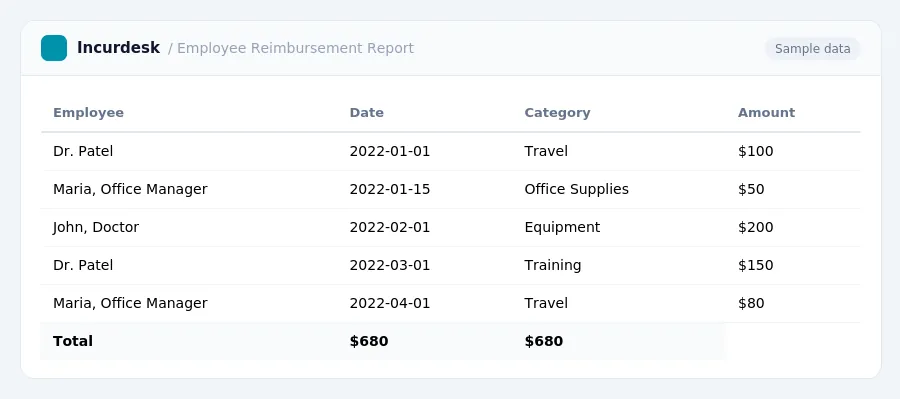
Expense tracking and reimbursement are crucial aspects of managing expenses for medical clinics. To ensure accuracy and efficiency, follow these best practices:
- Establish clear expense policies**: Develop a comprehensive policy that outlines what expenses are eligible for reimbursement, including mileage, meals, and entertainment. Ensure that all employees understand the policy and what is required to submit a claim.
- Use a standardized expense report template**: Create a template that includes all necessary fields, such as date, description, amount, and category. This will help streamline the reimbursement process and reduce errors.
- Implement a mileage tracking system**: Use a mileage tracking app or log to record business miles driven. This will help ensure accurate reimbursement for mileage expenses.
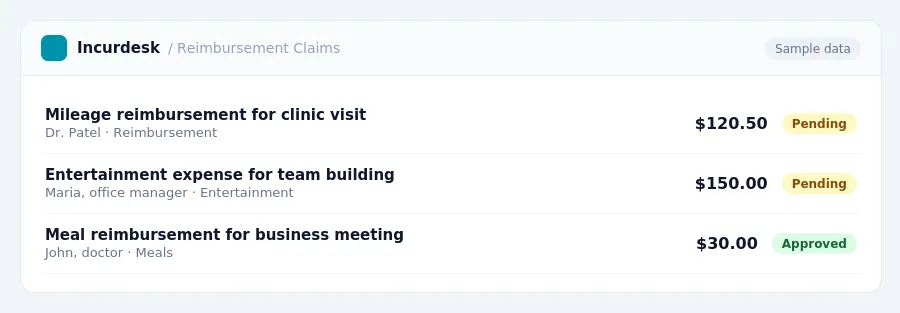
- Verify employee reimbursement claims**: Regularly review employee reimbursement claims to ensure they are accurate and compliant with company policies.
- Consider implementing a reimbursement deadline**: Set a deadline for employees to submit reimbursement claims, such as the end of each month or quarter. This will help ensure timely reimbursement and reduce the risk of lost or forgotten claims.
- Keep accurate records**: Maintain accurate and detailed records of all expenses, including receipts and supporting documentation. This will help ensure compliance with tax laws and regulations, such as the 7.5% AGI threshold for unreimbursed medical and dental expenses.
By following these best practices, medical clinics can ensure accurate and efficient expense tracking and reimbursement, reducing the risk of errors and compliance issues.
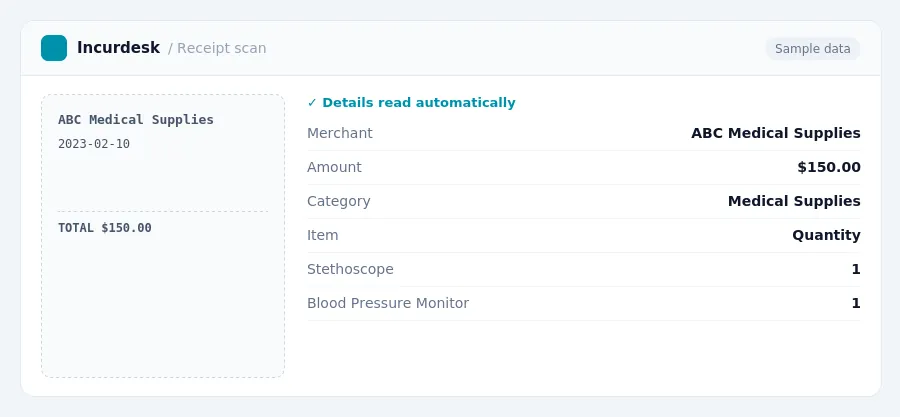
Keeping this simple: Incurdesk lets your team snap a photo of a receipt and fills in the details for you. It is built for small healthcare teams. Try it free.
Compliance Considerations for Medical Clinics Using Expense Software
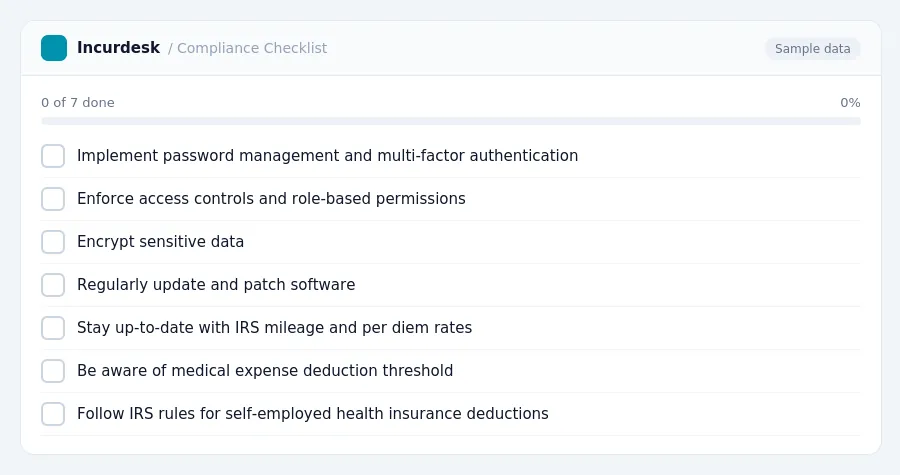
One key area to focus on is HIPAA compliance. Regulators expect specific technical controls to be in place, not just documented intentions. To ensure compliance, you should implement and regularly test technical controls such as:
- Password management and multi-factor authentication
- Access controls and role-based permissions
- Encryption of sensitive data
- Regular software updates and patches
Additionally, you should be aware of the IRS mileage and per diem rates, which are updated annually. You should also be mindful of the medical expense deduction threshold, which is 7.5% of your Adjusted Gross Income (AGI). Unreimbursed medical and dental expenses are deductible only if they exceed this threshold.
Self-employed health insurance deductions are also important to consider, as they can provide significant tax savings. However, you must follow the IRS rules and deadlines for claiming these deductions.
Finally, don't forget about state-specific paid family and medical leave laws, which may require you to provide paid leave to your employees. You should check with your state's labor department to determine the specific requirements and deadlines for compliance.
Choosing the Right Expense Software for Your Medical Clinic
When selecting expense software for your medical clinic, consider the specific needs of your business. First, determine the number of employees and the types of expenses you need to track, such as mileage, medical expenses, and employee reimbursements. You'll also want to consider integration with your practice management or accounting software.
- Consider the unreimbursed medical and dental expense deduction threshold: expenses are deductible only if they exceed 7.5% of your Adjusted Gross Income (AGI).
- Think about employee leave policies: eligible employees can take up to 12 workweeks of unpaid, job-protected leave in a 12-month period for qualifying family and medical reasons under Federal FMLA.
Next, evaluate the features of the software, such as:
- Mileage tracking and reimbursement processing
- Expense categorization and reporting
- Integration with practice management or accounting software
- Security and data protection features
By considering these factors, you can choose the best expense software for your medical clinic's specific needs.
Key Features to Look for in Expense Software for Medical Clinics
To streamline expense tracking, look for software that allows employees to easily log and categorize expenses, including mileage and per diem expenses. Consider software that integrates with your practice management or accounting system to ensure seamless data transfer and reduce manual entry.
- Expense categorization: Look for software that allows you to create custom expense categories, such as medical supplies, travel, and training expenses.
- Mileage tracking
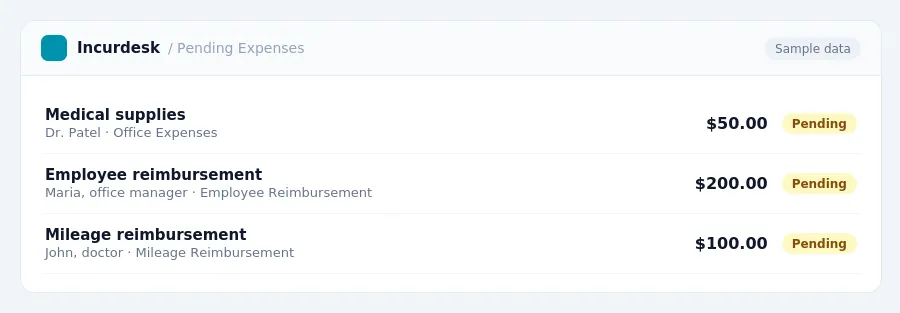
- Reimbursement management: Choose software that enables you to easily process employee reimbursements, including automated payment processing and expense approval workflows.
- Reporting and analytics: Select software that provides detailed expense reports, including total expenses, expense categories, and employee reimbursement history.
- Security and compliance
Additionally, consider software that provides alerts and reminders for upcoming deadlines, such as the deadline for submitting expense reports or the need to update employee reimbursement policies.
Selecting the Best Expense Software for Your Medical Clinic's Specific Needs
Start by assessing your clinic's size, budget, and existing systems. Determine how many employees will be using the software, and what types of expenses they will be tracking.
Consider the following factors:
- Integration with your practice management or accounting software
- Scalability to accommodate future growth
- User-friendliness and ease of adoption
- Customization options to fit your clinic's specific needs
- Support for tracking mileage, per diem expenses, and unreimbursed medical expenses
Think about your clinic's budget and consider the costs of implementation, training, and ongoing support. Evaluate the software's reporting capabilities and ensure it can provide the insights you need to make informed financial decisions.
Don't forget to consider the compliance requirements specific to your clinic, such as HIPAA regulations and state-specific paid family and medical leave laws.
Finally, consider your clinic's long-term goals and choose a software that can grow with your business. By carefully evaluating your needs and selecting the right software, you can streamline your expense tracking and reimbursement processes, reduce errors, and improve your overall financial health.
Tax rules, limits and rates change. Confirm current figures with the IRS or your accountant before you file.
Stop losing 4+ hours a week
30-day free trial · No credit card · Setup in 15 minutes