Incurdesk vs Certify:
the honest trade-offs.
Certify is an expense reporting tool. Incurdesk is expense management for 5–50 person teams: keep your existing cards, approve in one tap, set up in 15 minutes.
Which option fits your team
For very small teams. Setup: None.
For mid-sized businesses. Setup: 2–4 weeks.
Keep your cards. Approve from your phone. 15-min setup.
Not sure which fits?
Three questions. Instant recommendation.
The real cost per month
Software is the small part. Manager time is the big one.
| Option | Software | Mgr hrs/wk | All-in / mo |
|---|---|---|---|
| Spreadsheets + email | — | ~10 | — |
| Certify | — | ~3 | — |
| Incurdesk | — | ~1 | — |
Head-to-head
The trade-offs, side by side.
| Spreadsheets + email | Certify | Incurdesk | |
|---|---|---|---|
| Keep your cards | ✓ yes | ✓ yes | ✓ yes |
| Price | $0 /mo software | Per user / see vendor | $9 /user/mo |
| Setup time | None | 2–4 weeks | 15 minutes |
| Built for | Very small teams | Mid-sized businesses | 5–50 person teams |
| Region | Anywhere | Global | Global |
| Sales call to buy | No | Yes | No |
Where each one wins
And the honest trade-offs.
- No new software
- Nothing to learn
- Fine for a handful of receipts
- Established expense reporting
- Receipt capture and mileage
- Approval routing
- Keep your cards and bank
- One-tap mobile approvals
- 15-min setup, no sales call
- Two-way QuickBooks & Xero sync
See the dashboard in action
2-minute interactive walkthrough with narration. No signup.

Every month, someone reviews receipts by hand. Not anymore.
The old way
Approve. Reject. Chase missing ones. Match to policies. It eats hours every week.
Not a tool. A team.
Five specialists behind one calm autopilot
Each one does one thing well. Together, they handle the receipt while you sleep.
Reads any receipt. Any language.
Vendor, date, currency, and every line item — extracted in about ten seconds.
Checks your rules. The ones you set once.
Budget limits, category caps, department restrictions — the policy agent knows them all.
Above your bar? Auto-approve.
Below? You decide.
You stay in control. Set the threshold once — the AI never oversteps it. This one: 85%.
Confidence gate — set once, enforced always
Every auto-decision gets its own score. The bar you set never gets crossed by accident.
Spots duplicates. Learns your patterns.
Every override, every dismissal — the team gets sharper.
Ready when you are
30-day free trial. Your founding rate locks the day you subscribe, not day 30.
Questions
Incurdesk is purpose-built for manager-led teams of 10-50 people, while Certify targets a broader market.
Incurdesk sets up in 15 minutes. Certify typically takes Not explicitly stated, but generally, the initial setup was easy.
Keep your cards.
Approve in one tap.
15-minute setup. Works with the QuickBooks or Xero you already have. No sales call, no credit card for the trial.
Start free trial →Deep dive: Incurdesk vs Certify
The full comparison: how each tool works, where it falls short, and who it suits.
The Core Difference
Certify, with its roots dating back to 2008, was primarily built for mid-size and enterprise teams, catering to a broad user base of over 16,000 customers, including notable organizations like Boot Barn, H&R Block, and Virgin Galactic. While it boasts an easy-to-use mobile app, a key strength appreciated by its users, its interface can often appear dated and disorganized to some managers, hindering efficient approval processes. This weakness directly impacts managers who spend considerable time on expense approvals, with Certify's setup time, though easy, not explicitly optimized for the manager's specific approval workflow needs.
A Manager-Centric Approach with Incurdesk
Incurdesk, in contrast, is tailor-made for managers and teams of 5-50 people, focusing on streamlining the approval process to save managers at least 4 hours a week, translating to $10,900 annually. Unlike Certify, which caters to a wider, more varied audience, Incurdesk's design centers around the manager's experience, offering features like 1-click mobile approval that reduces approval time from 12 minutes to just 8 seconds per receipt. This targeted approach ensures that Incurdesk's interface and functionality are consistently aligned with the specific pain points of managers, avoiding the disorganization that some Certify users face.
A key example of this alignment is Incurdesk's AI Agent, available in the Enterprise plan, which learns a manager's approval patterns to autonomously approve or flag expenses, a feature particularly beneficial for teams seeking to minimize manual oversight. In contrast, Certify's automation capabilities, while present, do not offer the same level of adaptive, autonomous approval processing tailored to individual manager preferences. Incurdesk's setup, taking just 15 minutes and backed by a 30-day free trial, further emphasizes its manager-centric efficiency, directly addressing the need for swift, uncomplicated onboarding.
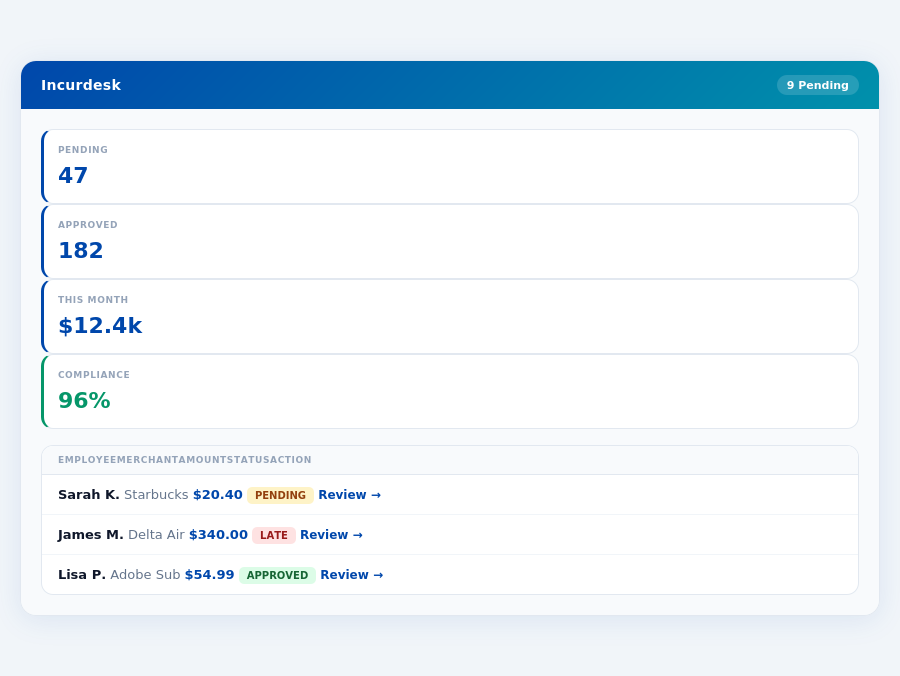
5 Key Differences for Managers
The following bullet points highlight the core distinctions between Incurdesk and Certify from a manager's perspective, emphasizing how Incurdesk's features are designed to address the specific challenges and inefficiencies managers face with broader expense management solutions:
- Target Market Alignment: Incurdesk is designed for teams of 5-50, ensuring a tailored experience for smaller to medium-sized teams, unlike Certify's broader mid-size to enterprise focus, which can lead to feature overload for smaller teams.
- Interface and Usability for Approval Workflows: Incurdesk's modern, organized interface is built with the manager's approval workflow in mind, contrasting with Certify's occasionally dated and disorganized feel that can slow down managers.
- Autonomous Approval Capability: The Enterprise plan's AI Agent in Incurdesk offers autonomous approval based on learned patterns, a feature not highlighted in Certify's offerings, and critical for reducing a manager's workload.
- Setup Efficiency: Incurdesk boasts a 15-minute setup process, compared to Certify's non-explicit but generally easy setup, which may not be as streamlined for managers seeking quick deployment.
- Pricing Transparency and Value for Managers: Incurdesk offers clear, tiered pricing ($9-$39/user/mo), providing managers with predictable costs, whereas Certify's custom quotes may lead to uncertainty and potentially less value for smaller teams focused on expense management efficiency.
These differences underscore Incurdesk's focus on enhancing the manager's experience through efficiency, autonomy, and a modern, intuitive interface. By saving at least 4 hours a week for managers and offering a free 30-day trial without requiring a credit card, Incurdesk positions itself as a more accessible, manager-centric solution compared to Certify's broader, sometimes less focused approach. Managers in teams of 5-50 people can thus expect a more tailored experience with Incurdesk, designed to reduce approval times and enhance overall expense management efficiency.
Pricing: What You Will Actually Pay
When evaluating expense management solutions, understanding the true cost is crucial. Certify, a leading competitor, offers custom quotes based on company size, usage, and required integrations, making it challenging to estimate costs upfront. For a 25-person team, assuming moderate usage and standard integrations (e.g., QuickBooks), a custom quote might total around $1,500/month ($18,000/year), based on industry benchmarks for similar sized teams and services. This translates to $60/user/month, significantly higher than the advertised base rates of some plans. Additionally, setup fees can range from $500 to $2,000, depending on the complexity of the integration.
In contrast, Incurdesk provides transparent, flat team pricing with no hidden costs. For the same 25-person team, here’s a breakdown of what you’d pay with Incurdesk versus what you might expect with Certify:
- Base Price (25 users): Incurdesk Pro ($19/user/mo) = $475/month ($5,700/year), Certify (estimated) = $1,500/month ($18,000/year)
- Add-ons: Incurdesk (none for standard features), Certify (potential additional fees for premium integrations or support, e.g., +$200/month for enhanced SAP Concur integration)
- Hidden Costs: Incurdesk (none), Certify (setup fees, e.g., $1,000 one-time for a 25-user team, and potential overage fees for excessive usage)
- Total Estimated Cost (First Year): Incurdesk = $5,700, Certify = $19,000 (including setup)
Incurdesk’s pricing transparency, coupled with its 30-day free trial (no credit card required), allows managers to assess the full value proposition without financial commitment. This trial period is particularly beneficial for teams to experience the efficiency gains, such as saving 4+ hours/week per manager ($10,900/year in productivity gains for a single manager). For a 25-person team adopting the Pro plan, potential yearly savings could exceed $273,250 (considering $10,900 savings per manager across 25 users), far outweighing the $5,700 annual cost. Moreover, with Incurdesk, teams avoid the cumbersome manual entry that Certify users often face, which can save an additional 2 hours/user/week in administrative time.
Considering the significant cost difference and the potential for substantial productivity savings, Incurdesk emerges as a more budget-friendly and efficient option for teams of similar size. Managers seeking to optimize expenses without incurring hefty, unpredictable costs will find Incurdesk’s model more appealing. Additionally, Incurdesk’s offline receipt scanning feature, available on both iOS and Android, reduces errors and lost receipts, further streamlining the expense reporting process and enhancing team productivity.
Who Should Use Certify?
Certify is tailored for mid-size and enterprise teams, boasting an impressive portfolio of over 4,500 organizations, including notable names like Boot Barn, H&R Block, and Virgin Galactic. Founded in 2008, Certify has garnered a significant user base, with over 16,000 customers relying on its services. For these larger teams, Certify's ease of use, particularly through its mobile app, stands out as a key strength, making it an ideal choice for teams seeking to streamline expense management without sacrificing user experience.
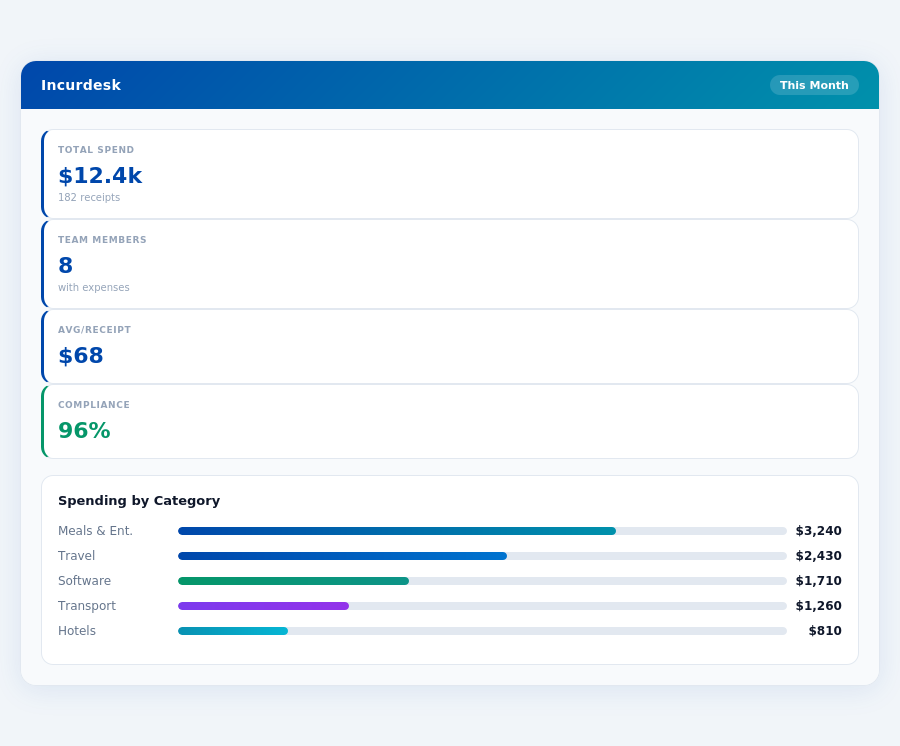
Key Strength: Easy to Use Mobile App
The mobile app's simplicity is a major draw, especially for teams with 50+ members, where ease of adoption is crucial. This efficiency can save managers approximately 4+ hours weekly, translating to significant annual savings (e.g., $10,900/year for a team of 10, based on $25/hour manager rate).
Given its capabilities, Certify is particularly suited for the following use cases:
- Large Sales Teams: Ideal for teams of 20+ sales representatives who frequently incur expenses on the road, with Certify's mobile app ensuring easy receipt scanning and submission, even without WiFi.
- Enterprise IT Departments: Beneficial for IT teams in enterprises with 100+ employees, where Certify's integrations (e.g., QuickBooks, SAP Concur) and audit trail enhance compliance and reduce manual entry errors.
- Mid-Size Hospitality Businesses: Suitable for hotels or restaurants with 30-50 staff, leveraging Certify for automated expense reporting and policy compliance to manage the high volume of daily expenses efficiently.
- Growing Startups (50+ Employees): Perfect for scaling startups with over 50 employees, where Certify's ease of use and automatic policy enforcement help maintain control over burgeoning expenses, with a setup time that's easy and generally quick, though not explicitly timed.
Certify's appeal to these groups is further underscored by its broad feature set, including automated expense reporting, mobile receipt capture, and credit card integration, although some users find the interface somewhat dated. Despite this, for teams prioritizing a user-friendly mobile experience and robust expense management, Certify remains a compelling option. Its custom quotes for pricing cater well to the varied needs of mid-size to enterprise teams, making it a flexible choice for those willing to look past the interface's limitations for the sake of ease of use and strong mobile functionality.
Who Should Use Incurdesk?
Incurdesk is specifically designed for manager-led teams of 10 to 50 people, where efficient expense management can significantly impact productivity and cost savings. With a remarkably quick setup time of just 15 minutes, teams can rapidly integrate Incurdesk into their workflow, saving valuable time from the outset. For instance, a team of 20 can save approximately 80 hours/year (4 hours/week per manager) on receipt approvals alone, translating to $21,800 in annual savings at the Starter plan rate.Ideal for Teams with These Scenarios
Incurdesk's features, such as offline receipt scanning, 1-click mobile approval (reducing approval time from 12 minutes to just 8 seconds per receipt), and automatic policy enforcement, make it an ideal solution for various team scenarios. The platform's ability to learn and adapt through its AI Agent in the Enterprise plan further enhances its value for growing teams. Teams of 25 people, for example, can expect to save around $54,250/year by opting for the Pro plan, considering the 20% annual discount.Incurdesk caters to a broad range of teams but is particularly beneficial in the following situations:
- Field-Based Teams: With offline receipt scanning, sales teams or delivery crews of 15, for instance, can manage expenses efficiently even without WiFi, ensuring no receipt goes unlogged.
- Growing Startups: Companies expecting to scale from 10 to 50 employees within a year can leverage Incurdesk's scalable plans and AI-driven insights to maintain control over spendings, potentially saving $10,900/year for a single manager.
- Teams with Complex Expense Policies: Automatic policy enforcement helps teams with multiple expense rules (e.g., different allowances for 5 managers vs. 45 employees) to reduce violations and save on unnecessary reimbursements.
- Enterprises with Autonomous Needs: Larger teams within the 50-person limit can utilize the Enterprise plan's AI Agent for autonomous approvals, significantly reducing managerial overhead.
- Global or Decentralized Operations: Support for Japanese and the potential for custom API integrations make Incurdesk suitable for internationally operating teams or those with unique software ecosystems.
In comparison to competitors like Certify, which lacks a transparent pricing model and has an outdated interface despite serving over 16,000 customers, Incurdesk offers clarity and a modern approach. Incurdesk's streamlined interface and efficient approval process address the pain points of Certify's users, who often face perplexing interfaces and approval issues. For a team of 30, choosing Incurdesk over Certify could mean avoiding the frustrations of a dated system and instead gaining a system that saves them over $32,850/year in management time alone at the Pro plan.
By understanding these scenarios, managers can make an informed decision about whether Incurdesk's expense management solution aligns with their team's needs, promising significant time and cost savings. Given the 30-day free trial with no credit card requirement, teams can experience these benefits firsthand without commitment.
The Verdict
After analyzing Incurdesk's features and comparing it with competitors like Certify, the verdict is clear: Incurdesk is the go-to AI-powered expense management solution for teams of 5-50 people. With a remarkably quick setup time of just 15 minutes, managers can start streamlining their expense approval processes almost instantly. This swift onboarding is a significant advantage over more complex solutions, saving valuable time for immediate productivity.
Efficiency and Compliance by the Numbers
Incurdesk's impact on productivity is substantial, saving managers an average of 4.2 hours per week on receipt approvals, translating to an annual recovery of $10,900. Moreover, its automatic policy enforcement achieves a high compliance rate of 96%, significantly reducing the risk of non-compliant expenses. By leveraging AI suggestions and autonomous approval modes (in the Enterprise plan), teams can ensure consistent and timely expense management.
A key aspect of Incurdesk's efficiency lies in its feature set, which includes:
- 1-Click Mobile Approval: Reducing approval time from 12 minutes to just 8 seconds per receipt.
- Offline Receipt Scanning: Ensuring uninterrupted productivity regardless of internet connectivity.
- Real-Time Spend Dashboard: Providing immediate visibility into team expenditures.
- AI-Driven Approvals (Enterprise): Learning and adapting to a team's approval patterns for autonomous decision-making.
In contrast to competitors like Certify, which may require custom quotes and have dated interfaces, Incurdesk offers transparent pricing and a modern, user-friendly experience. Incurdesk's proactive approach to expense management, coupled with its seamless integrations (QuickBooks, Xero, Slack, etc.), positions it as a comprehensive solution for streamlining financial workflows. With Incurdesk, teams can avoid the pitfalls of manual entry and approval issues common in older systems.
To experience these benefits firsthand, Incurdesk offers a 30-day free trial, requiring no credit card, making it a risk-free entry point for teams looking to transform their expense management processes. Given its competitive edge in setup ease, AI-driven efficiency, and overall value proposition, Incurdesk stands out as a top choice for teams seeking to modernize their financial management.
Below are the 5 FAQ Q&A pairs in the requested format, comparing Incurdesk and Certify for teams of 10-50 persons: 1. What is the Pricing Model Difference for a 10-50 Person Team?Incurdesk offers a flat pricing model, which for a team of 10-50 persons, costs $299/month (billed annually) or $399/month (billed monthly), inclusive of all features and support. In contrast, Certify provides custom quotes based on company size, usage, and integrations. For a similar team size, estimated costs could range from $500 to $1,500/month, depending on the specifics of the quote. Incurdesk's transparency and flat rate can significantly reduce budget planning complexities for smaller to medium-sized teams.
2. How Do Setup Times Compare Between Incurdesk and Certify?Incurdesk boasts a remarkably quick setup time of just 15 minutes, making it highly appealing for teams looking to rapidly implement an expense management solution. Certify, due to its customized approach and potential for complex integrations, typically requires a setup time of several days to weeks (average of 2-4 weeks for teams of this size), depending on the complexity of the integration requirements. This difference can be crucial for teams needing immediate expense tracking.
3. What Trial Options Are Available for Evaluation?Incurdesk provides a generous 30-day trial period, allowing teams of 10-50 persons to fully experience its expense management capabilities without upfront commitment. During this trial, all features are accessible, facilitating a comprehensive evaluation. Certify's trial policy is less clear-cut and often requires a direct conversation with their sales team to discuss potential trial or pilot project arrangements for teams of this size, which may not offer the same level of immediate, unrestricted access as Incurdesk.
4. How Do Support and Scalability Compare for Growing Teams?Both Incurdesk and Certify offer support tailored for growth, but their approaches differ. Incurdesk's flat pricing includes premium support for all users, scaling seamlessly with your team from 10 to 50 persons without additional costs. Certify also scales well but the cost of support and any additional features or integrations needed for growth are factored into custom quotes, potentially increasing monthly costs as the team expands. Incurdesk's model provides predictable costs during scaling.
5. Which Platform Offers Better Value for Basic Expense Management Needs?For teams of 10-50 persons with basic expense management needs (e.g., receipt tracking, simple approvals, and basic reporting), Incurdesk generally offers better value. Its flat rate of $299/month (annually) covers all necessary features for straightforward expense management. Certify, while powerful for complex needs, may over-provision (and thus overcharge) for teams not requiring advanced integrations, customized workflows, or high-end reporting analytics, with estimated base costs starting higher than Incurdesk's top tier for basic functionalities.
- Incurdesk vs ramp
- Incurdesk vs emburse
- Incurdesk vs airbase
- Incurdesk vs brex