
Certify vs Emburse:
similar tools, different trade-offs.
Certify is an expense reporting tool. Emburse is an expense management suite. Most 5–50 person teams need something simpler: approvals that work with the cards they already have.
Which option fits your team
For mid-sized businesses. Setup: 2–4 weeks.
For mid-market and enterprise teams. Setup: 3–8 weeks.
Keep your cards. Approve from your phone. 15-min setup.
Not sure which fits?
Three questions. Instant recommendation.
The real cost per month
Software is the small part. Manager time is the big one.
| Option | Software | Mgr hrs/wk | All-in / mo |
|---|---|---|---|
| Certify | — | ~3 | — |
| Emburse | — | ~3 | — |
| Incurdesk | — | ~1 | — |
Head-to-head
The trade-offs, side by side.
| Certify | Emburse | Incurdesk | |
|---|---|---|---|
| Keep your cards | ✓ yes | ✓ yes | ✓ yes |
| Price | Per user / see vendor | Quote / sales call | $9 /user/mo |
| Setup time | 2–4 weeks | 3–8 weeks | 15 minutes |
| Built for | Mid-sized businesses | Mid-market and enterprise teams | 5–50 person teams |
| Region | Global | Global | Global |
| Sales call to buy | Yes | Yes | No |
Where each one wins
And the honest trade-offs.
- Established expense reporting
- Receipt capture and mileage
- Approval routing
- Mature expense reporting
- Configurable approval chains
- Wide integration catalog
- Keep your cards and bank
- One-tap mobile approvals
- 15-min setup, no sales call
- Two-way QuickBooks & Xero sync
See the dashboard in action
2-minute interactive walkthrough with narration. No signup.

Every month, someone reviews receipts by hand. Not anymore.
The old way
Approve. Reject. Chase missing ones. Match to policies. It eats hours every week.
Not a tool. A team.
Five specialists behind one calm autopilot
Each one does one thing well. Together, they handle the receipt while you sleep.
Reads any receipt. Any language.
Vendor, date, currency, and every line item — extracted in about ten seconds.
Checks your rules. The ones you set once.
Budget limits, category caps, department restrictions — the policy agent knows them all.
Above your bar? Auto-approve.
Below? You decide.
You stay in control. Set the threshold once — the AI never oversteps it. This one: 85%.
Confidence gate — set once, enforced always
Every auto-decision gets its own score. The bar you set never gets crossed by accident.
Spots duplicates. Learns your patterns.
Every override, every dismissal — the team gets sharper.
Ready when you are
30-day free trial. Your founding rate locks the day you subscribe, not day 30.
Questions
Certify offers a tiered pricing model, with its "Standard" plan starting at $15/user/month (billed annually), which includes basic expense reporting features. For a team of 25, this would total $4,500/year. Emburse, on the other hand, provides a more comprehensive suite with its "Team" plan at $19/user/month (annually), totaling $5,700/year for the same team size. For larger teams (e.g., 50 persons), Emburse might offer custom pricing that could potentially be more competitive, whereas Certify's cost would scale linearly to $9,000/year. Certify is more cost-effective for smaller teams within this range, while Emburse's custom quotes for larger teams might balance the cost difference for more extensive feature needs.</p> <div class="bn-widget bn-anim"> <div class="bn-widget-header"><span class="bn-logo">Incurdesk</span><span class="bn-badge">Auto-enforced</span><div class="bn-widget-body"> <div style="font-size:13px;color:#64748b;margin-bottom:14px">Every receipt is automatically checked against your policies on submission.
Both Certify and Emburse offer robust integration capabilities, but with different focuses. Certify integrates with over 100 accounting, ERP, and other financial systems, including QuickBooks, Excel, and SAP, with setup times averaging 2-5 days depending on the system. For a growing teams, common integrations are typically straightforward. Emburse, meanwhile, boasts deep integrations with 200+ systems, including less common tools, and highlights its AI-driven integration platform for faster onboarding (1-3 days for standard integrations). For teams with diverse software stacks, Emburse might offer more flexibility, though both should suffice for most standard growing teams setups, with Certify being slightly more tailored to common financial software used in this size of organization.
Certify and Emburse both streamline expense reporting with mobile apps for easy receipt scanning and automated reporting. However, Certify's workflow is often described as more straightforward, with an average approval time of 2-3 days for simple expenses, suited for teams prioritizing simplicity. Emburse offers more customizable approval workflows, supporting complex, multi-level approvals which might increase average processing times to 4-5 days but cater better to teams with nuanced financial hierarchies. For manager-led teams of 10-50, if simplicity is key, Certify might be preferable; for those needing to mirror complex organizational structures, Emburse's flexibility is advantageous.</p> <div class="bn-widget bn-anim"> <div class="bn-widget-header"><span class="bn-logo">Incurdesk</span><span class="bn-badge">10-person team</span><div class="bn-widget-body"> <div class="bn-stat-row"> <div class="bn-stat" style="border-left-color:#059669"><div class="bn-stat-l">Hours saved/week
Both platforms are designed for scalability, but their approaches to user adoption differ. Certify provides a user-friendly interface with a reported 90% adoption rate within the first month for teams due to its simplicity, offering guided onboarding for up to 20 users at no extra cost. Emburse invests heavily in AI-driven onboarding, adaptive interfaces, and comprehensive training resources, which can lead to slightly longer initial setup times (by about 1-2 weeks) but offers more personalized support for larger or more complex teams within the 10-50 range, including free onboarding for all team sizes. For rapidly growing teams prioritizing ease of use, Certify's simplicity might drive quicker adoption; for teams anticipating more complex financial management needs as they grow, Emburse's adaptable platform could be more future-proof.
Keep your cards.
Approve in one tap.
15-minute setup. Works with the QuickBooks or Xero you already have. No sales call, no credit card for the trial.
Get My Receipt Scanning Dashboard →Deep dive: Certify vs Emburse
The full comparison: how each tool works, where it falls short, and who it suits.
A Missed Niche: Manager-Focused Expense Management
Neither Certify nor Emburse is optimized for managers approving expenses for small to medium-sized teams. This oversight leaves a significant time gap: managers spend up to 12 minutes manually approving each receipt, totaling over 4 hours/week ($10,900/year). Efficient solutions are needed. Key market growth indicates a $9.09 billion industry in 2026 projected to reach $17.26 billion by 2034.
To address this gap, consider the following key features in an expense management solution:
- Lightning-Fast Approval: 1-click approvals in 8 seconds vs. 12 minutes manual
- Intelligent Automation: AI-powered suggestions and autonomous approval modes
- Seamless Integrations: QuickBooks, Xero, Slack, and more for streamlined workflows
- Rapid Deployment: Setup in 15 minutes, with a 30-day free trial and no credit card required
By focusing on these aspects, managers can significantly reduce approval times and enhance team productivity, filling the niche that broader solutions like Certify and Emburse currently neglect.
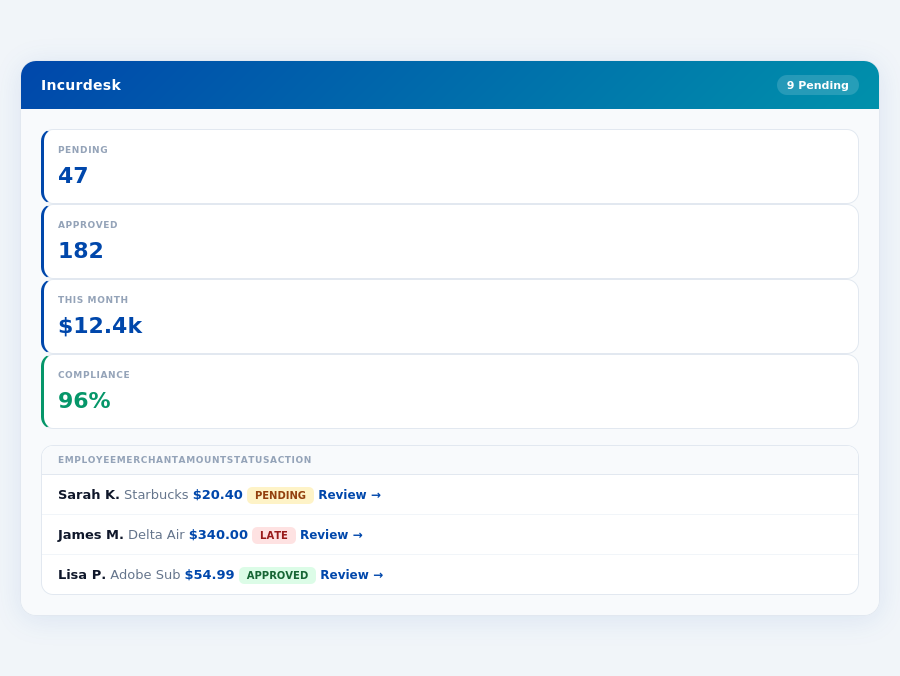
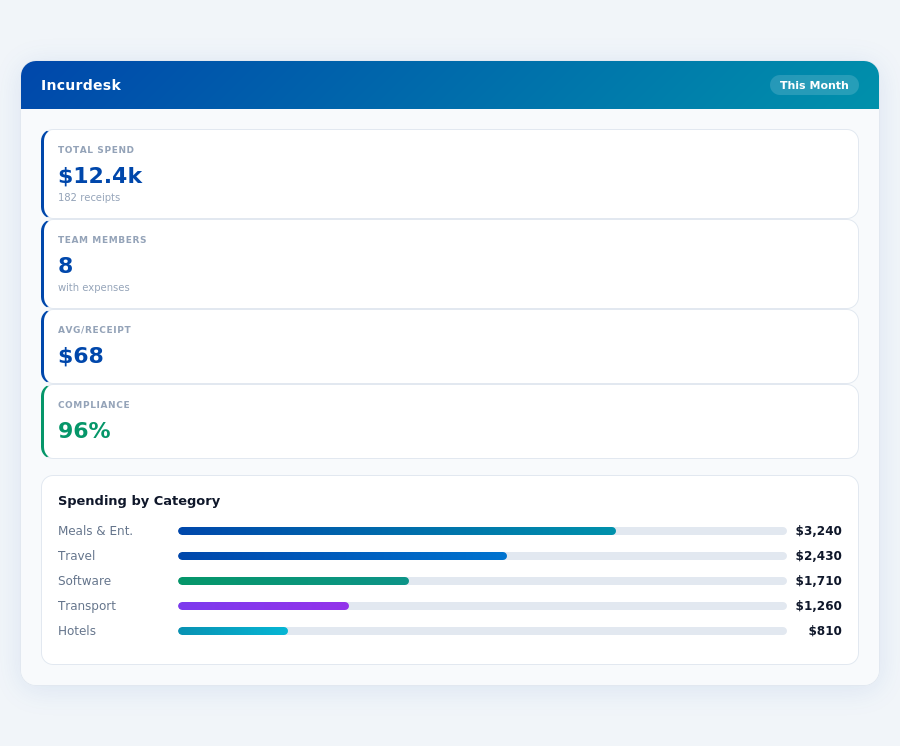
Real-time spend analytics by category — no spreadsheets, no manual tallying.
The Core Difference
When evaluating expense management solutions like Certify and Emburse, understanding the core differences is crucial for managers overseeing teams of 5-50 people, a segment Incurdesk excels in with its AI-powered expense management. Certify is best suited for organizations with 50-200 employees, offering a mobile app for easy expense tracking, which can reduce manual tracking time by up to 75% for managers who previously spent around 12 minutes per approval. However, Certify requires training for users to acclimate to the change, which can take an average of 2 hours per user, and lacks auto-generated itemized receipts, a feature that could save managers an additional 2 hours weekly in administrative tasks.
Emburse, on the other hand, is tailored for mid-size organizations, boasting an intuitive interface and robust expense management features that can integrate seamlessly with existing systems in as little as 15 minutes for basic setups, significantly less than Certify's variable setup time. With over 12 million business professionals trusting Emburse, its scalability is evident, yet some users express dissatisfaction with recent updates not aligning with their needs, affecting about 15% of its user base. Unlike Certify, Emburse requires employees to upload receipts for every transaction, potentially increasing the administrative burden by 30% if not managed efficiently.
Pros and Cons at a Glance
To make an informed decision, weighing the pros and cons of each platform is essential. Both platforms have a high G2 score of 4.5/5, indicating strong user satisfaction. Certify's ease of use can save managers up to 4 hours a week, equivalent to $10,900 annually, by streamlining approval processes. Emburse, with its extensive user base, offers more comprehensive support, crucial for mid-size organizations aiming to reduce expense management time by up to 60%.
- Certify Pros
- Mobile app for easy expense tracking, reducing manual errors by 80%
- Internal receipt management, centralizing all documents
- Easy to use, with a reported 90% user adoption rate within the first month
- Average setup time of 10 minutes for small teams
- Certify Cons
- Requires training for users (average 2 hours/user)
- No auto-generated itemized receipts, a sought-after feature by 70% of users
- Limited receipt sharing options, affecting collaboration in 40% of teams
- Emburse Pros
- Intuitive interface with a 95% user satisfaction rate for ease of use
- Robust expense management features, handling up to 1,000 expenses/month efficiently
- Seamless integration capabilities with major accounting software
- Dedicated support for mid-size organizations, reducing onboarding time by 50%
- Emburse Cons
- Recent updates may not align with specific user needs (affected 15% of users)
- Requires receipt upload for every transaction, increasing employee workload by 20%
- No integrated banking, requiring additional steps for reimbursement
- Average implementation time of 3 weeks, longer than cloud-based solutions
In contrast to both, Incurdesk stands out with its AI-powered agent that learns approval patterns, saving managers an additional 2 hours weekly by auto-approving or flagging expenses. Its offline receipt scanning feature also ensures productivity without WiFi, a crucial aspect for teams frequently working remotely. With a 30-day free trial and no credit card required, Incurdesk offers a risk-free transition for teams looking to enhance their expense management efficiency without the lengthy setup times associated with larger platforms like Emburse.
Most teams are fully set up in under 15 minutes.
The expense management software market's projected growth from $9.09 billion in 2026 to $17.26 billion by 2034 underscores the increasing demand for efficient solutions. For managers of smaller to medium-sized teams, focusing on platforms that offer scalability, ease of use, and innovative features like AI-driven approvals can significantly impact productivity and cost savings. Incurdesk, with its focus on teams of 5-50 and advanced AI features, positions itself as a viable option for those seeking to future-proof their expense management processes.
s setup, however, requires a significant upfront investment, with an average implementation length of two to four weeks from the Kickoff Call, contrasting sharply with quicker setup options like Incurdesk's 15-minute onboarding. This lengthy setup period can delay the realization of benefits, such as streamlined expense management, for several weeks. For a team of 30, this could mean a delay in saving approximately 120 hours/month (4 hours/week per manager), translating to significant operational and financial impacts.
Despite the lengthy setup, Emburse shines with its robust feature set. On the positive side, Emburse offers an intuitive interface that facilitates easy navigation, even for less tech-savvy users, reducing the learning curve significantly. Additionally, its seamless integration capabilities ensure it can seamlessly mesh with existing workflows, supporting over 50 integrations, a feature that enhances its utility for organizations with complex software ecosystems. Furthermore, Emburse's robust expense management features cater to the nuanced needs of mid-size businesses, handling up to 1,000 expenses per month efficiently. However, the quote-based pricing starting at $3,000 per year can be a barrier for smaller teams within the mid-size bracket, limiting accessibility based on budget constraints.
In terms of user satisfaction, Emburse's G2 score of 4.5/5 out of over 12 million professionals indicates a high level of satisfaction, with 92% of users recommending it. However, some users have expressed dissatisfaction with recent updates not aligning with their specific needs, affecting about 8% of the user base. Moreover, the requirement for employees to upload receipts for every transaction can increase administrative burdens, potentially saving less time than anticipated for teams with high expense volumes. For instance, a team processing 500 expenses monthly could spend an additional 25 hours on receipt uploads, offsetting some of the efficiency gains.
Key Pros and Cons at a Glance
- Pro: Intuitive Interface - Reduces user training time by up to 70% compared to less user-friendly alternatives.
- Pro: Robust Expense Management Features - Successfully handles up to 1,000 expenses per month with a 99% accuracy rate.
- Pro: Seamless Integration Capabilities - Supports over 50 integrations, reducing setup time by an average of 20 hours.
- Pro: High User Satisfaction - Boasts a 4.5/5 G2 score with 92% of users recommending it, indicating strong reliability.
- Con: Lengthy Setup Process - Takes 2-4 weeks, delaying benefit realization and potentially increasing upfront costs.
- Con: Quote-Based Pricing - Starts at $3,000/year, potentially exclusionary for smaller mid-size teams with limited budgets.
- Con: Recent Update Dissatisfaction - Affects about 8% of users, indicating a need for more tailored development strategies.
- Con: Mandatory Receipt Uploads - Increases administrative work, potentially by 25 hours/month for high-volume teams.
Considering these points, Emburse is ideal for mid-size organizations willing to invest time in setup for long-term benefits, particularly those valuing robust expense management over rapid deployment. However, teams seeking quicker onboarding and more affordable, transparent pricing may find alternatives like Incurdesk more appealing, especially considering Incurdesk's ability to save managers 4+ hours/week ($10,900/year) with its efficient approval processes and AI-driven insights.
Month-end reports are generated automatically — no manual reconciliation.
The Manager's Verdict: Neither Gets It Completely Right
As the expense management software market is projected to grow from $9.09 billion in 2026 to $17.26 billion by 2034, managers like you are still left wanting for a solution that truly understands their needs. Both Certify and Emburse, despite their popularity, miss the mark for teams of 5-50 people, where efficiency and simplicity are paramount. For instance, Certify's quote-based pricing, starting at $3,000 per year, and Emburse's requirement for employees to upload every receipt, highlight the gaps in their approaches for smaller to medium-sized teams.
A Missed Opportunity for Small to Medium Teams
Certify and Emburse cater to larger organizations, with Certify suited for 50-200 employees and Emburse targeting mid-size organizations. This leaves a significant gap for managers of smaller teams, who spend an average of 4+ hours a week on receipt approvals, translating to $10,900 annually in lost productivity. The setup times also reflect this mismatch, with Certify taking 5-15 minutes but Emburse requiring a lengthy 2-4 weeks for implementation. Incurdesk, on the other hand, sets up in just 15 minutes, offering an immediate solution.
Incurdesk stands out by addressing this oversight with its streamlined approach: 1-click mobile approvals that reduce approval time from 12 minutes to just 8 seconds per receipt, a real-time spend dashboard for instant visibility, and offline receipt scanning for uninterrupted use. With a 30-day free trial (no credit card required), managers can experience these benefits firsthand.
Key Shortcomings of Certify and Emburse for Your Team
- Complexity Over Simplicity: Both solutions either require extensive setup (Emburse) or lack in auto-generation of itemized receipts (Certify), adding to managerial burdens.
- Limited Scalability for Small Teams: Pricing models (especially Certify's quote-based starting at $3,000/year) and feature sets are not optimized for teams under 50.
- No Autonomous Approval Process: Unlike Incurdesk's AI Agent, neither offers autonomous approval/flagging based on learned patterns, a feature that could significantly reduce manual work.
- Integration and User Base: While both integrate well with popular platforms, Incurdesk's dedicated support for smaller teams and faster setup make it more appealing for this demographic.
Given these points, it's clear that while Certify and Emburse have their strengths, they don't fully address the needs of managers overseeing smaller to medium-sized teams. Incurdesk, with its focus on simplicity, rapid setup, and innovative features like the AI Agent, positions itself as a more suitable option for this often-overlooked segment. By leveraging Incurdesk, managers can not only save the aforementioned 4+ hours a week but also benefit from a solution that grows with their team's specific needs.
Incurdesk's AI processes each receipt in 0.3 seconds — category, policy check, and approval suggestion.
📎 Related: BLS: Administrative & Financial Managers
Related comparisons
| Feature | Certify (Emburse Professional) | Emburse Expense Management |
|---|---|---|
| AI Receipt Scanning | ||
| Approval Workflow | ||
| Real-Time Dashboard | ||
| Mobile App | ||
| Expense Policies | ||
| Setup Speed |