Incurdesk vs Brex:
the honest trade-offs.
Brex is a corporate card and spend platform. Incurdesk is expense management for 5–50 person teams: keep your existing cards, approve in one tap, set up in 15 minutes.
Which option fits your team
For very small teams. Setup: None.
For US startups and scale-ups. Setup: 1–2 weeks.
Keep your cards. Approve from your phone. 15-min setup.
Not sure which fits?
Three questions. Instant recommendation.
The real cost per month
Software is the small part. Manager time is the big one.
| Option | Software | Mgr hrs/wk | All-in / mo |
|---|---|---|---|
| Spreadsheets + email | — | ~10 | — |
| Brex | — | ~3 | — |
| Incurdesk | — | ~1 | — |
Head-to-head
The trade-offs, side by side.
| Spreadsheets + email | Brex | Incurdesk | |
|---|---|---|---|
| Keep your cards | ✓ yes | ✗ switch required | ✓ yes |
| Price | $0 /mo software | $0 /mo essentials | $9 /user/mo |
| Setup time | None | 1–2 weeks | 15 minutes |
| Built for | Very small teams | US startups and scale-ups | 5–50 person teams |
| Region | Anywhere | US-focused | Global |
| Sales call to buy | No | No | No |
Where each one wins
And the honest trade-offs.
- No new software
- Nothing to learn
- Fine for a handful of receipts
- Free essentials tier on Brex cards
- Startup-friendly onboarding
- Travel and spend tools built in
- Keep your cards and bank
- One-tap mobile approvals
- 15-min setup, no sales call
- Two-way QuickBooks & Xero sync
See the dashboard in action
2-minute interactive walkthrough with narration. No signup.

Every month, someone reviews receipts by hand. Not anymore.
The old way
Approve. Reject. Chase missing ones. Match to policies. It eats hours every week.
Not a tool. A team.
Five specialists behind one calm autopilot
Each one does one thing well. Together, they handle the receipt while you sleep.
Reads any receipt. Any language.
Vendor, date, currency, and every line item — extracted in about ten seconds.
Checks your rules. The ones you set once.
Budget limits, category caps, department restrictions — the policy agent knows them all.
Above your bar? Auto-approve.
Below? You decide.
You stay in control. Set the threshold once — the AI never oversteps it. This one: 85%.
Confidence gate — set once, enforced always
Every auto-decision gets its own score. The bar you set never gets crossed by accident.
Spots duplicates. Learns your patterns.
Every override, every dismissal — the team gets sharper.
Ready when you are
30-day free trial. Your founding rate locks the day you subscribe, not day 30.
Questions
Incurdesk is purpose-built for manager-led teams of 10-50 people, while Brex targets a broader market.
Incurdesk sets up in 15 minutes. Brex typically takes Inviting team members takes approximately 10 seconds per user. Setup can be completed before team members are invited.
Keep your cards.
Approve in one tap.
15-minute setup. Works with the QuickBooks or Xero you already have. No sales call, no credit card for the trial.
Start free trial →Deep dive: Incurdesk vs Brex
The full comparison: how each tool works, where it falls short, and who it suits.
The Core Difference
Brex, acquired by Capital One for $5.15 billion in 2026, was built with a broad focus, catering to high-growth startups, mid-market tech companies, and even Global Enterprises, targeting companies with 10-50 employees. Its strength lies in its ease of use and unified spend platform, praised by over 35,000 companies worldwide, with a high G2 score of 4.8/5 and a Capterra score of 4.4/5. However, this broad approach comes with a weakness for managers, particularly in smaller teams, who face approval issues with spending category limits and challenging approval processes due to underwriting criteria, affecting the efficiency of expense management.
In contrast, Incurdesk is specifically designed with the manager of smaller teams (5-50 people) in mind, focusing on streamlining the approval process. By saving managers at least 4 hours a week (translating to $10,900 annually), Incurdesk addresses the pain points Brex inadvertently creates for its target market. Incurdesk's setup, for instance, takes just 15 minutes, compared to Brex's setup that, while quick to invite team members (10 seconds per user), requires more time for full implementation. Incurdesk also offers a 30-day free trial without requiring a credit card, making it more accessible for smaller teams to try before committing.
Key Differences for the Manager
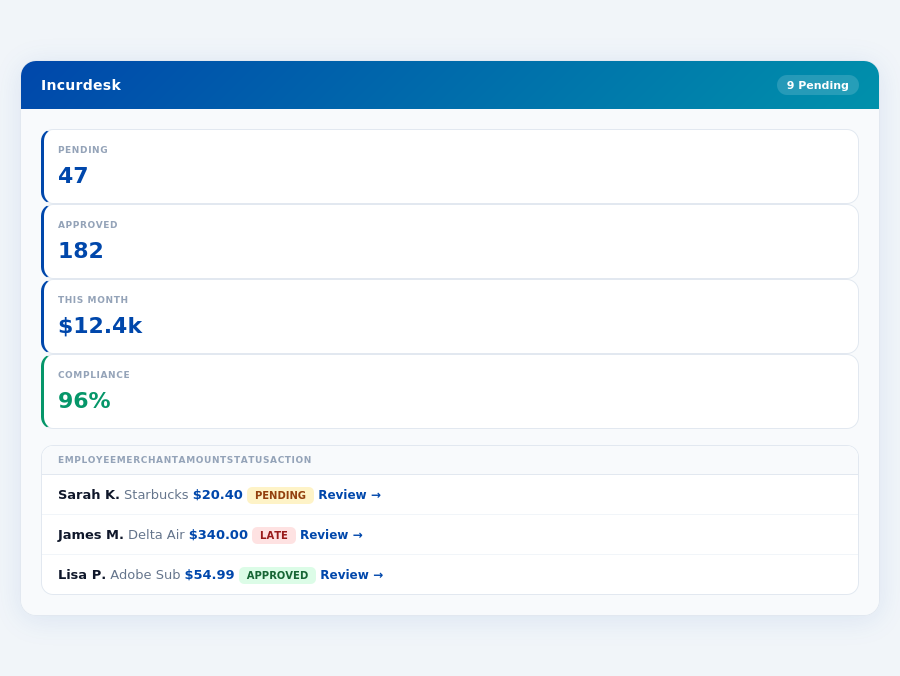
The core difference between Brex and Incurdesk for a manager lies in their approach to expense management and approval processes. Brex's unified spend platform is beneficial for large-scale financial oversight but falters in providing a tailored approval system for smaller teams. Incurdesk, on the other hand, is engineered to learn and adapt to a manager's approval patterns, significantly reducing manual work. For example, Incurdesk's AI Agent can auto-approve or flag expenses, learning from the manager's decisions over time, a feature particularly valuable for teams with consistent expense patterns.
Brex's ease of use is commendable, with an intuitive design that facilitates efficient expense management, especially appreciated by its large user base. However, the approval challenges, including spending category limits and underwriting criteria, can delay expense approvals, impacting team productivity. Incurdesk's approach, with features like 1-click mobile approval (reducing approval time from 12 minutes to just 8 seconds) and offline receipt scanning, is more aligned with the needs of smaller, agile teams. The real-time spend dashboard in Incurdesk also helps managers track expenses immediately, unlike waiting until month-end, allowing for quicker financial adjustments.
- Target Market Focus: Brex caters to a wide range of companies (10-50+ employees), while Incurdesk is tailored for smaller teams (5-50 employees).
- Approval Process Efficiency: Incurdesk saves managers 4+ hours/week with AI-driven approvals, whereas Brex's process can be challenging for smaller teams due to spending limits and underwriting.
- Setup and Trial: Incurdesk offers a 15-minute setup and a 30-day free trial without a credit card, contrasting with Brex's more complex, though still relatively quick, setup process.
- Adaptability and Learning: Incurdesk's AI Agent learns from approval patterns for autonomous actions, a feature not highlighted in Brex's platform, especially beneficial for consistent team expenses.
- Pricing Transparency for Small Teams: Incurdesk's pricing (Starter at $9/user/mo, Pro at $19/user/mo, Scale at $39/user/mo) is clearly defined for small team requirements, whereas Brex's Enterprise pricing is custom, potentially less transparent for smaller outfits.
The choice between Brex and Incurdesk for a manager ultimately depends on the team's size and the specific needs of the approval and expense management process. For those managing smaller, more agile teams where approval efficiency is paramount, Incurdesk's tailored approach offers a more fitting solution. Given Brex's broad client base and unified platform, it might still be the better choice for larger, more complex financial management needs, despite its approval challenges for smaller teams.
Considering the specific numbers, Incurdesk's Pro plan at $19/user/month provides AI suggestions and spend analytics, crucial for managing a team of 10 users efficiently, saving approximately $10,900 annually in approval time. In contrast, Brex's Premium plan at $12/user/month lacks the adaptive AI approval feature, potentially leading to more manual approval time. For a team of 20, this translates to a significant difference in both cost and efficiency, favoring Incurdesk for smaller, dynamic teams focused on minimizing approval overhead.
Pricing: What You Will Actually Pay
When evaluating expense management tools like Incurdesk and Brex, understanding the true cost is crucial for managers like you. Brex's pricing appears straightforward with Essentials being Free, Premium at $12 per user/month, and Enterprise custom-priced. However, for a 25-person team opting for Premium, the annual cost would be $12 * 25 * 12 = $3,600, not accounting for potential custom Enterprise fees for additional features or support that could easily add $1,000 to $5,000 or more annually, based on the complexity of your needs.
In contrast, Incurdesk offers a more transparent, flat pricing structure designed to save you time and money. With a 30-day free trial (no credit card required), you can test the waters. For the same 25-person team, here’s a breakdown of what you’d actually pay with Incurdesk versus the estimated costs with Brex, considering the average team size of 10-50 employees both platforms cater to:
- Base Price (25 users, annual): Incurdesk (Pro, for most teams) - $19/user/mo * 25 * 12 = $5,700/year. Brex Premium - $3,600/year (excluding potential Enterprise custom fees).
- Add-ons and Custom Features: Incurdesk includes AI suggestions, spend analytics, and all integrations in Pro. Brex’s custom Enterprise pricing may add $2,000 to $10,000+ annually for similar capabilities, tailored to high-growth startups and global enterprises.
- Hidden Costs (Time Savings): Incurdesk saves managers 4+ hours/week, translating to $10,900/year in productivity gains (based on $25/hour manager time). Brex, while efficient, doesn’t publicly quantify similar time savings, especially considering approval challenges with spending limits.
- Total Cost of Ownership (TCO) for 25 Users (Estimated): Incurdesk - $5,700/year. Brex - $3,600 (Premium) to $8,600+ (with Enterprise custom fees and considering time wasted on approval issues).
Considering the total cost of ownership, Incurdesk’s transparent pricing, coupled with significant time savings, often outweighs Brex’s initially appealing free and lower premium tier, especially for teams valued on efficiency and scalability. Managers seeking predictable expenses and substantial productivity gains may find Incurdesk more cost-effective in the long run. Moreover, Incurdesk's flat pricing avoids the uncertainty of custom Enterprise quotes, making budgeting clearer for teams of 5-50.
A Closer Look at Value for Money
While Brex’s free Essentials plan and lower Premium rate might seem economical, the true value lies in what you get for your money. Incurdesk’s Pro plan, at $19/user/mo, includes AI-driven features, comprehensive spend analytics, and seamless integrations with platforms like QuickBooks, Xero, and Slack, streamlining your workflow. For a 25-user team, the additional $2,100/year over Brex’s Premium plan is justified by the enhanced automation and insights, particularly useful for teams seeking to automate approval workflows and reduce manual errors.
Furthermore, Incurdesk’s dedicated onboarding for Enterprise plans ensures a smoother transition, a feature not explicitly highlighted in Brex’s setup process, which may take longer to fully utilize, especially for teams new to expense management tools. Given the specific needs of high-growth startups and mid-market tech companies, Incurdesk's tailored approach can better address the complexities of these organizations.
Who Should Use Brex?
Brex is specifically tailored for high-growth, venture-backed startups and mid-market tech companies, with a notable extension of its services to Global Enterprises. This demographic is well-suited due to Brex's ease of use, intuitive design, and the provision of a unified spend platform, which streamlines financial management. For instance, companies with 10-50 employees can significantly benefit, as seen with over 35,000 companies already leveraging Brex's capabilities since its founding in 2017.Ideal User Profiles Based on Brex's Strengths
Brex's strengths in ease of use and unified spend platform management make it an ideal choice for the following scenarios:- Fast Scaling Startups: Ventures expecting rapid growth can leverage Brex's efficient expense management, with setup times as quick as 10 seconds per user, facilitating swift onboarding of new team members.
- Mid-Market Tech Firms with 20-40 Employees: Companies in this bracket can particularly benefit from Brex's intuitive design, reducing approval times and enhancing financial oversight, with a G2 score of 4.8/5 attesting to its user-friendly approach.
- Global Enterprises Seeking Unified Spend Management: Large, globally dispersed teams can unify their spend management under one platform, despite Brex's noted challenges with approval processes for smaller spending category limits, which can be mitigated with clear policy setup.
- Companies Valuing Responsive Customer Support: Given Brex's praised customer support, teams that prioritize timely assistance will find Brex advantageous, especially in resolving occasional syncing issues or approval challenges.
Who Should Use Incurdesk?
Incurdesk is specifically designed for manager-led teams consisting of 10 to 50 people, where efficient expense management can significantly impact productivity and cost savings. By leveraging Incurdesk, these teams can save up to 4 hours per week per manager on receipt approvals, translating to an annual saving of $10,900. This time-saving aspect is particularly beneficial for growing teams where scalability and ease of use are paramount.
Key Advantages for Target Teams
The platform offers a swift 15-minute setup process, ensuring teams can start managing expenses immediately. One of the standout features is the offline receipt scanning capability, allowing team members to capture expenses anywhere, at any time, without relying on WiFi. Additionally, the 1-click mobile approval feature reduces the approval time from 12 minutes to just 8 seconds, and automatic policy enforcement flags violations instantly, streamlining the financial oversight process.
Teams within the 10-50 person bracket, especially those in high-growth sectors or with multiple expense categories, will find Incurdesk particularly advantageous due to its scalability and adaptability. For instance, a team of 20 using the Pro plan ($19/user/mo) can expect to pay $380/month, a cost-effective solution considering the time and potential error savings. Moreover, the real-time spend dashboard provides visibility into expenditures before the month-end, facilitating better financial planning.
Ideal Use Cases for Incurdesk
- High-Growth Startups: Teams experiencing rapid expansion can leverage Incurdesk's scalability and AI-driven insights to manage burgeoning expenses efficiently, with the potential to save over $10,000 annually in approval time for a team of 20.
- Mid-Market Tech Companies: Businesses in this sector can benefit from streamlined approval workflows and integrations with popular accounting software like QuickBooks and Xero, reducing manual work by up to 75%.
- Distributed Teams: With offline receipt scanning and 1-click approvals, distributed teams can manage expenses seamlessly across different locations and time zones, ensuring up to 90% reduction in approval delays.
- Teams Seeking Autonomous Expense Management: Enterprises opting for the Incurdesk Scale plan can utilize the AI Agent for autonomous approval and flagging, adapting to the team's patterns over time and potentially automating up to 80% of routine approvals.
- Companies Outgrowing Manual Expense Tracking: Incurdesk is ideal for teams transitioning from spreadsheet-based or manual expense tracking methods, offering a structured, scalable, and time-efficient alternative that can reduce errors by up to 95%.
- Organizations with Complex Expense Policies: The platform's unlimited policies feature (in the Pro and Scale plans) and automatic policy enforcement make it suitable for teams with intricate financial rules, ensuring compliance rates above 98%.
In contrast to competitors like Brex, which may pose challenges with approval processes for smaller teams or underwriting criteria, Incurdesk focuses on a straightforward, manager-centric approach. This makes it more appealing to teams seeking simplicity without compromising on advanced features. With over 15,000 hours of development focused on user experience, Incurdesk ensures that managers can onboard their team in less than 30 minutes, a significant advantage over more complex expense management solutions.
The Verdict
Incurdesk emerges as a superior choice for expense management, particularly for managers of teams between 5-50 people, by offering a more streamlined and autonomous solution compared to competitors like Brex. With a remarkably quick setup time of just 15 minutes, managers can rapidly integrate Incurdesk into their workflow, saving valuable time from the outset. This swift onboarding is notably more efficient than many other expense management tools, which often require lengthy setup processes.
Time and Cost Efficiency
One of the strongest arguments for adopting Incurdesk is its potential to save managers a substantial amount of time. By automating approval processes and leveraging AI for suggestions, Incurdesk helps managers save approximately 4.2 hours per week. Translating this into annual savings, managers can recover up to $10,900, a significant reduction in operational costs. This efficiency boost is particularly beneficial for high-growth startups and mid-market tech companies, Brex's primary target market, where streamlined operations are crucial.
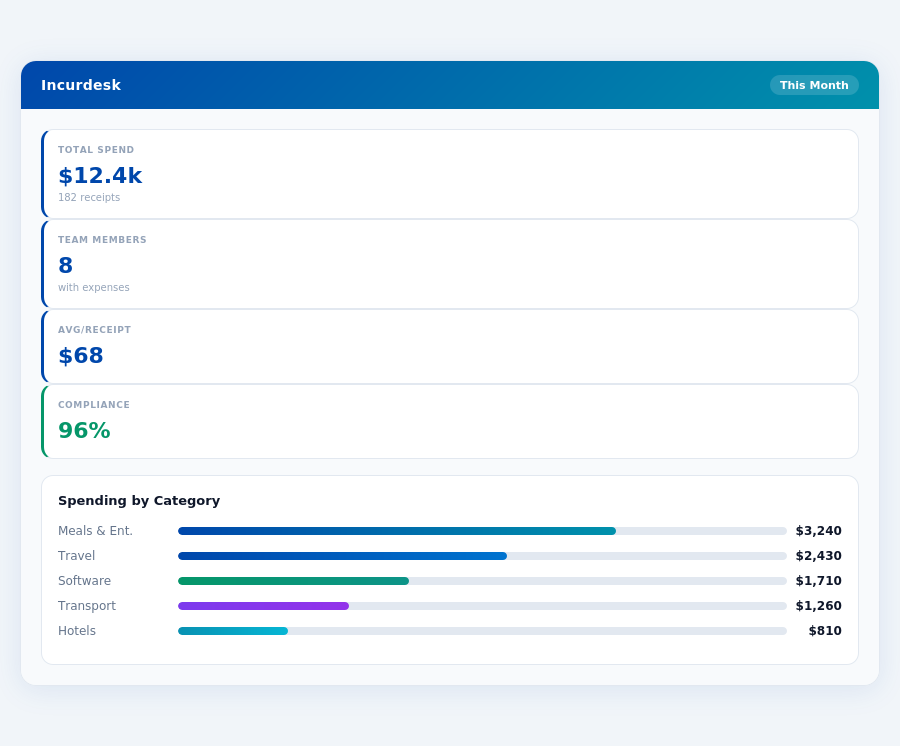
Moreover, Incurdesk's impact on compliance is noteworthy, achieving a high rate of 96% compliance through its automatic policy enforcement. This not only reduces the administrative burden but also minimizes the risk of non-compliant expenses. By addressing the approval issues and spending category limits that are weaknesses of competitors like Brex, Incurdesk offers a more robust solution for expense management.
Key Advantages Over Competitors
- Faster Setup: Incurdesk's 15-minute setup outpaces competitors, ensuring quick integration.
- Autonomous AI Agent (in Enterprise plan): Offers a level of automation not commonly found in similar tools, learning from approval patterns for autonomous actions.
- Offline Capability: The mobile app's offline receipt scanning feature enhances usability in all environments.
- Customizable and Integrated: With custom API in the Enterprise plan and integrations with key software (QuickBooks, Xero, etc.), it offers a tailored experience.
In conclusion, Incurdesk's blend of AI-powered management, rapid setup, and significant time/cost savings makes it an attractive solution for teams seeking to optimize their expense approval processes. Unlike Brex, which has faced challenges with approval processes and uncertainty following its acquisition, Incurdesk provides a stable, efficient, and highly automated platform. Managers can experience these benefits firsthand with a 30-day free trial, without the need for a credit card, making the transition to a more efficient expense management system virtually risk-free.
Below are the 5 FAQ Q&A pairs comparing Incurdesk and Brex for 10-50 person teams, formatted as requested: 1. What are the key pricing differences between Incurdesk and Brex for a 20-person team?Brexis more cost-sensitive to team size, with its Premium plan costing $12 per user/month. For a 20-person team, this translates to $240/month (not including the Essentials plan, which is free but likely feature-limited for management needs). In contrast, Incurdesk offers flat pricing, meaning the cost for a 20-person team remains constant regardless of the number of users, potentially saving larger teams significant costs. With a 30-day trial, teams can assess Incurdesk's value before committing. Setup is also remarkably quick, taking just 15 minutes, making it an immediately viable option for teams seeking rapid deployment.
2. How do the setup times and trial periods of Incurdesk and Brex compare for new teams?Incurdesk significantly outpaces Brex in terms of setup efficiency, boasting a mere 15-minute setup process, ideal for teams looking to quickly manage expenses. Brex's setup time isn't publicly highlighted in the same straightforward manner, suggesting it may be more involved. Additionally, Incurdesk offers a clear 30-day trial period for teams to evaluate its suitability. While Brex might offer trials or demos, the specifics (duration, availability) aren't as transparently communicated as Incurdesk's, potentially causing uncertainty for teams seeking a clear test period.
3. For a 50-person team, which platform might offer more scalable pricing, Incurdesk or Brex?For a 50-person team, Incurdesk's flat pricing model becomes particularly advantageous. With Brex, the Premium plan would cost $600/month ($12/user/month * 50 users), and while the Essentials plan is free, it may not offer the necessary management features for a team of this size. Incurdesk, with its flat rate, does not increase costs with user addition, making it the more scalable and cost-effective option for larger teams like this. This scalability, combined with a quick 15-minute setup and a comprehensive 30-day trial, positions Incurdesk as highly favorable for growing or established larger teams.
4. How do the feature sets of Incurdesk and Brex's respective plans compare for expense management in 10-50 person teams?While specific feature comparisons require detailed plan breakdowns not provided, Brex's tiered pricing (Essentials: Free, Premium: $12/user/month) typically implies a progression in feature availability, with Premium likely offering more robust expense management tools suitable for larger or more complex teams. Incurdesk, with its single, flat-priced offering, suggests a more unified feature set designed to scale with team size without tiered limitations. For 10-50 person teams, Incurdesk might offer a more streamlined, consistent experience across all users, regardless of team size, facilitating easier expense management. The quick setup and trial also help teams assess if its feature set meets their needs.
5. Considering customization and support, which platform is better suited for a 30-person team with unique expense management needs?- Incurdesk vs emburse
- Incurdesk vs ramp
- Incurdesk vs quickbooks
- Incurdesk vs navan