
SAP Concur vs Zoho Expense:
they solve different problems.
SAP Concur is enterprise travel and expense software. Zoho Expense is an expense tool in the Zoho suite. Most 5–50 person teams need something simpler: approvals that work with the cards they already have.
Which option fits your team
For large enterprises. Setup: 4–12 weeks.
For small businesses on Zoho. Setup: ~1 week.
Keep your cards. Approve from your phone. 15-min setup.
Not sure which fits?
Three questions. Instant recommendation.
The real cost per month
Software is the small part. Manager time is the big one.
| Option | Software | Mgr hrs/wk | All-in / mo |
|---|---|---|---|
| SAP Concur | — | ~4 | — |
| Zoho Expense | — | ~2 | — |
| Incurdesk | — | ~1 | — |
Head-to-head
The trade-offs, side by side.
| SAP Concur | Zoho Expense | Incurdesk | |
|---|---|---|---|
| Keep your cards | ✓ yes | ✓ yes | ✓ yes |
| Price | Quote / sales call | Free tier / small teams | $9 /user/mo |
| Setup time | 4–12 weeks | ~1 week | 15 minutes |
| Built for | Large enterprises | Small businesses on Zoho | 5–50 person teams |
| Region | Global | Global | Global |
| Sales call to buy | Yes | No | No |
Where each one wins
And the honest trade-offs.
- Global travel and expense coverage
- Deep enterprise ERP integrations
- Policy enforcement at scale
- Free tier for very small teams
- Fits the Zoho ecosystem
- Simple approval flows
- Keep your cards and bank
- One-tap mobile approvals
- 15-min setup, no sales call
- Two-way QuickBooks & Xero sync
See the dashboard in action
2-minute interactive walkthrough with narration. No signup.

Every month, someone reviews receipts by hand. Not anymore.
The old way
Approve. Reject. Chase missing ones. Match to policies. It eats hours every week.
Not a tool. A team.
Five specialists behind one calm autopilot
Each one does one thing well. Together, they handle the receipt while you sleep.
Reads any receipt. Any language.
Vendor, date, currency, and every line item — extracted in about ten seconds.
Checks your rules. The ones you set once.
Budget limits, category caps, department restrictions — the policy agent knows them all.
Above your bar? Auto-approve.
Below? You decide.
You stay in control. Set the threshold once — the AI never oversteps it. This one: 85%.
Confidence gate — set once, enforced always
Every auto-decision gets its own score. The bar you set never gets crossed by accident.
Spots duplicates. Learns your patterns.
Every override, every dismissal — the team gets sharper.
Ready when you are
30-day free trial. Your founding rate locks the day you subscribe, not day 30.
Questions
SAP Concur's pricing for a team of this size can range from $15 to $25 per user/month (billed annually), depending on the plan (e.g., Standard, Premium). For a 10-50 person team, this translates to $1,800 to $3,000 per month for the Standard plan and up to $15,000 per month for the Premium plan with all bells and whistles. In contrast, Zoho Expense offers more competitive pricing with its Standard plan at $3/user/month (billed annually) and the Professional plan at $5/user/month. For the same team size, Zoho Expense would cost $360 to $600 per month, making it significantly more budget-friendly for smaller to medium-sized teams.
Both SAP Concur and Zoho Expense offer robust integration capabilities. SAP Concur integrates with over 200 travel suppliers and 100+ accounting systems (e.g., SAP, Oracle, QuickBooks), catering well to established, possibly more complex, ecosystems. For a 10-50 person team, setting up these integrations might require more IT support due to their complexity. Zoho Expense seamlessly integrates with Zoho's suite of products (e.g., Zoho Books, Zoho CRM) and also supports integrations with popular accounting software (QuickBooks, Xero) and travel booking platforms, with around 50 direct integrations. For smaller teams, Zoho's integration process is generally more straightforward and less resource-intensive.
SAP Concur offers highly customizable expense reporting and approval workflows, suitable for complex organizational hierarchies, with features like automated expense policy checks and detailed reporting. For a 10-50 person team, this might be overly comprehensive, potentially increasing the learning curve. Zoho Expense provides streamlined, easy-to-set-up workflows with clear approval chains, automatic reminders, and a user-friendly interface for submitting expenses (e.g., direct upload from receipts, automated expense categorization). Zoho's approach is more suited for smaller teams seeking simplicity and rapid deployment, with an average setup time of less than a week compared to SAP Concur's which can take several weeks to fully configure.
SAP Concur provides comprehensive support including dedicated account managers, 24/7 phone support, and extensive online resources, but onboarding can be lengthy (often 2-3 months) due to the solution's depth and the need for potential customizations for a 10-50 person team. Zoho Expense offers 24/7 support via email and phone (with quicker response times reported by users), along with a knowledge base and video tutorials. Notably, Zoho Expense is known for its faster onboarding process, typically taking less than a month and often just a few days for teams of this size, given its more intuitive interface and less complex setup requirements. Additionally, Zoho provides free onboarding assistance, whereas SAP Concur might charge extra for premium onboarding services.
Keep your cards.
Approve in one tap.
15-minute setup. Works with the QuickBooks or Xero you already have. No sales call, no credit card for the trial.
Get My Receipt Scanning Dashboard →Deep dive: SAP Concur vs Zoho Expense
The full comparison: how each tool works, where it falls short, and who it suits.
The Manager's Dilemma
Managers spend an average of 12 minutes per manual approval, compared to just 8 seconds with 1-click mobile approval solutions like Incurdesk. This inefficiency costs managers at least 4 hours/week, translating to $10,900/year in lost productivity for a team of 10. For teams of 50, this annual loss escalates to $54,500. Moreover, with the global expense management software market projected to grow from $9.09 billion in 2026 to $17.26 billion by 2034 (an 8.30% CAGR), the need for efficient, manager-centric solutions is clear.
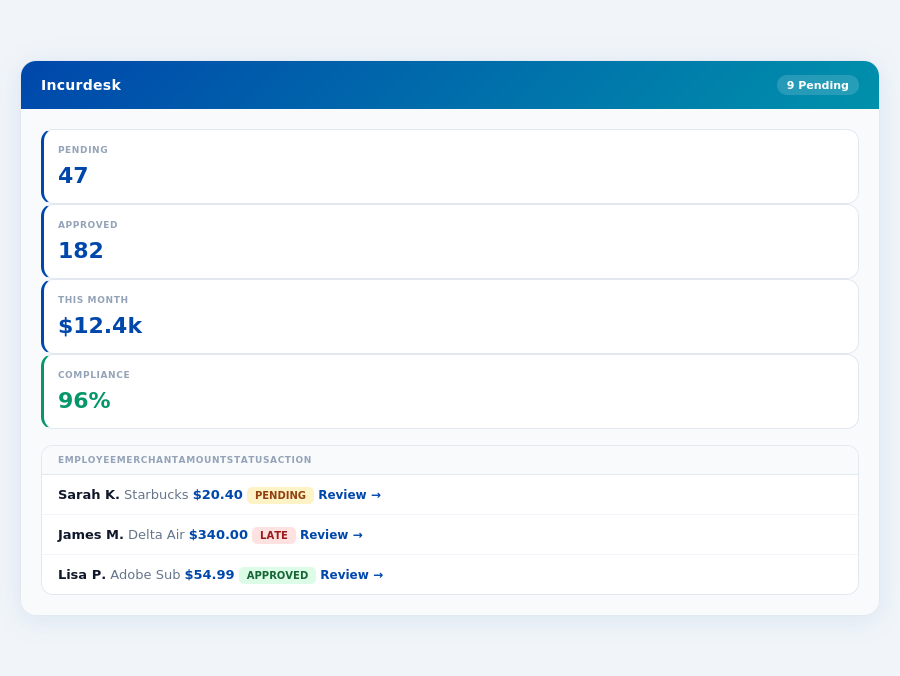
Incurdesk's approval queue — managers approve all pending receipts in under 8 minutes.
Zoho Expense wins for SMBs with its free tier and affordable $3-$5/user/month plans, easy use, and strong automation, including receipt scanning. However, its limitations for complex structures and less responsive mobile app hinder its appeal for growing teams. In contrast, SAP Concur, suited for large enterprises, automates expense reporting, integrates with ERP systems, and offers robust tracking features but suffers from a confusing interface, challenging implementation, and slow support.
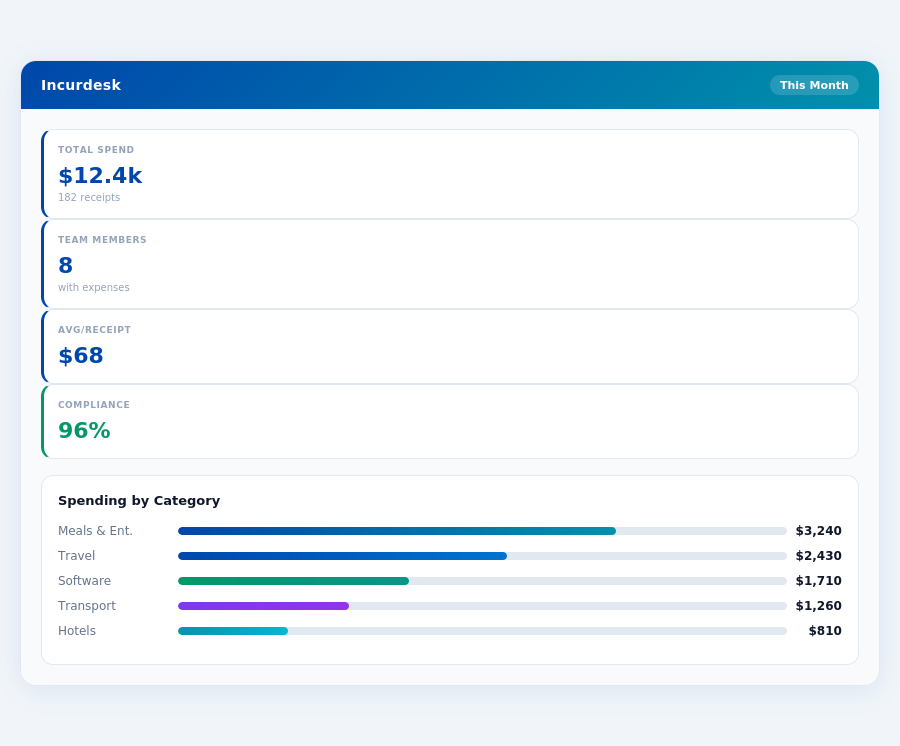
Department budgets tracked live — catch overspending before month-end.
- Time Savings with Incurdesk: 4+ hours/week per manager, $10,900/year for a team of 10
- Zoho Expense Advantage: Free tier, $3-$5/user/month, easy to use, strong automation
- SAP Concur Drawback: Custom quote required, complex interface, challenging setup
- Market Growth Indicator: 8.30% CAGR in the expense management software market from 2026 to 2034
The expense management market's projected 8.30% CAGR from 2026 to 2034 underscores the growing demand for efficient solutions. Incurdesk addresses the manager's pain points with AI-powered management, saving 4+ hours/week and offering a clear, affordable pricing model ($9-$39/user/mo). In contrast, Zoho Expense and SAP Concur focus on either affordability for small teams or robust features for large enterprises, respectively, without prioritizing the manager's approval workflow. Incurdesk's solution includes a mobile mobile app for offline receipt scanning, an AI Agent for autonomous approvals in Enterprise plans, and integrations with key financial tools like QuickBooks and Xero, making it tailored for managers overseeing teams of 5-50 people.
The Core Difference
When evaluating expense management solutions, understanding the core differences between leading platforms is crucial for managers seeking to optimize their team's efficiency. SAP Concur and Zoho Expense, two prominent players, cater to distinct demographics: SAP Concur is best suited for large enterprises, while Zoho Expense excels with small teams and existing Zoho users. For instance, a large enterprise with over 1,000 employees might prefer SAP Concur for its robust ERP integrations, potentially saving them up to 20 hours weekly in financial processing, equivalent to $1,040 annually at $26/hour. Conversely, a team of 10 might find Zoho Expense's ease of use saves them 5 hours monthly, valued at $130 at $26/hour.