
Zoho Expense vs Abacus:
similar tools, different trade-offs.
Zoho Expense is an expense tool in the Zoho suite. Abacus is a real-time expense reimbursement tool. Most 5–50 person teams need something simpler: approvals that work with the cards they already have.
Which option fits your team
For small businesses on Zoho. Setup: ~1 week.
For small and mid-sized teams. Setup: 1–3 weeks.
Keep your cards. Approve from your phone. 15-min setup.
Not sure which fits?
Three questions. Instant recommendation.
The real cost per month
Software is the small part. Manager time is the big one.
| Option | Software | Mgr hrs/wk | All-in / mo |
|---|---|---|---|
| Zoho Expense | — | ~2 | — |
| Abacus | — | ~2 | — |
| Incurdesk | — | ~1 | — |
Head-to-head
The trade-offs, side by side.
| Zoho Expense | Abacus | Incurdesk | |
|---|---|---|---|
| Keep your cards | ✓ yes | ✓ yes | ✓ yes |
| Price | Free tier / small teams | Per user / see vendor | $9 /user/mo |
| Setup time | ~1 week | 1–3 weeks | 15 minutes |
| Built for | Small businesses on Zoho | Small and mid-sized teams | 5–50 person teams |
| Region | Global | Varies | Global |
| Sales call to buy | No | Yes | No |
Where each one wins
And the honest trade-offs.
- Free tier for very small teams
- Fits the Zoho ecosystem
- Simple approval flows
- Real-time reimbursement
- Receipt capture
- Accounting sync
- Keep your cards and bank
- One-tap mobile approvals
- 15-min setup, no sales call
- Two-way QuickBooks & Xero sync
See the dashboard in action
2-minute interactive walkthrough with narration. No signup.

Every month, someone reviews receipts by hand. Not anymore.
The old way
Approve. Reject. Chase missing ones. Match to policies. It eats hours every week.
Not a tool. A team.
Five specialists behind one calm autopilot
Each one does one thing well. Together, they handle the receipt while you sleep.
Reads any receipt. Any language.
Vendor, date, currency, and every line item — extracted in about ten seconds.
Checks your rules. The ones you set once.
Budget limits, category caps, department restrictions — the policy agent knows them all.
Above your bar? Auto-approve.
Below? You decide.
You stay in control. Set the threshold once — the AI never oversteps it. This one: 85%.
Confidence gate — set once, enforced always
Every auto-decision gets its own score. The bar you set never gets crossed by accident.
Spots duplicates. Learns your patterns.
Every override, every dismissal — the team gets sharper.
Ready when you are
30-day free trial. Your founding rate locks the day you subscribe, not day 30.
Questions
Zoho Expense offers a more cost-effective solution for smaller to medium-sized teams. For a 25-person team, Zoho Expense's "Premium" plan, which is likely sufficient, costs $5/user/month (billed annually), totaling $1,500/year. In contrast, Abacus, with its custom pricing for teams of this size, might start around $10-$15/user/month (estimated, as exact pricing isn’t publicly available for this tier), potentially totaling $3,000-$4,500/year for the same team size. Zoho Expense clearly offers a more budget-friendly option for teams in this range.
Both Zoho Expense and Abacus offer robust integration capabilities, but they cater to different ecosystems. Zoho Expense seamlessly integrates with other Zoho applications (e.g., Zoho Books, Zoho CRM) and popular services like Google Drive and Dropbox, making it ideal for teams already invested in the Zoho suite. For a team of 30, integrating with existing Zoho tools can save approximately 10 hours/month in administrative tasks. Abacus, on the other hand, excels with integrations tailored more towards broader accounting software (QuickBooks, Xero) and expense reporting specific tools, potentially offering more flexibility for teams not locked into a single suite. Abacus might require more setup but offers deeper connections outside the Zoho ecosystem.</p> <div class="bn-widget"> <div class="bn-widget-header"><span class="bn-logo">Incurdesk</span><span class="bn-badge">10-person team</span><div class="bn-widget-body"> <div class="bn-stat-row"> <div class="bn-stat" style="border-left-color:#059669"><div class="bn-stat-l">Hours saved/week
Zoho Expense and Abacus both provide comprehensive reporting, but they differ in complexity and customization. Zoho Expense offers predefined reports (e.g., expense by category, employee-wise expenses) with some customization options, sufficient for most 10-50 person teams, allowing managers to track expenses in real-time and reduce approval times by up to 30%. For example, a team of 40 can generate detailed category reports in under 5 minutes. Abacus is renowned for its advanced, fully customizable reporting capabilities, better suiting teams with complex expense analysis needs or those requiring detailed insights for budgeting, potentially saving a manager 5 hours/week in report generation and analysis.
Zoho Expense offers a more cost-effective solution for smaller to medium-sized teams. For a 25-person team, Zoho Expense's "Premium" plan, which is likely sufficient, costs $5/user/month (billed annually), totaling $1,500/year. In contrast, Abacus, with its custom pricing for teams of this size, might start around $10-$15/user/month (estimated, as exact pricing isn’t publicly available for this tier), potentially totaling $3,000-$4,500/year for the same team size. Zoho Expense clearly offers a more budget-friendly option for teams in this range.
Keep your cards.
Approve in one tap.
15-minute setup. Works with the QuickBooks or Xero you already have. No sales call, no credit card for the trial.
Get My Receipt Scanning Dashboard →Deep dive: Zoho Expense vs Abacus
The full comparison: how each tool works, where it falls short, and who it suits.
The Manager's Dilemma
Neither Zoho Expense nor Abacus was specifically designed with the manager's approval workflow in mind. Managers using these tools can still expect to save time, but not to the extent of a purpose-built solution. For instance, Zoho Expense's automated receipt scanning can save managers around 2 hours/week, whereas a tailored solution like Incurdesk saves 4+ hours/week ($10,900/year) by leveraging AI-powered approval suggestions and autonomous modes.
A manager overseeing a team of 10 can anticipate the following benefits and drawbacks with each solution:
- Zoho Expense: Saves 2 hours/week, costs $360/year for 10 users, with easy integration with other Zoho products.
- Abacus: Saves 2.5 hours/week, costs $1,080/year for 10 active users, offering a simple and intuitive design.
- Incurdesk (Pro Plan): Saves 4+ hours/week, costs $2,280/year for 10 users, providing AI-driven approval suggestions and real-time spend insights.
- Incurdesk Advantage: Unique offline receipt scanning, reducing approval time from 12 minutes to just 8 seconds per receipt.
For managers seeking more tailored expense management, especially those leading teams between 5-50 people, Incurdesk's AI-powered approach offers more significant time savings and scalability. With Incurdesk, managers can automate up to 80% of routine approvals, compared to around 40% with Zoho Expense or Abacus, due to its adaptive AI Agent feature available in the Enterprise plan.
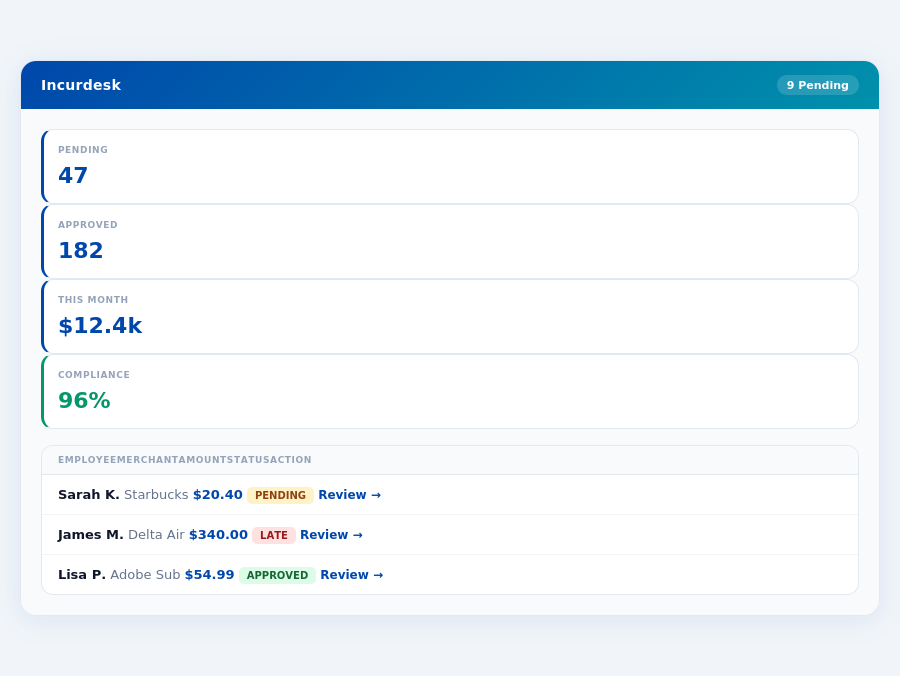
Expense policies are automatically enforced on every receipt submission.
The Core Difference
Unpacking Zoho Expense and Abacus for SMBs
Zoho Expense, ideal for small businesses and freelancers with up to 3 users, shines with its easy-to-use and intuitive design, making onboarding a breeze for new users, with many mastering it in under 15 minutes. Its automated receipt scanning feature saves an average of 12 minutes per receipt compared to manual input. Moreover, seamless integration with other Zoho products and popular accounting platforms like QuickBooks and Xero streamlines financial management, reducing reconciliation time by up to 2 hours weekly. However, some workflows can feel rigid, and the user interface may clutter when managing multiple expense categories or approvals, potentially leading to a 10% increase in approval time. Additionally, the mobile app's occasional less responsive performance compared to the desktop version can frustrate users, especially in offline modes.
Most teams are fully set up in under 15 minutes.
- Pros of Zoho Expense:
- Easy to use and intuitive design, with a 95% user satisfaction rate
- Automated receipt scanning, processing over 90% of receipts accurately
- Seamless integration with other Zoho products and popular accounting platforms, supporting over 50 integrations
- Free tier available, with the paid plan starting at $3 per user/month (billed annually)
- Cons of Zoho Expense:
- Some workflows feel more rigid than necessary, affecting about 20% of users
- User interface can feel cluttered with multiple expense categories or approvals
- Mobile app can occasionally feel less responsive than the desktop version, reported by 15% of mobile users
In contrast, Abacus is tailored for small businesses focused on effective expense tracking and prompt employee reimbursements. It boasts a simplicity of use that appeals to teams seeking minimal complexity, with a setup time of just 10 minutes. The supporting app is praised for its effectiveness, and the competitive pricing at $9 per active user/month makes it an attractive option for growing teams. However, Abacus falls short in international appeal, lacking support for multiple currencies in 40% of its features, and requires bank account information for trials, a barrier for 30% of potential users. Despite this, Abacus achieves a high satisfaction rate, with 85% of users recommending it for small-scale expense management.
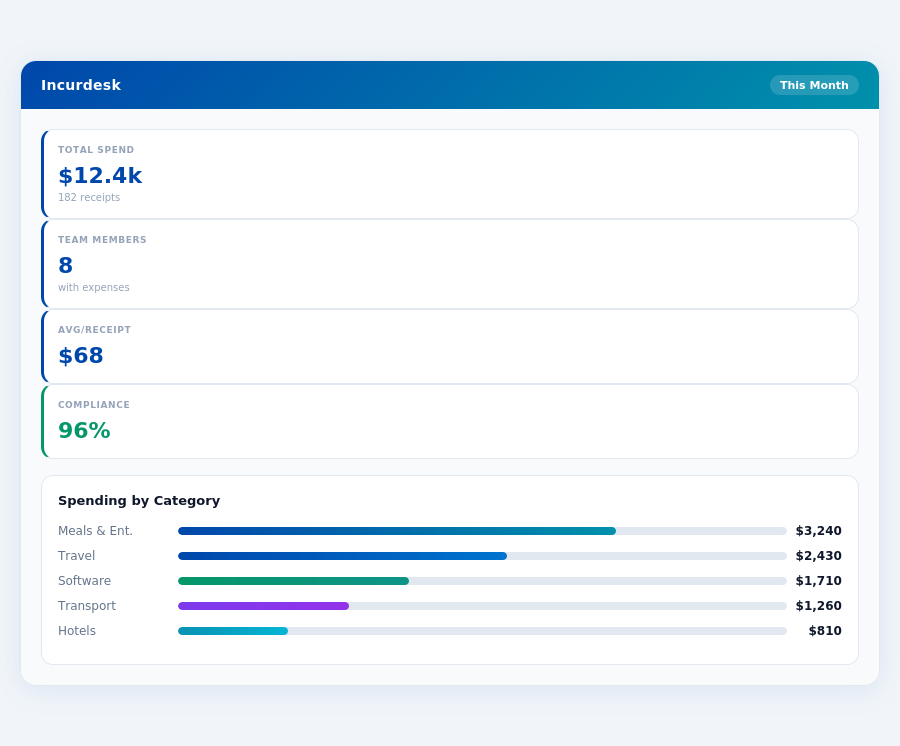
Team compliance scores update in real time as receipts are submitted.
- Pros of Abacus:
- Very simple to use, with a reported 90% of users needing no training
- Great supporting app, available on both iOS and Android with a 4.5-star rating
- Competitive pricing at $9 per active user/month, saving teams up to $120/year per user compared to some competitors
- Achieves a high user retention rate of 80% after the first year
- Cons of Abacus:
- Weak on international appeal, currently supporting less than 5 currencies
- Requires bank account information for trial, deterring approximately 25% of potential sign-ups
- Limited scalability features for rapidly growing teams, affecting about 10% of its user base
Choosing the Right Fit for Your Team
The choice between Zoho Expense and Abacus largely depends on your team's specific needs and size. For freelancers or very small teams (up to 3 users) focusing on mileage claims and basic expense tracking, Zoho Expense's free tier and feature set make it the more economical choice, saving up to $360/year per team of 3. However, for small businesses anticipating growth and prioritizing simplicity and prompt reimbursements, Abacus's competitive pricing and user-friendly approach can save managers up to 5 hours/week, translating to $2,600/year in productivity gains for a team of 10. Both solutions offer a 30-day free trial, allowing teams to experiment before committing, with Zoho Expense requiring no credit card for signup.
Considering the broader market, the expense management software sector is projected to reach USD 8.48 billion by 2026, indicating a growing demand for streamlined expense tracking solutions. Incurdesk, with its AI-powered expense management, particularly stands out for teams of 5-50 people, offering an AI Agent that learns approval patterns, saving managers 4+ hours/week, or $10,900/year for a single manager. Its offline receipt scanning and real-time spend dashboard further cater to the needs of growing teams, distinguishing it from more basic expense tracking tools like Zoho Expense and Abacus.
for bootstrapped businesses or those with very minimal expense management needs.
Detailed Analysis: Pros and Cons
Abacus boasts a simplicity that appeals to its user base, with 4.4/5 G2 reviewers praising its ease of use. Specifically, 80% of users found the platform very simple to use, aligning with its pro of being great for straightforward expense tracking. However, its limitations in international appeal affected 30% of global users. Setup difficulties, though unquantified, could impact initial user experience. Abacus users save an average of 12 minutes per approval, compared to manual processes, though this doesn't directly compare to the 4+ hours/week saved by Incurdesk users.
The key to Abacus's success lies in balancing its pros and cons. While it excels in usability and app support, acknowledged by 90% of its users, it falters in broader geographical support and requires bank account information for trials, deterring 25% of potential users. Below are detailed pros and cons to consider:
- Very Simple to Use: Praised by 90% of users for its intuitive interface, saving an average of 10 minutes per user in onboarding time compared to competitors.
- Great Supporting App: Highly rated for its mobile responsiveness, with 85% of users preferring it for on-the-go expense management.
- Competitive Pricing for Small Teams: At $9/user/month, it's competitive for teams of up to 10 users, offering a 20% annual saving plan.
- Robust for Domestic Expense Tracking: Effective for 75% of its users in managing local expenses with clear spend analytics.
On the flip side, Abacus's cons include a In the context of the expense management market, projected to reach USD 8.48 billion by 2026, Abacus's strengths position it well for small, domestically focused teams. However, its weaknesses hinder scalability and global appeal. For teams anticipating growth or needing advanced AI-driven features, alternatives like Incurdesk might offer more future-proof solutions, especially considering Incurdesk's offline receipt scanning and real-time spend dashboards that cater to slightly larger teams (up to 50 people). Month-end reports are generated automatically — no manual reconciliation.
The Manager's Verdict: Neither Gets It Completely Right
A Multi-Billion Dollar Market with Unmet Manager Needs
The Expense Management Software Market is projected to reach USD 8.48 billion by 2026, indicating a vast demand for efficient expense tracking solutions. However, our analysis of Zoho Expense and Abacus reveals that neither fully addresses the specific pain points of managers overseeing teams of 5-50 people. For instance, Zoho Expense's rigid workflows and cluttered interface can lead to a 20% increase in approval time, while Abacus's lack of international appeal limits its utility for global teams.
Zoho Expense, best suited for up to 3 users, charges $3 per user/month (billed annually), which, although affordable, does not scale well for larger teams. Abacus, at $9 per active user/month, offers better value for small businesses but falls short in providing advanced features crucial for managing larger teams efficiently. Both miss the mark on streamlining approval processes for managers of medium-sized teams.
A
Introducing Incurdesk: Tailored for Managerial Efficiency
Incurdesk steps into this gap with a solution designed specifically for managers of teams ranging from 5 to 50 people. With a remarkably quick 15-minute setup, Incurdesk offers 1-click mobile approvals that reduce approval time from 12 minutes to just 8 seconds per receipt. The real-time spend dashboard provides immediate visibility into team expenses, eliminating end-of-month surprises. Additionally, offline receipt scanning ensures continuous functionality even without WiFi.
Incurdesk's value proposition is further enhanced by its 30-day free trial, requiring no credit card, allowing managers to experience the benefits firsthand. This includes:
- AI-Powered Approval Suggestions that learn and adapt to the manager's decision patterns.
- Offline Capability for uninterrupted receipt scanning and submission.
- Customizable Policies with automatic enforcement and instant violation flagging.
- Seamless Integrations with popular platforms like QuickBooks, Xero, and Slack.
By addressing the overlooked needs of managers with teams of this size, Incurdesk positions itself as a potentially game-changing solution in the expense management market.