
Courier and Process Server Expense Tracking
A practical, data-backed guide to controlling costs and automating expense workflows.
expense management for law firms. This includes deducting costs associated with hiring process servers, as well as mileage expenses incurred by staff for business-related travel. For a complete overview, see our expense management guide.
-
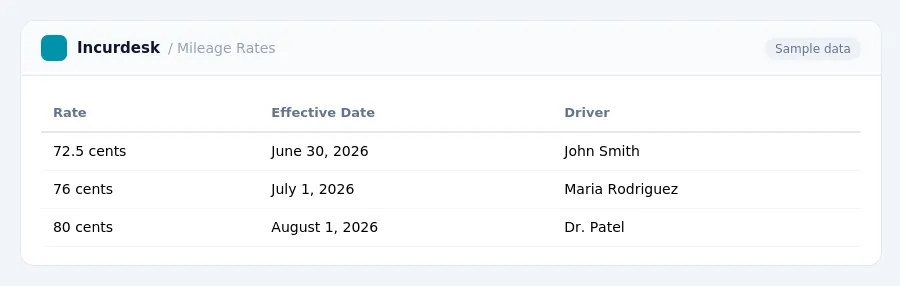
This rate applies to all business miles driven during this period.
It's crucial to note that the date of the drive determines which rate applies. If you drove for business on June 30, 2026, you would use the 72.5 cent rate, but if you drove on July 1, 2026, you would use the 76 cent rate.
Track Process Server Expenses Accurately
- Keep track of all process server expenses accurately, including the cost per serve. The national average cost for a process server is between $86 and $146 per serve, with a midpoint of $112. You can record this amount in your accounting system or a spreadsheet to ensure accurate tracking.
- When hiring a process server, be aware that some may require payment upfront, especially for new clients. Make sure to keep a record of these payments, as they are a legitimate business expense.
- Keep receipts and other documentation for process server expenses, such as credit card statements or written logs. These can serve as verification for general business expenses. However, for lodging expenses while traveling away from home, always require documentary evidence, such as a receipt or a hotel bill.
- Consider implementing a process for tracking process server expenses, including a standardized form or template for recording payments and expenses. This will help ensure that all necessary information is captured and that expenses are accurately recorded.
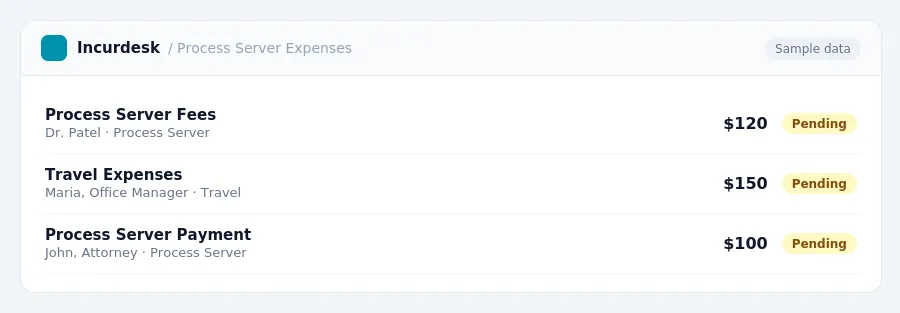
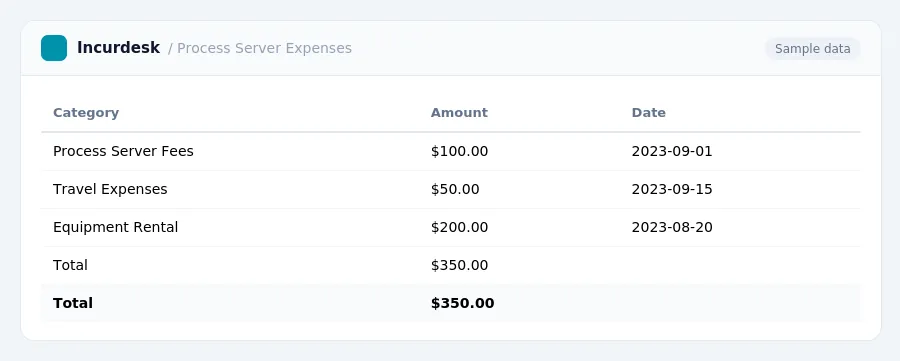
- This can include costs associated with process servers, such as fees, travel expenses, and equipment rental.
- Keep receipts and invoices for all business-related expenses, including those for process servers.
- Categorize expenses into separate accounts, such as "process server fees," "travel expenses," and "equipment rental."
Maintain Adequate Records for Expenses
- Keep accurate and detailed records of all courier and process server expenses, including receipts, invoices, and bank statements. For employment tax records, you must keep these records for at least four years.
-
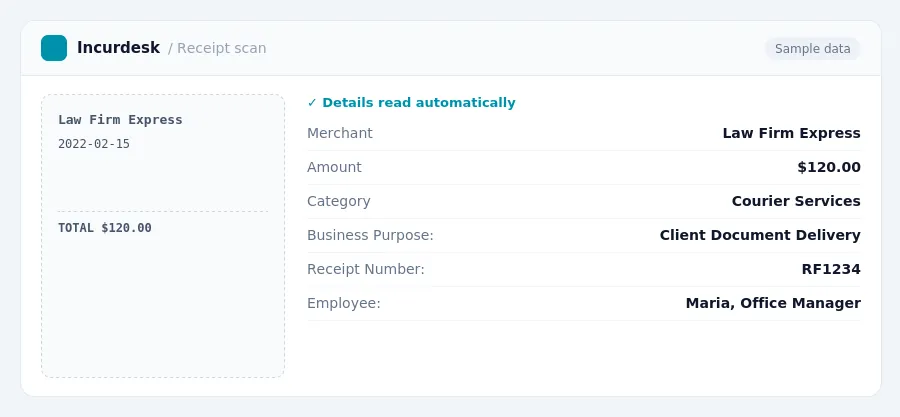
Ensure your records include the following information for each expense:
- Amount
- Date
- Place
- Business purpose
- Organize your records in a logical and easy-to-follow manner, such as by date, expense type, or employee. This will make it easier to review and verify your expenses when needed.
- Consider digitizing your records, such as scanning receipts or saving bank statements electronically. This will help keep your records secure and make them easier to access.
- Store your records in a safe and secure location, such as a locked file cabinet or a password-protected digital storage system. This will help protect your records from loss or damage.
Avoid Common Pitfalls and Audit Risks
-
When tracking process server expenses, it's essential to maintain accurate records, including receipts, invoices, and mileage logs. Ensure that all records are properly labeled, dated, and organized, making it easy to locate and verify expenses during an audit.
-
Keep mileage logs that include the date, purpose of the trip, starting and ending odometer readings, and any business-related stops made during the trip. This will help you accurately calculate mileage expenses and ensure that you're deducting the correct amount.
-
When hiring a process server, make sure to get a detailed invoice that includes all services performed, mileage driven, and any other expenses incurred. This will help you accurately track and deduct expenses related to the service.
-
For process server expenses, ensure that you're deducting only legitimate business expenses. This includes expenses directly related to the service, such as mileage, tolls, and parking fees.
-
Make sure to have a clear and detailed record of all expenses, including receipts and invoices, to avoid any issues during an audit.
-
Avoid mixing personal and business expenses in the same account or credit card. This can lead to confusion and make it difficult to accurately track business expenses.
-
Don't wait until tax season to review your records. Regularly review your expenses throughout the year to ensure that you're accurately tracking and deducting business expenses.
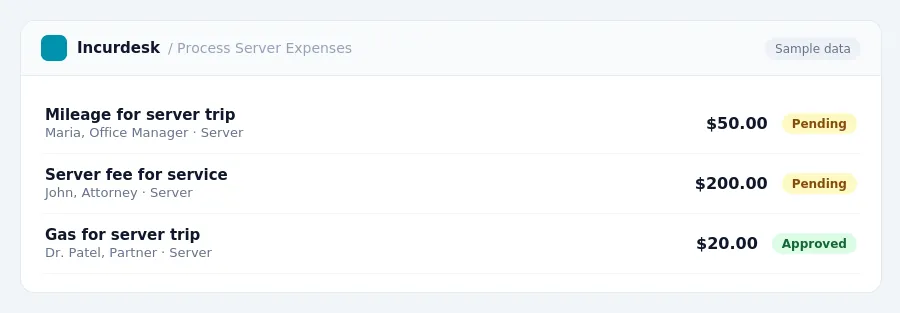
Keeping this simple: Incurdesk turns submitted expenses into clean expense reports. It is built for small law firm teams. Try it free.
Stop losing 4+ hours a week
30-day free trial · No credit card · Setup in 15 minutes