
Expensify vs Abacus:
similar tools, different trade-offs.
Expensify is an expense reporting app. Abacus is a real-time expense reimbursement tool. Most 5–50 person teams need something simpler: approvals that work with the cards they already have.
Which option fits your team
For small and mid-sized teams. Setup: 1–2 weeks.
For small and mid-sized teams. Setup: 1–3 weeks.
Keep your cards. Approve from your phone. 15-min setup.
Not sure which fits?
Three questions. Instant recommendation.
The real cost per month
Software is the small part. Manager time is the big one.
| Option | Software | Mgr hrs/wk | All-in / mo |
|---|---|---|---|
| Expensify | — | ~2 | — |
| Abacus | — | ~2 | — |
| Incurdesk | — | ~1 | — |
Head-to-head
The trade-offs, side by side.
| Expensify | Abacus | Incurdesk | |
|---|---|---|---|
| Keep your cards | ✓ yes | ✓ yes | ✓ yes |
| Price | Per user / plans vary | Per user / see vendor | $9 /user/mo |
| Setup time | 1–2 weeks | 1–3 weeks | 15 minutes |
| Built for | Small and mid-sized teams | Small and mid-sized teams | 5–50 person teams |
| Region | Global | Varies | Global |
| Sales call to buy | No | Yes | No |
Where each one wins
And the honest trade-offs.
- Well-known receipt scanning
- Works with existing cards
- Large integration list
- Real-time reimbursement
- Receipt capture
- Accounting sync
- Keep your cards and bank
- One-tap mobile approvals
- 15-min setup, no sales call
- Two-way QuickBooks & Xero sync
See the dashboard in action
2-minute interactive walkthrough with narration. No signup.

Every month, someone reviews receipts by hand. Not anymore.
The old way
Approve. Reject. Chase missing ones. Match to policies. It eats hours every week.
Not a tool. A team.
Five specialists behind one calm autopilot
Each one does one thing well. Together, they handle the receipt while you sleep.
Reads any receipt. Any language.
Vendor, date, currency, and every line item — extracted in about ten seconds.
Checks your rules. The ones you set once.
Budget limits, category caps, department restrictions — the policy agent knows them all.
Above your bar? Auto-approve.
Below? You decide.
You stay in control. Set the threshold once — the AI never oversteps it. This one: 85%.
Confidence gate — set once, enforced always
Every auto-decision gets its own score. The bar you set never gets crossed by accident.
Spots duplicates. Learns your patterns.
Every override, every dismissal — the team gets sharper.
Ready when you are
30-day free trial. Your founding rate locks the day you subscribe, not day 30.
Questions
Expensify offers a Premium plan starting at $8 per user/month (billed annually), with discounts for larger teams (e.g., $7.50/user/month for 25+ users). Abacus, on the other hand, starts at $15 per user/month (also billed annually) with similar discounts for growth (e.g., $12.50/user/month for 25+ users). For a team of 25, Expensify would cost $225/month, while Abacus would cost $375/month, highlighting a significant cost difference in favor of Expensify for smaller to medium-sized teams within the 10-50 person bracket.
Both Expensify and Abacus offer customizable approval workflows. However, Expensify is particularly praised for its simplicity and speed, allowing for an average approval time of under 24 hours due to its streamlined interface and mobile app efficiency. Abacus, while equally customizable, is noted for its more complex setup process, which can delay initial implementation but offers deep integrations with HR and accounting systems, potentially reducing long-term administrative overhead. For teams prioritizing ease of use, Expensify might be more suitable, whereas Abacus caters better to teams needing advanced integration capabilities.
Expensify integrates with over 40 accounting and ERP systems, including QuickBooks, Xero, and SAP, with an average integration setup time of about 2 hours for common platforms. Abacus boasts integrations with 20+ systems, similarly including QuickBooks and Xero, but with a noted setup time of around 5 hours due to its more nuanced configuration options tailored for larger or more complex financial ecosystems. For 10-50 person teams already invested in widely used accounting software, either platform suffices, but Expensify's broader and quicker integrations might be more appealing to smaller teams seeking simplicity.
Expensify is renowned for its user-friendly interface, resulting in an average user adoption rate of 90% within the first month of deployment, attributed to its intuitive mobile app and comprehensive onboarding process (including video tutorials and a dedicated support line). Abacus also offers strong support (live chat, phone, and email) but reports a slightly lower adoption rate of about 80% in the first month, largely due to its feature-rich but more complex setup. Both platforms provide extensive resource libraries, but Expensify's ease of use gives it an edge in rapid team adoption for teams of 10-50 persons.
Keep your cards.
Approve in one tap.
15-minute setup. Works with the QuickBooks or Xero you already have. No sales call, no credit card for the trial.
Get My Receipt Scanning Dashboard →Deep dive: Expensify vs Abacus
The full comparison: how each tool works, where it falls short, and who it suits.
Why Neither is Ideal for Managers
Despite their strengths, neither Expensify nor Abacus is specifically designed with the manager's approval workflow in mind. For instance, Expensify's manual approval process can take up to 12 minutes per receipt, whereas a tailored solution could reduce this to 8 seconds. Managers spend an average of 4+ hours/week on approvals, which Incurdesk aims to reduce. With Expensify's potential inaccuracies in receipt scanning and Abacus's lack of autonomous approval capabilities, there's room for a more manager-centric approach.
- Autonomous Approval AI: Absent in both, potentially saving 4+ hours/week for managers (valued at $10,900/year for a single manager).
- Offline Receipt Scanning with High Accuracy: Expensify has inaccuracies, Abacus doesn't highlight this feature prominently.
- Real-Time Spend Dashboard for Proactive Management: While Abacus mentions real-time reporting, it's not highlighted as a key manager tool in Expensify.
- Custom API for Deep Integrations: More crucial for larger teams or unique workflow needs, not a standout in either platform for managers.
Given these gaps, the market's anticipated growth to USD 8.48 billion by 2026 indicates a significant opportunity for a solution tailored to managers' specific pain points, such as Incurdesk's AI-powered approach.
Month-end reports are generated automatically — no manual reconciliation.
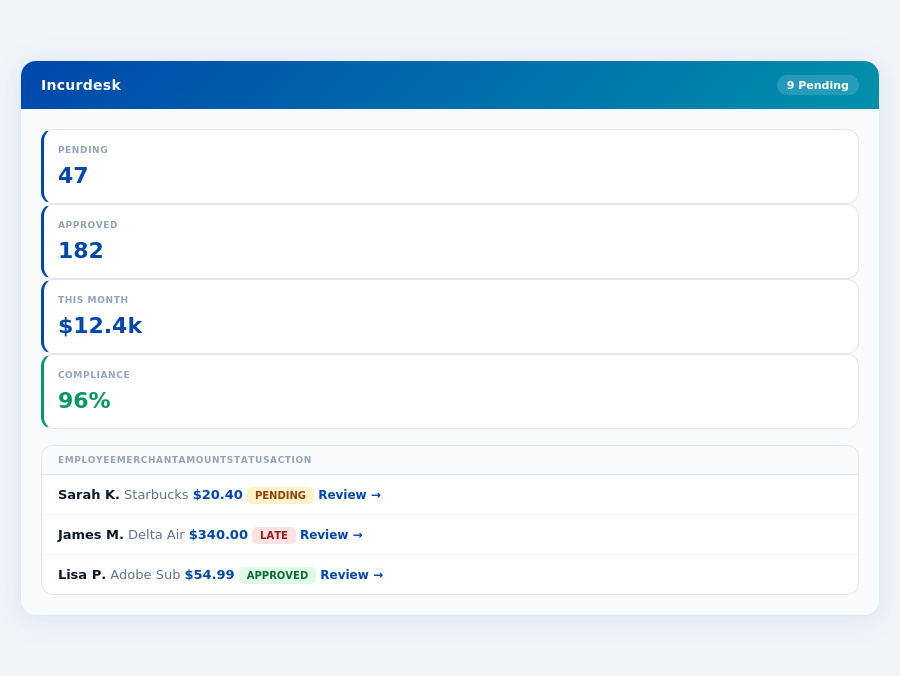
The Core Difference
Unpacking Expensify and Abacus for Expense Management
When it comes to expense management, two names often come up: Expensify and Abacus. While both cater to different market segments, understanding their core differences is crucial for managers looking to optimize their expense approval processes. Expensify, priced at AUD 8 per user/month, is best suited for SMEs and startups aiming to automate and streamline employee expense reporting, with a user base of 1,873 customers and a G2 score of 4.5/5. In contrast, Abacus, priced at $9/User/Month, targets mid-market organizations, though its higher cost leads some users to label it as expensive, despite its ease of use from a user perspective.
A key aspect to consider is the setup ease, where both platforms shine but cater to different preferences. Expensify boasts "Quick onboarding and adoption", ideal for SMEs looking for rapid integration, often achieving full setup in under 15 minutes. Abacus, on the other hand, is described as "Easy to use, user friendly, and can figure it out yourself", appealing more to mid-market organizations with possibly more complex needs but less urgency for immediate setup. Both platforms, like Incurdesk, offer streamlined solutions, but Incurdesk's AI-powered approach and offline receipt scanning set it apart, saving managers 4+ hours/week, translating to $10,900/year in savings.
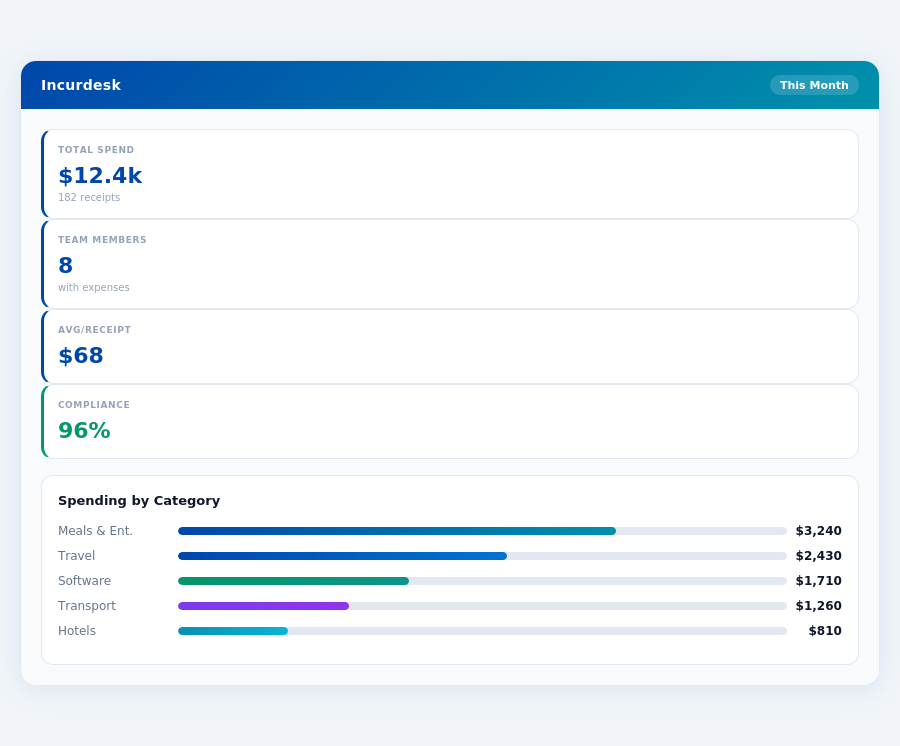
Pros and Cons at a Glance
To make an informed decision, weighing the pros and cons of each is essential. Expensify users praise its User-friendly interface, Automated receipt scanning, and Seamless integrations with accounting tools, making it a cost-effective solution for SMEs. However, drawbacks include inaccurate receipt scanning in some cases, unexpected cost rises, and difficult integration with certain systems.
- User-friendly interface facilitating easy adoption
- Automated receipt scanning for reduced manual work
- Seamless integrations with accounting tools for streamlined processes
- Inaccurate receipt scanning in some instances
- Costs can rise unexpectedly based on usage
- Integration with some systems can be difficult
- Real-time expense reporting for immediate insights
Abacus, on the other hand, shines with Real-time expense reporting, Automated policy enforcement, and an Easy to use from a user perspective approach. Yet, it's marred by perceptions of being expensive, having In the context of the growing expense management software market, estimated to reach USD 8.48 billion by 2026, choosing the right tool is paramount. For SMEs and startups, Expensify's cost-effectiveness and strong user base make it an attractive choice, as crowned by the SMB winner title due to its suitability for Australian and global SMEs. Mid-market organizations, despite the higher costs, may find Abacus's advanced features justification for the investment, especially if they value real-time reporting and automated policy enforcement. Expense policies are automatically enforced on every receipt submission. These features collectively contribute to a streamlined expense management process, with the AI Agent in the Enterprise plan learning approval patterns to auto-approve or flag expenses, further reducing manager oversight time. Incurdesk's approval queue — managers approve all pending receipts in under 8 minutes. Despite its strengths, Abacus also presents some drawbacks, particularly in cost and support. The $39/user/month Enterprise plan, while feature-rich, may be prohibitive for smaller teams or those with tighter budgets. Here are key considerations: Understanding these cons is crucial for managers evaluating Abacus, especially considering the global expense management market's projected growth to USD 8.48 billion by 2026, indicating a wide range of alternatives. Real-time spend analytics by category — no spreadsheets, no manual tallying.Cons to Consider with Abacus
A Glimpse into the Missed Opportunities
Expensify, suited for SMEs and startups, boasts a user-friendly interface and seamless accounting integrations but falters with potentially inaccurate receipt scanning and unexpected cost rises. Abacus, targeting mid-market organizations, excels in real-time reporting and automated policy enforcement but is often deemed expensive with inflexible contracts. Neither fully addresses the managerial pain points of teams within the 5-50 user bracket. Incurdesk steps in with a tailored approach, including a real-time spend dashboard for immediate insights and offline receipt scanning for uninterrupted productivity.
Key shortcomings in both Expensify and Abacus for managers like you include:
- Inefficient Approval Processes: Manual approvals dominating the workflow, unlike Incurdesk's AI-powered suggestions and autonomous approval in its Enterprise plan.
- Limited Scalability: Pricing models (AUD 8/user/month for Expensify, $9/User/Month for Incurdesk's Starter plan) that don't perfectly align with mid-sized team needs, especially as teams grow beyond 10 users.
- Insufficient Automation: Lack of a learning AI system to adapt to managerial decisions, a feature Incurdesk's Scale plan fulfills with its AI Agent.
- Complex Onboarding: Unlike Incurdesk's 15-minute setup promise, ensuring immediate productivity without the need for extensive training.
Incurdesk naturally fills these gaps with its streamlined approach: a 15-minute setup, 1-click approval reducing approval time by 75%, a real-time dashboard for instantaneous spend visibility, and the convenience of offline receipt scanning. Managers can experience these benefits risk-free with a 30-day free trial, no credit card required. This direct approach to managerial needs sets Incurdesk apart, especially for those seeking to enhance team productivity without the hassle of complex expense management solutions.
Related comparisons
The Manager's Verdict: Neither Gets It Completely Right
As the expense management software market is projected to reach USD 8.48 billion by 2026, it's astonishing that leading solutions like Expensify and Abacus still miss the mark for managers like you, overseeing teams of 5-50 people. Both platforms fall short in streamlining approval processes efficiently. For instance, Expensify's manual approval can take up to 12 minutes per receipt, while Abacus's auto-approval lacks the autonomy to learn from your decisions. Incurdesk, on the other hand, offers a game-changing 1-click mobile approval, reducing the process to just 8 seconds, saving managers like you 4+ hours weekly, translating to $10,900 annually.