
Hospital Department Purchasing: Receipts and Approvals
A practical, data-backed guide to controlling costs and automating expense workflows.
For small healthcare businesses in the US with 5-50 staff, navigating hospital department purchasing involves understanding specific financial thresholds, compliance regulations like HIPAA, and potential state-specific variations. The approval process typically involves receipts and documentation, which must be carefully managed to ensure compliance and avoid errors. For the bigger picture, see our guide to healthcare expense management for under $10/user (2026). For a complete overview, see our expense management guide.
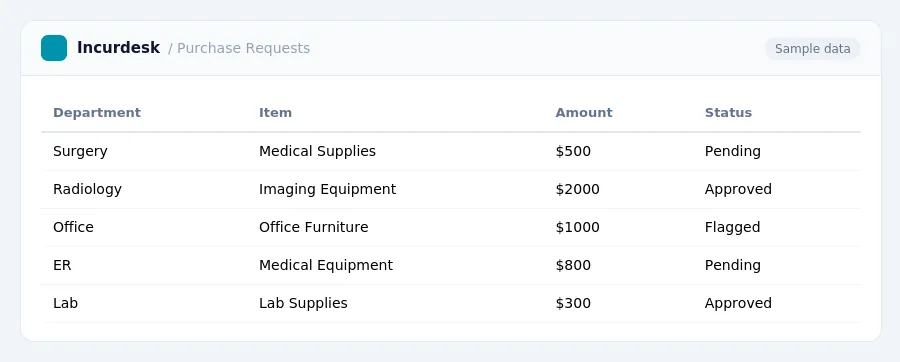
Understanding Financial Thresholds for Purchasing in Hospital Departments
When it comes to purchasing within hospital departments, understanding the financial thresholds is crucial. While the federal Family and Medical Leave Act (FMLA) has a 50-employee threshold, many states have enacted their own laws with lower employee thresholds, such as 25 employees, for job-protected leave. To determine the specific threshold for your state, you can check your state's labor laws.
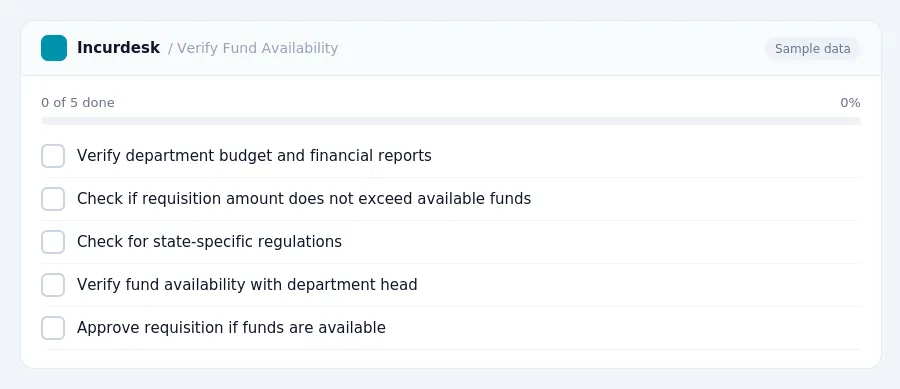
Department heads are responsible for verifying fund availability before approving requisitions. This is essential to ensure that the hospital department has sufficient funds to cover the purchase. Here are some steps to follow:
- Verify the fund availability by checking the department's budget and financial reports.
- Ensure that the requisition amount does not exceed the available funds.
- Check for any state-specific regulations that may impact purchasing decisions.
Compliance Regulations: HIPAA and State-Specific Requirements
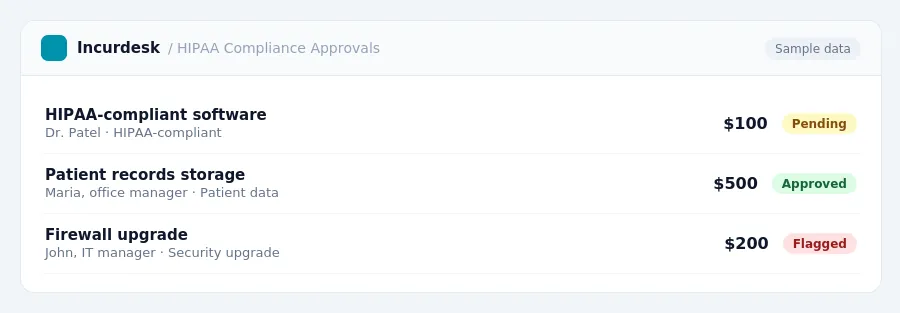
As a small healthcare business, it's essential to understand the compliance regulations that govern your purchasing processes, particularly those related to patient health information. HIPAA regulations apply to businesses that store, process, or transmit patient health information, regardless of size. Compliance involves implementing administrative, physical, and technical safeguards to protect patient data.
- Administrative safeguards include policies and procedures for handling patient data, such as training staff on HIPAA regulations.
- Physical safeguards involve securing physical devices and media that contain patient data, such as locked file cabinets or encrypted laptops.
- Technical safeguards include implementing firewalls, antivirus software, and encryption to protect electronic patient data.
Fines for HIPAA violations can range from $137 to $63,973 per violation, with annual caps reaching $2 million for severe or repeated non-compliance. It's essential to take compliance seriously to avoid these significant fines.
In addition to HIPAA regulations, some states have laws that protect workers at smaller companies with as few as 25 staff. If you're unsure about the specific regulations in your state, check with your state's labor department or attorney general's office.
At least 35 states require hospitals, health systems, and physician groups to notify state entities of certain proposed mergers, facility closures, or contractual affiliations. Be sure to check with your state's healthcare regulatory agency to determine if you're subject to these notification requirements.
Documenting Purchases: Receipts and Approvals Processes
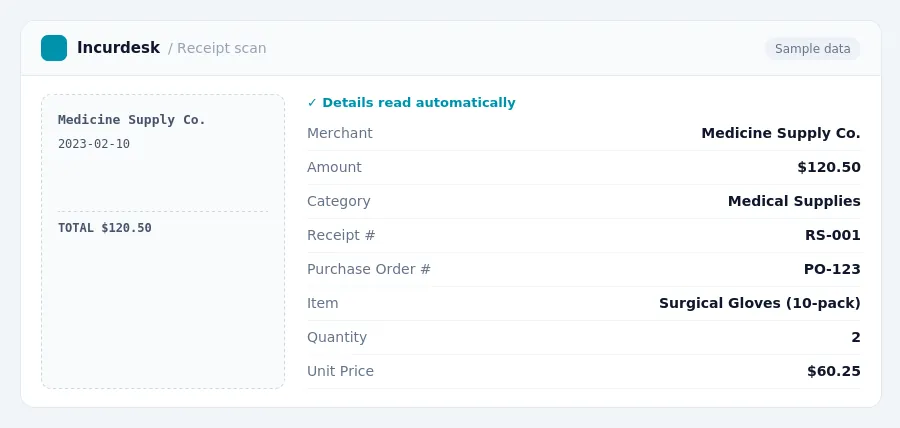
To ensure accurate tracking and compliance, it's essential to maintain detailed records of all purchases made within the hospital department. This includes receipts, invoices, and any other supporting documentation.
- Verify the authenticity of receipts and invoices by checking for the vendor's logo, address, and a clear description of the purchased items.
- Ensure all receipts and invoices are properly dated and include the purchase order number, if applicable.
- Keep original receipts and invoices in a designated file or storage system, and maintain digital copies for easy access.
Approval processes for purchases vary by department, but generally involve a hierarchical review process. For example:
Follow your department's established approval process and ensure all necessary documentation is attached to the purchase request.
Departmental Purchasing Committees: Value Analysis Teams and Committees
Hospital departments often use Value Analysis Teams or Committees (VATs/VACs) to evaluate and approve procurement decisions. These teams are composed of various stakeholders, including physicians, nurses, purchasing agents, and finance representatives.
Members of the VAT/VAC typically include:
- Physicians who will be using the purchased items or equipment
- Nurses who will be caring for patients with the purchased items or equipment
- Purchasing agents who will be responsible for procurement and logistics
- Finance representatives who will be responsible for budgeting and financial reporting
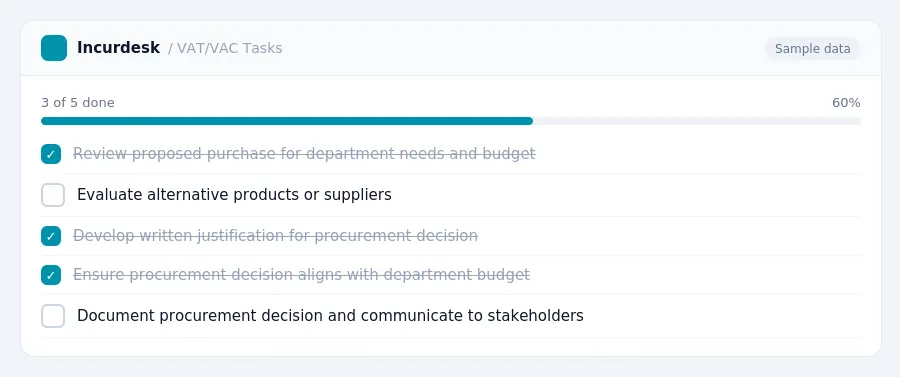
The VAT/VAC typically follows a structured process to evaluate and approve procurement decisions, including:
- Reviewing the proposed purchase to ensure it meets the department's needs and budget
- Evaluating alternative products or suppliers to ensure the best value for the department
- Developing a written justification for the proposed purchase, including the cost-benefit analysis and any other relevant factors
- Presenting the proposed purchase to the VAT/VAC for approval
Once approved, the VAT/VAC will typically review and approve the purchase order, and ensure that all necessary documentation is completed, including receipts and financial reports.
Managing Vendor Contracts and Financial Reporting
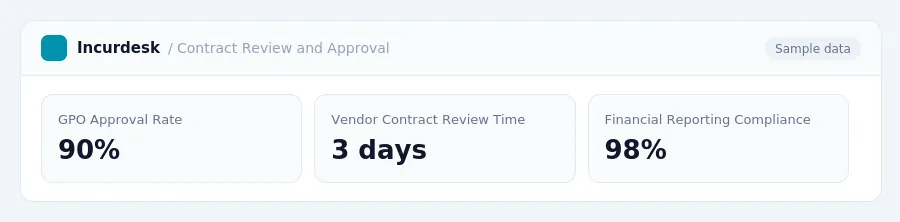
When it comes to managing vendor contracts and financial reporting, it's essential to understand the role of Group Purchasing Organizations (GPOs). GPOs negotiate contracts with vendors on behalf of healthcare providers to achieve volume discounts and cost savings.
- Ensure that all vendor contracts are reviewed and approved by the financial reporting department.
- Verify that the GPO has negotiated the contract on behalf of your organization.
- Check the contract terms, including pricing, payment terms, and any warranties or guarantees.
Financial reporting departments typically perform the final approval and activation of new vendors before they are added to a vendor master file.
To ensure compliance, follow these steps:
- Review the vendor contract and verify that it has been approved by the GPO.
- Check the vendor's credentials, including any necessary licenses or certifications.
- Verify that the vendor is listed in the vendor master file.
By following these steps, you can ensure that your vendor contracts are properly managed and that your financial reporting is accurate and compliant.
Keeping this simple: Incurdesk routes each expense to the right person for approval and keeps a record of who approved what. It is built for small healthcare teams. Try it free.
Stop losing 4+ hours a week
30-day free trial · No credit card · Setup in 15 minutes