
How to Choose Expense Software for a Nonprofit Finance Team
A practical, data-backed guide to controlling costs and automating expense workflows.
For expense management for non-profit organizations When selecting software, consider fund accounting, functional expense allocation, record retention, and Form 990 filing requirements.
Expense Tracking and Reimbursement
Expense tracking and reimbursement are critical components of your nonprofit's financial management. To ensure smooth operations, it's essential to establish clear policies and procedures for tracking and reimbursing employee expenses. Here are some practical steps to consider:
- Define clear expense categories: Establish clear categories for different types of expenses, such as travel, meals, and equipment purchases. This will help ensure that expenses are accurately coded and tracked.
- Designate expense approvers: Identify individuals who will review and approve employee expense reports. This can help prevent errors and ensure that expenses are properly authorized.
- Use a reimbursement process: Establish a reimbursement process that requires employees to submit expense reports and supporting documentation, such as receipts and invoices.
- Set up automated expense tracking: Consider implementing automated expense tracking tools that allow employees to easily log and track their expenses. This can help reduce administrative burdens and improve accuracy.
When it comes to reimbursement, be sure to:
- Establish clear reimbursement policies: Develop policies that outline the reimbursement process, including the types of expenses that are eligible for reimbursement and the documentation required.
- Use a standardized reimbursement form: Create a standardized reimbursement form that employees can use to submit their expense reports.
- Review and process reimbursements promptly: Ensure that reimbursement requests are reviewed and processed in a timely manner to minimize delays.
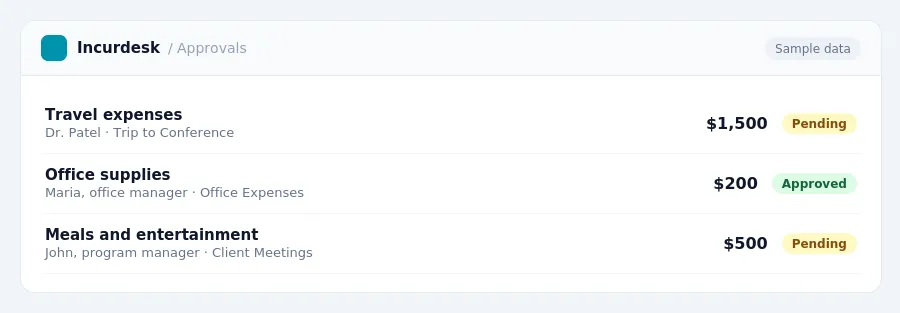
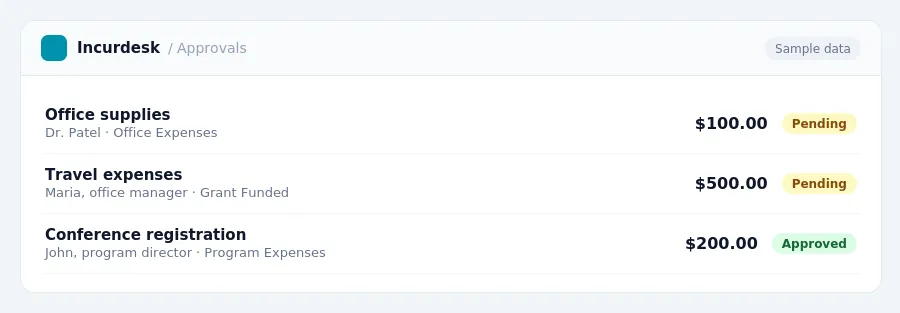
Keeping this simple: Incurdesk keeps receipts and approvals in one place, which makes a written policy easier to follow. It is built for small non profits teams. Try it free.
Compliance and Record Retention
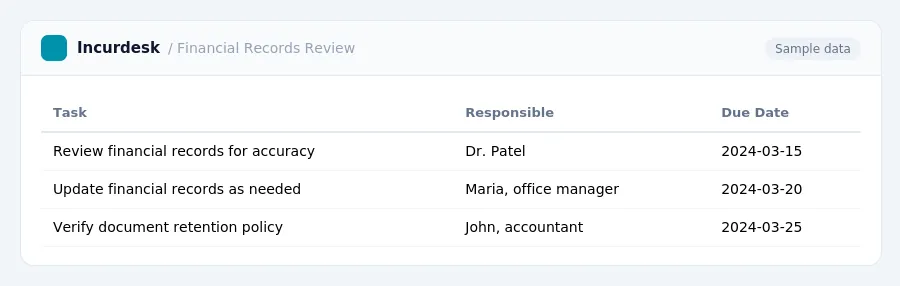
Ensure that all financial records, including receipts, invoices, and bank statements, are accurately documented and easily accessible. Implement a centralized system for storing and tracking financial documents, such as a digital filing cabinet or a cloud-based storage solution.
- Set up a system for regularly reviewing and updating financial records to ensure accuracy and completeness.
- Designate a person or team to be responsible for maintaining and updating financial records.
- Establish a clear policy for document retention and disposal, including guidelines for electronic and paper records.
Additionally, consider the following best practices:
- Use a standardized system for tracking and categorizing expenses, including fund types and grant-specific expenses.
Key Considerations for Nonprofit Expense Software
When selecting expense software for your nonprofit finance team, there are several key considerations to keep in mind. Here are some key factors to consider:
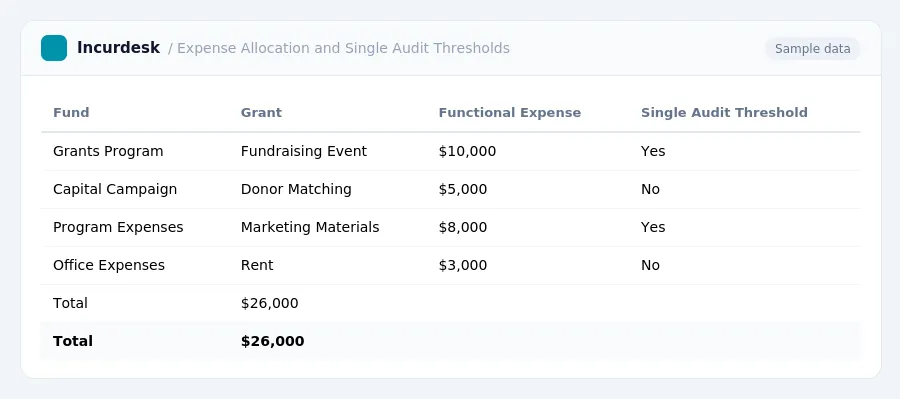
- Functional expense allocation: Make sure the software can accurately allocate expenses to the correct funds and grants, and provide detailed reports on functional expenses.
- Mileage reimbursement rates: Ensure the software allows you to track and reimburse mileage accurately, and that it takes into account the current mileage reimbursement rate.
- Per diem rates
- Single audit thresholds: Ensure the software can track and report expenses that meet the single audit thresholds, and provide detailed reports on functional expenses.
- De minimis indirect cost rates
- Equipment/supplies thresholds
- Record retention: Ensure the software allows for secure and compliant record retention, and that it meets the current record retention requirements.
Fund Accounting and Grant Compliance
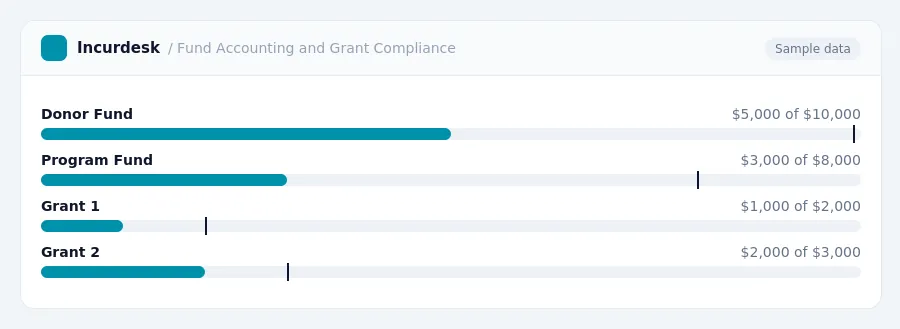
Fund accounting is a critical component of nonprofit financial management, allowing organizations to track restricted and unrestricted funds separately. To ensure accurate tracking, your expense software should support fund accounting. This feature enables you to allocate expenses to specific funds, ensuring that restricted funds are not commingled with unrestricted funds.
- Set up separate funds in your expense software, such as a "Donor Fund" and a "Program Fund."
- Allocate expenses to the correct fund when submitting expense reports.
- Regularly review fund balances to ensure that restricted funds are not being used for unauthorized purposes.
Grant compliance is also essential for nonprofits. To ensure compliance, your expense software should allow you to track grant-specific expenses and allocate them to the correct grant account. This feature enables you to provide detailed reports to grantors and auditors, demonstrating how grant funds were used.
- Set up separate grant accounts in your expense software, such as a "Grant 123" account.
- Allocate expenses to the correct grant account when submitting expense reports.
- Regularly review grant balances to ensure that grant funds are being used in accordance with grant terms.
Software Features and Functionality
When selecting nonprofit expense software, focus on features that cater to your organization's specific needs. Consider the following functionalities:
- Fund accounting capabilities to track and manage multiple funds, including grants and donor-designated funds.
- Grant-specific expense tracking to ensure accurate reporting and compliance with grant requirements.
- Expense categorization and tagging to facilitate easy searching and reporting.
- Automated expense reporting and approval workflows to streamline the reimbursement process.
- Integration with existing accounting software to minimize data entry and reduce errors.
- Customizable reports and dashboards to provide real-time insights into your organization's financial performance.
- Compliance features
When evaluating software, consider the following:
- Look for user-friendly interfaces and intuitive navigation to minimize training time and errors.
- Evaluate the software's scalability to accommodate your organization's growth and changing needs.
- Assess the level of customer support and training provided, including online resources and in-person assistance.
Ultimately, choose software that meets your organization's unique requirements and provides a seamless user experience for your finance team.
Stop losing 4+ hours a week
30-day free trial · No credit card · Setup in 15 minutes