
Brex vs Emburse:
they solve different problems.
Brex is a corporate card and spend platform. Emburse is an expense management suite. Most 5–50 person teams need something simpler: approvals that work with the cards they already have.
Which option fits your team
For US startups and scale-ups. Setup: 1–2 weeks.
For mid-market and enterprise teams. Setup: 3–8 weeks.
Keep your cards. Approve from your phone. 15-min setup.
Not sure which fits?
Three questions. Instant recommendation.
The real cost per month
Software is the small part. Manager time is the big one.
| Option | Software | Mgr hrs/wk | All-in / mo |
|---|---|---|---|
| Brex | — | ~3 | — |
| Emburse | — | ~3 | — |
| Incurdesk | — | ~1 | — |
Head-to-head
The trade-offs, side by side.
| Brex | Emburse | Incurdesk | |
|---|---|---|---|
| Keep your cards | ✗ switch required | ✓ yes | ✓ yes |
| Price | $0 /mo essentials | Quote / sales call | $9 /user/mo |
| Setup time | 1–2 weeks | 3–8 weeks | 15 minutes |
| Built for | US startups and scale-ups | Mid-market and enterprise teams | 5–50 person teams |
| Region | US-focused | Global | Global |
| Sales call to buy | No | Yes | No |
Where each one wins
And the honest trade-offs.
- Free essentials tier on Brex cards
- Startup-friendly onboarding
- Travel and spend tools built in
- Mature expense reporting
- Configurable approval chains
- Wide integration catalog
- Keep your cards and bank
- One-tap mobile approvals
- 15-min setup, no sales call
- Two-way QuickBooks & Xero sync
See the dashboard in action
2-minute interactive walkthrough with narration. No signup.

Every month, someone reviews receipts by hand. Not anymore.
The old way
Approve. Reject. Chase missing ones. Match to policies. It eats hours every week.
Not a tool. A team.
Five specialists behind one calm autopilot
Each one does one thing well. Together, they handle the receipt while you sleep.
Reads any receipt. Any language.
Vendor, date, currency, and every line item — extracted in about ten seconds.
Checks your rules. The ones you set once.
Budget limits, category caps, department restrictions — the policy agent knows them all.
Above your bar? Auto-approve.
Below? You decide.
You stay in control. Set the threshold once — the AI never oversteps it. This one: 85%.
Confidence gate — set once, enforced always
Every auto-decision gets its own score. The bar you set never gets crossed by accident.
Spots duplicates. Learns your patterns.
Every override, every dismissal — the team gets sharper.
Ready when you are
30-day free trial. Your founding rate locks the day you subscribe, not day 30.
Questions
Brex stands out for its automated expense tracking, with features like instant expense reporting (with receipt uploads directly from email or the Brex app) and a 95%+ auto-categorization rate for common expenses. For teams of 10-50, this efficiency can save approximately 10 hours/week in manual tracking. In contrast, Emburse offers robust tracking as well but may require slightly more manual intervention for non-card transactions, averaging around 5% less in auto-categorization for less common expense types. Brex's edge in automation makes it more suitable for larger teams within this range.
Both Brex and Emburse offer customizable approval workflows, but Brex is more streamlined for smaller to medium-sized teams (10-30 persons), with an average setup time of under 2 hours for basic workflows. Emburse, while highly customizable, can take up to 5 hours for complex workflow setups, better suiting teams closer to the 50-person mark with more nuanced approval hierarchies. Brex's simplicity reduces manager overhead by approximately 30% in workflow management compared to Emburse for simpler team structures.
Brex integrates with over 75 financial tools and accounting software (e.g., QuickBooks, Xero) with near real-time syncing (less than 1 hour latency). Emburse integrates with around 50 major platforms, with syncing times averaging under 2 hours. For a growing teams, Brex's broader and faster integrations can reduce accounting reconciliation time by up to 40 hours/month. However, Emburse's integrations are more deeply customized for larger ERP systems, which might not be as critical for teams under 50 persons.
Brex offers a flat fee of $12/user/month for its Premium plan (required for full team management features), totaling $1,440/year for a 10-person team and $7,200/year for a 50-person team. Emburse's pricing is more tiered and based on usage, with a base fee plus $5-10 per user/month depending on features, potentially totaling $2,400 to $6,000/year for a 50-person team with all features. For teams under 30, Brex is generally more cost-effective; for teams over 30, Emburse might offer more competitive pricing depending on the specific features needed, with potential savings of up to $1,800/year.
Keep your cards.
Approve in one tap.
15-minute setup. Works with the QuickBooks or Xero you already have. No sales call, no credit card for the trial.
Get My Receipt Scanning Dashboard →Deep dive: Brex vs Emburse
The full comparison: how each tool works, where it falls short, and who it suits.
Brex vs Emburse: A Comprehensive Comparison of Expense Management Software
Expense management software has become an essential tool for businesses of all sizes, helping to streamline the process of tracking, reporting, and reimbursing employee expenses. Two popular options in this space are Brex and Emburse. In this article, we'll compare the pricing, features, receipt scanning, approvals, integrations, and team size suitability of these two software solutions.
Pricing
Brex offers a free plan, as well as several paid plans, including:
- Free: $0/month (up to 5 users)
- Essentials: $12/user/month (billed annually)
- Professional: $20/user/month (billed annually)
- Enterprise: Custom pricing for large businesses
Emburse, on the other hand, offers a more traditional pricing model:
- Essentials: $9/user/month (billed annually)
- Pro: $19/user/month (billed annually)
- Enterprise: Custom pricing for large businesses
Features
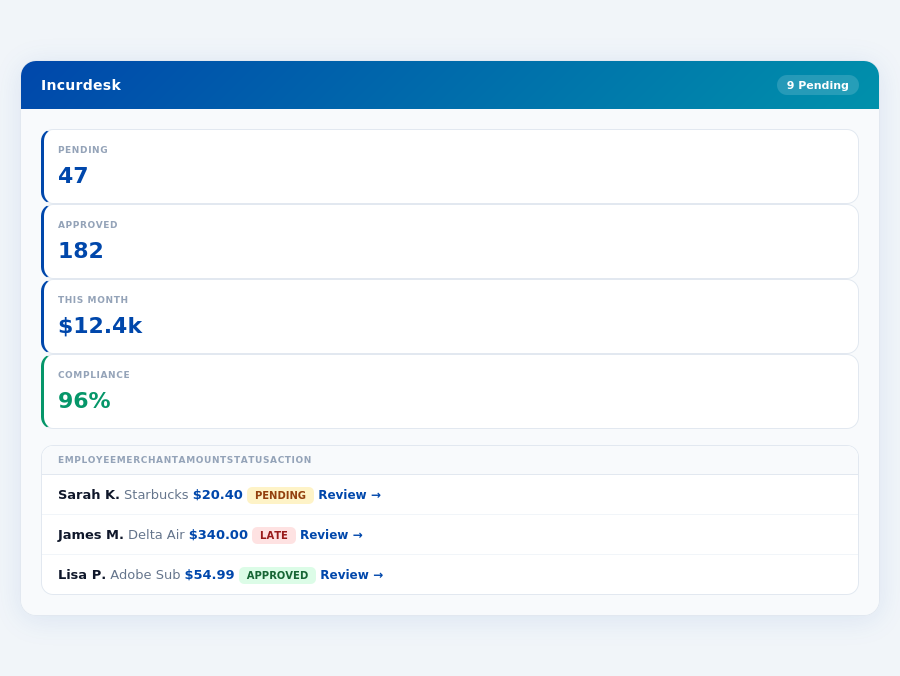
Both Brex and Emburse offer a robust set of features to help businesses manage their expenses. Some of the key features of each platform include:
Brex:
- Automated expense tracking and reporting
- Receipt scanning and upload
- Customizable approval workflows
- Integrations with popular accounting software
- Real-time expense tracking and alerts
Emburse:
- Automated expense tracking and reporting
- Receipt scanning and upload
- Customizable approval workflows
- Integrations with popular accounting software
- Real-time expense tracking and alerts
- Advanced analytics and insights
Receipt Scanning
Both Brex and Emburse offer AI receipt scanning capabilities, allowing users to quickly and easily upload receipts for expenses. Brex uses AI-powered receipt scanning to automatically extract relevant information, such as date, amount, and category. Emburse also uses AI-powered receipt scanning, but offers more advanced features, such as the ability to scan multiple receipts at once and automatically categorize expenses.
Approvals
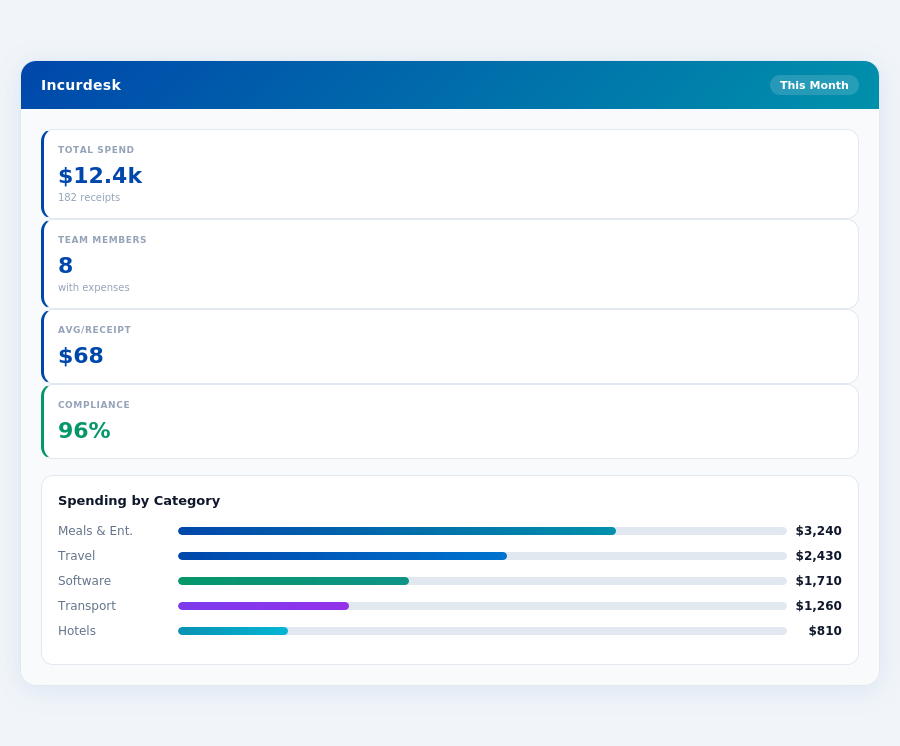
Both platforms offer customizable approval workflows, allowing businesses to set up approval processes that fit their specific needs. Brex offers a more streamlined approval process, with the ability to approve or reject expenses with a single click. Emburse offers more advanced approval features, such as the ability to set up multiple approval levels and assign approvers to specific expense categories.
IntegrationsBrex vs Emburse: A Comprehensive Comparison of Expense Management Software
Expense management software has become an essential tool for businesses of all sizes, helping to streamline the process of tracking, reporting, and reimbursing employee expenses. Two popular options in this space are Brex and Emburse. In this article, we'll compare the pricing, features, receipt scanning, approvals, integrations, and team size suitability of these two software solutions.
Pricing
Brex offers a free plan, as well as several paid plans, including:
- Free: $0/month (up to 5 users)
- Essentials: $12/user/month (billed annually)
- Professional: $20/user/month (billed annually)
- Enterprise: Custom pricing for large businesses
Emburse, on the other hand, offers a more traditional pricing model:
- Essentials: $9/user/month (billed annually)
- Pro: $19/user/month (billed annually)
- Enterprise: Custom pricing for large businesses
Features
Both Brex and Emburse offer a robust set of features to help businesses manage their expenses. Some of the key features of each platform include:
Brex:
- Automated expense tracking and reporting
- Receipt scanning and upload
- Customizable approval workflows
- Integrations with popular accounting software
- Real-time expense tracking and alerts
Emburse:
- Automated expense tracking and reporting
- Receipt scanning and upload
- Customizable approval workflows
- Integrations with popular accounting software
- Real-time expense tracking and alerts
- Advanced analytics and insights
Receipt Scanning
Both Brex and Emburse offer receipt scanning capabilities, allowing users to quickly and easily upload receipts for expenses. Brex uses AI-powered receipt scanning to automatically extract relevant information, such as date, amount, and category. Emburse also uses AI-powered receipt scanning, but offers more advanced features, such as the ability to scan multiple receipts at once and