
Managing Court Filing Fee Receipts
A practical, data-backed guide to controlling costs and automating expense workflows.
Small law firms need to accurately track and manage court filing fees to ensure proper client billing and firm profitability. Effective expense management for law firms involves understanding various fees, how they are incurred, and best practices for recording and recovering costs to prevent financial leakage and ensure compliance. By implementing a systematic approach to managing court filing fees, law firms can reduce errors, improve financial visibility, and increase their bottom line.
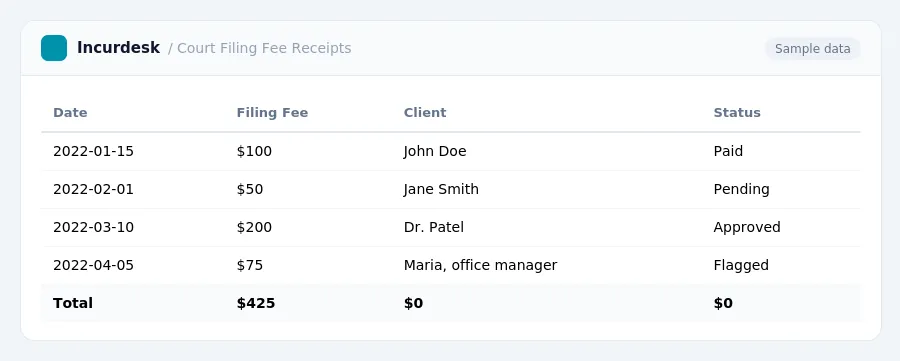
Track Court Filing Fees
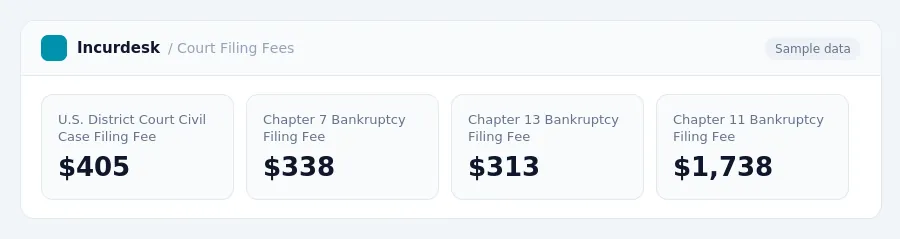
- Begin by tracking the various court filing fees associated with your firm's cases. This includes fees for civil cases, bankruptcies, and state court filings. For federal cases, note that the civil case filing fee in U.S. District Courts is $405, comprising a $350 statutory fee and a $55 administrative fee, effective as of the fee schedule published by the Judicial Conference of the United States. In contrast, Chapter 7 bankruptcy filing fees range from $338, while Chapter 13 bankruptcy filing fees are $313, and Chapter 11 bankruptcy filing fees are $1,738.
- Understand that state court civil filing fees can vary significantly, ranging from under $50 in limited-jurisdiction courts to over $400 in general trial courts, depending on the state and the dollar amount of the claim. To accurately track these fees, consult with your state's court system or a reliable online resource to determine the specific fees applicable to your cases.
- Create a system to record and track these fees, whether it's a spreadsheet, a database, or a dedicated tool. Ensure that your system allows for easy categorization and filtering of fees by case type, client, and location.
- Regularly review and update your system to ensure accuracy and completeness.
- Consider implementing a process for automatic reminders or notifications when fees are due or paid.
Understand the Various Fees and Costs
The court filing fees can be categorized into several types, including:
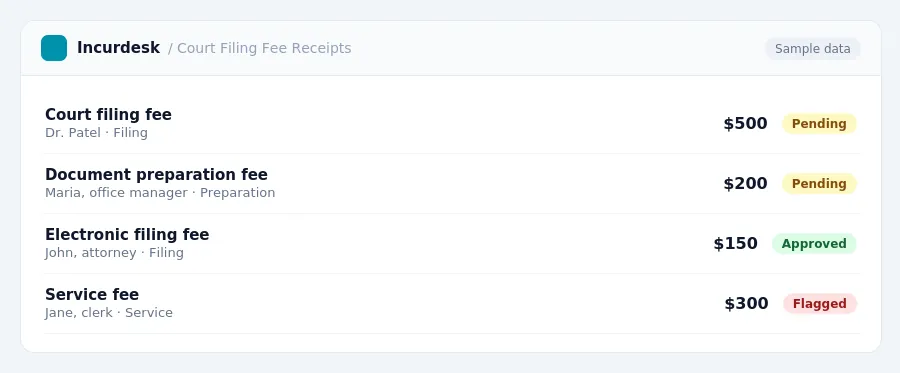
- Court filing fees: These fees vary by court and jurisdiction. However, the fee for filing a notice of appeal in the Supreme Court of the United States is $300.
- Document preparation fees: These fees are charged by the court for preparing and filing certain documents, such as pleadings and motions.
- Service fees: These fees are charged for serving court documents, such as summons and complaints, on parties.
- Electronic filing fees: These fees are charged for filing documents electronically with the court.
It's essential to understand these various fees and costs to accurately track and manage them in your firm's system. You can find more information on court filing fees by checking with the relevant court or jurisdiction, or by consulting with a qualified attorney or accountant.
Record and Categorize Fees in Your Firm's System
- Set up a separate category in your firm's system for court filing fees. This will help you track these costs accurately and ensure they are not mixed with other expenses. Consider creating a subcategory for each type of court, such as small claims or probate court.
- Assign a unique code or identifier to each court filing fee category. This will help you quickly locate and track fees in your system.
- Record each court filing fee in your system as it is incurred. This can be done at the time of filing or shortly after. Be sure to include the date, amount, and type of fee.
- Use a standardized format to record court filing fees. This can include columns for the date, amount, type of fee, and any other relevant information.
- Consider implementing a system for tracking the status of court filing fees, such as pending or paid. This will help you stay on top of fees and ensure they are recovered from clients in a timely manner.
- Keep in mind that small claims court fees can vary depending on the claim size and county. Be sure to check with the relevant court for specific fee information.
- Regularly review your court filing fee records to ensure accuracy and completeness. This can help you identify any discrepancies or errors and make adjustments as needed.
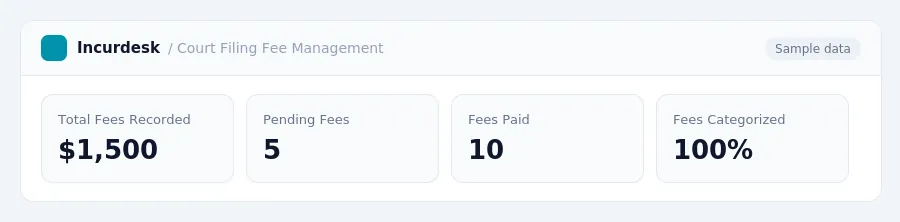
Recover Costs from Clients
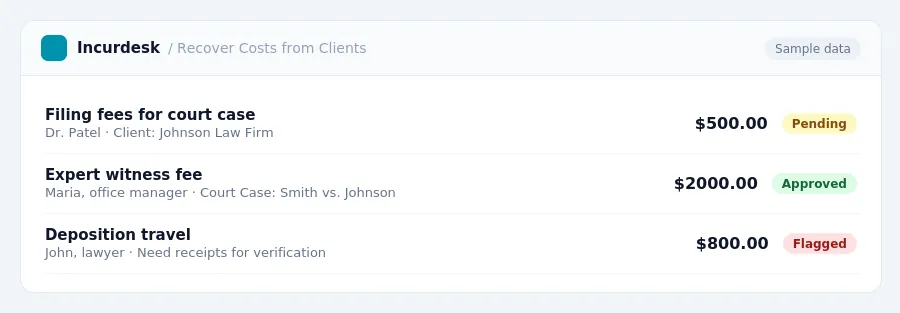
- To recover costs from clients, law firms should track and categorize all expenses, including filing fees, expert witness fees, deposition travel, and courier runs. This will help ensure that clients are billed accurately and that the firm is able to recover all eligible costs.
- When recovering costs from clients, law firms should clearly itemize each expense on the client's bill, including the date, amount, and description of the service or expense. This will help clients understand what they are being charged for and will also help the firm to defend against any potential disputes or audits.
- Law firms should also ensure that they are recovering costs from clients in a timely manner. This means billing clients regularly and following up on outstanding balances to prevent delays in payment.
- Finally, law firms should review their billing practices regularly to ensure that they are recovering all eligible costs and to identify any areas for improvement. This may involve reviewing client bills, tracking expenses, and adjusting billing practices as needed.
Prevent Financial Leakage and Ensure Compliance
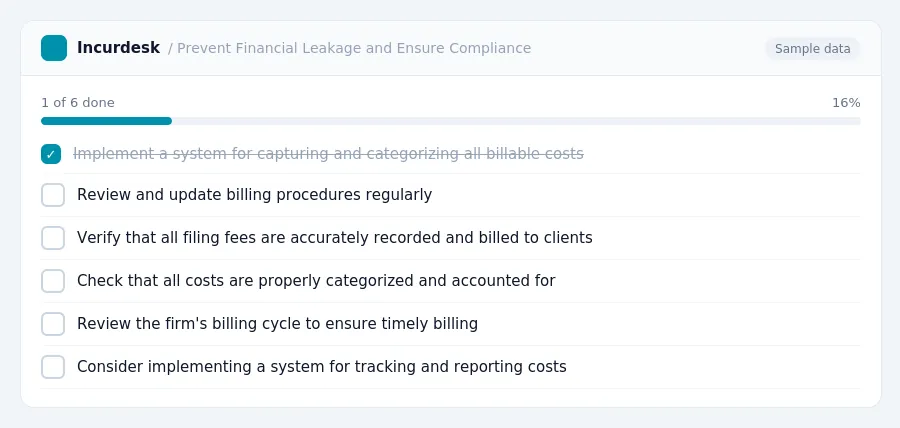
To prevent financial leakage and ensure compliance, law firms can take several steps. First, implement a system for capturing and categorizing all billable costs, including filing fees. This can be done using software solutions that help track and report costs in real-time.
Additionally, firms should review and update their billing procedures regularly to ensure they are accurate and compliant with court rules. For example, the cost of serving defendant with court documents typically ranges from $50 to $150.
When reviewing billing procedures, firms should also consider the following:
- Verify that all filing fees are accurately recorded and billed to clients.
- Check that all costs are properly categorized and accounted for in the firm's system.
- Review the firm's billing cycle to ensure that costs are being billed to clients in a timely manner.
- Consider implementing a system for tracking and reporting on financial compliance, such as regular audits and reviews.
By taking these steps, law firms can help prevent financial leakage and ensure compliance with court rules, ultimately protecting their financial health and reputation.
Keeping this simple: Incurdesk lets your team snap a photo of a receipt and fills in the details for you. It is built for small law firm teams. Try it free.
Stop losing 4+ hours a week
30-day free trial · No credit card · Setup in 15 minutes