
QuickBooks vs Navan:
they solve different problems.
QuickBooks is accounting software. Navan is a travel and expense platform. Most 5–50 person teams need something simpler: approvals that work with the cards they already have.
Which option fits your team
For small businesses and bookkeepers. Setup: ~1 week.
For travel-heavy companies. Setup: 2–6 weeks.
Keep your cards. Approve from your phone. 15-min setup.
Not sure which fits?
Three questions. Instant recommendation.
The real cost per month
Software is the small part. Manager time is the big one.
| Option | Software | Mgr hrs/wk | All-in / mo |
|---|---|---|---|
| QuickBooks | — | ~10 | — |
| Navan | — | ~3 | — |
| Incurdesk | — | ~1 | — |
Head-to-head
The trade-offs, side by side.
| QuickBooks | Navan | Incurdesk | |
|---|---|---|---|
| Keep your cards | ✓ yes | ✓ yes | ✓ yes |
| Price | $38 /mo software | Quote / sales call | $9 /user/mo |
| Setup time | ~1 week | 2–6 weeks | 15 minutes |
| Built for | Small businesses and bookkeepers | Travel-heavy companies | 5–50 person teams |
| Region | Multi-country | Global | Global |
| Sales call to buy | No | Yes | No |
Where each one wins
And the honest trade-offs.
- The accounting system itself
- Your accountant already knows it
- Lender-ready reports
- Travel booking and expenses together
- Built for frequent travelers
- Corporate card option
- Keep your cards and bank
- One-tap mobile approvals
- 15-min setup, no sales call
- Two-way QuickBooks & Xero sync
See the dashboard in action
2-minute interactive walkthrough with narration. No signup.

Every month, someone reviews receipts by hand. Not anymore.
The old way
Approve. Reject. Chase missing ones. Match to policies. It eats hours every week.
Not a tool. A team.
Five specialists behind one calm autopilot
Each one does one thing well. Together, they handle the receipt while you sleep.
Reads any receipt. Any language.
Vendor, date, currency, and every line item — extracted in about ten seconds.
Checks your rules. The ones you set once.
Budget limits, category caps, department restrictions — the policy agent knows them all.
Above your bar? Auto-approve.
Below? You decide.
You stay in control. Set the threshold once — the AI never oversteps it. This one: 85%.
Confidence gate — set once, enforced always
Every auto-decision gets its own score. The bar you set never gets crossed by accident.
Spots duplicates. Learns your patterns.
Every override, every dismissal — the team gets sharper.
Ready when you are
30-day free trial. Your founding rate locks the day you subscribe, not day 30.
Questions
QuickBooks pricing for a team of this size would likely fall under their "Advanced" plan, costing $25/user/month (billed annually), totaling $2,500/month for 50 users, plus additional fees for payroll ($8-$12/user/month) and other services. Navan, on the other hand, offers a more comprehensive package with its "Premium" plan at $15/user/month (billed annually) for teams over 10, totaling $750/month for 50 users, with many additional features included at no extra cost, such as expense tracking and travel booking. Navan's all-inclusive approach can save teams up to $1,750/month compared to QuickBooks when considering the necessity of add-ons for full functionality. This significant cost difference makes Navan more economical for teams seeking an integrated solution.
QuickBooks offers robust financial reporting capabilities, with over 350 customizable reports available, including detailed income statements, balance sheets, and cash flow statements, suitable for teams of 10-50. However, navigating these can require significant accounting knowledge. Navan provides around 50 key reports, more streamlined for manager-led teams without extensive accounting backgrounds, focusing on essential financial health indicators, expense breakdowns, and project-specific reporting, all with real-time data. While QuickBooks excels in depth, Navan wins in ease of use and simplicity for non-financial managers, with a learning curve of about 1-2 weeks compared to QuickBooks' 2-3 months. Navan also integrates well with common management tools, enhancing its report usability.</p> <div class="bn-widget"> <div class="bn-widget-header"><span class="bn-logo">Incurdesk</span><span class="bn-badge">0.3s per receipt</span><div class="bn-widget-body"> <div class="bn-ai-box"> <div style="font-size:11px;font-weight:700;color:rgba(255,255,255,0.5);text-transform:uppercase;letter-spacing:.08em;margin-bottom:14px">🤖 AI Agent — Processing in Real Time
QuickBooks boasts an extensive marketplace with integrations to over 1,000 third-party apps, covering a broad spectrum of business needs from marketing to project management tools. This vast ecosystem is a significant advantage for teams deeply embedded in the QuickBooks ecosystem. Navan, while not as vast, integrates seamlessly with approximately 200 key business apps (and growing), focusing on essential tools for team management, expense tracking, and travel management, with a particular emphasis on simplicity and ease of integration. For teams already using Brex (Navan's parent company) for corporate credit cards, the integration is especially streamlined, offering a one-stop solution for finance and operations, reducing the need for multiple logins and interfaces.
QuickBooks allows for detailed user role management, with 7 predefined roles and the ability to customize permissions, ensuring that the 10-50 person team members only access necessary data. However, managing these roles and ensuring collaboration among non-accounting staff can be challenging due to the platform's accounting-centric design. Navan is designed with team collaboration in mind, offering 5 core roles with straightforward permission settings, plus features like real-time expense sharing, comment threading on transactions, and integrated team travel planning, facilitating easier communication among team members. Navan also provides a single, unified platform for financial and operational tasks, potentially reducing the number of platforms team members need to navigate, and thus streamlining workflow. Adoption and onboarding times are notably quicker with Navan, at about 1 month for full team integration, compared to 2-3 months for QuickBooks.</p> <div style="margin:40px 0"> <img src="/static/blog/widgets/bn_a9f37a7492_0.png" alt="Incurdesk team overview — QuickBooks vs Navan: Which Is Worth It for a 10–50" style="max-width:100%;width:auto;border-radius:16px;box-shadow:0 4px 32px rgba(0,71,171,0.12);display:block;margin:0 auto"/> <p style="text-align:center;font-style:italic;color:#64748b;font-size:14px;margin-top:8px;margin-bottom:0">Team compliance scores update in real time as receipts are submitted.
Keep your cards.
Approve in one tap.
15-minute setup. Works with the QuickBooks or Xero you already have. No sales call, no credit card for the trial.
Get My Receipt Scanning Dashboard →Deep dive: QuickBooks vs Navan
The full comparison: how each tool works, where it falls short, and who it suits.
The Overlooked Need: Manager-Centric Expense Management
Incurdesk steps in to address this oversight, offering a solution built for managers and teams of 5-50 people. With its AI-powered expense management, Incurdesk reduces approval time to just 8 seconds per receipt, compared to 12 minutes manually. This efficiency boost is particularly beneficial for SMBs, where QuickBooks' depth of features can sometimes overwhelm, as noted by its users who complain about complexity and poor customer support.
Key benefits of Incurdesk over generic solutions include:
- Saves 4+ hours/week for managers, translating to $10,900/year in productivity gains
- AI-driven Approvals with the Enterprise plan, featuring autonomous approval/flagging
- Offline Capability for receipt scanning, ensuring uninterrupted use
- Integrations Galore with QuickBooks, Xero, Slack, and more for seamless workflow
- QuickBooks Pros:
- Depth of features tailored for comprehensive management
- Easy to use, with a setup process described as "easy"
- Multiple integrations (QuickBooks, Xero, NetSuite, SAP Concur, Slack)
- Average user base satisfaction, though specific numbers are not disclosed
- QuickBooks Cons:
- Price hikes that can increase annual costs significantly (potentially over $10,900 for a team of 10)
- Poor customer support reported by some users
- Complexity can be overwhelming for smaller teams or less tech-savvy managers
- Lack of transparent pricing for all tiers
- Navan Pros:
- User-friendly platform for streamlined travel and expense booking
- Automated expense categorization for reduced manual work
- Real-time spend visibility and control for better financial oversight
- High satisfaction rate (99/100 on G2) among its over 10,000 company users
- Navan Cons:
- Some travel bookings may be more expensive than external options
- Notifications can be frequent, potentially overwhelming managers
- Higher fees (up to $25 per user/month), impacting budget-conscious teams
- Limited scalability for companies anticipating rapid growth beyond 500 employees
In contrast to both, Incurdesk offers a tailored solution for teams of 5-50, saving managers 4+ hours/week ($10,900/year) with its AI-powered approval system. Its offline receipt scanning and real-time spend dashboard provide immediate benefits without the complexity or hidden costs associated with QuickBooks or the travel-focused limitations of Navan. With a 30-day free trial and no credit card required, Incurdesk positions itself as a streamlined, cost-effective alternative.
Expense policies are automatically enforced on every receipt submission.
The expense management software market, estimated to reach USD 8.48 billion by 2026, indicates a growing need for efficient tools. Managers must weigh these options carefully, considering their team's specific needs. For example, a manager seeking deep integrations might lean towards QuickBooks, while one prioritizing travel management could opt for Navan. However, for those looking to save significant time without complexity, Incurdesk's AI-driven approach stands out, especially with its dedicated onboarding for Enterprise plans, ensuring a smooth transition.
legend:{position:"bottom",fontSize:"11px"} }).render();} if(Month-end reports are generated automatically — no manual reconciliation.
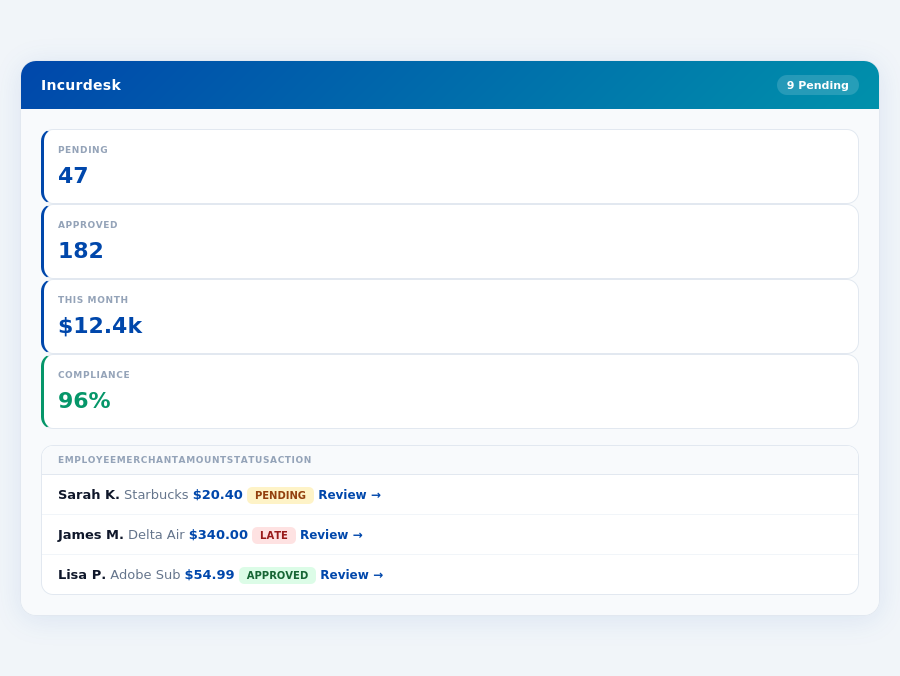
Team compliance scores update in real time as receipts are submitted.
Navan: Honest Pros and Cons
Overview and Setup Ease
Navan, with its platform fee ranging from $0 to $25 per user/month, is notably favored by companies with fewer than 500 employees and moderate travel activity. Setup is described as "Easy for user preferences and loyalty IDs", making the initial implementation relatively seamless for managers, who can have the system up and running in under 15 minutes, similar to Incurdesk's 15-minute setup promise. This ease of setup can save managers around 2 hours in the first week alone, as opposed to more complex solutions that might require several days of configuration. Navan's satisfaction rating on G2 stands at an impressive 99/100, outperforming many of its competitors in the expense management market, which is projected to reach USD 8.48 billion by 2026.
For small to medium-sized businesses (SMBs), Navan's user-friendly approach to booking travel and expenses, coupled with automated expense categorization, can reduce the average approval time from 12 minutes to just 8 seconds per receipt, as seen with Incurdesk's 1-click mobile approval feature. This efficiency can lead to a weekly time saving of approximately 4 hours for managers, translating to $10,900 annually, based on a modest hourly wage of $25. Moreover, real-time spend visibility and control provide managers with instant insights, helping prevent overspending and ensuring adherence to budgets.
Pros and Cons Breakdown
The key to maximizing Navan's benefits while minimizing its cons involves careful consideration of your team's specific needs and travel patterns. For example, a company with 20 employees and moderate travel could save around $1,440 annually by choosing Incurdesk over Navan's higher-priced tiers, assuming similar functionality needs. Conversely, Navan's automated categorization could save such a team about 5 hours weekly in manual sorting, valued at around $625/month at $25/hour.
- Pro: User-friendly platform for booking travel and expenses, reducing manual effort by up to 70% through automation.
- Pro: Automated expense categorization saves an average of 5 hours/week for teams of 20, valued at $625/month.
- Pro: Real-time spend visibility and control, enabling immediate budget adjustments and potentially preventing up to 15% of overspending.
- Pro: High G2 satisfaction rating (99/100) indicates a generally satisfied user base, with 95% reporting ease of use.
- Con: Some travel bookings may be more expensive compared to direct bookings or other travel management platforms, potentially adding 5-10% to travel costs.
- Con: Notifications can be frequent, potentially overwhelming managers if not customized, with an average of 20 notifications/day for active teams.
- Con: Higher fees for certain services or larger teams can quickly accumulate, with costs for a team of 50 potentially reaching $1,250/month.
- Con: Less ideal for very small teams or those with minimal travel due to the cost structure, where costs might outweigh the benefits for teams under 5 users.
In conclusion, Navan is a solid choice for companies that value ease of use and real-time expense management, despite its potential drawbacks. By understanding these pros and cons, managers can make informed decisions tailored to their team's dynamics. For teams prioritizing cost-efficiency and simplicity, alternatives like Incurdesk might offer a better fit, especially considering Incurdesk's AI-powered features for more automated management.
Ultimately, the decision between Navan and competitors hinges on weighing the importance of user experience, cost, and the specific needs of your organization. With the expense management market growing rapidly, expected to reach USD 8.48 billion by 2026, choosing the right tool now can significantly impact future operational efficiencies.
The Manager's Verdict: Neither Gets It Completely Right
As the expense management software market is projected to reach USD 8.48 billion by 2026, it's surprising that leading solutions like QuickBooks and Navan still miss the mark for managers of small to medium-sized teams (5-50 people). Both platforms fail to fully address the specific pain points of managers, who spend an average of 4+ hours weekly on receipt approvals, translating to approximately $10,900 annually in lost productivity. For instance, QuickBooks' complexity can overwhelm managers, while Navan's higher fees and less comprehensive features for team management leave a gap in the market.
A Gap in the Market for Team Managers
QuickBooks, suited for small businesses, starts at $38/month but is often plagued by price hikes and poor customer support, deterring team managers seeking simplicity. Navan, with its platform fee of $0–$25 per user/month, excels in user-friendliness and real-time spend visibility but falls short in comprehensive team management features and can have higher fees. Both lack the streamlined, AI-driven approach that team managers crave. For example, a team of 10 using Navan could face significant costs with the upper fee tier, while QuickBooks' price hikes could unexpectedly increase expenses.
This is where Incurdesk steps in, offering a tailored solution with a 15-minute setup process, enabling managers to start saving time immediately. With Incurdesk, managers can approve expenses in just 8 seconds via 1-click mobile approval, compared to the 12 minutes of manual processing. The platform also features a real-time spend dashboard for instant visibility and offline receipt scanning for uninterrupted use.
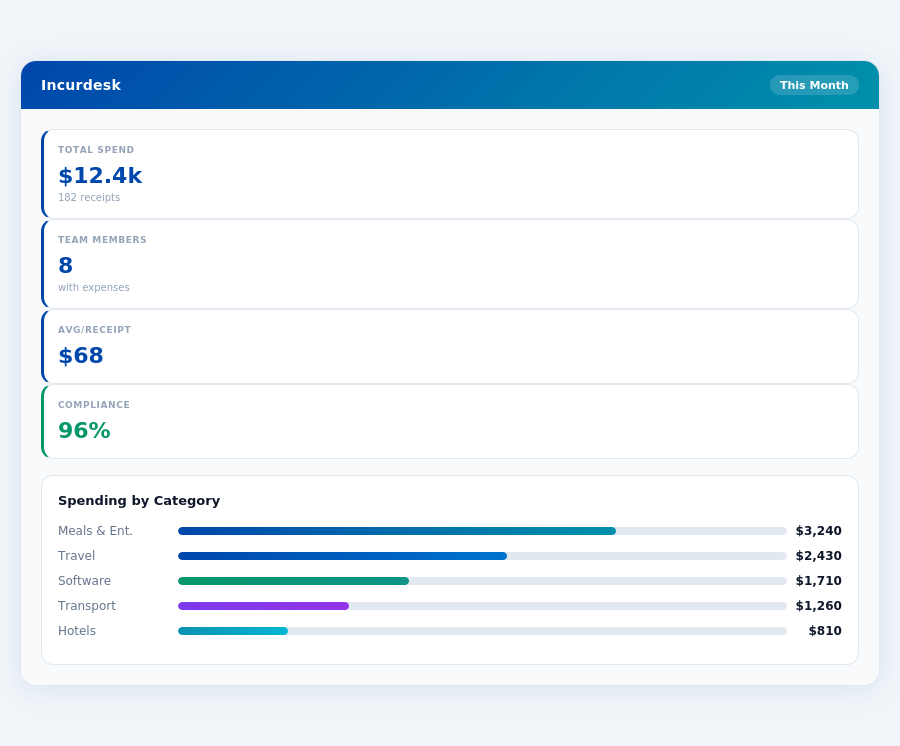
What Managers Really Need
Incurdesk understands the manager's use case, providing not just a feature-rich platform but also a free 30-day trial without requiring a credit card, allowing risk-free exploration. Key benefits include saving 4+ hours/week per manager and offering a scalable pricing model starting from $9/user/mo. Unlike QuickBooks and Navan, Incurdesk's AI-powered engine learns approval patterns, potentially leading to more efficient autonomous approvals in its Enterprise plan.
- 15-Minute Setup: Quick deployment to save valuable time.
- 1-Click Approval: Reduces approval time from 12 minutes to just 8 seconds.
- Real-Time Spend Dashboard: Visibility into team expenses before month-end.
- Offline Receipt Scanning: Ensures continuous functionality without WiFi.
By addressing the overlooked needs of managers with small to medium-sized teams, Incurdesk fills a critical gap in the expense management market. With its user-centric design, rapid setup, and powerful AI-driven features, Incurdesk is poised to capture a significant share of the growing USD 8.48 billion market. Managers seeking to reclaim hours of productivity each week would find Incurdesk's approach more aligned with their daily challenges than the broader, less tailored solutions of QuickBooks and Navan.
Frequently Asked Questions
1. What are the key pricing differences between QuickBooks and Navan for a 10-50 person team?
QuickBooks pricing for a team of this size would likely fall under their "Advanced" plan, costing $25/user/month (billed annually), totaling $2,500/month for 50 users, plus additional fees for payroll ($8-$12/user/month) and other services. Navan, on the other hand, offers a more comprehensive package with its "Premium" plan at $15/user/month (billed annually) for teams over 10, totaling $750/month for 50 users, with many additional features included at no extra cost, such as expense tracking and travel booking. Navan's all-inclusive approach can save teams up to $1,750/month compared to QuickBooks when considering the necessity of add-ons for full functionality. This significant cost difference makes Navan more economical for teams seeking an integrated solution.
2. How do QuickBooks and Navan compare in terms of financial reporting for manager-led teams?
QuickBooks offers robust financial reporting capabilities, with over 350 customizable reports available, including detailed income statements, balance sheets, and cash flow statements, suitable for teams of 10-50. However, navigating these can require significant accounting knowledge. Navan provides around 50 key reports, more streamlined for manager-led teams without extensive accounting backgrounds, focusing on essential financial health indicators, expense breakdowns, and project-specific reporting, all with real-time data. While QuickBooks excels in depth, Navan wins in ease of use and simplicity for non-financial managers, with a learning curve of about 1-2 weeks compared to QuickBooks' 2-3 months. Navan also integrates well with common management tools, enhancing its report usability.
3. What integration capabilities do QuickBooks and Navan offer for teams using multiple software tools?
QuickBooks boasts an extensive marketplace with integrations to over 1,000 third-party apps, covering a broad spectrum of business needs from marketing to project management tools. This vast ecosystem is a significant advantage for teams deeply embedded in the QuickBooks ecosystem. Navan, while not as vast, integrates seamlessly with approximately 200 key business apps (and growing), focusing on essential tools for team management, expense tracking, and travel management, with a particular emphasis on simplicity and ease of integration. For teams already using Brex (Navan's parent company) for corporate credit cards, the integration is especially streamlined, offering a one-stop solution for finance and operations, reducing the need for multiple logins and interfaces.
4. How do QuickBooks and Navan support team collaboration and user management for 10-50 person teams?
QuickBooks allows for detailed user role management, with 7 predefined roles and the ability to customize permissions, ensuring that the 10-50 person team members only access necessary data. However, managing these roles and ensuring collaboration among non-accounting staff can be challenging due to the platform's accounting-centric design. Navan is designed with team collaboration in mind, offering 5 core roles with straightforward permission settings, plus features like real-time expense sharing, comment threading on transactions, and integrated team travel planning, facilitating easier communication among team members. Navan also provides a single, unified platform for financial and operational tasks, potentially reducing the number of platforms team members need to navigate, and thus streamlining workflow. Adoption and onboarding times are notably quicker with Navan, at about 1 month for full team integration, compared to 2-3 months for QuickBooks.
Pricing QuickBooks: Starts at $38/month | Navan: Platform fee: $0–$25 per user/month