
Expense Software vs Your EHR for Tracking Spend
Real trade-offs, pricing & decision guide — updated October 2026
For small healthcare businesses with 5-50 employees, tracking expenses efficiently and compliantly is crucial for financial oversight, tax preparation, and regulatory compliance, particularly concerning HIPAA. You can choose between dedicated expense management software and your existing Electronic Health Record (EHR) system to manage expenses, with options for healthcare expense management for under $10/user (2026) available. By understanding the capabilities and limitations of each option, you can make an informed decision to simplify your financial operations.
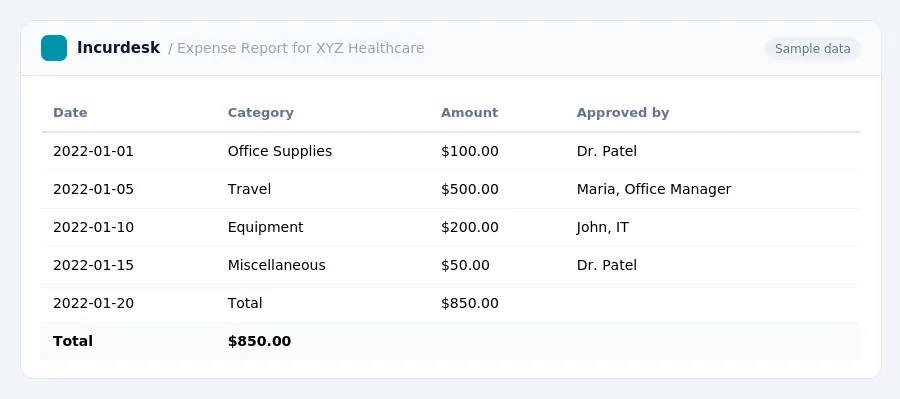
Expense Tracking Best Practices for Healthcare Businesses
Expense tracking is an essential aspect of healthcare businesses, and it's crucial to do it correctly. Here are some best practices to keep in mind:
- Protect PHI in expense reports: Healthcare organizations must safeguard Protected Health Information (PHI) from unauthorized access, even in expense reports. This means using secure methods to report expenses related to patient care.
- Streamline tracking with dedicated banking and corporate cards: Establishing dedicated business banking and using corporate card programs can make it easier to track expenses and reduce the risk of errors.
- Account for regulatory compliance and patient privacy: When tracking expenses, healthcare businesses must consider regulatory compliance and patient privacy requirements. This includes ensuring that all expenses are properly documented and that sensitive information is protected.
- Use expense tracking as an early warning system: Expense tracking can serve as an early warning system for business finances, helping to identify spending patterns and budget overruns before they become major issues.
Keep in mind that Electronic Health Records (EHRs) are designed to manage patient data, not comprehensive financial expense tracking. While some EHRs may have basic expense tracking features, they may not provide the level of detail and control needed for accurate financial oversight.
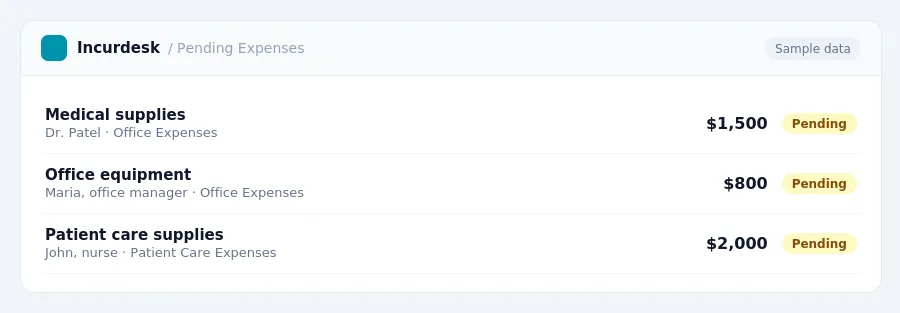
Regulatory Compliance and Financial Oversight
For small healthcare businesses, ensuring regulatory compliance and financial oversight is crucial. To achieve this, it's essential to integrate all financial accounts and maintain consistent recording schedules. This will help streamline expense tracking and simplify tax preparation.
When it comes to HIPAA compliance, it's essential to note that while HIPAA is a federal law in the US, interpretations and proposed changes can impact how entities handle data, including expense-related information. To ensure compliance, consider the following rules:
- Maintain accurate and detailed records of all expenses.
- Ensure that all financial transactions are properly authorized and documented.
- Regularly review and update your expense tracking system to ensure it remains compliant with changing regulations.
When evaluating expense tracking systems, consider the following factors:
- Can the system track and categorize expenses accurately?
- Does the system provide real-time reporting and analytics?
- Is the system secure and compliant with HIPAA regulations?
By integrating all financial accounts and maintaining consistent recording schedules, small healthcare businesses can ensure regulatory compliance and financial oversight. Regularly reviewing and updating your expense tracking system will also help ensure that you remain compliant with changing regulations.
| Expense Software | EHR System |
|---|---|
| Compliant with HIPAA regulations | Varies, check with the EHR provider |
| Provides real-time reporting and analytics | Varies, check with the EHR provider |
| Tracks and categorizes expenses accurately | Varies, check with the EHR provider |
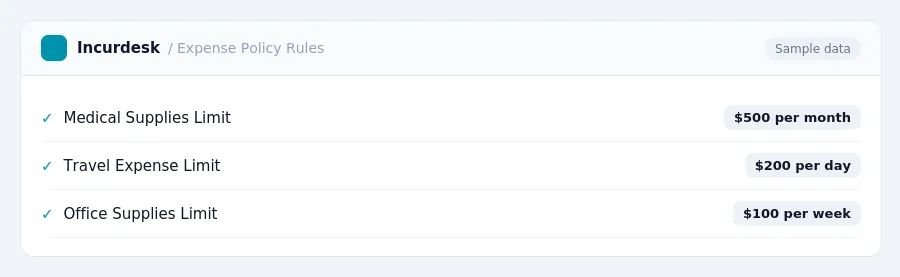
Comparison of Expense Software and EHR Systems
To help you decide, let's compare these two options in the table below.
| Feature | Expense Software | EHR System |
|---|---|---|
| Integration with EHR | Some software offers integration with EHR systems | Integrated by default |
| Secure Handling of PHI | Designed to handle sensitive information securely | May not be designed for expense reporting |
| Expense Tracking | Specialized for tracking expenses | Not designed for expense tracking |
| Tax Preparation | Can simplify tax preparation with categorized expenses | May not provide categorized expenses |
Expense reports can contain Protected Health Information (PHI), such as patient names, treatment dates, and provider details, which requires secure handling. If your EHR system is not designed for expense reporting, it may not provide the necessary security features to protect this sensitive information.
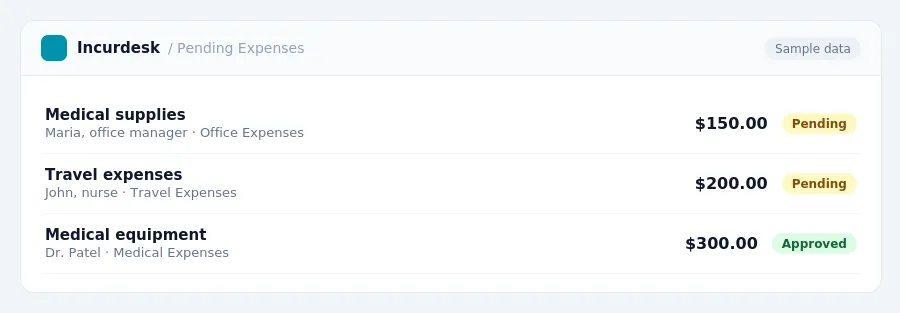
HIPAA Compliance and Expense Reporting
Manual processes, such as using spreadsheets or email approvals, can increase HIPAA compliance risks. To mitigate these risks, consider implementing a system that offers role-based permissions and secure audit trails. This ensures that only authorized personnel can access and approve expense reports, reducing the likelihood of unauthorized access to sensitive patient information.
Additionally, stay informed about proposed HIPAA Privacy Rule changes, which aim to modernize the right of access, shorten response times for records requests, and require fee transparency.
Until then, focus on implementing secure expense reporting practices that minimize the risk of data breaches and unauthorized access. By prioritizing HIPAA compliance in your expense reporting process, you can reduce the risk of penalties and protect sensitive patient information.
Choosing the Right Tool for Your Healthcare Business
- Scalability: Can the tool grow with your business?
- Integration: Does the tool integrate with your existing systems?
- Security: Does the tool ensure the security and confidentiality of sensitive financial data?
- Customization: Can the tool be tailored to meet your specific business needs?
Neither gets it right. Incurdesk does.
30-day free trial. No credit card. Setup takes 15 minutes.