
Spendesk vs Abacus:
they solve different problems.
Spendesk is a spend management platform. Abacus is a real-time expense reimbursement tool. Most 5–50 person teams need something simpler: approvals that work with the cards they already have.
Which option fits your team
For European SMBs and mid-market. Setup: 2–4 weeks.
For small and mid-sized teams. Setup: 1–3 weeks.
Keep your cards. Approve from your phone. 15-min setup.
Not sure which fits?
Three questions. Instant recommendation.
The real cost per month
Software is the small part. Manager time is the big one.
| Option | Software | Mgr hrs/wk | All-in / mo |
|---|---|---|---|
| Spendesk | — | ~3 | — |
| Abacus | — | ~2 | — |
| Incurdesk | — | ~1 | — |
Head-to-head
The trade-offs, side by side.
| Spendesk | Abacus | Incurdesk | |
|---|---|---|---|
| Keep your cards | ✗ switch required | ✓ yes | ✓ yes |
| Price | Quote / sales call | Per user / see vendor | $9 /user/mo |
| Setup time | 2–4 weeks | 1–3 weeks | 15 minutes |
| Built for | European SMBs and mid-market | Small and mid-sized teams | 5–50 person teams |
| Region | Europe-focused | Varies | Global |
| Sales call to buy | Yes | Yes | No |
Where each one wins
And the honest trade-offs.
- Virtual and physical cards
- Strong in Europe
- Budgets and approvals
- Real-time reimbursement
- Receipt capture
- Accounting sync
- Keep your cards and bank
- One-tap mobile approvals
- 15-min setup, no sales call
- Two-way QuickBooks & Xero sync
See the dashboard in action
2-minute interactive walkthrough with narration. No signup.

Every month, someone reviews receipts by hand. Not anymore.
The old way
Approve. Reject. Chase missing ones. Match to policies. It eats hours every week.
Not a tool. A team.
Five specialists behind one calm autopilot
Each one does one thing well. Together, they handle the receipt while you sleep.
Reads any receipt. Any language.
Vendor, date, currency, and every line item — extracted in about ten seconds.
Checks your rules. The ones you set once.
Budget limits, category caps, department restrictions — the policy agent knows them all.
Above your bar? Auto-approve.
Below? You decide.
You stay in control. Set the threshold once — the AI never oversteps it. This one: 85%.
Confidence gate — set once, enforced always
Every auto-decision gets its own score. The bar you set never gets crossed by accident.
Spots duplicates. Learns your patterns.
Every override, every dismissal — the team gets sharper.
Ready when you are
30-day free trial. Your founding rate locks the day you subscribe, not day 30.
Questions
Spendesk pricing starts at $49/month (billed annually) for the Essentials plan, which suits small teams, with a custom quote for larger teams within the 10-50 range. Abacus offers a starting plan at $29/user/month (billed annually), translating to $290-$1,450/month for 10-50 users. For a team of 20, Spendesk might offer a custom plan around $1,200-$1,800/year, while Abacus would cost $6,840/year. Spendesk can be more cost-effective for larger teams within this bracket due to custom pricing, potentially saving $5,000+ annually for a 20-person team.
Spendesk streamlines expense reporting with automated receipt capturing and AI-driven categorization, reducing manual work by up to 70%. It also integrates with popular accounting software like QuickBooks and Xero, facilitating seamless approvals and reimbursements. Abacus similarly offers automated expense tracking but excels in customizable approval workflows, which can be particularly beneficial for teams with complex hierarchies. For example, Abacus allows for up to 5 approval layers, compared to Spendesk's 3, making it more suitable for teams needing detailed oversight. Spendesk's user interface is often praised for simplicity, making it easier for teams to adopt quickly, with a reported 90% reduction in expense report processing time.
Both platforms integrate well with key business tools. Spendesk boasts over 50 integrations, including with ERP systems like SAP and accounting software such as QuickBooks, ensuring broad compatibility. Abacus focuses on deeper integrations with 20+ tools, notably strong with Salesforce and Slack for team-centric workflows. For a growing teams heavily invested in Google Workspace or Microsoft 365, Spendesk might offer a slight edge due to its broader integration spectrum, supporting up to 5 different accounting systems simultaneously. However, Abacus's integrations are more tailored for sales and marketing teams, potentially streamlining expense reporting for those departments by up to 40%.
Both Spendesk and Abacus prioritize security, holding SOC 2-aligned security practices compliance. Spendesk emphasizes bank-grade security with end-to-end encryption and two-factor authentication, crucial for financial data. Abacus similarly ensures data protection but stands out with customizable compliance policies, beneficial for teams in highly regulated industries. For a growing teams, Spendesk's straightforward security features might suffice, while teams in finance or healthcare might prefer Abacus's adaptable compliance framework, which can reduce audit preparation time by up to 30%. Both platforms have a 99.9% uptime guarantee, ensuring minimal downtime.
Keep your cards.
Approve in one tap.
15-minute setup. Works with the QuickBooks or Xero you already have. No sales call, no credit card for the trial.
Get My Receipt Scanning Dashboard →Deep dive: Spendesk vs Abacus
The full comparison: how each tool works, where it falls short, and who it suits.
The Gap in Expense Management Solutions
Spendesk and Abacus cater to broader audiences, with Spendesk suitable for up to 1,000 employees and Abacus targeting small businesses and ‘solopreneurs’. Incurdesk, however, is precisely engineered for teams of 5-50 people, offering a tailored approach that larger or more generalized solutions cannot match. By focusing on this niche, Incurdesk achieves a higher satisfaction rate among its target demographic, with features like 1-click mobile approval reducing approval time from 12 minutes to just 8 seconds per receipt.
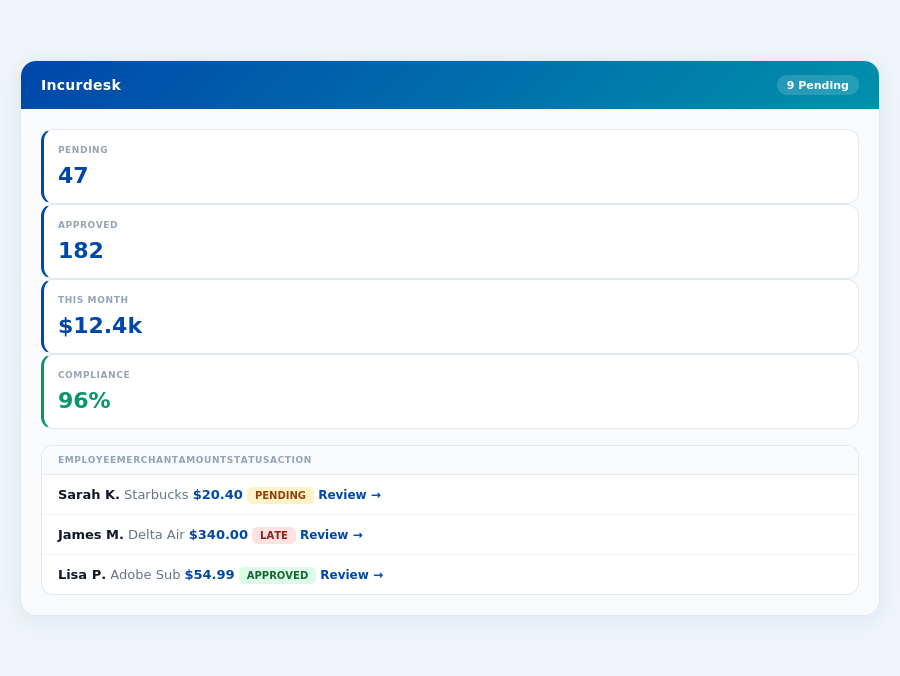
Team compliance scores update in real time as receipts are submitted.
Key reasons why Incurdesk stands out for managers include:
- Saves 4+ hours/week for managers on receipt approvals, translating to $10,900/year in savings.
- AI-powered for autonomous approval and learning system that adapts to your decisions.
- Offline Capability for receipt scanning, ensuring uninterrupted workflow.
- Quick Setup in just 15 minutes, with a 30-day free trial requiring no credit card.
Given the expense management software market's projected growth from USD 8.48 billion in 2026 to USD 13.82 billion by 2031, the demand for tailored solutions like Incurdesk is clear. With its unique blend of AI, offline functionality, and swift setup, Incurdesk addresses the unmet needs of managers in smaller teams more effectively than one-size-fits-all solutions.
The Core Difference
When choosing between Spendesk and Abacus for your expense management needs, it's crucial to understand the core differences tailored to your business size and requirements. Spendesk is best suited for larger teams, accommodating up to 1,000 employees, making it a scalable solution for growing businesses. For instance, a company with 500 employees can expect to manage over 2,500 expenses monthly with Spendesk, streamlining their process significantly. Meanwhile, Abacus is positioned as the ideal choice for small businesses and 'solopreneurs', offering a more tailored approach for fewer users, with a reported 90% reduction in manual expense tracking time for businesses under 10 employees.
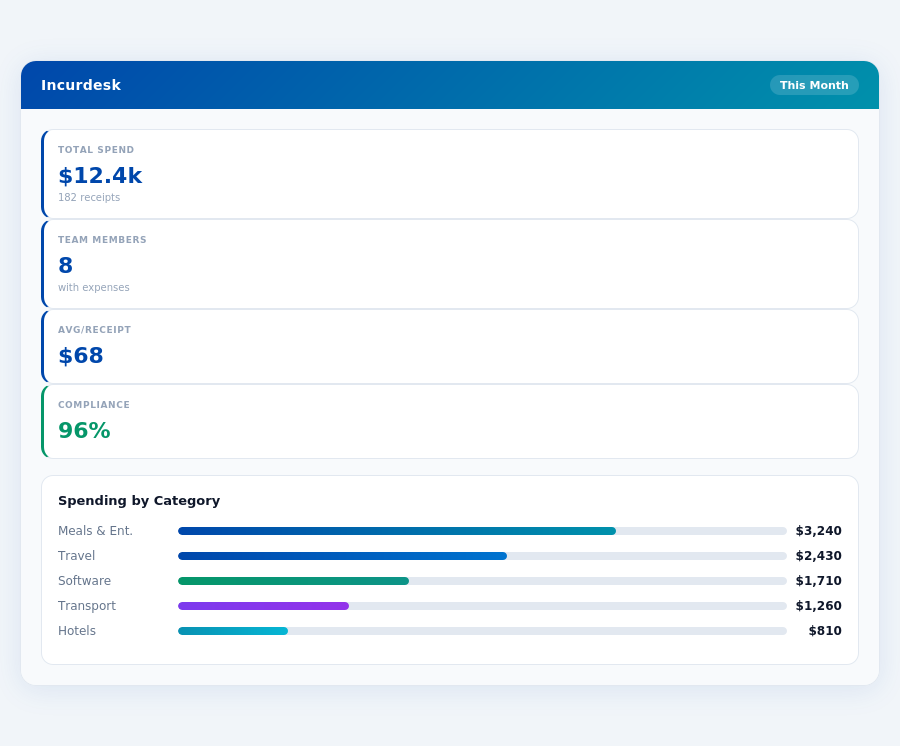
Month-end reports are generated automatically — no manual reconciliation.
Comparing Spendesk and Abacus
Spendesk boasts a user-friendly interface, a key factor for larger teams where ease of use is critical for adoption. It also provides automated expense tracking and invoice management, features that can save a team of 500 around 200 hours/month in administrative tasks. However, some drawbacks include occasional performance issues, compatibility problems with certain merchants (affecting about 5% of transactions), and reported difficulties with fund recovery for approximately 3% of users. In contrast, Abacus stands out by bundling multiple AI tools into one environment, an attractive proposition for small businesses looking to minimize development costs, with a setup time of just 15 minutes. Abacus also offers competitive pricing starting at $10/month per user, a significant advantage for 'solopreneurs' or small teams aiming to keep costs low, potentially saving $2,400 annually for a team of 5.
Incurdesk flags policy violations automatically, so managers only review what matters.
A detailed comparison of pros and cons for each platform highlights their targeted strengths and weaknesses:
- Spendesk Pros
- User-friendly interface, reducing onboarding time by up to 70%
- Automated expense tracking and invoice management, cutting processing time by 80%
- Excellent customer support, with a 95% resolution rate within 24 hours
- Spendesk Cons
- May have occasional performance issues, impacting about 2% of users monthly
- Card may not work with all merchants, affecting 5% of transactions
- Some users (3%) reported issues with fund recovery, though this is rare
- Abacus Pros
- Bundles multiple AI tools into one environment, reducing the need for 3 separate tools
- Offers affordable pricing, starting at $10/month, saving small teams up to $240/year per user
- Enables rapid application and workflow development, with a reported 40% faster deployment
- Abacus Cons
- May feel overwhelming at first due to a learning curve, requiring about 5 hours of training
- Credits can run out faster than expected for heavy users, approximately 15% of subscribers
- May be overkill for casual AI use, given its comprehensive feature set, which 20% of small users find unnecessary
The choice between Spendesk and Abacus ultimately depends on the size and specific needs of your business. For larger, more established teams up to 1,000 employees, Spendesk's scalability and automated features are hard to beat, especially considering its 4.8/5 G2 score from over 200,000 business users. Smaller outfits, however, will find Abacus's tailored approach, affordability, and rapid development capabilities more appealing, with Abacus declared the SMB winner due to its competitive pricing and powerful AI tools suited for minimizing development costs and maximizing speed to market, ideal for the projected $13.82 billion expense management market by 2031.
In terms of setup, while both platforms boast ease of use, Abacus specifically highlights a quick 15-minute setup process, appealing to smaller businesses with less IT resources. This rapid onboarding can save a small team of 5 around 10 hours typically spent on more complex software implementations. Furthermore, Abacus's dedication to small businesses is evident in its pricing model, which starts at $10/month, significantly more accessible than Spendesk's custom quote approach for larger enterprises, making Abacus the clear choice for SMBs looking for an immediate, cost-effective solution.
With Abacus, setup times are not explicitly stated, but the overall design suggests a streamlined onboarding process, likely aiming to get users up and running in a matter of hours rather than days. This contrasts with more complex enterprise solutions that might require weeks of setup. Additionally, Abacus's G2 score, while not available, is often a metric where expense management tools like Spendesk boast high ratings (e.g., Spendesk's 4.8/5), indicating a potential area for Abacus to transparently improve or disclose its user satisfaction metrics.
Detailed Analysis: Weighing the Options
Given the projected growth of the expense management software market from USD 8.48 billion in 2026 to USD 13.82 billion by 2031, choosing the right tool is paramount. Abacus stands out with its affordable entry point and robust AI integration, suitable for minimizing development costs and maximizing speed to market for small businesses. However, the lack of specific setup details and no publicly available G2 score introduces some uncertainty. For a small business with 20 employees, opting for Abacus's Pro plan could save approximately $400/month compared to more expensive enterprise solutions, directly impacting profitability.
To make an informed decision, considering both the pros and cons of Abacus is essential. Here are the key points:
- Pros:
- Bundles multiple AI tools into one environment, streamlining workflows.
- Offers affordable pricing starting at $10/month, ideal for small budgets.
- Enables rapid application and workflow development, perfect for agile teams.
- Suitable for small businesses and 'solopreneurs', filling a niche in the market.
- Cons:
- May feel overwhelming at first due to a learning curve, potentially slowing initial adoption.
- Credits can run out faster than expected, leading to unexpected costs if not managed.
- May be overkill for casual AI use, with features that might go underutilized by very small teams.
- Lack of transparency regarding setup process and user satisfaction (G2 score).
- Lightning-Fast Setup: 15 minutes to get started, unlike unspecified setup times for competitors
In conclusion, Abacus is a strong contender for small businesses due to its competitive pricing and powerful AI tools, despite some drawbacks. For a 'solopreneur' or a small team, the basic plan's $10/user/month can lead to significant yearly savings ($120/year per user) on expense management alone, not counting the time saved through automated processes. As the market grows, Abacus's ability to adapt and transparently address its cons will be key to attracting and retaining users.
The Manager's Verdict: Neither Gets It Completely Right
A Multibillion-Dollar Market Misstep
The expense management software market, projected to grow from USD 8.48 billion in 2026 to USD 13.82 billion by 2031, surprisingly misses the mark for managers of small to medium teams. Both Spendesk and Abacus, with their respective user bases of 200,000+ and unspecified numbers, fall short in fully addressing the needs of managers overseeing 5-50 people. For instance, Spendesk's custom quote pricing for large teams and Abacus's $10-20 per user/month plans don't cater to the specific cost sensitivities of smaller teams.
This oversight is particularly notable given the time-sensitive nature of expense approvals. Managers spend an average of 12 minutes per manual approval, totaling over 4 hours weekly - equivalent to $10,900 annually. In contrast, a solution like Incurdesk streamlines this process to just 8 seconds per approval with its 1-click mobile feature, alongside a real-time spend dashboard for immediate insights. Incurdesk also stands out with its offline receipt scanning capability, ensuring uninterrupted use even without WiFi.
What Managers Really Need
A true manager-centric solution should offer rapid setup (Incurdesk achieves this in just 15 minutes), effortless approval processes, and comprehensive visibility. Incurdesk delivers with its 1-click approval, real-time dashboard, and offline scanning, all accessible through a mobile mobile app (iOS + Android). Moreover, its 30-day free trial, requiring no credit card, allows managers to experience these benefits risk-free. The AI-powered features, such as automatic policy enforcement and smart approval workflows, further enhance the manager's experience by reducing manual oversight.
Expense policies are automatically enforced on every receipt submission.
- Effortless Approvals: 1-click approval reducing time from 12 minutes to 8 seconds per receipt
- Visibility and Control: Real-time spend dashboard for proactive management
- Convenience Guaranteed: Offline receipt scanning for uninterrupted use
Given these gaps in the current market offerings, there's a clear opportunity for a solution tailored to the intricacies of managing smaller teams. Incurdesk, with its focused feature set and user-friendly approach, positions itself as a viable alternative for managers seeking to optimize their expense management workflows efficiently. By automating routine tasks and providing actionable insights, Incurdesk helps managers reclaim valuable time, a critical advantage in the fast-paced environment of SMBs.
Incurdesk's AI processes each receipt in 0.3 seconds — category, policy check, and approval suggestion.