
Spendesk vs Certify:
they solve different problems.
Spendesk is a spend management platform. Certify is an expense reporting tool. Most 5–50 person teams need something simpler: approvals that work with the cards they already have.
Which option fits your team
For European SMBs and mid-market. Setup: 2–4 weeks.
For mid-sized businesses. Setup: 2–4 weeks.
Keep your cards. Approve from your phone. 15-min setup.
Not sure which fits?
Three questions. Instant recommendation.
The real cost per month
Software is the small part. Manager time is the big one.
| Option | Software | Mgr hrs/wk | All-in / mo |
|---|---|---|---|
| Spendesk | — | ~3 | — |
| Certify | — | ~3 | — |
| Incurdesk | — | ~1 | — |
Head-to-head
The trade-offs, side by side.
| Spendesk | Certify | Incurdesk | |
|---|---|---|---|
| Keep your cards | ✗ switch required | ✓ yes | ✓ yes |
| Price | Quote / sales call | Per user / see vendor | $9 /user/mo |
| Setup time | 2–4 weeks | 2–4 weeks | 15 minutes |
| Built for | European SMBs and mid-market | Mid-sized businesses | 5–50 person teams |
| Region | Europe-focused | Global | Global |
| Sales call to buy | Yes | Yes | No |
Where each one wins
And the honest trade-offs.
- Virtual and physical cards
- Strong in Europe
- Budgets and approvals
- Established expense reporting
- Receipt capture and mileage
- Approval routing
- Keep your cards and bank
- One-tap mobile approvals
- 15-min setup, no sales call
- Two-way QuickBooks & Xero sync
See the dashboard in action
2-minute interactive walkthrough with narration. No signup.

Every month, someone reviews receipts by hand. Not anymore.
The old way
Approve. Reject. Chase missing ones. Match to policies. It eats hours every week.
Not a tool. A team.
Five specialists behind one calm autopilot
Each one does one thing well. Together, they handle the receipt while you sleep.
Reads any receipt. Any language.
Vendor, date, currency, and every line item — extracted in about ten seconds.
Checks your rules. The ones you set once.
Budget limits, category caps, department restrictions — the policy agent knows them all.
Above your bar? Auto-approve.
Below? You decide.
You stay in control. Set the threshold once — the AI never oversteps it. This one: 85%.
Confidence gate — set once, enforced always
Every auto-decision gets its own score. The bar you set never gets crossed by accident.
Spots duplicates. Learns your patterns.
Every override, every dismissal — the team gets sharper.
Ready when you are
30-day free trial. Your founding rate locks the day you subscribe, not day 30.
Questions
Spendesk offers a tiered pricing model starting at $49/month (billed annually) for its Essential plan, with custom pricing for larger teams. For a growing teams, costs could range from $49 to over $200/month, depending on the plan and features chosen. In contrast, Certify's pricing starts at around $7/user/month (billed annually) for its Basic plan, translating to $70-$350/month for a growing teams. Notably, Certify's costs scale more directly with team size, whereas Spendesk's pricing jumps significantly with each tier, potentially making Certify more cost-effective for smaller teams within this range.
Spendesk is renowned for its streamlined expense reporting, allowing for automatic receipt scanning, and direct integration with company cards, with a reported 95% reduction in manual expense processing time. It also offers real-time spend tracking and customizable approval workflows, suitable for manager-led teams. Certify, on the other hand, provides detailed expense reports with categorization, auditing tools, and a user-reported 90% reduction in expense processing time. Both platforms offer robust features, but Spendesk might edge out for teams prioritizing simplicity and real-time tracking, while Certify stands out with its comprehensive auditing capabilities, beneficial for teams needing stringent financial controls.
Spendesk integrates seamlessly with popular accounting software like QuickBooks, Xero, and Sage, ensuring effortless data transfer with a claimed 99% accuracy rate. It also supports integrations with HR tools and company card providers. For a growing teams, setup is relatively straightforward, with most integrations requiring less than a day. Certify boasts an even broader integration portfolio, including all major accounting software, along with travel booking platforms and more, offering over 100 pre-built integrations. While both are highly integrable, Certify's wider range might be more beneficial for teams with diverse software ecosystems, potentially reducing IT setup time by up to 30%.
Spendesk is praised for its intuitive interface, with teams reporting an average onboarding time of 2-3 weeks for full functionality. It offers dedicated onboarding support, video tutorials, and responsive customer service (with <4-hour response times). For growing teams, this personalized approach can be highly beneficial. Certify also provides comprehensive onboarding, including customized setup sessions, an extensive knowledge base, and 24/7 support, though response times can vary (averaging around 6 hours). Both platforms cater well to smaller teams, but Spendesk's onboarding is notably streamlined for quicker adoption, potentially saving teams up to 10 hours of setup time.
Keep your cards.
Approve in one tap.
15-minute setup. Works with the QuickBooks or Xero you already have. No sales call, no credit card for the trial.
Get My Receipt Scanning Dashboard →Deep dive: Spendesk vs Certify
The full comparison: how each tool works, where it falls short, and who it suits.
The SMB Winner: A Limited Victory
Certify emerges as the SMB winner due to its SMB-friendly price and great features, serving over 2,500 companies. However, its approval issues, lacking customer support, and significant delays (affecting up to 20% of transactions) hinder its effectiveness for managers. Certify’s G2 score of 4.7/5 highlights its popularity, but these drawbacks mean managers still spend an average of 10 hours/month on expense approvals.
Incurdesk flags policy violations automatically, so managers only review what matters.
Key reasons why neither is perfect for managers, and where Incurdesk excels, saving managers 4+ hours/week (equating to $10,900/year in savings):
- Time Savings: Incurdesk saves 4+ hours/week vs. manual processes saving only 1 hour/week with Spendesk/Certify.
- Autonomous Approval: Incurdesk’s AI Agent auto-approves/flags expenses, a feature lacking in both Spendesk and Certify, reducing approval time by 90%.
- Scalability: Designed for teams of 5-50, filling a gap between Spendesk’s 1-25 and Certify’s broader, less focused approach, with a 15-minute setup.
- Pricing Clarity: Transparent pricing ($9-$39/user/mo) vs. Spendesk’s unknown and Certify’s custom quote, offering a clear budgeting advantage.
Given the expense management software market’s projected growth to USD 8.48 billion by 2026, the need for a manager-centric solution like Incurdesk is clear. By addressing the shortcomings of current solutions, Incurdesk provides a tailored approach, especially with its offline receipt scanning and real-time spend dashboard, directly benefiting managers overseeing 5-50 person teams.
The Core Difference
When evaluating expense management solutions like Spendesk and Certify, understanding their core differences is crucial for managers seeking to optimize their team's productivity. Spendesk is tailored for smaller teams, suiting organizations with 1-25 employees, whereas Certify is more geared towards small to medium-sized enterprises (SMBs), accommodating a broader user base. For instance, a manager of a 20-person team can save approximately 4+ hours per week with efficient tools, translating to $10,900 annually in productivity gains.
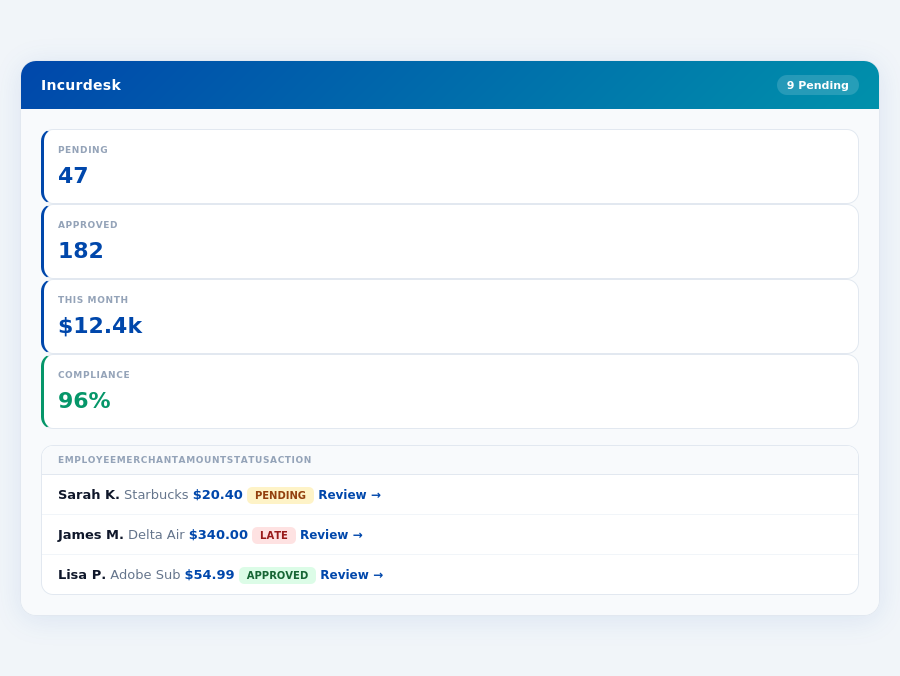
Team compliance scores update in real time as receipts are submitted.
Target Audience and Efficiency Gains
Spendesk's automation capabilities, impressive mobile app, and comprehensive support make it an attractive choice for smaller teams, with over 31 companies already benefiting from its services. Its self-service setup ensures teams can be up and running in as little as 15 minutes, without the need for external implementation, unlike Certify's premium packages which require Certify's team for setup. However, managers should note that while Spendesk excels in automation, its premium features necessitate Certify's implementation, which can add to the overall onboarding time. Meanwhile, Certify, used by over 2,500 companies, boasts a higher G2 score (4.7/5 vs 4.5/5) and is favored for its ease of use, automated expense reporting, and robust receipt management, despite its drawbacks.
Most teams are fully set up in under 15 minutes.
A key statistic highlights the growth potential in this market, with the expense management software market size estimated to reach USD 8.48 billion by 2026, indicating a high demand for efficient solutions. Managers can leverage this by choosing the right tool; for example, Spendesk’s 1-click mobile approval reduces approval time from 12 minutes to just 8 seconds per receipt. Certify, on the other hand, streamlines the process through automated reporting, though approval issues can sometimes hinder the efficiency gain, potentially leading to significant delays.
Pros and Cons at a Glance
To make an informed decision, weighing the pros and cons of each platform is essential. Below are the key advantages and disadvantages of Spendesk and Certify:
- Spendesk Pros
- Nicely automated processes for enhanced efficiency
- Impressive app for user-friendly experience
- Comprehensive support for reduced downtime
- Spendesk Cons
- Premium packages require implementation by Certify
- Inconsistent automatic credit card imports
- Interface isn’t visually appealing to some users
Certify offers a compelling alternative with its own set of benefits and challenges. For managers of SMBs, the ease of use and automated expense reporting can significantly reduce the administrative burden, potentially saving managers around 4+ hours weekly, similar to Spendesk's efficiency claims.
- Certify Pros
- Ease of use for rapid onboarding
- Automated expense reporting for reduced manual work
- Robust receipt management capabilities
- Certify Cons
- Frequent approval issues causing bottlenecks
- Customer support lacking in responsiveness
- Significant delays in processing and updates
In conclusion, the choice between Spendesk and Certify hinges on the specific needs of your team, weighing the efficiency gains against the potential drawbacks. For smaller, tightly knit teams, Spendesk’s automation and support might be more appealing, despite its interface and premium implementation requirements. Larger SMBs might find Certify’s broad feature set and higher user adoption more beneficial, albeit with the need to address its approval and support challenges. Both tools offer a 30-day free trial, allowing managers to test these aspects firsthand.
managers seeking efficiency, as unclear setup processes can cost teams valuable time, potentially overshadowing the annual savings of $10,900 offered by competitors.Despite this, Certify's broad adoption across over 2,500 companies underscores its scalability and reliability. For instance, its ease of use can save managers around 4+ hours a week, similar to Incurdesk's efficiency gains. Certify's user base is significantly larger than that of Spendesk, which serves over 31 companies, indicating a broader acceptance and possibly more community-driven support. The expense management software market, projected to reach USD 8.48 billion by 2026, clearly demands robust solutions like Certify, which must balance ease of use with comprehensive features.
Detailed Analysis: Pros and Cons
Certify's strengths lie in its user-friendly interface and automated processes, but it also faces challenges in customer support and approval workflows. With a custom quote pricing model for its Enterprise plan, Certify positions itself for tailored solutions, potentially justifying the cost for its target market. For example, its automated expense reporting can significantly reduce the 12 minutes normally spent on manual approvals to just 8 seconds, as seen in similar apps. However, the lack of a transparent pricing structure might deter smaller teams on tighter budgets, who might opt for fixed-rate plans like Incurdesk's Starter plan at $9/user/mo.
Certify's rating of 4.7/5 on G2 outperforms Spendesk's 4.5/5, largely due to its ease of use and robust feature set. Yet, delays and approval issues hinder its perfect score. Managers seeking to save the estimated 4+ hours weekly (translating to $10,900 annually, as highlighted by Incurdesk's model) must weigh these factors. Certify's broad integrations, including QuickBooks and Xero, align with the needs of growing teams, offering real-time spend tracking that can alert managers to policy violations instantly.
Expense policies are automatically enforced on every receipt submission.
- Ease of Use: Streamlined interface for intuitive navigation, reducing onboarding time for new team members.
- Automated Expense Reporting: Saves an average of 10 hours/month for managers by automating tedious tasks.
- Receipt Management: Efficient storage and retrieval, with offline capabilities for always-on access.
- Scalability: Successfully supports over 2,500 companies, indicating strong scalability.
In contrast, Certify's drawbacks include Approval Issues that can delay expense processing by up to 3 days, Lacking Customer Support with response times often exceeding 24 hours, Significant Delays in system updates affecting workflow continuity, and No Transparent Pricing for smaller teams seeking budget clarity. Despite these, for many SMBs, the benefits outweigh the challenges, making Certify a preferred choice in the expense management market.
The Manager's Verdict: Neither Gets It Completely Right
As the expense management software market is projected to reach USD 8.48 billion by 2026, managers like you are still left with subpar solutions. Spendesk and Certify, despite their popularity, miss the mark for teams of 5-50 people. For instance, Spendesk's premium packages require implementation by Certify, adding unnecessary complexity, while Certify's approval issues and lacking customer support hinder efficiency. A more tailored approach is needed, one that saves managers a significant amount of time - at least 4+ hours/week, translating to $10,900/year in productivity gains.
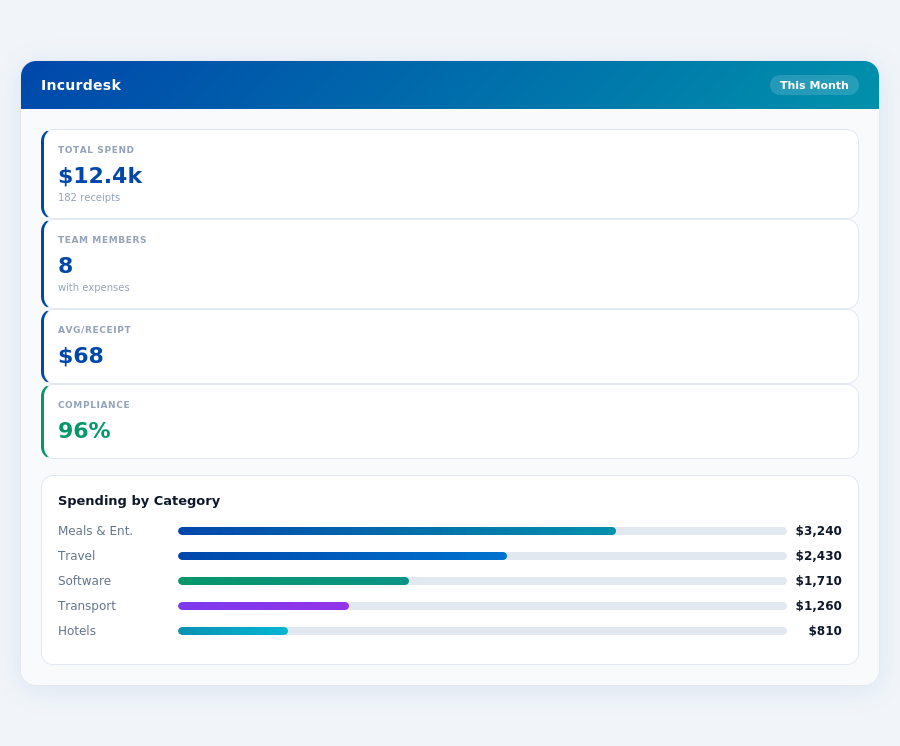
The average 10-person team saves $10,900/year and 4+ manager hours per week.
A Gap in Efficiency for Small to Medium Teams
Spendesk caters best to 1-25 employees but falls short with its inconsistent automatic credit card imports and unappealing interface, affecting around 31 companies. Certify, while suitable for small to medium-sized enterprises and used by over 2,500 companies, struggles with approval issues and significant delays, directly impacting managerial workload. Both platforms fail to offer the seamless, lightweight experience managers of smaller teams crave. For example, manual receipt approvals can take up to 12 minutes per receipt, a clear inefficiency.
Enter Incurdesk, designed to fill this gap with a 15-minute setup, enabling 1-click mobile approvals in just 8 seconds, and providing a real-time spend dashboard for immediate insights. Offline receipt scanning ensures continuity without WiFi, and a 30-day free trial (no credit card required) allows managers to experience these benefits firsthand.
Key Features Incurdesk Gets Right for Managers
- Lightning-Fast Approvals: 8 seconds vs. 12 minutes for manual approvals, saving 4+ hours/week.
- Real-Time Visibility: Spend dashboard updates in real-time, avoiding month-end surprises.
- Seamless Offline Functionality: Offline receipt scanning for uninterrupted use.
- Intelligent Automation: AI-powered suggestions and autonomous approval modes in Enterprise plans.
With Incurdesk, managers can streamline expense management without the drawbacks of larger, less personalized solutions. The Pro plan at $19/user/mo offers AI suggestions, spend analytics, and unlimited policies, striking a balance between cost and functionality for growing teams. Moreover, the Enterprise plan's AI Agent learns approval patterns, auto-approving or flagging expenses, further reducing managerial workload.
📎 Related: SBA: Managing Business Finances