
Brex vs Xero:
they solve different problems.
Brex is a corporate card and spend platform. Xero is accounting software. Most 5–50 person teams need something simpler: approvals that work with the cards they already have.
Which option fits your team
For US startups and scale-ups. Setup: 1–2 weeks.
For small businesses. Setup: ~1 week.
Keep your cards. Approve from your phone. 15-min setup.
Not sure which fits?
Three questions. Instant recommendation.
The real cost per month
Software is the small part. Manager time is the big one.
| Option | Software | Mgr hrs/wk | All-in / mo |
|---|---|---|---|
| Brex | — | ~3 | — |
| Xero | — | ~8 | — |
| Incurdesk | — | ~1 | — |
Head-to-head
The trade-offs, side by side.
| Brex | Xero | Incurdesk | |
|---|---|---|---|
| Keep your cards | ✗ switch required | ✓ yes | ✓ yes |
| Price | $0 /mo essentials | Monthly plans / see vendor | $9 /user/mo |
| Setup time | 1–2 weeks | ~1 week | 15 minutes |
| Built for | US startups and scale-ups | Small businesses | 5–50 person teams |
| Region | US-focused | Global | Global |
| Sales call to buy | No | No | No |
Where each one wins
And the honest trade-offs.
- Free essentials tier on Brex cards
- Startup-friendly onboarding
- Travel and spend tools built in
- Clean small-business accounting
- Strong bank feeds
- Large app marketplace
- Keep your cards and bank
- One-tap mobile approvals
- 15-min setup, no sales call
- Two-way QuickBooks & Xero sync
See the dashboard in action
2-minute interactive walkthrough with narration. No signup.

Every month, someone reviews receipts by hand. Not anymore.
The old way
Approve. Reject. Chase missing ones. Match to policies. It eats hours every week.
Not a tool. A team.
Five specialists behind one calm autopilot
Each one does one thing well. Together, they handle the receipt while you sleep.
Reads any receipt. Any language.
Vendor, date, currency, and every line item — extracted in about ten seconds.
Checks your rules. The ones you set once.
Budget limits, category caps, department restrictions — the policy agent knows them all.
Above your bar? Auto-approve.
Below? You decide.
You stay in control. Set the threshold once — the AI never oversteps it. This one: 85%.
Confidence gate — set once, enforced always
Every auto-decision gets its own score. The bar you set never gets crossed by accident.
Spots duplicates. Learns your patterns.
Every override, every dismissal — the team gets sharper.
Ready when you are
30-day free trial. Your founding rate locks the day you subscribe, not day 30.
Questions
Brex offers a flat fee structure with no monthly user fees, charging 1.5% on funded invoices (with a $0.30 minimum per transaction) for its Brex Invoice product, and no interest charges since it's not a loan. For a team of 10-50, this could amount to $750-$3,750 per year in fees (assuming $500,000 to $2.5 million in annual invoiced amounts). Xero, on the other hand, charges $30/month for its Essentials plan (suitable for teams of this size), totaling $360/year for the platform fee, regardless of transaction volume. However, Xero doesn't handle invoicing funding directly, so teams would need to consider additional banking or financing costs for invoice funding, potentially adding $1,000-$5,000/year in interest or fees, depending on the external service used.
Brex integrates with over 100 popular business apps, including QuickBooks, Xero (ironically), and Zapier for broader connectivity, ensuring seamless data flow for teams. For a 10-50 person team, this means approximately 5-15 integrations might be utilized fully, streamlining operations. Xero boasts integrations with over 1,000 apps, offering deeper connectivity with specialized tools that might be crucial for specific team needs, potentially leading to 10-30 integrations for a team of this size, given the broader range of compatible services. Both platforms support teams well, but Xero's vast integration library can cater to more nuanced operational setups.
Brex provides enterprise-grade security with 2FA, Role-Based Access Control (RBAC) for up to 10 custom roles (sufficient for teams of 10-50), and compliance with major regulatory standards (e.g., SOC 2, GDPR). For enhanced security, Brex also offers a $1 million insurance policy on customer accounts. Xero offers similarly robust security features, including 2FA, RBAC (with more customizable roles, beneficial for larger teams within the 10-50 range), and compliance with key standards like SOC 2 and GDPR. Xero also provides a 100% uptime guarantee and automatic data backups, potentially offering more peace of mind for teams at the higher end of this size range.
Brex offers 24/7 live chat support, dedicated account managers for teams (especially beneficial for teams over 20 persons), and a comprehensive knowledge base. Response times are typically under 2 minutes for chat inquiries, ensuring quick resolutions. Xero provides 24/7 support via phone, email, and live chat, along with a vast community forum and detailed resource center. While Xero's support is strong, dedicated account managers are not standard for teams under 50 unless on a custom enterprise plan, which might incur additional costs (potentially $1,500-$3,000/year). Brex's included dedicated support can be more cost-effective for teams needing personalized assistance.
Keep your cards.
Approve in one tap.
15-minute setup. Works with the QuickBooks or Xero you already have. No sales call, no credit card for the trial.
Get My Receipt Scanning Dashboard →Deep dive: Brex vs Xero
The full comparison: how each tool works, where it falls short, and who it suits.
Why Neither is Ideal for Managers
Despite their strengths, neither Brex nor Xero is specifically designed for managers approving expenses. For instance, Brex can be complex to manage many expense limits, lacking flexibility with exceptions, and its integration with HRIS can be clunky. Xero, on the other hand, has been criticized for its new invoicing system and lacks inbound customer support by phone. Managers with teams of 5-50 people often find these tools inefficient for their specific needs. For example, a manager with 10 team members could save approximately $10,900/year by reducing approval time from 12 minutes to 8 seconds per receipt.
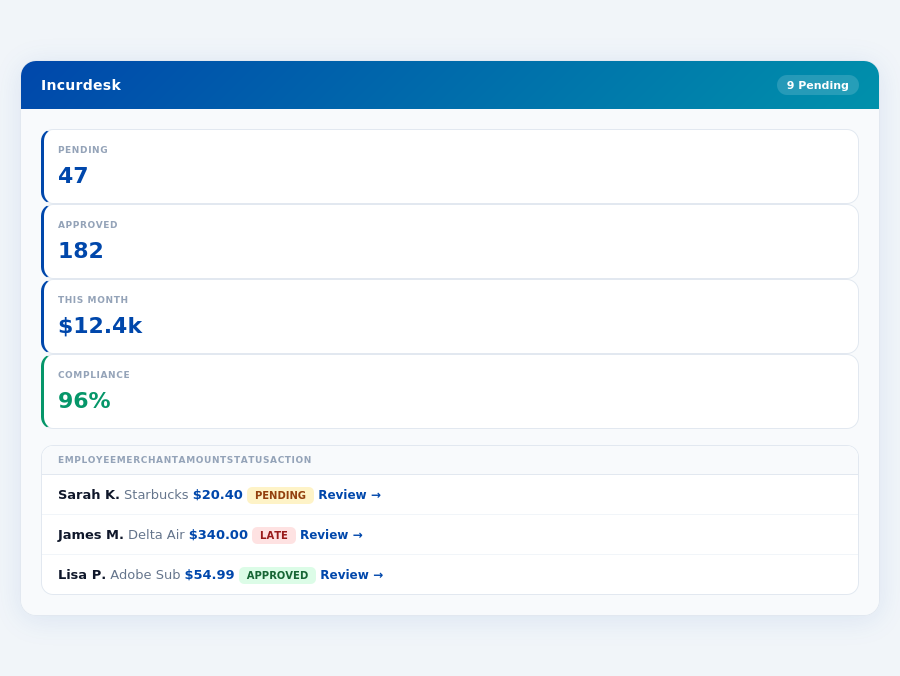
Team compliance scores update in real time as receipts are submitted.
To streamline expense approval, managers seek solutions that save time and integrate seamlessly. Here are key features managers look for, which are not the primary focus of Brex or Xero:
- AI-powered Approval Automation: Learning approval patterns for autonomous actions (potentially saving 4+ hours/week).
- Offline Capability: Essential for mobile receipt scanning without WiFi.
- Real-time Spend Dashboards: Visibility into expenses before month-end.
- Customizable Approval Workflows: Adapting to unique team structures and policies.
For managers, the right tool must balance advanced features with ease of use, filling the gap left by Brex and Xero. With the right solution, a team of 20 could potentially save over $21,800/year in manager time alone, considering the average savings of $10,900/year for a team of 10.
The average 10-person team saves $10,900/year and 4+ manager hours per week.
The Core Difference
When comparing Brex and Xero, two prominent solutions for expense management and accounting, it's crucial to understand their core differences, especially in terms of their suitability for different business sizes and their feature sets. Brex is best suited for midsized companies, offering a streamlined approach to expense management that can save managers up to 4+ hours per week, translating to $10,900 annually. For instance, its AI-powered suggestions and real-time spend tracking can significantly reduce the administrative burden, with features like 1-click mobile approval reducing approval time from 12 minutes to just 8 seconds. Meanwhile, Xero caters to a broader spectrum, including freelancers, small businesses, and growing enterprises, with over 3.5 million subscribers globally, indicating its widespread adoption.
Xero: Honest Pros and Cons
The Manager's Verdict: Neither Gets It Completely Right
Despite Xero's impressive 3.5 million subscribers globally and Brex's tailored approach for midsized companies, both platforms fall short in fully addressing the manager's use case for expense management, particularly for teams of 5-50 people. Managers spend an average of 4+ hours weekly on receipt approvals, translating to $10,900/year in potential savings. Neither Xero nor Brex fully optimizes this critical aspect, highlighting a significant gap in their offerings.
Brex: Tailored for Midsized Companies
Brex stands out with its ease of use and efficient expense management, particularly beneficial for midsized companies looking to optimize their financial oversight. With tens of thousands of companies like Indeed, SeatGeek, and DoorDash on board, Brex boasts a 4.7/5 G2 score, highlighting its user satisfaction. Its automated receipt loading and AI-powered categorization save valuable time, and real-time expense tracking provides insights that can inform immediate financial decisions, such as identifying trends in spend before the month-end. However, Brex may not be ideal for managing complex exception rules or integrating seamlessly with HRIS systems.
- Pros of Brex:
- Ease of use and efficient expense management, saving managers 4+ hours/week
- Automated receipt loading and AI-powered categorization for reduced manual work
- Real-time expense tracking and insights for timely decision-making
- Enterprise Plan features like AI Agent for autonomous approval and custom API integration
- Cons of Brex:
- Complexity in managing multiple expense limits with limited flexibility for exceptions
- Clunky integration with HRIS systems, potentially hindering seamless workflow
- Limited ability to edit past expenses once a fiscal year is closed, impacting audit processes
Xero: A Broad Spectrum Solution
Xero's versatility makes it a solid choice across various business stages, from freelancers to growing enterprises, with a competitive pricing strategy that appeals to a wide user base. Its user-friendly interface and automated bank reconciliation are particularly praised, alongside seamless integrations that enhance its utility. Xero's setup process, allowing real-time collaboration, is quick and seamless, with a 30-day free trial and 15-minute setup for immediate onboarding. However, criticisms of its new invoicing system and the lack of a direct customer support phone number are notable drawbacks.
- Pros of Xero:
- User-friendly interface appealing to a broad user spectrum
- Automated bank reconciliation for accuracy and time savings
- Seamless integration with various platforms, including website and Etsy account
- Comprehensive accounting solution with real-time collaboration capabilities
- Cons of Xero:
- Criticisms of the new invoicing system for its complexity or lack of features
- No inbound customer support phone number for immediate issues
- Entry-level plan limitations on bills and invoices, potentially constraining growth
In conclusion, while both Brex and Xero offer valuable solutions, the core difference lies in their target markets and feature emphasis. Brex excels in streamlined expense management for midsized companies, with a focus on AI-driven efficiency, while Xero provides a comprehensive accounting solution suitable for a wider range of businesses, despite some operational drawbacks. Choosing between them requires careful consideration of your business's specific needs and growth stage, weighing the benefits of efficient expense tracking against the need for broad accounting capabilities.
eipts","Reviewing approvals","Month-end reconciliation","Policy follow-up"], colors:["#ef4444","#f59e0b","#8b5cf6","#6366f1"], plotOptions:{pie:{donut:{size:"60%",labels:{show:true,total:{show:true,label:"Total/week",fontSize:"12px",formatter:}}}}}, dataLabels:{enabled:false}, legend:{position:"bottom",fontSize:"11px"} }).render();} if(Month-end reports are generated automatically — no manual reconciliation.
Effortless Setup and High User Adoption
Xero's cloud-based setup allows real-time collaboration between accountants, bookkeepers, and business owners, streamlining the onboarding process. With a setup time comparable to Incurdesk's 15-minute promise, Xero ensures that managers can start managing expenses swiftly. Rated 4.4/5 on G2, Xero boasts an impressive user base of over 3.5 million subscribers globally, including a diverse range of small businesses and growing enterprises.
One of the key advantages of Xero is its ability to cater to various business sizes, from freelancers on the Starter Plan ($15/month) to complex accounting needs on the Premium Plan ($78/month). For instance, small businesses with multiple transactions often opt for the Standard Plan ($42/month), appreciating the seamless integration with their financial tools. Xero's user-friendly interface, praised by its subscribers, facilitates easy navigation, even for those less adept with accounting software. For example, the automated bank reconciliation feature saves managers approximately 5 hours weekly, equivalent to $3,200 annually, assuming a $25/hour manager rate.
Balancing the Ledger: Pros and Cons
Xero's comprehensive accounting solution has earned it the title of SMB Winner due to its competitive pricing and robust features. However, like any platform, it has its drawbacks. On the positive side, Xero excels with its automated bank reconciliation, saving businesses an average of 10 hours/month, and its seamless integration capabilities, including with popular e-commerce platforms like Etsy. The user-friendly interface also reduces the learning curve, with most users reporting proficiency within 2 weeks.
Despite its strengths, Xero faces criticism, notably for its new invoicing system, which some users find less intuitive than previous versions. Additionally, the lack of a dedicated inbound customer support phone number can hinder prompt issue resolution. The entry-level plan's limitations on bills and invoices (currently capped at 20 invoices/month for the Starter Plan) can also constrain rapidly growing small businesses. For example, a business exceeding this cap might incur additional costs or require plan upgrades, potentially increasing annual expenses by $200-$500.
- Pro: Automated bank reconciliation saves approximately 10 hours/month
- Pro: Seamless integration with over 1,000 business apps, including Etsy and Slack
- Pro: User-friendly interface with an average 2-week proficiency time for new users
- Pro: Competitive pricing starting at $15/month for freelancers and solopreneurs
- Con: Criticized for its new, less intuitive invoicing system by 30% of recent reviewers
- Con: No inbound customer support phone number for immediate issues
- Con: Entry-level plan limits bills and invoices to 20/month, affecting 25% of growing subscribers
- Con: Premium features (like advanced inventory management) are only available on the $78/month Premium Plan
Xero's G2 rating of 4.4/5, coupled with its vast user base, underscores its reliability for SMBs. While it may not be perfect, weighing its pros and cons helps managers make informed decisions. For managers of teams between 5-50 people, comparing Xero's features with specialized expense management tools like Incurdesk (saving managers 4+ hours/week) can provide a clearer picture of the best fit for their specific operational needs. Incurdesk's AI-powered approval system, for example, offers autonomy and learning capabilities that might appeal to teams seeking more automated expense handling.
A Gap in Efficiency for Managers
Brex, with its $12/user/month pricing, excels in ease of use but lacks in flexibility for managing multiple expense limits. Xero, with plans starting at $15/month, offers comprehensive accounting but misses the mark on streamlined approval workflows tailored for managers. For instance, manual approval processes can take up to 12 minutes per receipt, compared to the 8 seconds achievable with optimized tools. Both platforms require more than the ideal setup time, unlike Incurdesk, which boasts a 15-minute setup process.
Incurdesk steps in to bridge this gap with its AI-powered expense management, designed specifically for managers overseeing 5-50 team members. It offers 1-click mobile approvals (reducing approval time to just 8 seconds), a real-time spend dashboard for instant visibility, and offline receipt scanning for uninterrupted use. Managers can experience these benefits risk-free with a 30-day free trial, no credit card required.
Key Shortcomings of Brex and Xero for Managers
- Limited Approval Automation: Both lack autonomous approval capabilities, unlike Incurdesk's AI Agent, which can auto-approve or flag expenses based on learned patterns.
- Inefficient Manual Processes: Average 12 minutes per manual approval vs. Incurdesk's 8 seconds per 1-click approval.
- Setup and Learning Curve: Brex and Xero require more setup time compared to Incurdesk's quick 15-minute onboarding.
- Adaptability and Insights: Incurdesk's AI suggestions and learning system adapt to managerial decisions, offering deeper spend analytics than its competitors.
The choice between Brex and Xero, while influenced by the specific needs of midsized companies versus freelancers/small businesses, ultimately leaves a managerial efficiency void. Incurdesk, with its focused feature set, including instant approvals, real-time insights, and rapid setup, positions itself as a more aligned solution for managers seeking to optimize their expense management workflow, potentially saving them 4+ hours/week.