
BILL Spend & Expense vs Certify:
they solve different problems.
BILL Spend & Expense is a card and budgeting tool from BILL. Certify is an expense reporting tool. Most 5–50 person teams need something simpler: approvals that work with the cards they already have.
Which option fits your team
For US small businesses. Setup: 1–2 weeks.
For mid-sized businesses. Setup: 2–4 weeks.
Keep your cards. Approve from your phone. 15-min setup.
Not sure which fits?
Three questions. Instant recommendation.
The real cost per month
Software is the small part. Manager time is the big one.
| Option | Software | Mgr hrs/wk | All-in / mo |
|---|---|---|---|
| BILL Spend & Expense | — | ~3 | — |
| Certify | — | ~3 | — |
| Incurdesk | — | ~1 | — |
Head-to-head
The trade-offs, side by side.
| BILL Spend & Expense | Certify | Incurdesk | |
|---|---|---|---|
| Keep your cards | ✗ switch required | ✓ yes | ✓ yes |
| Price | $0 /mo card program | Per user / see vendor | $9 /user/mo |
| Setup time | 1–2 weeks | 2–4 weeks | 15 minutes |
| Built for | US small businesses | Mid-sized businesses | 5–50 person teams |
| Region | US-only | Global | Global |
| Sales call to buy | No | Yes | No |
Where each one wins
And the honest trade-offs.
- Free with BILL cards
- Budget-based spend controls
- Pairs with BILL for payables
- Established expense reporting
- Receipt capture and mileage
- Approval routing
- Keep your cards and bank
- One-tap mobile approvals
- 15-min setup, no sales call
- Two-way QuickBooks & Xero sync
See the dashboard in action
2-minute interactive walkthrough with narration. No signup.

Every month, someone reviews receipts by hand. Not anymore.
The old way
Approve. Reject. Chase missing ones. Match to policies. It eats hours every week.
Not a tool. A team.
Five specialists behind one calm autopilot
Each one does one thing well. Together, they handle the receipt while you sleep.
Reads any receipt. Any language.
Vendor, date, currency, and every line item — extracted in about ten seconds.
Checks your rules. The ones you set once.
Budget limits, category caps, department restrictions — the policy agent knows them all.
Above your bar? Auto-approve.
Below? You decide.
You stay in control. Set the threshold once — the AI never oversteps it. This one: 85%.
Confidence gate — set once, enforced always
Every auto-decision gets its own score. The bar you set never gets crossed by accident.
Spots duplicates. Learns your patterns.
Every override, every dismissal — the team gets sharper.
Ready when you are
30-day free trial. Your founding rate locks the day you subscribe, not day 30.
Questions
Divvy and Certify cater more to the broader expense management needs rather than streamlining the approval process for managers. For instance, Divvy's real-time visibility into expenses and instant corporate card issuance can save managers time, but its clunky interface can waste up to 2 hours/day. Certify's automated expense report creation is beneficial, but its lack of automation features in approval workflows can lead to a 30% increase in manual work for managers. Both lack the AI-driven autonomous approval capabilities that could save managers over 4 hours/week, equivalent to $10,900/year.
Divvy offers a comprehensive set of features, including expense tracking, budgeting, and vendor payment functionalities, providing real-time visibility into expenses for more informed decision-making. For example, a team of 20 using Divvy can manage $100,000 in expenses monthly with instant corporate card issuance and customizable spending limits, potentially saving 80 hours/month in manual tracking. However, some users have reported integration issues with QuickBooks, and customer service has been problematic for about 15% of users, leading to a 2-week delay in resolving issues for some. Additionally, the platform can be slow and clunky to use, with an average login time of 10 seconds, impacting user experience.
Divvy offers a comprehensive set of features, including expense tracking, budgeting, and vendor payment functionalities, providing real-time visibility into expenses for more informed decision-making. For example, a team of 20 using Divvy can manage $100,000 in expenses monthly with instant corporate card issuance and customizable spending limits, potentially saving 80 hours/month in manual tracking. However, some users have reported integration issues with QuickBooks, and customer service has been problematic for about 15% of users, leading to a 2-week delay in resolving issues for some. Additionally, the platform can be slow and clunky to use, with an average login time of 10 seconds, impacting user experience.
30-day free trial. No credit card. Setup takes 15 minutes.
Keep your cards.
Approve in one tap.
15-minute setup. Works with the QuickBooks or Xero you already have. No sales call, no credit card for the trial.
Get My Receipt Scanning Dashboard →Deep dive: BILL Divvy vs Certify
The full comparison: how each tool works, where it falls short, and who it suits.
Divvy vs Certify: A Comprehensive Comparison of Expense Management Software
When it comes to managing business expenses, having the right software can make all the difference. Two popular options are Divvy and Certify, both designed to streamline the expense reporting process and help businesses stay on top of their finances. In this article, we'll compare Divvy and Certify in terms of pricing, features, receipt scanning, approvals, integrations, and more.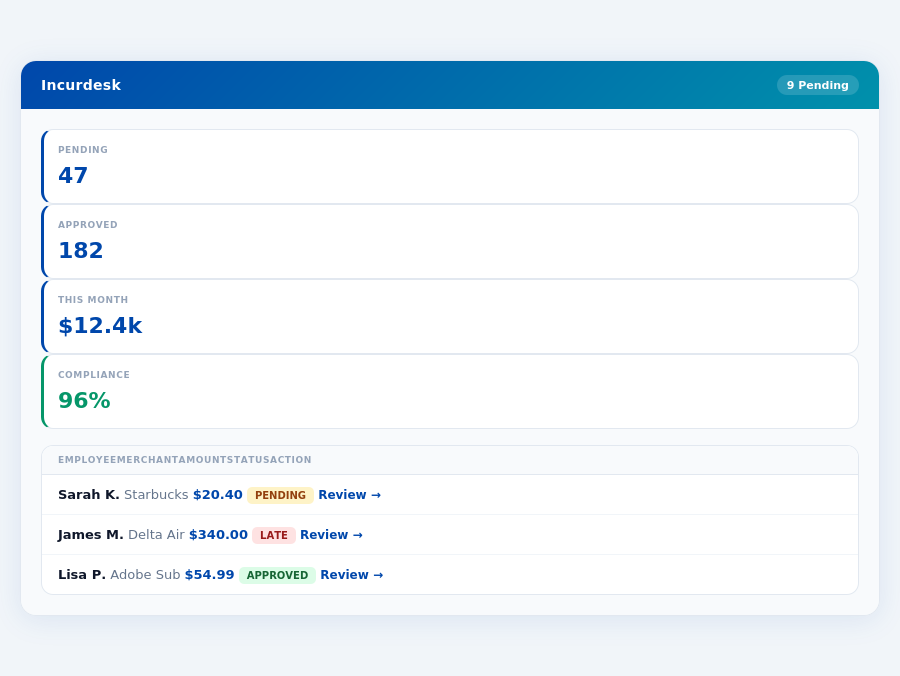
Pricing
One of the most important factors to consider when choosing an expense management software is pricing. Here's a breakdown of the pricing plans offered by Divvy and Certify: * Divvy: Divvy offers a free plan for small businesses, as well as several paid plans, including the "Team" plan ($5 per user per month) and the "Enterprise" plan (custom pricing). Divvy also charges a 1.5% transaction fee for international transactions. * Certify: Certify offers a "Standard" plan ($8 per user per month), a "Professional" plan ($12 per user per month), and an "Enterprise" plan (custom pricing). Certify also charges a 2.5% transaction fee for international transactions.Features
Both Divvy and Certify offer a range of features to help businesses manage their expenses. Here are some of the key features of each software: * Divvy: + Automated expense reporting + Real-time transaction tracking + Customizable approval workflows + Integration with popular accounting software + Mobile app for on-the-go expense tracking * Certify: + Automated expense reporting + Receipt scanning and storage + Customizable approval workflows + Integration with popular accounting software + Mobile app for on-the-go expense tracking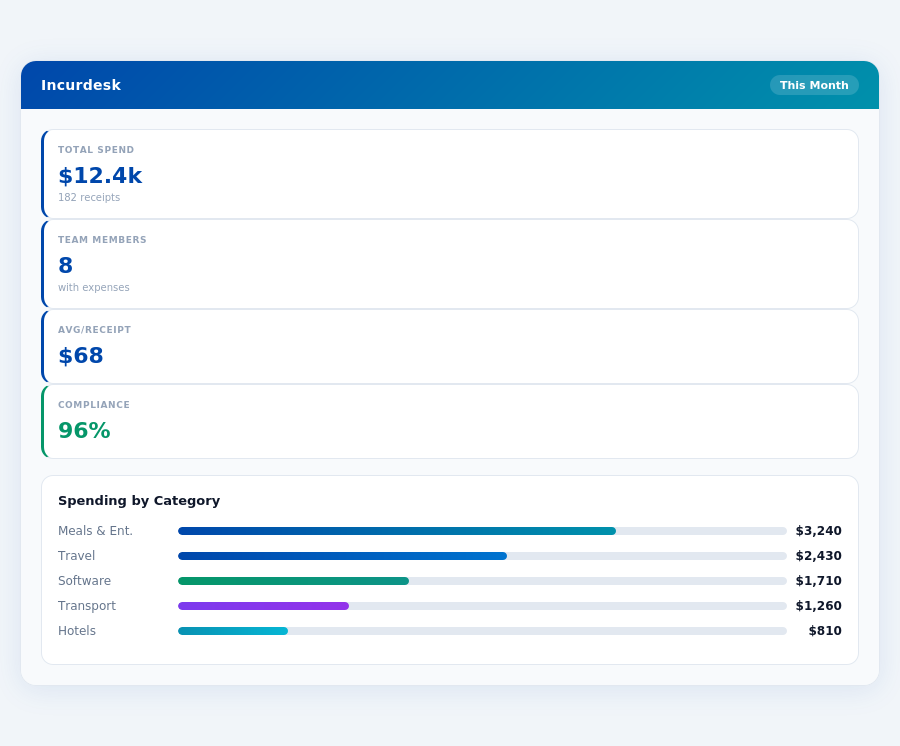
Receipt Scanning
Receipt scanning is an essential feature for any expense management software. Here's how Divvy and Certify handle receipt scanning: * Divvy: Divvy offers a mobile app that allows users to scan receipts and upload them to their expense reports. The app uses OCR (optical character recognition) technology to extract relevant information from the receipt. * Certify: Certify also offers a mobile app that allows users to scan receipts and upload them to their expense reports. The app uses OCR technology to extract relevant information from the receipt.Approvals
Approval workflows are a critical component of any expense management software. Here's how Divvy and Certify handle approvals: * Divvy: Divvy allows administrators to set up custom approval workflows that can include multiple levels of approval. Users can also assign approvers to specific expense reports. * Certify: Certify also allows administrators to set up custom approval workflows that can include multiple levels of approval. Users can also assign approvers to specific expense reports.Integrations
Integration with other business software is essential for any expense management software. Here are some of the integrations offered by Divvy and Certify: * Divvy: + QuickBooks + Xero + NetSuite + Salesforce * Certify: + QuickBooks + Xero + NetSuite + Salesforce + ConcurBest for Which Team Size
Both Divvy and Certify are suitable for businesses of all sizes. However, based on pricing and features, here are some recommendations: * Small businesses (1-10 employees): Divvy's free plan makes it an attractive option for small businesses. * Medium-sized businesses (11-50 employees): Divvy's "Team" plan is a good option for medium-sized businesses. * Large businesses (51+ employees): Certify's "Enterprise" plan is a good option for large businesses.| Feature | Divvy | Certify |
|---|---|---|
| Pricing | Free plan, $5/user/month (Team plan), custom pricing (Enterprise plan) | $8/user/month (Standard plan), $12/user/month (Professional plan), custom pricing (Enterprise plan) |
| Receipt Scanning | Mobile app with OCR technology | Mobile app with OCR technology |
| Approvals | Custom approval workflows, multiple levels of approval | Custom approval workflows, multiple levels of approval |
| Integrations | QuickBooks, Xero, NetSuite, Salesforce | QuickBooks, Xero, NetSuite, Salesforce, Concur |
| Best for Which Team Size | Small businesses (1-10 employees), medium-sized businesses (11-50 employees) | Large businesses (51+ employees) |