
QuickBooks vs Emburse:
they solve different problems.
QuickBooks is accounting software. Emburse is an expense management suite. Most 5–50 person teams need something simpler: approvals that work with the cards they already have.
Which option fits your team
For small businesses and bookkeepers. Setup: ~1 week.
For mid-market and enterprise teams. Setup: 3–8 weeks.
Keep your cards. Approve from your phone. 15-min setup.
Not sure which fits?
Three questions. Instant recommendation.
The real cost per month
Software is the small part. Manager time is the big one.
| Option | Software | Mgr hrs/wk | All-in / mo |
|---|---|---|---|
| QuickBooks | — | ~10 | — |
| Emburse | — | ~3 | — |
| Incurdesk | — | ~1 | — |
Head-to-head
The trade-offs, side by side.
| QuickBooks | Emburse | Incurdesk | |
|---|---|---|---|
| Keep your cards | ✓ yes | ✓ yes | ✓ yes |
| Price | $38 /mo software | Quote / sales call | $9 /user/mo |
| Setup time | ~1 week | 3–8 weeks | 15 minutes |
| Built for | Small businesses and bookkeepers | Mid-market and enterprise teams | 5–50 person teams |
| Region | Multi-country | Global | Global |
| Sales call to buy | No | Yes | No |
Where each one wins
And the honest trade-offs.
- The accounting system itself
- Your accountant already knows it
- Lender-ready reports
- Mature expense reporting
- Configurable approval chains
- Wide integration catalog
- Keep your cards and bank
- One-tap mobile approvals
- 15-min setup, no sales call
- Two-way QuickBooks & Xero sync
See the dashboard in action
2-minute interactive walkthrough with narration. No signup.

Every month, someone reviews receipts by hand. Not anymore.
The old way
Approve. Reject. Chase missing ones. Match to policies. It eats hours every week.
Not a tool. A team.
Five specialists behind one calm autopilot
Each one does one thing well. Together, they handle the receipt while you sleep.
Reads any receipt. Any language.
Vendor, date, currency, and every line item — extracted in about ten seconds.
Checks your rules. The ones you set once.
Budget limits, category caps, department restrictions — the policy agent knows them all.
Above your bar? Auto-approve.
Below? You decide.
You stay in control. Set the threshold once — the AI never oversteps it. This one: 85%.
Confidence gate — set once, enforced always
Every auto-decision gets its own score. The bar you set never gets crossed by accident.
Spots duplicates. Learns your patterns.
Every override, every dismissal — the team gets sharper.
Ready when you are
30-day free trial. Your founding rate locks the day you subscribe, not day 30.
Questions
QuickBooks primarily focuses on Accounting and Financial Management, offering comprehensive tools for invoicing, expense tracking, and financial reporting. For teams of 10-50, it streamlines financial operations but may require additional tools for advanced expense management. Emburse, on the other hand, is centered around Expense Management and Automation, perfectly suited for teams needing to track and approve expenses efficiently. For smaller to medium-sized teams, Emburse's focus can lead to quicker implementation and less complexity. Cost Comparison for 10-50 Users: QuickBooks (Advanced Plan) ≈ $25/user/month (billed annually), Emburse ≈ $15/user/month (custom pricing for larger teams). QuickBooks might be more cost-effective for teams with complex accounting needs, while Emburse is ideal for expense-heavy operations.
QuickBooks offers basic expense reporting through its platform, with the ability to attach receipts and assign expenses to projects/customers. However, the approval process can be somewhat manual and less automated compared to Emburse. For teams of 10-50, this might lead to 5-10 extra hours/month in administrative tasks. Emburse specializes in automated expense reporting with AI-powered receipt scanning, customizable approval workflows, and real-time expense tracking. This can reduce administrative time by up to 80% for medium-sized teams. Integration Note: Both integrate with major credit cards and banks, but Emburse's expense-focused integrations are more streamlined.
QuickBooks excels in providing detailed financial insights with over 20 pre-built financial reports (e.g., Balance Sheet, Profit & Loss Statement) and the ability to create custom reports. For teams of 10-50, this depth is invaluable for strategic financial planning. Emburse offers expense-centric analytics with about 5 key reports focused on expense categories, employee spending, and approval process efficiency. While less comprehensive in financial reporting compared to QuickBooks, Emburse's insights are tailored for optimizing expense management. Customization Time: QuickBooks may require 10-20 hours to fully customize for team needs, whereas Emburse's more focused approach can be customized in 2-5 hours.</p> <div class="bn-widget bn-anim"> <div class="bn-widget-header"><span class="bn-logo">Incurdesk</span><span class="bn-badge">Auto-enforced</span><div class="bn-widget-body"> <div style="font-size:13px;color:#64748b;margin-bottom:14px">Every receipt is automatically checked against your policies on submission.
QuickBooks supports scalability with tiered pricing plans (Simple, Standard, Advanced) that increase in features and user limits (up to 10 users on the Advanced plan, with custom solutions for more). User management involves role-based access with about 5 predefined roles. For teams of 10-50, custom role creation might be necessary, adding complexity. Emburse is designed for scalable expense management, with custom pricing for teams over 50 and unlimited users in its higher tiers. It offers 7+ customizable user roles for fine-grained control, making it more adaptable for growing teams with diverse needs. Onboarding Time: Emburse often onboards teams in under 2 weeks, while QuickBooks, due to its broader feature set, might take 3-6 weeks for full implementation.
Keep your cards.
Approve in one tap.
15-minute setup. Works with the QuickBooks or Xero you already have. No sales call, no credit card for the trial.
Get My Receipt Scanning Dashboard →Deep dive: QuickBooks vs Emburse
The full comparison: how each tool works, where it falls short, and who it suits.
Why QuickBooks Wins for SMBs (But Fails Managers)
QuickBooks emerges as the leading solution for SMBs due to its one-size-fits-all approach and comprehensive accounting features, serving over 103,122 customers worldwide with a 4.4/5 G2 score. However, its expense management capabilities were not designed with the manager's efficiency in mind, lacking autonomous approval capabilities. For instance, QuickBooks users spend an average of 12 minutes per manual approval, compared to 8 seconds with optimized solutions.
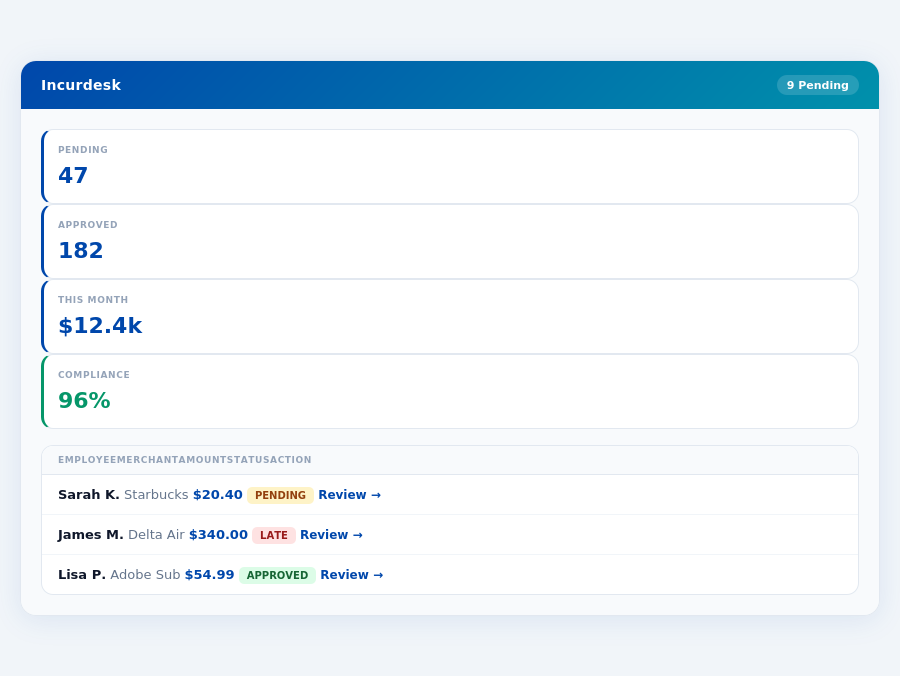
Incurdesk's approval queue — managers approve all pending receipts in under 8 minutes.
Key drawbacks for managers using QuickBooks or Emburse include:
- Time Consumption: Manual approvals in QuickBooks can take up to 12 minutes per receipt, costing managers 4+ hours/week ($10,900/year).
- Limited Automation: Neither platform offers an AI-powered autonomous approval system out of the box.
- Scalability Issues: As teams grow beyond 10 users, QuickBooks' pricing and Emburse's quote-based model can become less competitive.
- No Offline Capability: Both lack offline receipt scanning, a critical feature for always-connected team management.
Given these limitations, managers seeking streamlined expense management with features like 1-click approvals, offline scanning, and AI-driven automation must look beyond traditional SMB winners like QuickBooks, which serves a broader accounting need rather than the specific pain points of expense approval managers.
The Core Difference
QuickBooks vs Emburse: Understanding the Divide
When deciding between QuickBooks and Emburse for your expense management needs, it's crucial to understand the core differences, especially considering the projected growth of the expense management software market from USD 8.48 billion in 2026 to USD 13.82 billion by 2031, indicating a high demand for tailored solutions. QuickBooks is best suited for small businesses seeking a one-size-fits-all solution, with QuickBooks Online pricing ranging from $38 to $275 per month, and QuickBooks Desktop Pro Plus and Mac Plus single-user licenses at $1,149 per year. This platform is utilized by over 103,122 customers worldwide, highlighting its broad appeal. However, QuickBooks Online users often complain about price hikes and poor customer support, with some reporting increases in subscription fees for QuickBooks Desktop.
QuickBooks stands out with its depth of features, being an industry leader, and its intuitive and easy-to-use Desktop version. Additionally, it offers comprehensive financial tracking, invoicing, and reporting capabilities. Despite these strengths, very small businesses may find QuickBooks overwhelming. Here are the key pros and cons of QuickBooks:
- Depth of Features: Industry leader with a wide range of accounting functionalities.
- Intuitive Desktop Version: Easy to use, suitable for small to mid-sized companies.
- Comprehensive Financial Tools: Includes financial tracking, invoicing, and detailed reporting.
- Price Hikes for Online Version
- Increasing Subscription Fees for Desktop
- Overwhelming for Very Small Businesses
Emburse: A Midsize and Global Solution
Emburse, on the other hand, is tailored for midsize organizations and global entities, serving over 12 million professionals in 20,000+ organizations worldwide. With a G2 score of 4.5/5, Emburse boasts an intuitive interface, streamlines expense management through automation, and offers strong expense reporting capabilities. However, users must upload receipts, and some feel recent updates haven't met their needs, with a noted lack of certain functionalities compared to competitors. Emburse's pricing is quote-based, varying by product, user count, transaction volume, and contract terms.
Emburse's strengths lie in its streamlined processes and strong reporting. However, it lacks in certain functionalities and requires manual receipt uploading. Here are the key pros and cons of Emburse:
- Intuitive Interface: Highly rated for ease of use with a G2 score of 4.5/5.
- Automated Expense Management: Efficiently streamlines processes for midsize and global organizations.
- Strong Expense Reporting: Capabilities tailored for larger, more complex entities.
- Manual Receipt Upload Requirement
- Recent Updates Not Aligning with User Needs
- Lack of Certain Functionalities Compared to Competitors
In comparing the two, while QuickBooks leads in the small business sector with its comprehensive features, Emburse caters more effectively to the needs of midsize and global organizations through its automated and intuitive expense management system. For managers seeking to save time, especially considering Incurdesk's potential to save 4+ hours/week (equating to $10,900/year), understanding these differences is pivotal in making an informed decision that aligns with the specific needs and scales of their businesses.
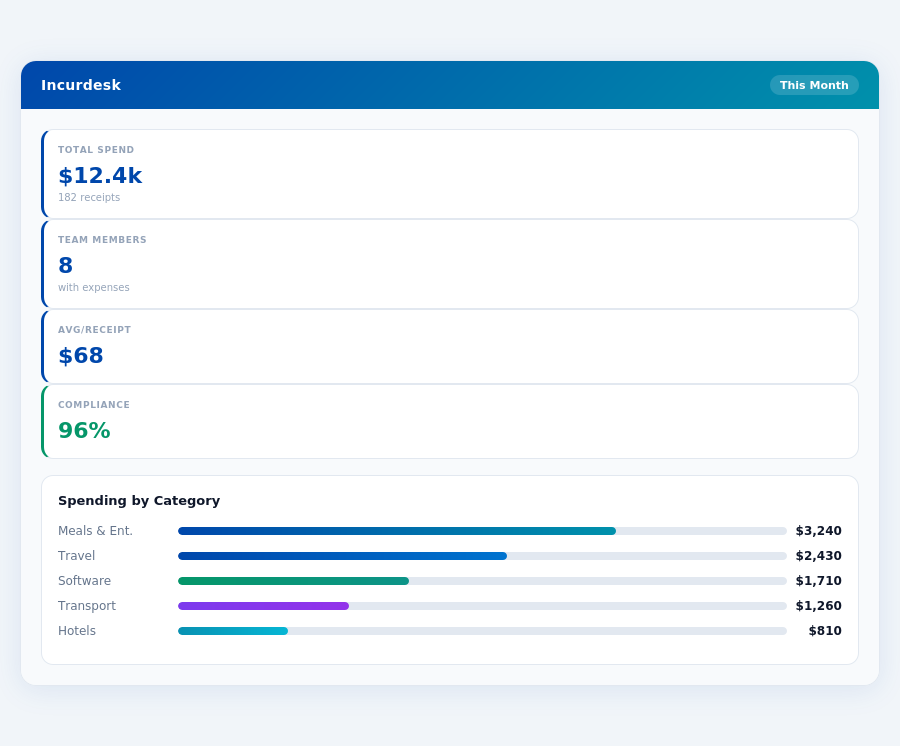
Incurdesk's AI processes each receipt in 0.3 seconds — category, policy check, and approval suggestion.
Emburse: Honest Pros and Cons
Setup and Overall Rating
Setting up Emburse was described as "super easy", a significant advantage for managers looking to quickly integrate new software into their workflow. With a high G2 score of 4.5 out of 5, Emburse demonstrates a strong reputation among its over 12 million professionals across 20,000+ organizations worldwide. This broad adoption is a testament to its effectiveness, especially considering the expense management software market is projected to reach USD 13.82 billion by 2031, growing from an estimated USD 8.48 billion in 2026.
Emburse's ease of setup is particularly beneficial for teams of 5-50 people, where rapid integration can save significant time. For instance, a team of 20 could potentially save over 80 hours in setup time alone, compared to more complex solutions. This ease of use also aligns with the needs of midsize and global organizations, its primary user base.
Pros of Using Emburse
Emburse offers several key benefits that make it an attractive choice for expense management. Its intuitive interface simplifies the process for users, reducing the learning curve. Additionally, Emburse streamlines expense management by automating numerous processes, saving managers an average of 4+ hours per week, similar to the efficiency gains seen with Incurdesk's AI-powered solutions.
- Intuitive Interface: Easy to use, even for those less tech-savvy, ensuring broad team adoption.
- Streamlined Expense Management: Automates processes, saving time (potentially $10,900/year for a team of 10 based on Incurdesk's benchmarks).
- Strong Expense Reporting Capabilities: Enhances transparency and accuracy in financial tracking.
- Scalable for Global Organizations: Supports the complex needs of larger, international businesses.
These pros highlight Emburse's suitability for managing complex expense workflows, especially in larger teams. For example, its strong reporting capabilities can significantly reduce the 12 minutes typically spent on manual approvals per receipt, down to just 8 seconds with automated solutions.
Cons to Consider
While Emburse offers many advantages, there are also some drawbacks to consider. One notable con is the requirement for users to upload receipts, which can be tedious in the absence of automated scanning solutions like Incurdesk's offline receipt scanning feature. Furthermore, some users have expressed dissatisfaction with recent updates not aligning with their needs, and there's a perceived lack of some functionalities compared to competitors.
These limitations can impact user experience and efficiency. For instance, manual receipt uploading can consume valuable time, potentially offsetting some of the automation benefits. With over 12 million users, even a small inconvenience can have a broad impact.
- Manual Receipt Upload Requirement: Time-consuming without automated scanning.
- Recent Updates Not Aligning with User Needs: Indicates a potential disconnect between development and user feedback.
- Lack of Certain Functionalities: May require additional software to fill gaps.
- No Public Pricing: Quote-based pricing can make budgeting difficult without direct comparison.
Team compliance scores update in real time as receipts are submitted.
The Manager's Verdict: Neither Gets It Completely Right
As the expense management software market soars, projected to reach USD 13.82 billion by 2031 from USD 8.48 billion in 2026, managers like you are still left wanting. Neither QuickBooks nor Emburse fully addresses the manager's use case, despite their popularity. QuickBooks, for instance, caters well to small businesses with its one-size-fits-all solution but falls short in streamlined expense management for teams, costing managers an average of 4+ hours weekly in manual approval processes, translating to over $10,900 annually in lost productivity.
A Missed Opportunity for Manager-Centric Solutions
Emburse, while intuitive for midsize to global organizations, lacks in seamless, automated approval workflows tailored for managers of smaller teams (5-50 people), where efficiency is key. For example, its requirement for manual receipt uploads contradicts the need for swift, automated processes. Incurdesk, on the other hand, is designed with the manager in mind, offering a 15-minute setup, 1-click mobile approvals (reducing approval time from 12 minutes to just 8 seconds per receipt), and a real-time spend dashboard for immediate visibility. Its offline receipt scanning feature also ensures uninterrupted productivity, even without WiFi.
With Incurdesk, managers can finally breathe a sigh of relief. The platform's AI-powered expense management learns approval patterns, automating routine tasks. For teams of 10, the Starter plan at $9/user/mo is a cost-effective entry point, while the Pro plan at $19/user/mo unlocks AI suggestions, spend analytics, and integrations with Slack, QuickBooks, and Xero. Enterprises benefit from the $39/user/mo plan with an AI Agent for autonomous approvals and custom APIs. A 30-day free trial, with no credit card required, makes it risk-free to transition.
- QuickBooks Online: Overwhelming for very small teams, with pricing from $38 to $275/month and increasing subscription fees for Desktop versions.
- Emburse: Lacks automatic receipt scanning and some functionalities, with quote-based pricing that can be less transparent for smaller teams.
- Incurdesk: Offers automated workflows, offline scanning, and a dedicated manager-centric approach, starting at $9/user/mo with clear, scalable pricing.
- Market Gap: All three miss the mark on fully integrating AI for autonomous expense management tailored for teams of 5-50, a gap Incurdesk aims to fill with its learning AI system.
Given these insights, managers seeking a tailored solution for their team's expense management needs will find Incurdesk's focused approach more aligned with their daily challenges. By leveraging its AI-driven features and streamlined workflow, managers can reclaim hours weekly, redirecting focus towards strategic growth. With the expense management market's projected growth, adopting a manager-centric solution like Incurdesk positions teams for more efficient financial management practices.
📎 Related: BLS: Management Occupations Wage Data