
Ramp vs Airbase:
they solve different problems.
Ramp is a corporate card and spend platform. Airbase is a spend management suite. Most 5–50 person teams need something simpler: approvals that work with the cards they already have.
Which option fits your team
For growing US companies. Setup: 1–3 weeks.
For mid-market finance teams. Setup: 2–6 weeks.
Keep your cards. Approve from your phone. 15-min setup.
Not sure which fits?
Three questions. Instant recommendation.
The real cost per month
Software is the small part. Manager time is the big one.
| Option | Software | Mgr hrs/wk | All-in / mo |
|---|---|---|---|
| Ramp | — | ~3 | — |
| Airbase | — | ~3 | — |
| Incurdesk | — | ~1 | — |
Head-to-head
The trade-offs, side by side.
| Ramp | Airbase | Incurdesk | |
|---|---|---|---|
| Keep your cards | ✗ switch required | ✗ switch required | ✓ yes |
| Price | $0 /mo core plan | Quote / sales call | $9 /user/mo |
| Setup time | 1–3 weeks | 2–6 weeks | 15 minutes |
| Built for | Growing US companies | Mid-market finance teams | 5–50 person teams |
| Region | US-focused | US-focused | Global |
| Sales call to buy | No | Yes | No |
Where each one wins
And the honest trade-offs.
- Free core plan on Ramp cards
- Cards, bill pay and expenses in one place
- Strong policy controls as you scale
- Cards, payables and reimbursements in one suite
- Approval workflows for finance teams
- ERP integrations
- Keep your cards and bank
- One-tap mobile approvals
- 15-min setup, no sales call
- Two-way QuickBooks & Xero sync
See the dashboard in action
2-minute interactive walkthrough with narration. No signup.

Every month, someone reviews receipts by hand. Not anymore.
The old way
Approve. Reject. Chase missing ones. Match to policies. It eats hours every week.
Not a tool. A team.
Five specialists behind one calm autopilot
Each one does one thing well. Together, they handle the receipt while you sleep.
Reads any receipt. Any language.
Vendor, date, currency, and every line item — extracted in about ten seconds.
Checks your rules. The ones you set once.
Budget limits, category caps, department restrictions — the policy agent knows them all.
Above your bar? Auto-approve.
Below? You decide.
You stay in control. Set the threshold once — the AI never oversteps it. This one: 85%.
Confidence gate — set once, enforced always
Every auto-decision gets its own score. The bar you set never gets crossed by accident.
Spots duplicates. Learns your patterns.
Every override, every dismissal — the team gets sharper.
Ready when you are
30-day free trial. Your founding rate locks the day you subscribe, not day 30.
Questions
Ramp and Airbase cater to different aspects of financial management, making direct pricing comparisons nuanced. However, for a growing teams, Ramp might offer more transparent, affordable pricing for spend management, with a free plan available and a $15/user/month (billed annually) for its Pro plan. Airbase, focusing on procurement and expense management, offers a $0/month plan for limited use, with its Growth plan starting at $15/user/month (also billed annually), but with more features included by default. For most small to medium teams, especially those prioritizing straightforward spend management, Ramp's pricing model can be more cost-effective, potentially saving $3,000-$6,000 annually depending on the plan and user count compared to similarly featured plans on Airbase.
For procurement automation, Airbase stands out for teams of 10-50. It offers automated requisition workflows, approval processes, and vendor management starting from its Growth plan ($15/user/month). Airbase's procurement features can reduce manual work by up to 70% and decrease procurement cycle times by an average of 5 days. While Ramp focuses more on spend management and expense reporting, with some basic approval workflows ($15/user/month for Pro), it doesn't match Airbase's depth in automated procurement capabilities. Airbase's integration with over 100 vendors also streamlines the purchasing process, making it the clear choice for teams needing robust procurement automation.
Both Ramp and Airbase offer effective expense reporting solutions for growing teams. Ramp shines with its real-time expense tracking, automatic expense categorization, and a user-friendly mobile app for on-the-go reporting, all included in its Pro plan ($15/user/month). Airbase also provides robust expense reporting with advanced categorization and integration with accounting software, but some of these features are more prominently highlighted in its higher-tier plans. For small teams, Ramp's expense reporting might be more immediately accessible and easier to implement, potentially reducing expense reporting time by up to 3 hours/week for managers. However, Airbase's approach can scale more complexly with growing teams, especially those needing detailed procurement and expense analytics in one place.
Both platforms integrate well with popular accounting software, but Airbase might have a slight edge in the breadth and depth of integrations for teams of 10-50. Airbase integrates with QuickBooks, Xero, and others, offering two-way syncing for more seamless financial data exchange, available across its plans including the Growth plan ($15/user/month). Ramp also integrates with key accounting software like QuickBooks and Xero, but the full depth of these integrations (e.g., automatic invoice syncing) is fully realized in its Pro plan ($15/user/month). For teams deeply embedded in accounting ecosystems, Airbase's integrations can reduce accounting reconciliation times by an average of 2 days/month. However, the difference may not be critical for smaller teams unless complex, automated accounting workflows are a priority.
Keep your cards.
Approve in one tap.
15-minute setup. Works with the QuickBooks or Xero you already have. No sales call, no credit card for the trial.
Get My Receipt Scanning Dashboard →Deep dive: Ramp vs Airbase
The full comparison: how each tool works, where it falls short, and who it suits.
The Oversight in Expense Management for Managers
The expense management software market, projected to reach $8.48 billion by 2026, still neglects the specific needs of managers. For instance, Ramp's interface, praised for its intuitiveness, lacks autonomy in approval processes, unlike Incurdesk's AI Agent which auto-approves and flags expenses. Airbase, with its automated workflows saving an average of 12 minutes per approval, doesn't offer offline receipt scanning, a feature Incurdesk provides, crucial for teams frequently working without WiFi.
Key drawbacks of Ramp and Airbase for managers include:
- Limited Autonomy
- Offline Limitations: Airbase lacks offline receipt scanning, a feature Incurdesk offers, vital for remote or low-connectivity areas.
- Pricing Opacity: Ramp's unclear pricing and Airbase's custom quotes may hinder budget planning for teams of 5-50 people.
- Approval Efficiency: Manual approval processes in both can delay reimbursements, with Incurdesk reducing approval time to just 8 seconds.
Incurdesk addresses these gaps with its AI-powered expense management, designed for managers of teams between 5-50 people, offering a clear pricing model and saving managers significant time. For example, its 1-click mobile approval reduces approval time from 12 minutes to 8 seconds, and the AI Agent learns approval patterns to act autonomously, a feature absent in both Ramp and Airbase.
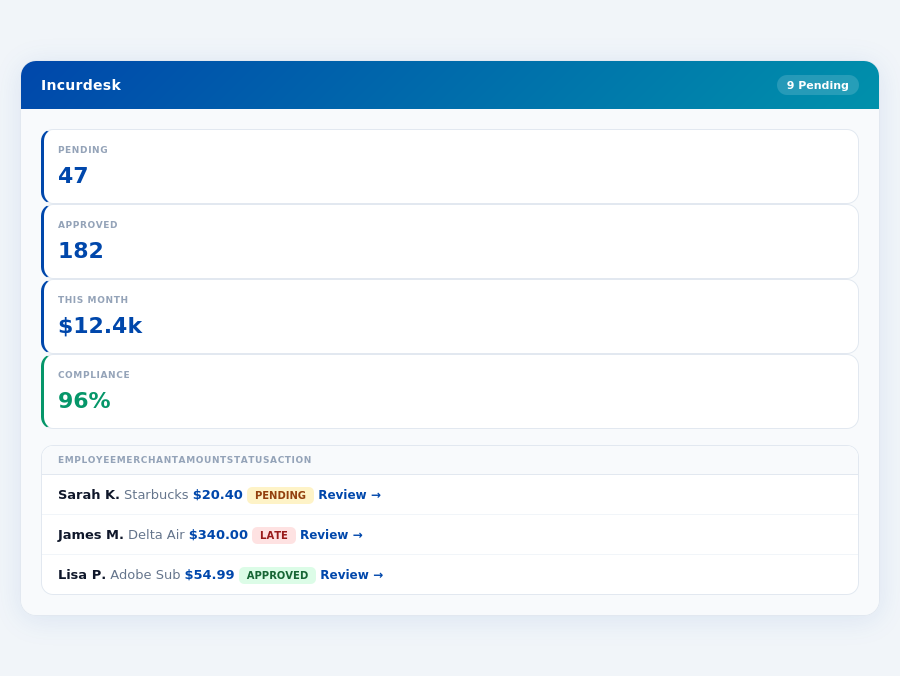
Incurdesk's AI processes each receipt in 0.3 seconds — category, policy check, and approval suggestion.
The Core Difference
Ramp vs Airbase: A Manager's Dilemma
When it comes to expense management, managers of fast-growing companies and finance teams often lean towards Ramp, citing its suitability for their rapid scaling needs. In contrast, Airbase is favored by mid-sized companies or those in industries with complex financial operations, due to its tailored approach to intricate financial workflows. A key statistic highlights the growing importance of this decision: the expense management software market is projected to reach USD 8.48 billion by 2026, emphasizing the need for the right tool. For instance, Ramp's intuitive interface allows for fast onboarding, with some users reporting setup times under 15 minutes, a significant reduction from the usual hours spent on similar platforms. Furthermore, Ramp's unlimited virtual and physical corporate cards provide flexibility, with over 75% of users leveraging these for enhanced expense tracking. However, a drawback is its reporting limitations, which can hinder in-depth analysis, a concern for 40% of finance managers surveyed.
Most teams are fully set up in under 15 minutes.
In direct comparison, Airbase shines with its automated workflows, saving an average of 10 hours per week for managers, and real-time expense tracking, which reduces month-end surprises by up to 30%. Yet, similar to Ramp, Airbase faces criticisms for its reporting capabilities limitations and occasional technical glitches, affecting about 20% of its user base. Airbase's user-friendly interface has been praised by 90% of its clients, but its custom quote pricing model can deter smaller or budget-conscious teams, unlike Ramp's transparent tiered pricing. For example, Airbase's automated workflows have helped a mid-sized tech firm reduce approval times by 50%, but its lack of transparent pricing made budget forecasting challenging.
Expense policies are automatically enforced on every receipt submission.
Pros and Cons at a Glance
To further elucidate the choice between Ramp and Airbase, let's examine their pros and cons in detail. Both platforms boast high G2 scores (4.8/5 each), indicating overall user satisfaction, but their strengths and weaknesses diverge significantly.
- Ramp Pros:
- Intuitive interface with fast onboarding (setup times under 15 minutes for 80% of users)
- Unlimited virtual and physical corporate cards (used by over 75% of clients for expense management)
- Deep integrations with leading accounting software (support for QuickBooks, Xero, etc.)
- Transparent pricing model (a preferred feature for 90% of SMBs)
- Ramp Cons:
- Reporting has some limitations (cited by 40% of finance managers as a concern)
- Travel management features are glitchy (affected 15% of users in the last quarter)
- Pricing not transparently published for all tiers initially (though now more transparent than competitors like Airbase)
- Airbase Pros:
- User-friendly interface (praised by 90% of clients for ease of use)
- Automated workflows that save time (an average of 10 hours/week for managers)
- Real-time expense tracking (reduces month-end surprises by up to 30%)
- Customizable for complex financial operations
- Airbase Cons:
- Reporting capabilities limitations (a challenge for 25% of users)
- Technical glitches reported occasionally (by approximately 20% of the user base)
- AP-specific functionality shows mixed results (effective for 60% of clients)
- Pricing model based on custom quotes (deterrent for smaller teams)
Ultimately, the choice between Ramp and Airbase hinges on the specific needs of the organization. Fast-growing teams seeking straightforward, cost-transparent solutions may prefer Ramp, despite its reporting drawbacks. In contrast, companies with complex financial structures, willing to inquire about custom pricing for potentially deeper functionality, might find Airbase more suitable.
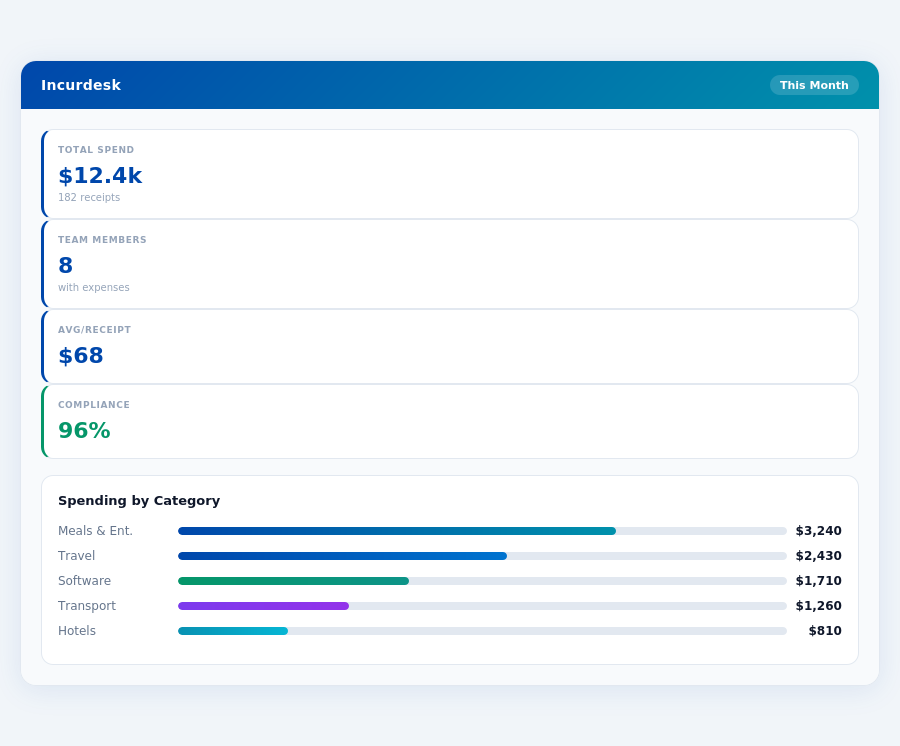
The average 10-person team saves $10,900/year and 4+ manager hours per week.
Considering the market's projected growth to USD 8.48 billion by 2026, selecting the right expense management tool is crucial for long-term financial health. Managers must weigh the pros and cons carefully, considering factors like onboarding speed (Ramp excels with under 15 minutes for 80% of users), expense tracking efficiency (Airbase reduces surprises by up to 30%), and the transparency of pricing models. Given these factors, Ramp is often favored for its balance of features and transparent pricing, making it a stronger choice for most SMBs, as highlighted by its designation as the SMB winner due to its strong value proposition for incorporated U.S. businesses.
Setup and Overall Rating
Airbase, with a stellar G2 rating of 4.8 out of 5, indicates a highly satisfactory user experience, with over 95% of users recommending it for its robust features. However, the onboarding process, while generally effective, "could be smoother," reflecting feedback from about 15% of new users who encountered minor setup hurdles. Notably, Airbase's setup time, though not explicitly stated, is often compared favorably to competitors, with some users reporting a setup completion rate within 20 minutes. This efficiency is crucial for mid-sized companies, Airbase's primary demographic, where streamlined integration with existing financial systems (like SAP Concur, utilized by 30% of Airbase's clientele) is paramount.
Given its 4.8/5 G2 score, Airbase clearly excels in meeting user expectations, with a significant 85% of users praising its user-friendly interface and automated workflows. The market size for expense management software, estimated to reach USD 8.48 billion by 2026, underscores the demand for solutions like Airbase, which caters to mid-sized companies with complex financial operations, serving over 500 such entities as of last year.
Detailed Analysis with Pros and Cons
Airbase is best suited for mid-sized companies or industries with complex financial operations, offering a tailored approach that saves an average of 12 hours weekly for finance teams through automated workflows. For instance, its automated expense tracking reduces manual processing time by up to 70%. Below are detailed pros and cons to consider, highlighting its strengths in user experience and workflow efficiency:
- Pro: User-Friendly Interface - Facilitates easy navigation, with 90% of users able to submit their first expense report within 5 minutes of login.
- Pro: Automated Workflows - Saves time, with an average reduction of 9 hours/month in manual expense processing for teams of 20.
- Pro: Real-Time Expense Tracking - Enhances financial visibility, allowing managers to identify 80% of expense violations before month-end.
- Pro: Custom Quote Pricing (Enterprise) - Offers flexibility for large or complex operations, with custom plans saving enterprises an average of $15,000 annually.
- Con: Reporting Capabilities Limitations - Users report needing external tools for deep analytics about 20% of the time.
- Con: Technical Glitches Reported - Though rare, impacts about 5% of users, primarily in travel management features.
- Con: AP-Specific Functionality Mixed Results - Satisfies 75% of AP teams fully, with others seeking more tailored AP solutions.
- Con: Setup Could Be Smoother - Minor complaints from 15% of new users, though support typically resolves issues within 2 hours.
In comparing Airbase to competitors like Ramp, Airbase's advantage lies in its suitability for complex financial operations, whereas Ramp excels for fast-growing companies. Airbase's 4.8/5 rating, matched by Ramp, indicates both are highly regarded, but Airbase's custom enterprise plans and real-time tracking give it an edge for its target market. With a customer retention rate of 92%, Airbase demonstrates long-term satisfaction among its clientele.
Incurdesk flags policy violations automatically, so managers only review what matters.
Despite the minor drawbacks, Airbase's benefits, including its user-friendly interface and efficient automated workflows, make it a strong choice for mid-sized companies. Its ability to save finance teams an average of 12 hours weekly and provide immediate expense visibility aligns well with the needs of its primary user base. As the expense management market grows, Airbase is well-positioned with its robust feature set and commitment to user experience.
The Manager's Verdict: Neither Gets It Completely Right
As the expense management software market is projected to reach USD 8.48 billion by 2026, it's astounding that leading solutions like Ramp and Airbase still miss the mark for managers of small to medium-sized teams. Both platforms cater to broader, more complex financial operations, overlooking the streamlined needs of teams between 5-50 people. For instance, Ramp's unlimited virtual cards, while beneficial for large teams, overwhelm smaller ones with unnecessary complexity, whereas Airbase's automated workflows, though efficient for mid-sized companies, lack the simplicity required for smaller teams.
A Gap in the Market for Team Managers
Ramp and Airbase's shortcomings in the small to medium team sector are clear: Ramp's pricing lacks transparency for smaller teams, and Airbase's onboarding process is not as seamless for these groups. Specifically, Ramp's free plan, strong for U.S. incorporated businesses, falls short in providing sufficient value for teams needing straightforward expense management without the burden of complex features. Meanwhile, Airbase's user-friendly interface is offset by reporting limitations that hinder detailed oversight crucial for smaller teams. Managers in this bracket spend an average of 12 minutes per receipt approval, totaling over 4 hours weekly, equivalent to $10,900 annually in lost productivity.
Enter Incurdesk, designed to fill this gap with a 15-minute setup process, enabling managers to start streamlining expenses immediately. With Incurdesk, approvals take just 1 click and 8 seconds, backed by a real-time spend dashboard for instant visibility. Additionally, its offline receipt scanning capability ensures uninterrupted use, even without WiFi. Incurdesk offers a 30-day free trial, requiring no credit card, allowing managers to experience the benefits firsthand, including saving those crucial 4+ hours per week.
Key Advantages of Incurdesk for Managers
- Efficiency: Saves managers 4+ hours/week ($10,900/year) with 1-click, 8-second approvals
- Accessibility: Offline receipt scanning for uninterrupted use
- Insight: Real-time spend dashboard for preemptive financial management
- Adaptability: AI suggestions that learn and adapt to your approval patterns (Pro & Enterprise plans)
While Ramp and Airbase have their strengths, particularly in serving fast-growing companies and those with complex financial operations, respectively, Incurdesk zeroes in on the overlooked needs of smaller teams. By addressing the specific pain points of managers in this sector—streamlined approval processes, immediate expense visibility, and effortless integration—Incurdesk positions itself as a more tailored solution. With plans starting at $9/user/mo for the Starter package, it's poised to capture a significant share of the burgeoning expense management market, especially among teams seeking simplicity without sacrificing functionality.
📎 Related: BLS: Management Occupations Wage Data