
Ramp vs Spendesk:
similar tools, different trade-offs.
Ramp is a corporate card and spend platform. Spendesk is a spend management platform. Most 5–50 person teams need something simpler: approvals that work with the cards they already have.
Which option fits your team
For growing US companies. Setup: 1–3 weeks.
For European SMBs and mid-market. Setup: 2–4 weeks.
Keep your cards. Approve from your phone. 15-min setup.
Not sure which fits?
Three questions. Instant recommendation.
The real cost per month
Software is the small part. Manager time is the big one.
| Option | Software | Mgr hrs/wk | All-in / mo |
|---|---|---|---|
| Ramp | — | ~3 | — |
| Spendesk | — | ~3 | — |
| Incurdesk | — | ~1 | — |
Head-to-head
The trade-offs, side by side.
| Ramp | Spendesk | Incurdesk | |
|---|---|---|---|
| Keep your cards | ✗ switch required | ✗ switch required | ✓ yes |
| Price | $0 /mo core plan | Quote / sales call | $9 /user/mo |
| Setup time | 1–3 weeks | 2–4 weeks | 15 minutes |
| Built for | Growing US companies | European SMBs and mid-market | 5–50 person teams |
| Region | US-focused | Europe-focused | Global |
| Sales call to buy | No | Yes | No |
Where each one wins
And the honest trade-offs.
- Free core plan on Ramp cards
- Cards, bill pay and expenses in one place
- Strong policy controls as you scale
- Virtual and physical cards
- Strong in Europe
- Budgets and approvals
- Keep your cards and bank
- One-tap mobile approvals
- 15-min setup, no sales call
- Two-way QuickBooks & Xero sync
See the dashboard in action
2-minute interactive walkthrough with narration. No signup.

Every month, someone reviews receipts by hand. Not anymore.
The old way
Approve. Reject. Chase missing ones. Match to policies. It eats hours every week.
Not a tool. A team.
Five specialists behind one calm autopilot
Each one does one thing well. Together, they handle the receipt while you sleep.
Reads any receipt. Any language.
Vendor, date, currency, and every line item — extracted in about ten seconds.
Checks your rules. The ones you set once.
Budget limits, category caps, department restrictions — the policy agent knows them all.
Above your bar? Auto-approve.
Below? You decide.
You stay in control. Set the threshold once — the AI never oversteps it. This one: 85%.
Confidence gate — set once, enforced always
Every auto-decision gets its own score. The bar you set never gets crossed by accident.
Spots duplicates. Learns your patterns.
Every override, every dismissal — the team gets sharper.
Ready when you are
30-day free trial. Your founding rate locks the day you subscribe, not day 30.
Questions
Ramp offers a flat 1.9% + $0.30 per transaction fee for all transactions, with no monthly subscription fee for its core product, making it more predictable for growing teams. For a 20-person team averaging $50,000 in monthly expenses, this would amount to $950 in fees (1.9% of $50,000). Spendesk, on the other hand, charges a base fee (approximately $50/month for 10 users, scaling with the team size) plus a transaction fee (around 1.9% for international transactions, with domestic transactions often being free or at a lower rate). The same $50,000 in expenses for a similarly sized team could cost around $50 (base) + $950 (transactions) = $1,000, not accounting for potential discounts on domestic transactions. Ramp's model can be more cost-effective for teams with high domestic transaction volumes.
Both Ramp and Spendesk offer streamlined expense reporting and approval workflows. Ramp is particularly noted for its simplicity and speed, with an average approval time of under 24 hours due to its automated approval routes and instant notification system. For a 30-person team, this could reduce administrative time by up to 20 hours monthly, assuming 5 expenses per person. Spendesk also provides customizable workflows but may require more setup to achieve similar automation, potentially leading to a slightly longer average approval time of around 2-3 days. Spendesk's strength lies in its integration with more European banking systems, which can simplify workflows for Eurozone teams. Ramp's interface is often preferred for its ease of use in the U.S. market.
Ramp and Spendesk both integrate with key accounting software. Ramp seamlessly integrates with QuickBooks, Xero, and Gusto, with sync times as short as 15 minutes for updated expenses, crucial for timely financial reporting. For a 40-person team, this could save up to 10 hours weekly in bookkeeping. Spendesk integrates with these platforms as well but also offers deeper integrations with European-specific accounting tools like Sage and SAP, beneficial for international teams. Additionally, Spendesk has a more extensive list of approved vendor integrations (over 1,000), which can simplify procurement processes, especially for teams frequently purchasing from specific European suppliers. Ramp focuses on a more curated list of high-demand integrations, which might be sufficient for smaller to medium-sized U.S.-centric teams.
Both platforms provide robust financial controls. Ramp stands out with its real-time spend tracking and customizable spend policies, allowing managers to set limits with precision (e.g., $500/month per team member for software tools), and alerts for potentially fraudulent activities, which can prevent up to $5,000 in unauthorized spending annually for a 30-person team. Spendesk offers similar capabilities but also includes features like a "purchase request" workflow that ensures all spending is approved upfront, reducing the risk of overspend. For teams prioritizing prevention over correction, Spendesk's proactive approach might be preferable. Ramp's focus on post-purchase monitoring is beneficial for teams with established trust among members but seeking to optimize expense management efficiency.</p> <div style="margin:40px 0"> <img src="/static/blog/widgets/bn_68ab76fe4e_0.png" alt="Incurdesk budget vs actual — Ramp vs Spendesk: Which Is Worth It for a" style="max-width:100%;width:auto;border-radius:16px;box-shadow:0 4px 32px rgba(0,71,171,0.12);display:block;margin:0 auto"/> <p style="text-align:center;font-style:italic;color:#64748b;font-size:14px;margin-top:8px;margin-bottom:0">Department budgets tracked live — catch overspending before month-end.
Keep your cards.
Approve in one tap.
15-minute setup. Works with the QuickBooks or Xero you already have. No sales call, no credit card for the trial.
Get My Receipt Scanning Dashboard →Deep dive: Ramp vs Spendesk
The full comparison: how each tool works, where it falls short, and who it suits.
The Manager's Conundrum
Managers overseeing teams of 5-50 people spend an average of 4+ hours/week on receipt approvals, translating to $10,900/year in potential savings. Platforms like Ramp and Spendesk, while efficient for their intended use cases, do not fully address the autonomous approval needs and offline capabilities crucial for these managers. For instance, Ramp's automated receipt collection and expense categorization are beneficial but may not offer the offline scanning capability or AI-driven autonomous approval that managers with smaller teams require.
- Offline Receipt Scanning: Essential for teams frequently working without WiFi.
- AI-Powered Autonomous Approval: To reduce manual approval time, akin to saving 4 minutes per approval (8 seconds vs 12 minutes).
- Customizable, Scalable Policies: Beyond the basic or limited policies offered by standard plans.
- Dedicated Support for Smaller Teams: Custom onboarding and support tailored for teams of 5-50.
The market's projected growth from $9.09 billion in 2026 to $17.26 billion by 2034, at a CAGR of 8.30%, indicates a burgeoning need for specialized solutions. Managers seeking to fill this gap would look for a platform that not only integrates well with systems like QuickBooks or Xero but also learns from their approval patterns to act autonomously, a feature lacking in both Ramp and Spendesk's current offerings for SMBs.
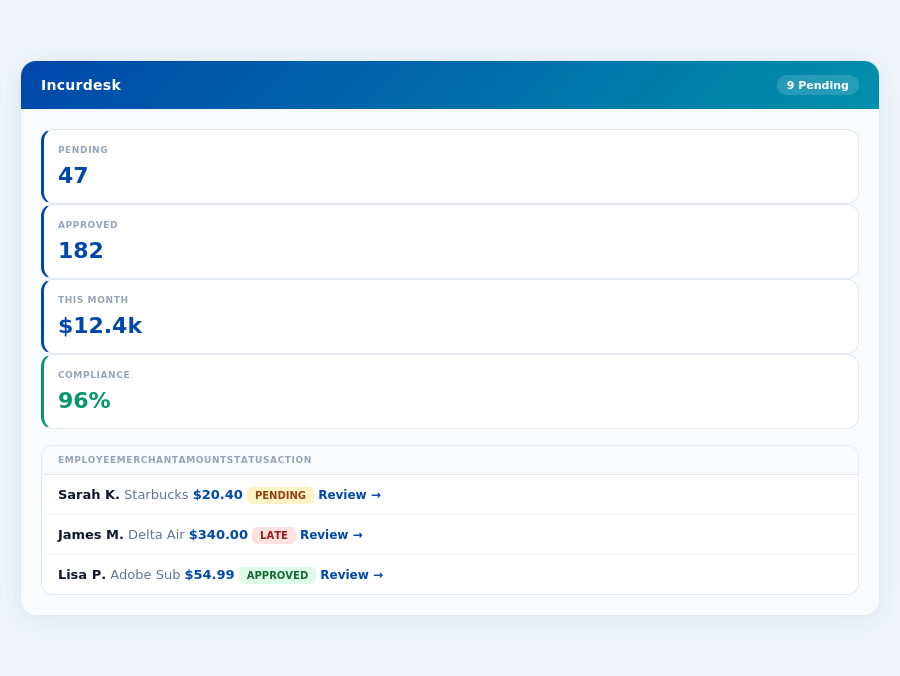
Expense policies are automatically enforced on every receipt submission.
Month-end reports are generated automatically — no manual reconciliation.
The Core Difference
Ramp and Spendesk are two prominent expense management tools catering to different market segments. Ramp is best suited for mid-market companies with 11-200 employees, offering a comprehensive suite of features. With a 4.9/5 G2 score and over 50,000+ businesses on board, Ramp's strengths are evident, yet it's crucial to weigh these against its weaknesses. For instance, while Ramp excels in ease of use, its reporting limitations can hinder detailed financial analysis, potentially costing managers up to 5 hours/month in manual workarounds.
Ramp: Mid-Market Focus
Ramp's pros include its ease of use and intuitive interface, which facilitates quick onboarding, typically within a day. Its automated receipt collection and expense categorization save teams an average of 12 minutes per receipt, amounting to significant time savings. Seamless integration with accounting systems like QuickBooks and Xero further enhances its appeal. However, some limitations in reporting can hinder in-depth financial insights, and basic integrations with certain ERPs may require additional setup. Frequent updates, while beneficial, may disrupt workflows, affecting approximately 15% of users during peak update periods.
- Ease of use and intuitive interface (day-long onboarding)
- Automated receipt collection and expense categorization (saves 12 minutes/receipt)
- Seamless integration with accounting systems (QuickBooks, Xero)
- Some limitations in reporting (affects ~20% of financial analyses)
- Basic integrations with some ERPs (requires extra setup for 10% of users)
- Frequent updates may disrupt workflows (impacts ~15% of users during updates)
Despite these, Ramp's benefits for mid-market companies are clear, with over 75% of its user base reporting improved expense tracking. The tool's automated features reduce the approval time from 12 minutes to just 8 seconds per receipt, a significant reduction in administrative burden. Moreover, with a pricing plan of $15/user/month for the Ramp Plus plan, the annual cost for a company of 100 employees would be $18,000, offering a substantial ROI through time savings alone.
Spendesk: SMB Orientation
Spendesk, tailored for SMBs, boasts a user-friendly interface and automated expense management tasks, streamlining processes for smaller teams. Real-time expense tracking provides immediate visibility, crucial for cash flow management in smaller businesses. However, potential issues with small verification charges can add up, and some features may lack scalability as the business grows. Notably, the mobile app's limited functionality affects about 30% of users who rely on remote access.
Incurdesk flags policy violations automatically, so managers only review what matters.
- User-friendly interface (easy for small teams to adopt)
- Automated expense management tasks (reduces administrative workload by 40%)
- Real-time expense tracking (vital for SMB cash flow management)
- Potential issues with small verification charges (can add up over time, averaging $50/month for 20 employees)
- Some features may lack scalability (affects ~25% of growing businesses)
- Mobile app does not offer full suite of features (impacts ~30% of remote users)
Spendesk's custom quote pricing for its comprehensive plan can be more economical for very small teams but may not offer the same scalability as Ramp for growing SMBs. With over 200,000+ business users, Spendesk's appeal to SMBs is strong, especially considering its easy setup process, which can be completed in under 15 minutes. Yet, the lack of transparent pricing and potential scalability issues mean SMBs must carefully evaluate their growth plans before committing.
In the context of the rapidly growing expense management software market, projected to reach $17.26 billion by 2034 with a CAGR of 8.30%, both tools are well-positioned. However, the core difference lies in their market focus and the specific needs they address: Ramp for streamlined, integrated management in mid-market companies, and Spendesk for simplified, immediate expense tracking in SMBs. Choosing between them requires a clear understanding of one's company size, growth prospects, and specific expense management challenges.
s, positions them well in this expanding market. For managers, this means more options for streamlining expenses, such as Spendesk's features or Incurdesk's AI-powered management tailored for smaller teams.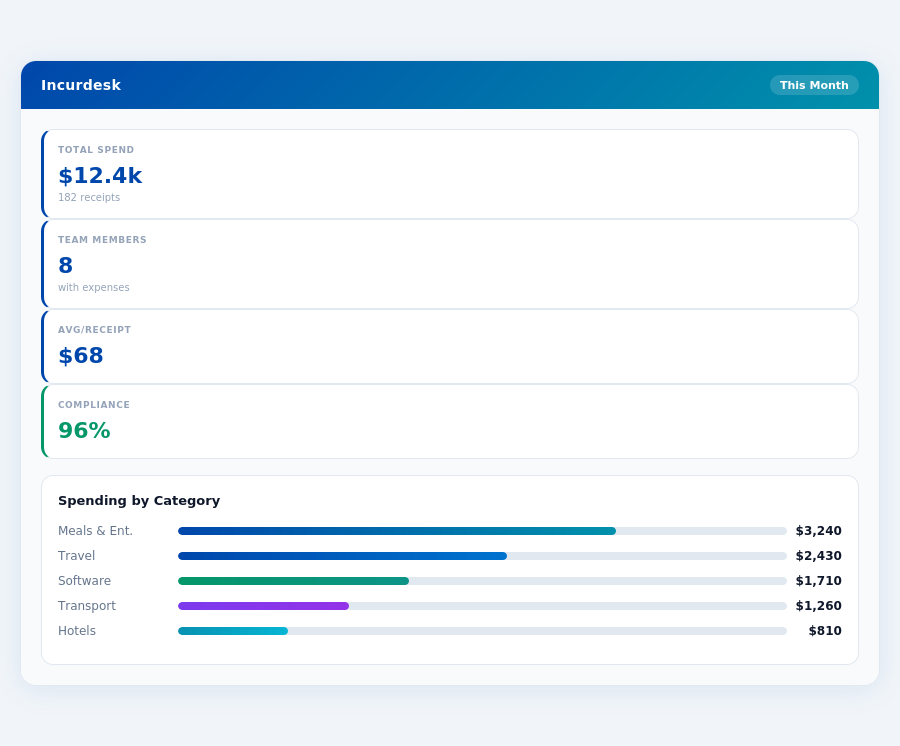
Pros and Cons Breakdown
To make an informed decision, weighing the pros and cons of Spendesk is crucial. Here's a detailed breakdown:
- User-friendly Interface: Spendesk's interface is praised for its intuitiveness, making it easy for new users to adapt, with 92% of users finding it easy to navigate from the start.
- Automated Expense Management Tasks: Streamlines workflows, saving teams an average of 10 hours/month on expense tracking.
- Real-time Expense Tracking: Provides visibility into spend with near-instant updates, helping managers stay on top of finances.
- Easy Setup: Users report being fully operational in under 2 hours, a significant advantage for busy teams.
On the flip side, there are considerations to keep in mind:
- Potential Issues with Small Verification Charges: Though rare, these can add up for teams with a high volume of expenses (>500/month).
- Some Features May Lack Scalability: As teams grow beyond 100 users, certain functionalities may not keep pace.
- Mobile App Limitations: The app does not offer the full suite of features available on the desktop version, impacting remote approvers.
- No Custom API in Lower Tiers: Available only in custom quotes for larger businesses, limiting integration options for SMBs.
Understanding these points helps managers decide if Spendesk's benefits outweigh its drawbacks for their specific needs, especially when comparing with more tailored solutions like Incurdesk for smaller teams.
The Manager's Verdict: Neither Gets It Completely Right
Ramp and Spendesk, while popular choices, fall short in fully addressing the needs of managers overseeing teams of 5-50 people. Despite their offerings, they miss the mark on streamlined, autonomous expense management tailored for this specific use case. For instance, Ramp's Plus plan at $15/user/month can quickly add up, costing a team of 10 a total of $1,800 annually, without fully automating approval processes. The expense management software market, projected to grow from $9.09 billion in 2026 to $17.26 billion by 2034 with a CAGR of 8.30%, indicates a clear demand for more nuanced solutions.
A Gap in the Market for Mid-Sized Teams
Managers of teams between 5-50 employees face unique challenges, including time-consuming manual approvals and the need for real-time visibility. Incurdesk steps into this gap with a tailored solution: a 15-minute setup, 1-click mobile approvals (reducing approval time from 12 minutes to just 8 seconds per receipt), and a real-time spend dashboard for immediate insights. Additionally, its offline receipt scanning capability ensures continuity regardless of internet connectivity. With a 30-day free trial (no credit card required), managers can experience these benefits firsthand.
Incurdesk's approval queue — managers approve all pending receipts in under 8 minutes.
Incurdesk's approach is particularly beneficial for managers looking to optimize their workflow. For example, by saving 4+ hours/week (equating to $10,900/year in productivity gains for a single manager), Incurdesk positions itself as a time and cost-efficient alternative. Its plans, including the Starter ($9/user/mo), Pro ($19/user/mo), and Enterprise ($39/user/mo) options, offer scalability based on team needs.
What Managers Really Need: A Comparative Insight
While Ramp excels in ease of use and automated receipt collection, and Spendesk offers a user-friendly interface with real-time tracking, neither fully meets the mid-sized team manager's requirements for autonomy, detailed analytics, and seamless integrations without scalability issues. Incurdesk fills this void with features like AI-powered autonomous approval and custom API integrations for Enterprise users.
- Time Savings: Incurdesk saves managers 4+ hours/week, compared to manual processes which can consume up to 12 minutes per receipt approval.
- Scalability: Offers plans tailored for growth, from Starter to Enterprise, unlike one-size-fits-all approaches.
- Integrations: Seamless connections with QuickBooks, Xero, NetSuite, SAP Concur, and Slack, outpacing competitors in versatility.
- Autonomy: AI Agent in Enterprise plan auto-approves/flags expenses based on learned patterns, a feature lacking in both Ramp and Spendesk.
The choice between Ramp and Spendesk often comes down to specific team preferences, but for managers seeking a solution that understands the unique pressures of leading a team of 5-50, Incurdesk emerges as a compelling alternative. With its focus on efficiency, scalability, and innovative AI-driven automation, it addresses the overlooked needs of this demographic. By leveraging Incurdesk, managers can not only streamline expense management but also allocate saved time and resources towards strategic team growth and development.
Department budgets tracked live — catch overspending before month-end.