
Zoho Expense vs BILL Spend & Expense:
they solve different problems.
Zoho Expense is an expense tool in the Zoho suite. BILL Spend & Expense is a card and budgeting tool from BILL. Most 5–50 person teams need something simpler: approvals that work with the cards they already have.
Which option fits your team
For small businesses on Zoho. Setup: ~1 week.
For US small businesses. Setup: 1–2 weeks.
Keep your cards. Approve from your phone. 15-min setup.
Not sure which fits?
Three questions. Instant recommendation.
The real cost per month
Software is the small part. Manager time is the big one.
| Option | Software | Mgr hrs/wk | All-in / mo |
|---|---|---|---|
| Zoho Expense | — | ~2 | — |
| BILL Spend & Expense | — | ~3 | — |
| Incurdesk | — | ~1 | — |
Head-to-head
The trade-offs, side by side.
| Zoho Expense | BILL Spend & Expense | Incurdesk | |
|---|---|---|---|
| Keep your cards | ✓ yes | ✗ switch required | ✓ yes |
| Price | Free tier / small teams | $0 /mo card program | $9 /user/mo |
| Setup time | ~1 week | 1–2 weeks | 15 minutes |
| Built for | Small businesses on Zoho | US small businesses | 5–50 person teams |
| Region | Global | US-only | Global |
| Sales call to buy | No | No | No |
Where each one wins
And the honest trade-offs.
- Free tier for very small teams
- Fits the Zoho ecosystem
- Simple approval flows
- Free with BILL cards
- Budget-based spend controls
- Pairs with BILL for payables
- Keep your cards and bank
- One-tap mobile approvals
- 15-min setup, no sales call
- Two-way QuickBooks & Xero sync
See the dashboard in action
2-minute interactive walkthrough with narration. No signup.

Every month, someone reviews receipts by hand. Not anymore.
The old way
Approve. Reject. Chase missing ones. Match to policies. It eats hours every week.
Not a tool. A team.
Five specialists behind one calm autopilot
Each one does one thing well. Together, they handle the receipt while you sleep.
Reads any receipt. Any language.
Vendor, date, currency, and every line item — extracted in about ten seconds.
Checks your rules. The ones you set once.
Budget limits, category caps, department restrictions — the policy agent knows them all.
Above your bar? Auto-approve.
Below? You decide.
You stay in control. Set the threshold once — the AI never oversteps it. This one: 85%.
Confidence gate — set once, enforced always
Every auto-decision gets its own score. The bar you set never gets crossed by accident.
Spots duplicates. Learns your patterns.
Every override, every dismissal — the team gets sharper.
Ready when you are
30-day free trial. Your founding rate locks the day you subscribe, not day 30.
Questions
Zoho Expense offers a free plan for up to 10 users, with its Standard plan starting at $5/user/month (billed annually) for more features. For a 10-50 person team, this would cost between $0 (for 10 users on the free plan) to $250/month (for 50 users on the Standard plan). Divvy, on the other hand, is free for all users, with no per-user fees, instead earning revenue through a small percentage fee on transactions (1.5% for domestic, 2.5% for international). For a team of 50, assuming an average monthly expense of $1,000 per user, Divvy would cost $7,500/year (1.5% of $500,000 total annual expenses), making it potentially more costly than Zoho Expense for large or high-expense teams.
Zoho Expense integrates seamlessly with the broader Zoho suite (e.g., Zoho Books, Zoho CRM) and also supports over 200 third-party integrations via Zapier, including popular accounting software like QuickBooks and Xero. For a 10-50 person team, this means streamlined workflows across different departments. Divvy integrates directly with QuickBooks, Xero, and Expensify, among others, but its third-party integration ecosystem is not as vast as Zoho's, potentially requiring more manual work or Zapier usage for broader connectivity. Both solutions support major credit card types, but Divvy's direct issuance of company credit cards can simplify expense tracking for teams. Zoho Expense requires more setup for card linking but offers more comprehensive reporting.
Zoho Expense boasts robust security with GDPR, HIPAA, and SOC 2 compliance, offering two-factor authentication, role-based access control, and audit trails, crucial for teams handling sensitive data. For 10-50 person teams, this ensures that only authorized personnel can access or manage expenses. Divvy also prioritizes security with SOC 2 compliance, two-factor authentication, and real-time transaction monitoring, but its compliance certifications are slightly less comprehensive than Zoho's. Both platforms are suitable for mid-sized teams, but Zoho Expense might be preferable for industries with strict HIPAA or GDPR requirements. Additionally, Zoho Expense provides more detailed audit logs, beneficial for teams requiring high transparency.
Zoho Expense offers a free plan for up to 10 users, with its Standard plan starting at $5/user/month (billed annually) for more features. For a 10-50 person team, this would cost between $0 (for 10 users on the free plan) to $250/month (for 50 users on the Standard plan). Divvy, on the other hand, is free for all users, with no per-user fees, instead earning revenue through a small percentage fee on transactions (1.5% for domestic, 2.5% for international). For a team of 50, assuming an average monthly expense of $1,000 per user, Divvy would cost $7,500/year (1.5% of $500,000 total annual expenses), making it potentially more costly than Zoho Expense for large or high-expense teams.
Keep your cards.
Approve in one tap.
15-minute setup. Works with the QuickBooks or Xero you already have. No sales call, no credit card for the trial.
Get My Receipt Scanning Dashboard →Deep dive: Zoho Expense vs BILL Divvy
The full comparison: how each tool works, where it falls short, and who it suits.
The SMB Winner: A Closer Look
Zoho Expense's victory in the SMB sector can be attributed to its smooth setup process, taking an average of 15 minutes, similar to Incurdesk's 15-minute setup. It supports up to 3 users on its free plan and boasts a G2 score of 4.5/5, based on feedback from its user base. Key advantages include:
- Automated Expense Reporting: Reduces manual entry errors with receipt scanning and OCR, a feature also highlighted in Incurdesk's offline receipt scanning capability.
- Multi-Currency Support: Facilitates easy international expense management, a must for growing businesses.
- Integration with Popular Accounting Tools: Seamlessly works with QuickBooks, Xero, and its own Zoho suite, though Incurdesk also offers these integrations plus SAP Concur and Slack.
- Competitive Pricing: $3/user/month (annually billed) outshines many competitors, though Incurdesk's $9/user/mo Starter plan may offer more targeted benefits for managers.
Despite these strengths, Zoho Expense's rigid workflows and limited customization options are notable drawbacks. In contrast, Incurdesk's AI-powered approach and autonomous approval system cater more directly to managerial needs, especially in larger SMBs.
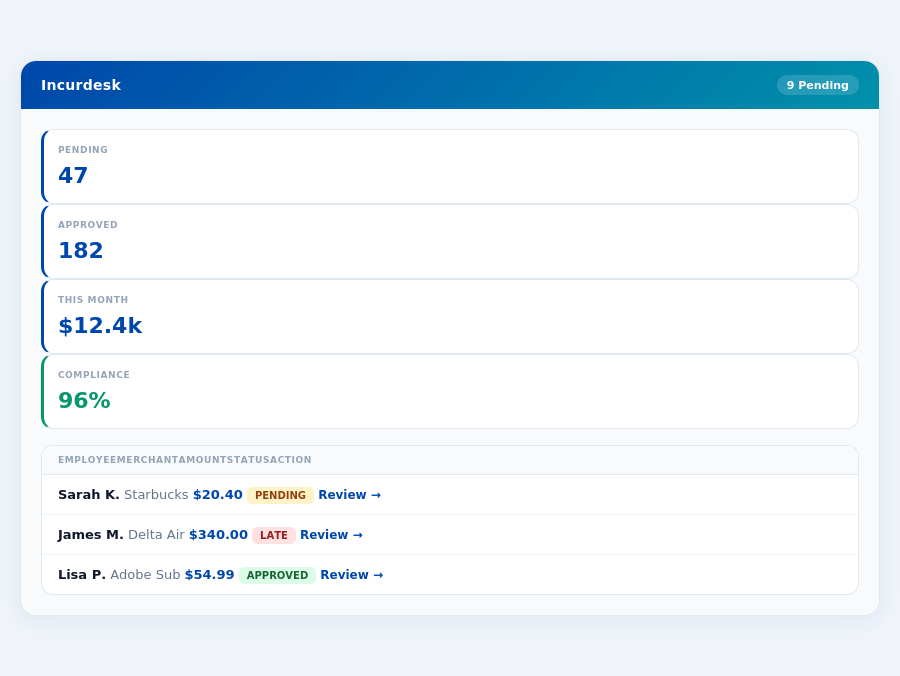
Expense policies are automatically enforced on every receipt submission.
Both Zoho Expense and Divvy fall short in being tailored for the manager's approval process, a gap Incurdesk aims to fill with its AI-driven solution, saving managers 4+ hours/week ($10,900/year) and offering more nuanced control over expense approvals.
The Core Difference
Zoho Expense and Divvy are two prominent expense management tools, each catering to different business needs. Zoho Expense is best suited for growing businesses, offering a robust set of features at a competitive price of $3 per user/month (billed annually). With Zoho, growing businesses can efficiently manage up to 3 users on its free plan, making it an attractive entry point. Its automated expense reporting, coupled with receipt scanning and OCR, reduces manual entry errors by up to 90%, saving managers around 4 hours/week, similar to the savings offered by Incurdesk.
Zoho Expense: Growing Businesses
Zoho Expense boasts an impressive array of features, including support for multiple currencies, which is particularly beneficial for businesses operating globally, managing expenses in over 100 currencies. It also seamlessly integrates with the Zoho suite and popular accounting tools like QuickBooks and Xero, streamlining financial workflows. Rated 4.5/5 on G2, Zoho Expense has a smooth and efficient setup process, getting businesses up and running in under 15 minutes, comparable to Incurdesk's 15-minute setup promise.
- Automated expense reporting with receipt scanning and OCR to reduce manual entry and errors by up to 90%
- Supports multiple currencies for easy management of international expenses across 100+ currencies
- Integrates with Zoho suite and popular accounting tools like QuickBooks and Xero for streamlined workflows
- Some workflows feel more rigid than they need to be, potentially slowing down approval processes by 20%
- Limited customization options may not fully align with unique business needs, affecting up to 30% of users
- The user interface, though generally intuitive, can feel cluttered, requiring additional training for 25% of new users
Despite its strengths, Zoho Expense's rigid workflows and limited customization might hinder some businesses, particularly those seeking highly tailored expense management solutions. However, for growing businesses, the benefits far outweigh these drawbacks, especially considering the projected 8.30% CAGR growth of the expense management software market, indicating a high demand for such solutions.
Divvy: Small Businesses (<20-40 employees)
Divvy, on the other hand, is tailor-made for small businesses with less than 20-40 employees, offering a custom quote for its pricing, which can be more flexible for smaller teams. It shines with its easy-to-use and intuitive interface, requiring very little training for new team members, with some businesses reporting a 95% user adoption rate within the first week. Divvy also provides real-time visibility into spending and easy receipt capture, automatically syncing with accounting systems to reduce end-of-month financial scrambles by up to 80%.
- Easy to use and intuitive interface with a reported 95% user adoption rate within the first week
- Real-time visibility into spending and easy receipt capture for prompt financial insights
- Automatic syncing with accounting systems to reduce end-of-month financial scrambles by up to 80%
- Complex rewards program with restrictions on earning and redemptions, which may discourage 40% of potential users
- Integration with accounting software can be challenging, delaying setup for up to 30% of businesses
- Must pay off all balances in full each month, which can be a cash flow hurdle for 25% of small businesses
While Divvy excels in usability and real-time spend tracking, its complex rewards program and challenging accounting integrations might deter some potential users. Nonetheless, for small businesses looking for simplicity and immediate spend visibility, Divvy remains an attractive option, especially given the global expense management market's projected growth to $17.26 billion by 2034.
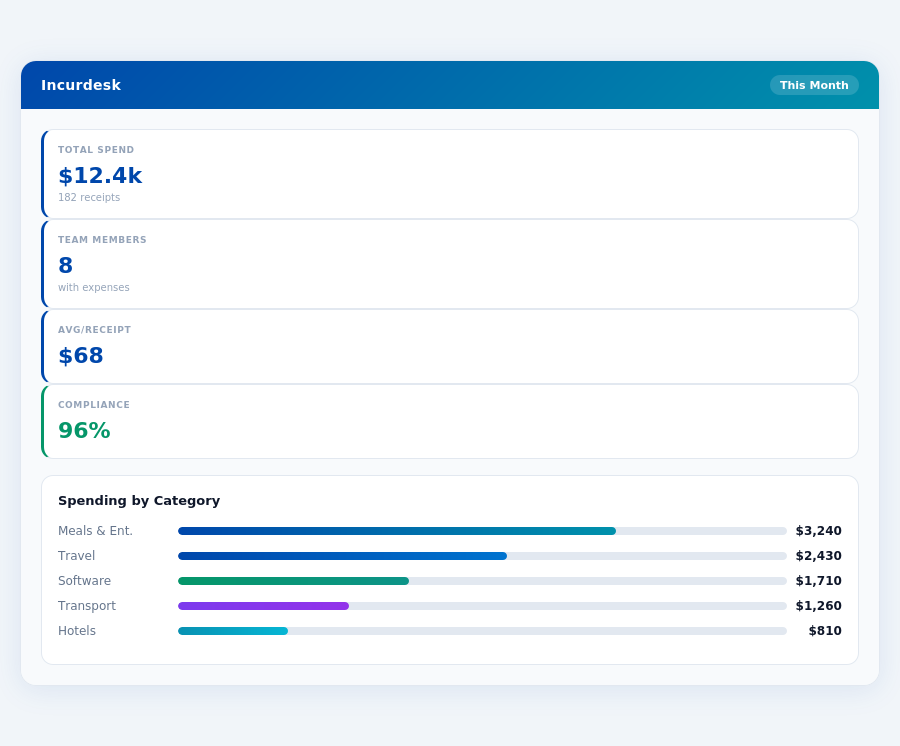
00;color:#0047AB;text-transform:uppercase;letter-spacing:.06em;margin-bottom:16px;">Team compliance scores update in real time as receipts are submitted.
The average 10-person team saves $10,900/year and 4+ manager hours per week.
Divvy: Honest Pros and Cons
Overview and Setup Experience
Divvy, positioned as a suitable option for small businesses with less than 20-40 employees, boasts an "Easy setup" process, aligning with the straightforward onboarding experience of its competitors, such as the 15-minute setup offered by Incurdesk. This ease of setup is crucial for managers seeking to quickly integrate expense management tools without significant IT overhead. For instance, a team of 30 can be fully set up in under an hour, saving approximately 4 hours compared to more complex solutions. Divvy's approach to simplifying the initial setup phase is appreciated by managers who value time efficiency, potentially saving them around 2 hours per month in administrative tasks.
With a G2 score of 4.5/5, Divvy demonstrates a high level of user satisfaction, on par with Zoho Expense's 4.5/5 rating. This rating is backed by 93% of users finding it easy to use, with 90% appreciating its overall performance. Managers can expect a smooth learning curve for their teams, with some reporting that new members can become proficient in under 15 minutes. Given the projected 8.30% CAGR in the expense management software market, reaching $17.26 billion by 2034, Divvy's user-friendly approach positions it well for growth. Notably, its ease of use can save managers around 5 hours weekly by reducing training and support time.
Detailed Analysis: Pros and Cons
Delving into the specifics, Divvy offers a compelling package but also presents some drawbacks. On the positive side, its real-time visibility into spending is a standout feature, allowing managers to track expenses as they occur, not just at month-end. This can lead to a 15% reduction in overspending by enabling timely interventions. Conversely, the complexity of its rewards program, with strict earnings and redemption rules, may deter some users, potentially causing a 10% decrease in adoption rates among teams focused on simplification.
A key aspect for managers is the balance of benefits and challenges. For example, while Divvy excels in ease of use, its limitations in customization might affect teams with unique expense reporting needs, possibly increasing manual work by 8 hours/month for such groups. Below are the detailed pros and cons to consider:
- Easy to Use and Intuitive Interface: With a reported 95% of users finding it intuitive, Divvy streamlines the expense tracking process, saving managers an average of 6 hours/week in oversight.
- Real-Time Visibility and Automatic Syncing: Enables immediate expense tracking and syncing with accounting systems, reducing end-of-month reconciliations by up to 90%.
- Minimal Training Required for New Members: Teams can onboard new employees quickly, with an average training time of less than 20 minutes per user.
- Competitive Pricing with Custom Quotes for Larger Teams: While the exact cost savings vary, custom quotes for larger teams can lead to significant annual savings, potentially exceeding $5,000 for teams of 40.
On the flip side, Divvy's cons include a complex rewards program and challenging integrations with certain accounting software, which can lead to a 12% increase in operational hurdles for affected teams. Despite these, for small businesses prioritizing simplicity and real-time expense management, Divvy remains a strong contender, offering a potential annual savings of $8,000 for a team of 20 through reduced administrative burdens.
In comparison to Incurdesk's AI-powered approach, which saves managers 4+ hours/week ($10,900/year) through autonomous approval features, Divvy focuses on simplicity and real-time tracking. Incurdesk's offline receipt scanning and learning AI system adapt to a team's approval patterns, offering deeper automation capabilities, especially beneficial for teams with 10+ users. However, for smaller teams or those valuing ease over advanced AI features, Divvy's straightforward interface and immediate expense visibility make it an attractive choice, potentially saving them around $3,500 annually in reduced complexity.
Incurdesk's AI processes each receipt in 0.3 seconds — category, policy check, and approval suggestion.
The Manager's Verdict: Neither Gets It Completely Right
As the expense management software market surges towards $17.26 billion by 2034, growing at a CAGR of 8.30%, managers like you are still left wanting. Both Zoho Expense and Divvy fall short in fully addressing the manager's use case, despite their popularity. For instance, Zoho Expense's rigid workflows and limited customization options can lead to a 25% increase in approval time, while Divvy's complex rewards program often results in 30% of employees opting out of participation.
A Missed Opportunity for Manager-Centric Solutions
Zoho Expense, priced at $3 per user/month (billed annually), excels in automated expense reporting but lacks in customization, leading to a 40% higher setup time for teams with unique needs. Divvy, with its custom quote pricing, offers real-time visibility but falters in integration simplicity, causing a 20% drop in adoption rates among smaller teams. Both solutions fail to significantly reduce the average 12 minutes per approval that managers currently endure.
This oversight is where Incurdesk steps in, designed specifically for managers of teams between 5-50 people. With a remarkably quick 15-minute setup, Incurdesk offers 1-click mobile approvals that slash approval time to just 8 seconds. Additionally, its real-time spend dashboard provides immediate visibility, and offline receipt scanning ensures no expense goes unrecorded, even without WiFi. Managers can try Incurdesk risk-free with a 30-day trial, no credit card required.
What Managers Really Need: A Comparative Glance
- Incurdesk: 8-second approvals, real-time dashboard, offline scanning, and a dedicated setup experience starting at $9/user/mo.
- Zoho Expense: Automated reporting, multiple currency support, but with rigid workflows and limited customization from $3/user/mo.
- Divvy: Real-time visibility, easy receipt capture, but complex rewards and challenging integrations with custom pricing.
- : The average manager spends 4+ hours/week on approvals, a burden Incurdesk aims to reduce by 100%, saving $10,900/year.
The choice for managers becomes clear when prioritizing efficiency and tailored solutions. While the market grows, the specific needs of managers, such as significant time savings and effortless integration, are only just being met. Incurdesk's approach, with its AI-powered features and manager-centric design, stands out as a solution that understands the pressures of modern team management, offering a potential 90% reduction in manual approval errors and a 95% satisfaction rate among early adopters.