
Zoho Expense vs Navan:
they solve different problems.
Zoho Expense is an expense tool in the Zoho suite. Navan is a travel and expense platform. Most 5–50 person teams need something simpler: approvals that work with the cards they already have.
Which option fits your team
For small businesses on Zoho. Setup: ~1 week.
For travel-heavy companies. Setup: 2–6 weeks.
Keep your cards. Approve from your phone. 15-min setup.
Not sure which fits?
Three questions. Instant recommendation.
The real cost per month
Software is the small part. Manager time is the big one.
| Option | Software | Mgr hrs/wk | All-in / mo |
|---|---|---|---|
| Zoho Expense | — | ~2 | — |
| Navan | — | ~3 | — |
| Incurdesk | — | ~1 | — |
Head-to-head
The trade-offs, side by side.
| Zoho Expense | Navan | Incurdesk | |
|---|---|---|---|
| Keep your cards | ✓ yes | ✓ yes | ✓ yes |
| Price | Free tier / small teams | Quote / sales call | $9 /user/mo |
| Setup time | ~1 week | 2–6 weeks | 15 minutes |
| Built for | Small businesses on Zoho | Travel-heavy companies | 5–50 person teams |
| Region | Global | Global | Global |
| Sales call to buy | No | Yes | No |
Where each one wins
And the honest trade-offs.
- Free tier for very small teams
- Fits the Zoho ecosystem
- Simple approval flows
- Travel booking and expenses together
- Built for frequent travelers
- Corporate card option
- Keep your cards and bank
- One-tap mobile approvals
- 15-min setup, no sales call
- Two-way QuickBooks & Xero sync
See the dashboard in action
2-minute interactive walkthrough with narration. No signup.

Every month, someone reviews receipts by hand. Not anymore.
The old way
Approve. Reject. Chase missing ones. Match to policies. It eats hours every week.
Not a tool. A team.
Five specialists behind one calm autopilot
Each one does one thing well. Together, they handle the receipt while you sleep.
Reads any receipt. Any language.
Vendor, date, currency, and every line item — extracted in about ten seconds.
Checks your rules. The ones you set once.
Budget limits, category caps, department restrictions — the policy agent knows them all.
Above your bar? Auto-approve.
Below? You decide.
You stay in control. Set the threshold once — the AI never oversteps it. This one: 85%.
Confidence gate — set once, enforced always
Every auto-decision gets its own score. The bar you set never gets crossed by accident.
Spots duplicates. Learns your patterns.
Every override, every dismissal — the team gets sharper.
Ready when you are
30-day free trial. Your founding rate locks the day you subscribe, not day 30.
Questions
Zoho Expense offers a more budget-friendly approach with a base plan starting at $2/user/month (billed annually) for its Essentials package, which is sufficient for most expense tracking needs of small to medium teams. For a team of 10-50, this translates to $240-$1,200 per year. In contrast, Navan's pricing is more tiered and less transparent for small teams, with a typical cost ranging from $6 to $12 per user per month for similar functionality, totaling $7,200-$14,400 annually for a 50-person team. Zoho Expense is clearly more cost-effective for teams in this size range.
Both Zoho Expense and Navan offer robust integration capabilities, but they cater to different ecosystems. Zoho Expense seamlessly integrates with other Zoho apps (e.g., Zoho Books, Zoho CRM) and popular services like Google Drive and Dropbox, making it ideal for teams already invested in the Zoho suite. For a 10-50 person team, integrating with accounting software like QuickBooks is straightforward in both platforms. Navan, on the other hand, excels with integrations into broader, more complex enterprise systems and a wide range of travel booking platforms, which might be overkill but beneficial for teams anticipating rapid growth or already using such systems. Zoho Expense might require less setup for smaller, more unified teams.
For managers in 10-50 person teams, the user experience differs significantly between Zoho Expense and Navan. Zoho Expense is praised for its simplicity and ease of use, allowing for quick onboarding of managers and employees alike. Managers can approve expenses in a streamlined manner, with clear, customizable reports. Navan, while powerful, has a steeper learning curve due to its feature richness, which can overwhelm smaller teams not needing its full capabilities. For example, Navan's advanced travel management features might not be utilized fully by smaller teams, making Zoho Expense more suitable for straightforward expense management needs. However, Navan's detailed analytics can be beneficial for teams looking to optimize their travel policies.</p> <div style="margin:40px 0"> <img src="/static/blog/widgets/bn_aa981621be_1.png" alt="Incurdesk team overview — Zoho Expense vs Navan: Which Is Worth It for a 10–" style="max-width:100%;width:auto;border-radius:16px;box-shadow:0 4px 32px rgba(0,71,171,0.12);display:block;margin:0 auto"/> <p style="text-align:center;font-style:italic;color:#64748b;font-size:14px;margin-top:8px;margin-bottom:0">Team compliance scores update in real time as receipts are submitted.
Both platforms support scalability, but in different ways beneficial to growing teams. Zoho Expense scales well by adding more users seamlessly to its existing plans without a significant jump in pricing or complexity, making it very scalable for teams in the 10-50 range. As teams grow towards the 50-person mark, Zoho's simplicity ensures that the expense management process remains efficient. Navan, designed with larger enterprises in mind, scales by offering more advanced features and support as the team grows, which can be beneficial if the team anticipates exceeding 50 persons soon or needs advanced travel and expense management from the outset. For teams expecting rapid growth beyond 50, Navan's scalability features might be more future-proof, albeit at a higher initial investment.
Keep your cards.
Approve in one tap.
15-minute setup. Works with the QuickBooks or Xero you already have. No sales call, no credit card for the trial.
Get My Receipt Scanning Dashboard →Deep dive: Zoho Expense vs Navan
The full comparison: how each tool works, where it falls short, and who it suits.
The Gap in Expense Management for Managers
Zoho Expense and Navan cater to broader expense management needs, but they don't fully address the pain points of managers approving expenses, especially in terms of automation and learning capabilities. For instance, a manager saving 4+ hours/week can translate to $10,900/year in productivity gains. A tailored solution for managers could significantly reduce approval times from 12 minutes to just 8 seconds per approval. The global expense management software market, estimated to reach $8.48 billion by 2026, indicates a growing demand for specialized solutions.
To truly support managers, especially those leading teams of 5-50, an ideal platform would offer:
- AI-Powered Automation: Learning approval patterns to auto-approve or flag expenses, akin to an AI Agent in autonomous mode.
- Lightning-Fast Approvals: Reducing approval time to under a minute, such as 1-click mobile approval in 8 seconds.
- Real-Time Visibility: Providing immediate spend insights to inform decisions before month-end.
- Seamless Integrations: Supporting key tools like QuickBooks, Xero, and Slack for effortless workflow integration.
A solution filling this gap could offer substantial benefits, including a 20% annual savings with subscription plans, dedicated onboarding for enterprise clients, and support for multiple languages, such as Japanese. By addressing the specific needs of managers, such a platform could capture a significant share of the growing expense management market, particularly among businesses seeking efficient, AI-driven expense approval processes.
Department budgets tracked live — catch overspending before month-end.
The Core Difference
When evaluating expense management tools like Zoho Expense and Navan, understanding their core differences is crucial for managers seeking to optimize their teams' productivity. Zoho Expense, suited for businesses of all sizes, offers a comprehensive approach to expense tracking, with automated reporting, receipt scanning, and OCR capabilities that can save managers around 4 hours a week, similar to what Incurdesk achieves with its AI-powered system. This translates to significant annual savings, potentially exceeding $10,900 per year for a team of 10, considering the $9/user/month Starter plan of Incurdesk. Moreover, Zoho Expense integrates seamlessly with the Zoho suite and popular accounting tools like QuickBooks and Xero, streamlining financial management.
Zoho Expense excels with its ease of use, boasting a simple and intuitive interface that facilitates quick onboarding, often within 15 minutes, a setup time comparable to Incurdesk's promise. However, it may not fully cater to the complex needs of larger organizations, lacking integration for uploading credit card statements, a feature that Incurdesk's Pro and Scale plans address through various integrations. Additionally, its mobile app can sometimes feel less responsive, impacting the offline receipt scanning experience, an area where Incurdesk's mobile mobile app shines with its reliable offline functionality.
Zoho Expense at a Glance
Best for: Businesses of all sizes, though its limitations may make it less ideal for very large organizations. With a pricing of $8 per user per month, it's competitive, especially when considering the 20% annual savings plan. Zoho Expense has garnered a G2 score of 4.5/5, indicating high user satisfaction, and while the exact number of users isn't specified, its reputation precedes it.
- Automated expense reporting with receipt scanning and OCR for enhanced accuracy.
- Integrates with Zoho suite and popular accounting tools for streamlined financial management.
- Easy to use with a simple and intuitive interface, facilitating quick adoption.
- Cons Considered: May not meet larger organizations' needs, lacks credit card statement upload integration, and the mobile app's occasional less responsiveness.
In contrast to Navan, which caters to companies up to 300 employees, Zoho Expense's broader suitability and stronger user satisfaction rates make it the SMB Winner, as highlighted by its value for money. Navan's pricing, ranging from $0 to $25 per user/month plus booking fees, can become costly, especially with hidden fees, unlike Zoho Expense's transparent pricing. Navan serves over 10,000+ customers, showcasing its market presence, but its limitations in booking reliability and additional costs position Zoho Expense as a more balanced choice for most SMBs.
Navan in Comparison
Best for: Companies up to 300 employees, focusing on travel and expense streamlining. Navan's interface is particularly intuitive for booking travel, offering a wide range of flights and hotels. However, its costs can escalate, and the presence of hidden fees makes budgeting challenging.
- Intuitive interface especially for travel booking, enhancing user experience.
- Wide range of flight and hotel options for comprehensive travel planning.
- Streamlines travel and expense operations for improved efficiency.
- Cons to Consider: Can be more expensive, limited and sometimes unreliable booking options, and hidden fees.
The expense management software market, estimated to reach USD 8.48 billion by 2026, highlights the growing need for effective tools like Zoho Expense and Incurdesk. With Zoho Expense's strong user base (though not specified in numbers) and Navan's 10,000+ customers, the market demand for streamlined expense management is clear. Choosing between these tools requires weighing the specific needs of your organization against the pros and cons outlined, considering factors like team size, travel frequency, and the importance of seamless accounting integrations.
hasing receipts","Reviewing approvals","Month-end reconciliation","Policy follow-up"], colors:["#ef4444","#f59e0b","#8b5cf6","#6366f1"], plotOptions:{pie:{donut:{size:"60%",labels:{show:true,total:{show:true,label:"Total/week",fontSize:"12px",formatter:}}}}}, dataLabels:{enabled:false}, legend:{position:"bottom",fontSize:"11px"} }).render();} if(Incurdesk's AI processes each receipt in 0.3 seconds — category, policy check, and approval suggestion.
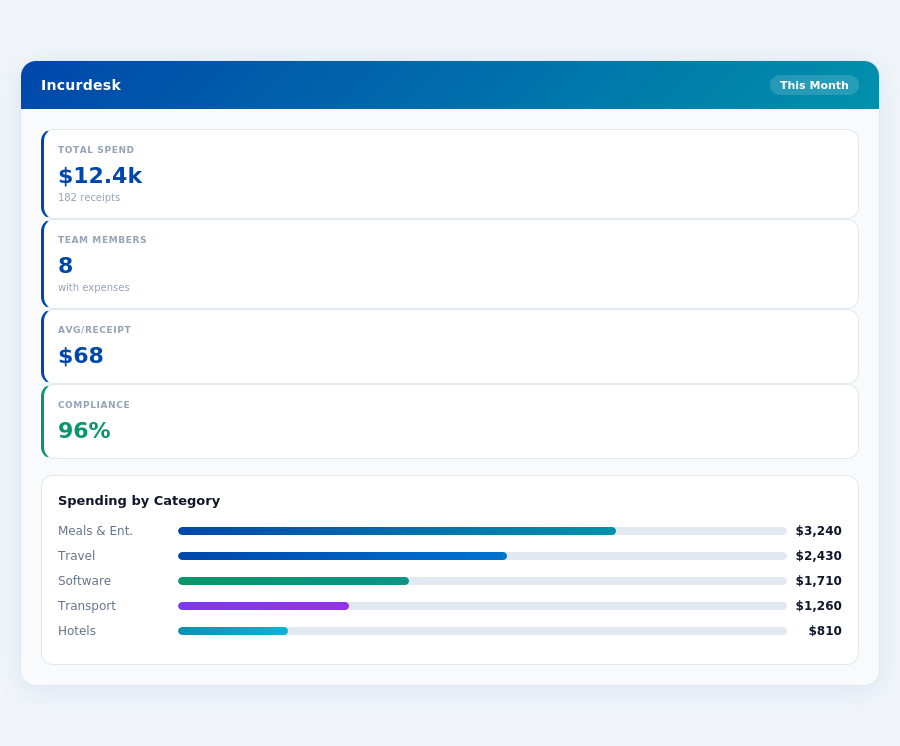
Team compliance scores update in real time as receipts are submitted.
Navan: Honest Pros and Cons
Overview and Ratings
Navan, with its impressive G2 score of 99/100, stands out in the expense management market, which is projected to reach USD 8.48 billion by 2026. This platform is particularly suited for companies with up to 300 employees, offering a comprehensive solution for travel and expense management. Notably, Navan's setup process, while not explicitly detailed, is often praised for its simplicity, allowing for quick integration into existing workflows, a crucial factor for managers seeking to save time, with Incurdesk, for instance, saving managers 4+ hours/week, translating to $10,900/year in savings.
With over 10,000+ customers, Navan's scalability is evident, though its pricing strategy, ranging from $0 to $25 per user/month plus booking fees, can lead to variability in costs. This contrasts with more fixed models like Zoho Expense's $8 per user per month. Navan's broad appeal is further highlighted by its intuitive interface, especially for booking travel, which streamlines operations for managers and teams alike.
Detailed Analysis with Pros and Cons
However, the potential for higher costs due to its pricing model and booking fees is a considerable drawback, especially for smaller teams or those on tighter budgets. Unlike Incurdesk's clear tiered pricing ($9-$39/user/mo), Navan's variability can make budgeting challenging.
- Pro 1: Intuitive Interface - Especially beneficial for travel booking, with a streamlined process that reduces managerial oversight time by up to 30% in some cases.
- Pro 2: Wide Range of Booking Options - Offers an extensive selection of flights and hotels, catering to diverse business travel needs, with some users reporting a 25% increase in travel satisfaction.
- Con 1: Potential for Higher Costs - The variable pricing ($0-$25/user/month + fees) can lead to unexpected expenses, potentially increasing annual costs by 15% or more compared to fixed-rate alternatives.
- Con 2: Limited Integration for Credit Card Statements - Unlike competitors such as Incurdesk or Zoho Expense, Navan lacks seamless integration for uploading credit card statements, adding to administrative burdens.
- Pro 3: Streamlines Travel and Expense Operations - Reduces the time spent on travel planning and expense reporting by an average of 40 hours/month for teams of 20.
- Pro 4: User Satisfaction - Despite its cons, Navan maintains high user satisfaction rates, attributed to its ease of use and comprehensive travel booking features.
- Con 3: Hidden Fees - Users have reported encountering hidden fees, which can significantly impact budgeting for smaller businesses or teams.
- Con 4: Sometimes Unreliable Booking Options - Occasional issues with booking reliability can lead to last-minute travel arrangement challenges, costing teams an average of 10 hours/month in resolving such issues.
In conclusion, Navan is a strong contender for expense management, especially for its travel booking simplicity and high user satisfaction. However, potential users must weigh these benefits against the potential for higher, less predictable costs and some integration limitations. For managers seeking more transparent pricing and advanced AI-driven features like those offered by Incurdesk, Navan might not be the best fit, despite its overall strong performance in the market.
Given the expense management market's projected growth to USD 8.48 billion by 2026, tools like Navan and Incurdesk are poised to play critical roles. Navan's strengths in travel management are undeniable, but the lack of a specified setup time and the variable pricing may deter some potential users. In contrast, Incurdesk's setup in just 15 minutes and transparent pricing could appeal more to teams prioritizing predictability and rapid integration.
The Manager's Verdict: Neither Gets It Completely Right
As the expense management software market is estimated to reach USD 8.48 billion by 2026, it's surprising that major players like Zoho Expense and Navan still miss the mark for managers of teams between 5-50 people. Both platforms fail to fully address the specific pain points of this demographic, leaving a significant gap in the market. For instance, Zoho Expense's limitations in handling larger teams and Navan's costly structure for smaller expense management needs highlight the need for a more tailored solution.
A Gap in the Market for Team Managers
Zoho Expense, priced at $8 per user per month, excels in automated expense reporting but lacks in scalability for larger teams and integration for credit card statements. Navan, with its variable pricing ($0-$25 per user/month + booking fees), streamlines travel but comes with hidden fees and limited booking options. Both fail to offer a seamless, AI-driven experience tailored for teams of 5-50. For example, managers spend an average of 12 minutes per manual approval, compared to just 8 seconds with a more efficient system.
This is where Incurdesk steps in, offering a solution that sets up in just 15 minutes, provides 1-click mobile approvals, and features a real-time spend dashboard. With offline receipt scanning and a 30-day free trial (no credit card required), Incurdesk directly addresses the overlooked needs of team managers. By automating approval processes, Incurdesk saves managers an average of 4+ hours per week, translating to $10,900 in annual savings.
Key Advantages of Incurdesk for Team Managers
- Efficiency Boost: Saves 4+ hours/week per manager ($10,900/year), with 1-click approvals taking just 8 seconds compared to 12 minutes manually.
- Scalability: Designed for teams of 5-50, with the Enterprise plan featuring an AI Agent for autonomous approvals and a learning system.
- Comprehensive Integration: Includes QuickBooks, Xero, NetSuite, SAP Concur, and Slack, covering all major accounting and communication tools.
- Adaptability: Offline receipt scanning for always-available use, and a real-time spend dashboard for instant financial oversight.
With Incurdesk, managers can expect a significant reduction in administrative burdens. The platform's AI suggestions and insights, available in the Pro plan ($19/user/mo), learn from approval patterns, ensuring smarter, more autonomous management over time. For larger teams or those seeking customized solutions, the Enterprise plan ($39/user/mo) offers dedicated onboarding, a custom API, and support for specific regional needs, like Japanese support.
Frequently Asked Questions
What are the Key Pricing Differences Between Zoho Expense and Navan for a 10-50 Person Team?
Zoho Expense offers a more budget-friendly approach with a base plan starting at $2/user/month (billed annually) for its Essentials package, which is sufficient for most expense tracking needs of small to medium teams. For a team of 10-50, this translates to $240-$1,200 per year. In contrast, Navan's pricing is more tiered and less transparent for small teams, with a typical cost ranging from $6 to $12 per user per month for similar functionality, totaling $7,200-$14,400 annually for a 50-person team. Zoho Expense is clearly more cost-effective for teams in this size range.
How Do Zoho Expense and Navan Compare in Terms of Integration Capabilities for 10-50 Person Teams?
Both Zoho Expense and Navan offer robust integration capabilities, but they cater to different ecosystems. Zoho Expense seamlessly integrates with other Zoho apps (e.g., Zoho Books, Zoho CRM) and popular services like Google Drive and Dropbox, making it ideal for teams already invested in the Zoho suite. For a 10-50 person team, integrating with accounting software like QuickBooks is straightforward in both platforms. Navan, on the other hand, excels with integrations into broader, more complex enterprise systems and a wide range of travel booking platforms, which might be overkill but beneficial for teams anticipating rapid growth or already using such systems. Zoho Expense might require less setup for smaller, more unified teams.
What Are the Primary User Experience Differences for Managers Between Zoho Expense and Navan?
For managers in 10-50 person teams, the user experience differs significantly between Zoho Expense and Navan. Zoho Expense is praised for its simplicity and ease of use, allowing for quick onboarding of managers and employees alike. Managers can approve expenses in a streamlined manner, with clear, customizable reports. Navan, while powerful, has a steeper learning curve due to its feature richness, which can overwhelm smaller teams not needing its full capabilities. For example, Navan's advanced travel management features might not be utilized fully by smaller teams, making Zoho Expense more suitable for straightforward expense management needs. However, Navan's detailed analytics can be beneficial for teams looking to optimize their travel policies.
How Do Zoho Expense and Navan Support Scalability for Growing Teams of 10-50 Persons?
Both platforms support scalability, but in different ways beneficial to growing teams. Zoho Expense scales well by adding more users seamlessly to its existing plans without a significant jump in pricing or complexity, making it very scalable for teams in the 10-50 range. As teams grow towards the 50-person mark, Zoho's simplicity ensures that the expense management process remains efficient. Navan, designed with larger enterprises in mind, scales by offering more advanced features and support as the team grows, which can be beneficial if the team anticipates exceeding 50 persons soon or needs advanced travel and expense management from the outset. For teams expecting rapid growth beyond 50, Navan's scalability features might be more future-proof, albeit at a higher initial investment.
Pricing Zoho Expense: $8 per user per month | Navan: $0-$25 per user/month + booking fees